
AI in Accounting: What to Delegate, What Never to Delegate
AI is very good at matching, classifying, drafting and explaining variances. It must not calculate amounts or post entries on its own. A practical division of work for finance teams.
AI in accounting is no longer a future topic. The practical question for a chief accountant today is not "should we use AI?" but "which work do we hand to AI, and which do we keep?". Getting it wrong in either direction is expensive: delegate too little and the team stays buried in repetitive work; delegate too much and the books contain figures nobody can explain.
This article lays out a concrete division of work. It builds on the principle set out in AI must never do the arithmetic: the deterministic system does the arithmetic; AI reads, explains, drafts and warns; an authorised person decides.
The ground rule: who is accountable for the figure?
Every figure in the financial statements must trace back to source documents, and someone must be accountable for it. Language models are probabilistic: the same question can produce slightly different answers. That is fine for writing an explanation, and not fine for deciding the amount posted to the general ledger.
So a sound division of work rests on one question: if AI gets this task wrong, will the error surface before it becomes fact?
- If yes — because an approver sees it and decides — the task can be delegated.
- If no — because the result goes straight into the ledger — it cannot.
Four kinds of work to delegate to AI
1. Matching: pair items and point out what is left
Matching bank statements to the ledger, receivables to customer confirmations, supplier invoices to goods receipts — repetitive, time-consuming work that suits machines well. AI (or a matching rule set assisted by AI) proposes matches and the remainder; the accountant accepts each match. A wrong match is obvious to the reviewer because amounts and dates do not line up.
2. Classification: suggest accounts, cost categories, cost centres
Describe a transaction in plain words ("October office rent paid to Company A") and get a suggested debit and credit account. The accountant reviews before posting. Good suggestions save junior staff look-up time and keep similar transactions coded consistently.
3. Drafting: dunning letters, disclosure notes, close checklists
Reminder letters by overdue stage, draft notes explaining cost movements, checklists of items blocking the period close — AI drafts these quickly and completely. But sending a letter to a customer or signing off a period lock remains the act of an authorised person.
4. Explaining and warning: "why did this number change?"
This is where AI adds the most value and is least appreciated:
- Scanning entries for duplicates, balances on the wrong side and unusually large round amounts.
- Comparing this month's costs with the same period to flag accruals that may have been missed.
- Explaining cost-centre variances in plain language, with documents attached for checking.
- Reviewing a draft VAT return and flagging lines likely to fail before filing.
A warning changes nothing. It keeps the chain of accountability intact: the person who receives it decides whether to adjust.
Three things never to delegate to AI
Calculating amounts
Tax, depreciation, cost of goods sold and payroll must be calculated by the system's deterministic formulas: same input, same result, every time. AI can explain the formula and point out unusual inputs, but it must not be where the number comes from.
Posting entries
An entry posted by AI looks exactly like a correct one. If it is wrong, no error appears; it simply sits there and every report downstream inherits it. AI proposals must stop at draft or pending approval.
Taking binding actions
Paying money, emailing a customer, locking a period, filing a return — actions with legal or financial consequences must be clicked by a specific person, and the system must check that person's permissions at the moment of the click.
Division of work at a glance
| Task | AI does | People do |
|---|---|---|
| Bank reconciliation | Suggest matches and remaining items | Accept each match, resolve differences |
| Transaction coding | Suggest debit/credit accounts | Review and post |
| Dunning | Draft letters by stage | Approve and send |
| Period close | List blocking items | Decide to lock |
| VAT | Flag suspicious lines | Correct, prepare and file the return |
| Depreciation, COGS | Nothing | System calculates by formula; a person reviews the result |
Illustrative example: month-end bank reconciliation
The figures below are assumptions. A company has 420 statement lines in the month.
- The matcher proposes 388 confident matches (same amount, same date or within a date tolerance, with a reference).
- 22 lines have a low-confidence suggestion (amount matches, transfer description unclear).
- 10 lines have no suggestion: 6 bank fees, 3 deposit interest credits, 1 customer payment covering two invoices.
The accountant accepts the 388 matches after spot-checking, reviews the 22 carefully, and resolves the 10: posting adjusting entries for fees and interest, and splitting the combined payment. If manual matching used to take about 2 minutes per line (roughly 14 hours), most of the time now goes into the 32 lines that genuinely need judgement. More importantly, every match has a person who accepted it, and the bank fees are not "excluded" to make the gap disappear — they are posted correctly.
Five questions to ask when evaluating an accounting AI tool
- Do AI proposals stop at draft or pending approval, or is there a direct write path?
- Do write actions go through the same permissions and approval gates as manual work?
- When information is missing (amount, unit, currency), does the AI ask or fill it in?
- Is every run logged: who triggered it, what data it read, what it proposed, who approved?
- Do answers come with documents the accountant can check?
The accounting assistant in XBuddy
XBuddy's Accountant Assistant works inside the Accounting app on exactly these principles:
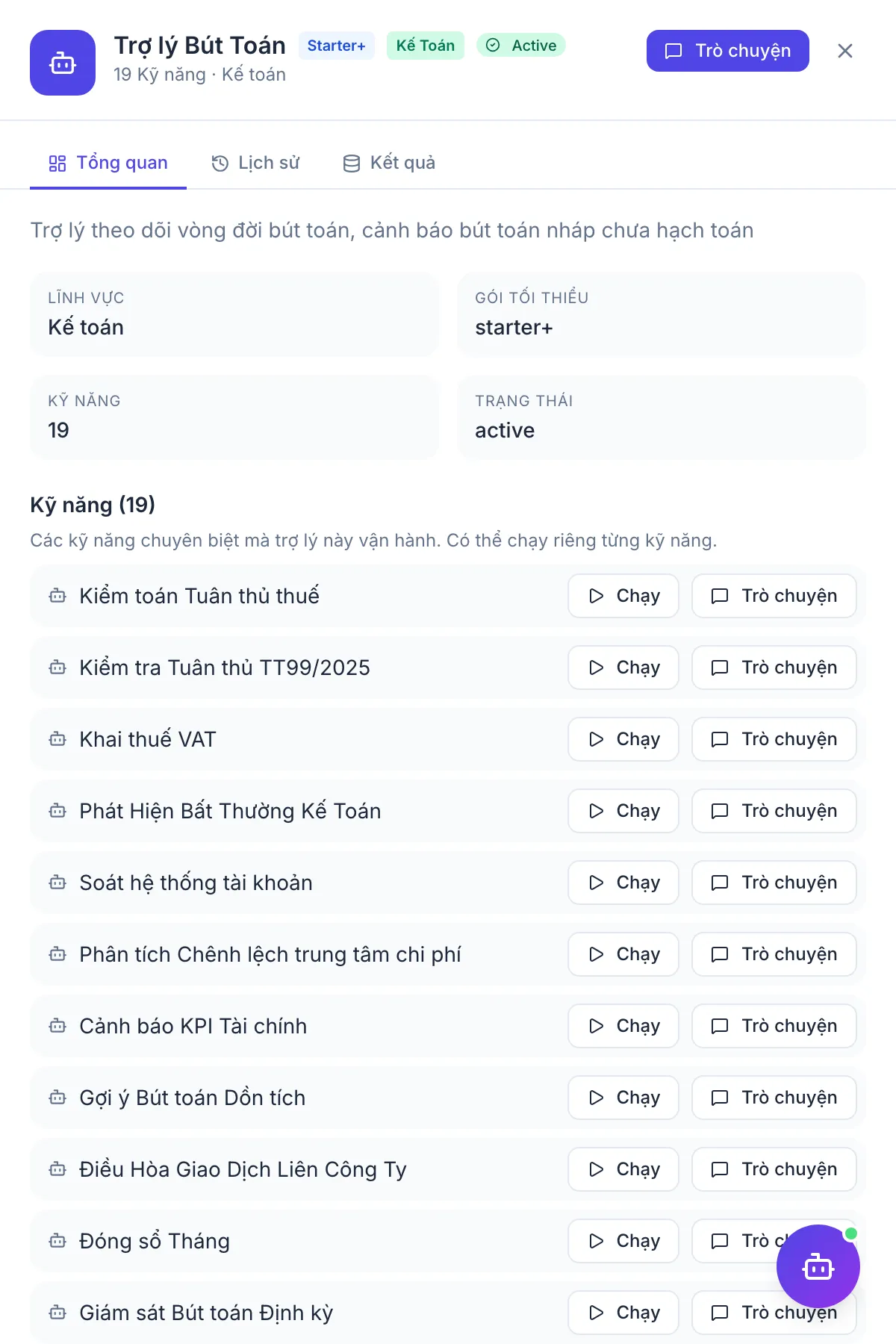
- Reviews the chart of accounts and checks newly posted entries for debit/credit balance and required dimensions.
- Suggests accounts from a plain-language description for the accountant to review and post.
- Detects duplicate entries, wrong-side balances and unusual round amounts; suggests accruals that may be missing.
- Reports close progress and lists blocking items — the person in charge decides to lock; the assistant never locks on its own.
- Suggests bank statement matches; a match takes effect only when the accountant accepts it.
For receivables, the AR Collector assistant drafts reminder letters and an approver decides whether to send. For the full picture of the chief accountant's role, see the Chief Accountant solution.
Frequently asked questions
Can AI replace accountants?
No. AI takes over most repetitive work such as finding matches, looking up accounts and drafting, but not professional judgement or the accountability of signing. The accountant's role shifts from data entry to controlling and explaining the numbers.
Why shouldn't AI post entries if it is 99% accurate?
Because across thousands of lines, 1% wrong means dozens of incorrect entries and no one knows which ones. When an auditor asks where a figure came from, the answer must be a chain of documents and approvers, not "the model produced it".
Is it safe to give accounting data to AI?
It depends on how the tool is built. Check that the assistant only reads data within the user's permissions, that every run is logged, and that write actions go through the same permissions as the user interface. An assistant with a "back door" for writing data is a security risk, not just an accounting one.
Where should a finance team start with AI?
Start with reading and warning: detecting unusual entries, reviewing draft returns, explaining cost movements. These write nothing to the books, so the risk is low, and they let the team get used to working with AI before moving to approved proposals such as reconciliation and dunning.
What happens when AI suggests the wrong account?
A suggestion is only a proposal; the accountant corrects it before posting. If a type of transaction is often suggested wrongly, standardise the default posting rule in the system so the deterministic formula handles it instead of relying on suggestions.