Knowledge base

All internal know-how in one place, self-served

Internal procedures, SOPs and guides that assistants can cite when they answer.

  • Write, approve and publish procedures with clear version history
  • Staff ask in plain language and get answers with sources
  • Know exactly who has read and acknowledged each new policy
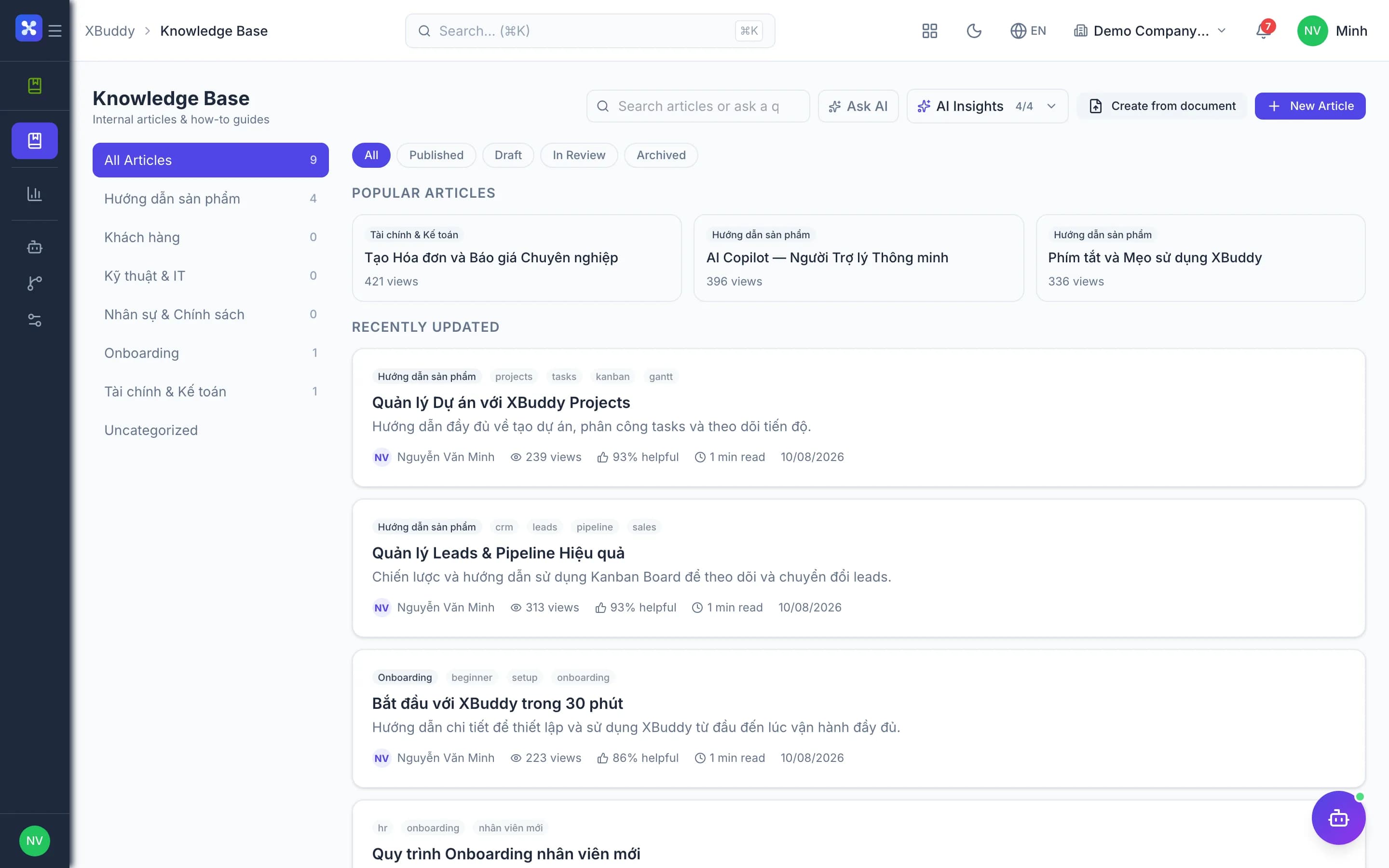
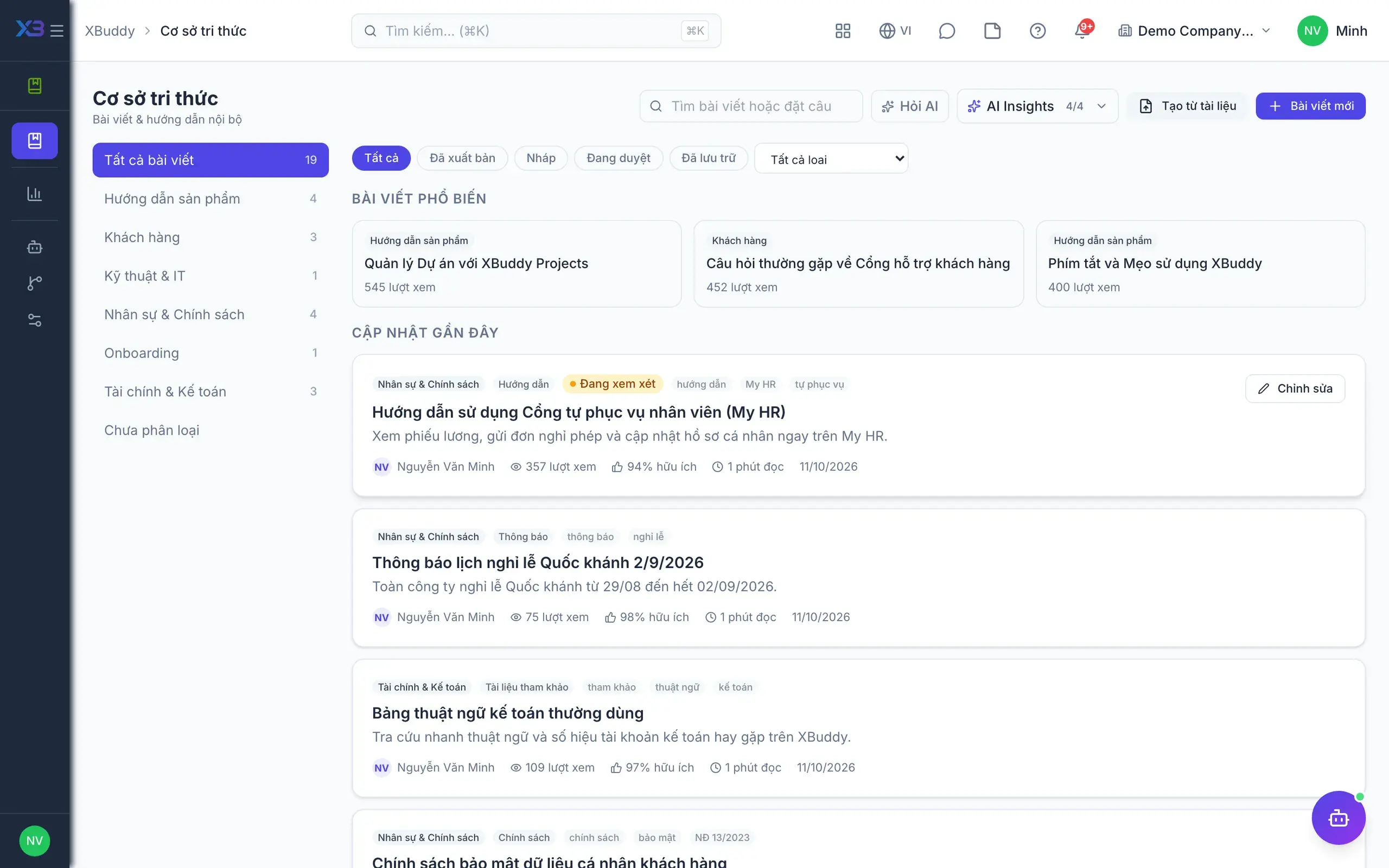
Knowledge base — product screen

Screenshot 1 of 6

22
capabilities
12
advanced & AI features
1
AI assistants on this data
Web
on mobile

Sound familiar?

The problems this app removes

  • Procedures scattered across chats, Word files and a few people's heads
  • The same question answered every week, differently each time
  • Policies get issued but nobody knows who read them
  • Customers keep asking things already documented

Capabilities

22 capabilities in Knowledge base

Catalogued against screens that exist in the product, grouped by the work they do — not a flat marketing list.

Writing & managing articles

6
  • Markdown editor

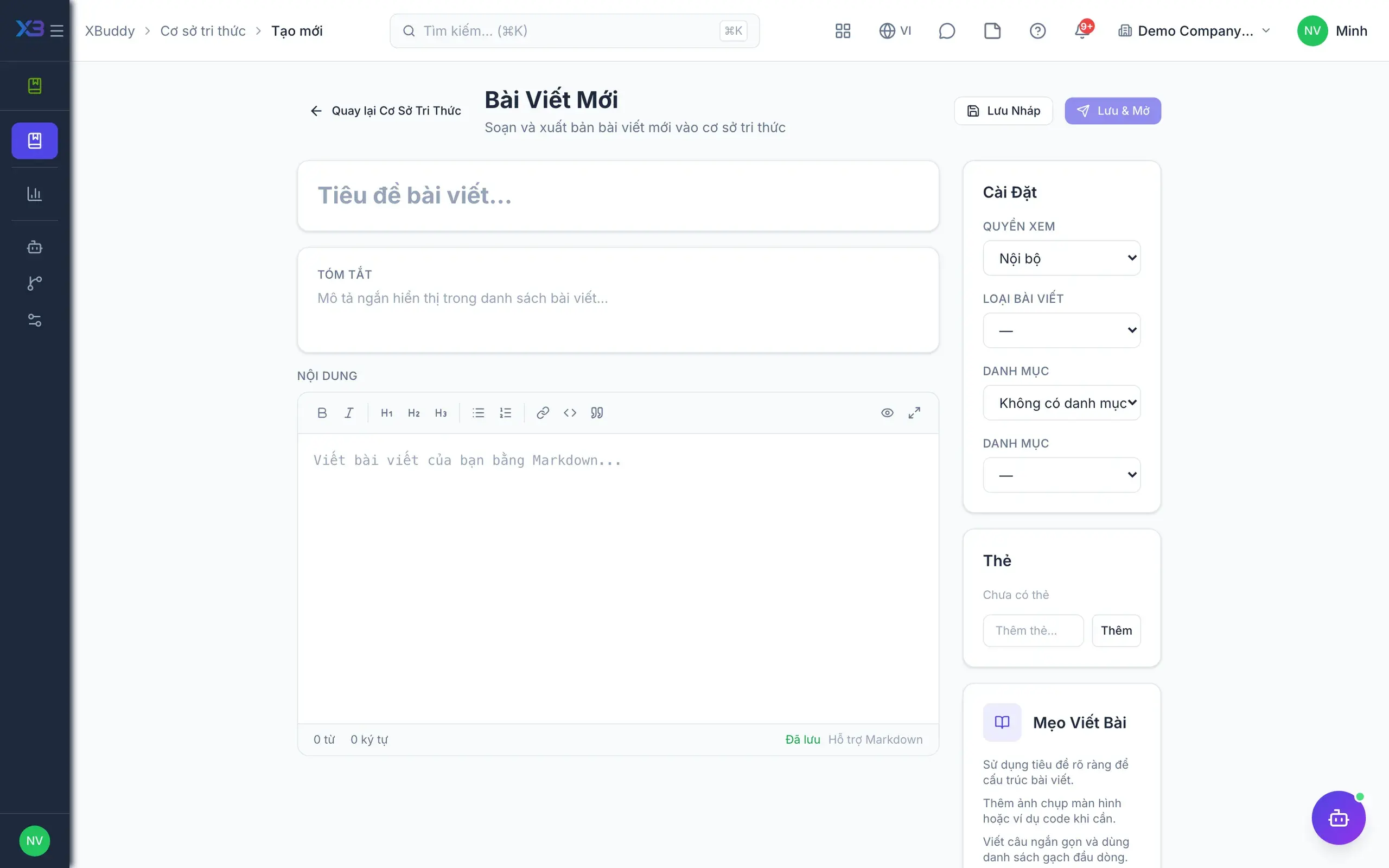
    Write articles with tables, code blocks and images, and preview before publishing.

  • Layouts by article type

    Dedicated layouts for FAQs, step-by-step procedures and decision trees that readers can follow.

  • Clear lifecycle

    Articles move through draft, review, published and archived, so the latest version is obvious.

  • Version historyAdvanced

    Browse earlier versions and restore any of them in a single action.

  • Import from DocumentsAdvanced

    Turn Word or PDF files from the Documents app into draft articles without retyping.

  • Print articles

    Print procedures and guides on paper for the teams that need them.

Review & publishing

4
  • Approval before publishingAdvanced

    Turn on mandatory review so articles can never go straight from draft to published.

  • Custom approval flowsAdvanced

    Attach dedicated approval workflows to articles and folders through Workflow Management.

  • Read acknowledgementsAdvanced

    Require staff to confirm reading and see who has or has not, per publication.

  • Moderated comments

    Readers comment under articles, with optional moderation before comments appear.

Search & Q&A

5
  • Keyword and semantic searchAI

    Search articles and documents together, understanding intent rather than only matching words.

  • Employee Q&AAI

    Staff ask in plain language and receive AI answers with source articles to verify.

  • Answer feedback

    Askers rate answers so editors know which content needs strengthening.

  • ReindexingAdvanced

    Configure search settings and reindex all content whenever needed.

  • Lookup from XBuddy ChatAI

    XBuddy Chat uses the knowledge base as a source when answering procedure questions.

Public customer portal

3
  • No-login help portal

    Customers read your guides through your company's own portal address.

  • Three layers of controlAdvanced

    An article goes public only when published, marked Public and in a public category.

  • Categories and tags

    Organise articles by category and tag, and choose which categories are public.

Reports & AI

4
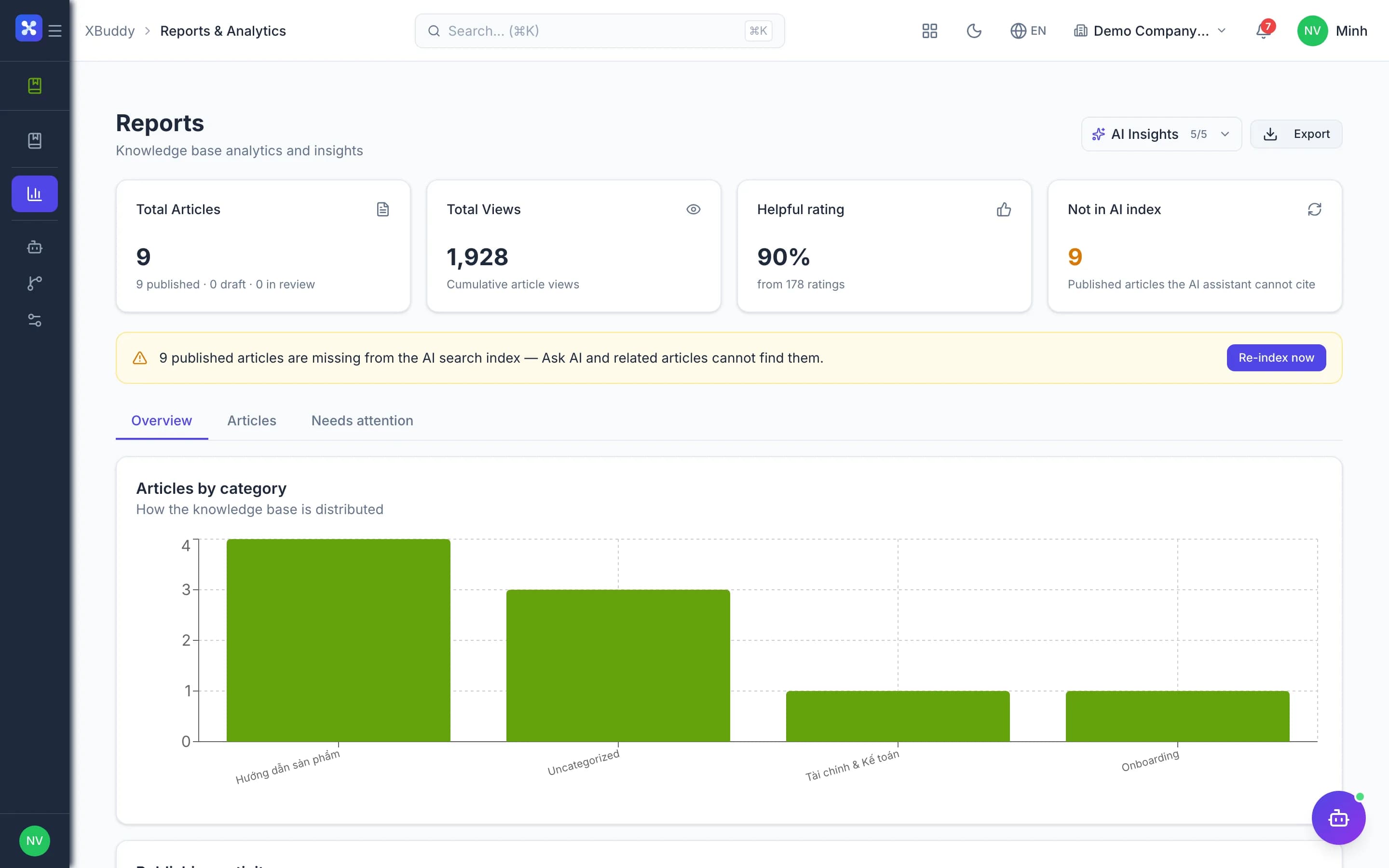
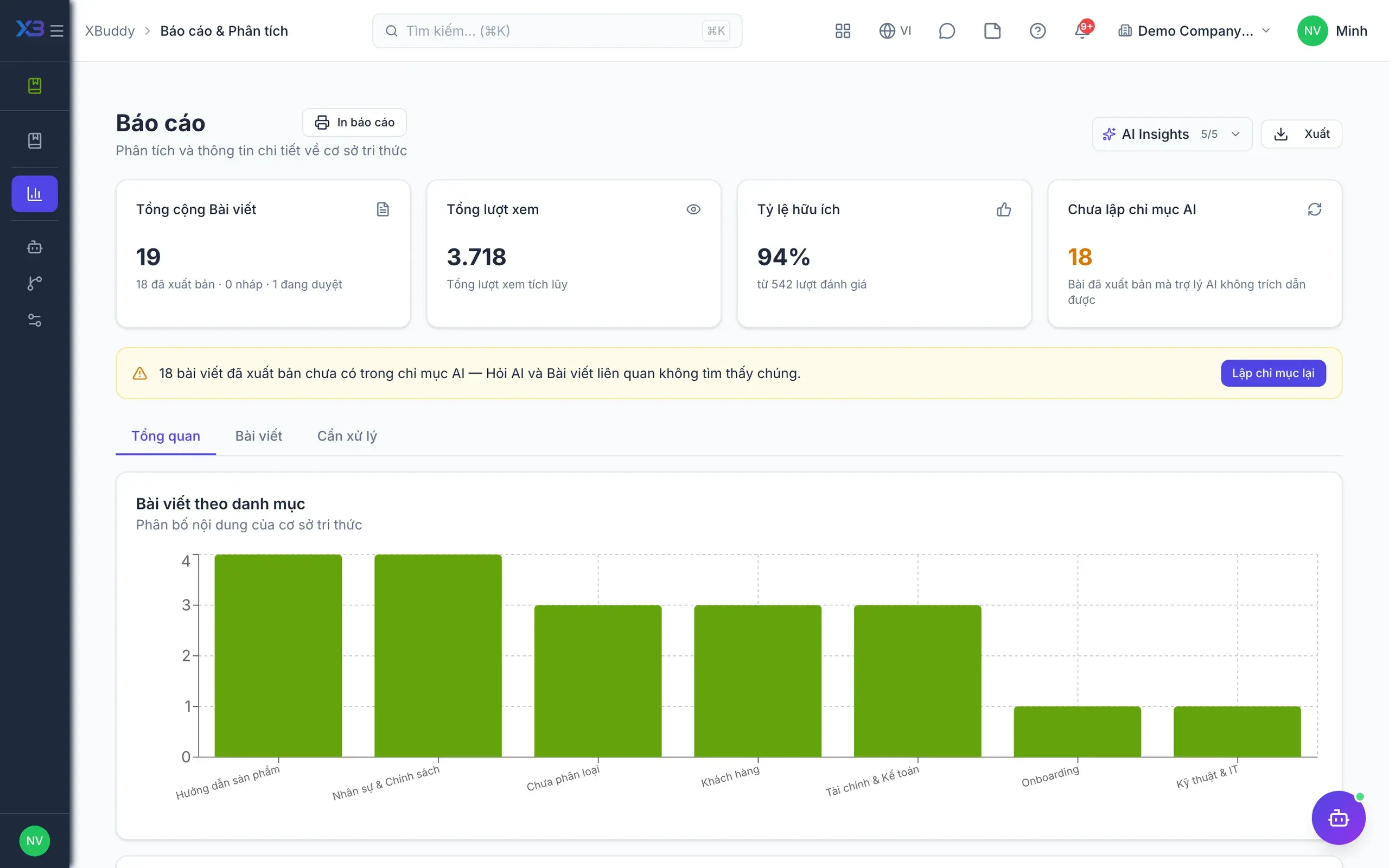
  • Views and popular articles

    See which articles are read most and which are rated unhelpful.

  • Knowledge Curator rewritesAI

    An AI assistant flags poorly rated articles and suggests how to rewrite them.

  • New article outlinesAI

    The assistant proposes titles and outlines for categories that still have few articles.

  • Data scope

    Limit access to your own articles, your team's, or the whole company's.

Real screens

Inside Knowledge base

Knowledge base — product screen
Team Knowledge Base — article detail with feedback and acknowledgement list
Team Knowledge Base — reports view showing internal search terms and no-result gaps
Help Center — the article editor with category selector and publish control

In practice

When you reach for it

1

The same question asked again every week

Each re-answer is a cost, and each answer comes out slightly different.

  1. 1.The system groups repeated questions the knowledge base has no article for
  2. 2.The assistant drafts an article from the data and from previous answers
  3. 3.An owner approves and publishes; from then on the assistant answers with a citation

Support load falls over time instead of rising with headcount.

Assistants on this app

1 assistants work on this data

Each assistant carries its own skills on this app’s data, inside the caller’s permission scope.

Curates the knowledge base — measures coverage, finds content gaps, and keeps articles accurate and fresh.

Explore skills
  • Article Improvement AdvisorReviews low-helpfulness KB articles and proposes concrete rewrite actions.
  • KB Gap FillerTurns unmet search demand and thin categories into draft article stubs to close coverage gaps.
  • Search Gap AnalyzerScans KB categories for insufficient article coverage (fewer than 3 published articles) and uses AI to suggest new content topics
  • Stale Content DetectorIdentifies knowledge base articles not updated within the configured period (default 90 days) and flags them for review, sorted by view count

FAQ

Frequently asked

Does enabling the public portal expose internal articles?

No. An article appears publicly only when published, marked Public and inside a public category.

Is there an extra fee?

No. The Knowledge Base is included free with the platform.

We already have many Word files. Must we retype them?

No. Import documents from the Documents app as drafts, then edit.

See Knowledge base running on your data

A thirty-minute demo focused on the process you are actually stuck on.