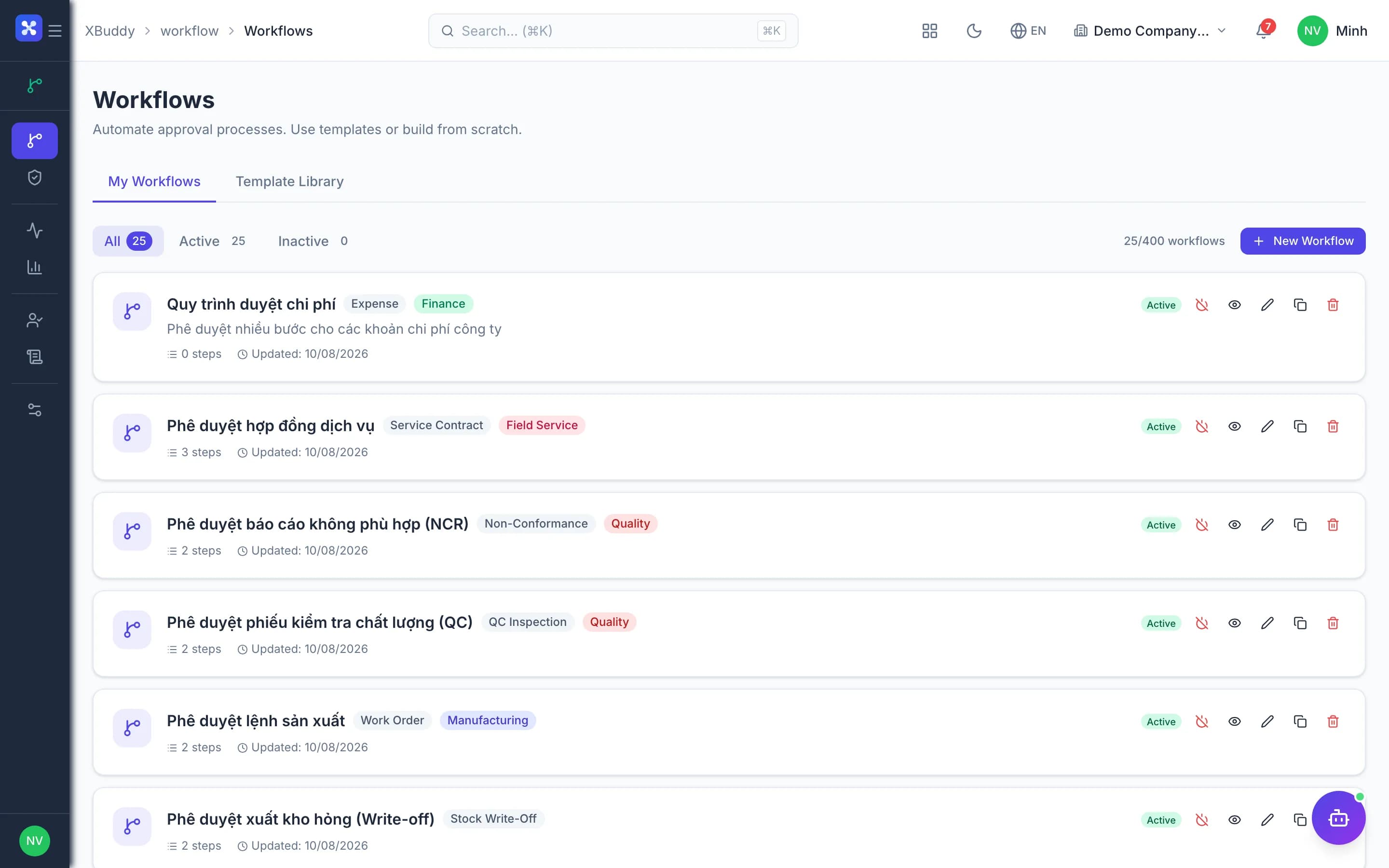
Process management

Design approval flows for any document, no code required

Build and run approval processes for every app from one place.

  • One approval engine for invoices, purchase orders and employee requests
  • See instantly who is holding a file and how late
  • Step-by-step audit trail proves who approved and when
Process management — product screen

Screenshot 1 of 8

21
capabilities
9
advanced & AI features
1
AI assistants on this data
Web
on mobile

Sound familiar?

The problems this app removes

  • Approvals via chat and paper signatures; nobody knows where files stall
  • Even small expenses wait for the director's signature
  • The boss travels and every pending approval stops
  • Each department approves differently, with no central control

Capabilities

21 capabilities in Process management

Catalogued against screens that exist in the product, grouped by the work they do — not a flat marketing list.

Process design

5
  • Drag-and-drop canvas

    Draw approval steps, branching conditions and multi-way Switch branches visually on a canvas.

  • Parallel approvalAdvanced

    A step can require everyone or any one member of a group, with one vote each.

  • Document-field conditionsAdvanced

    Branch on amount, department or any field of the document being approved.

  • Flexible approversAdvanced

    Assign approvers by role, by named person, or by the document's purchasing or sales group.

  • Step formsAdvanced

    Ask approvers to fill in extra information right at the approval step when needed.

Library & versions

4
  • Template library

    Ready templates for advances, payment requests, purchasing and other common Vietnamese business documents.

  • Clone and version

    Clone existing processes and manage versions without breaking flows already running.

  • Preflight before activationAdvanced

    Preflight blocks broken processes, including any process with zero steps, from going live.

  • Simulation runsAdvanced

    Test a process with sample data to see exactly which steps a document will pass.

Running approvals

5
  • Approve, reject, request changes

    Approvers pick one of three outcomes; submitters revise and resubmit straight away.

  • Escalation and reminders

    Automatic reminders before deadlines and escalation upward when a file is forgotten.

  • Event and schedule triggers

    Processes start when a document is submitted for approval or on a configured schedule.

  • Track submitted files

    Employees see which step their submissions are at and who currently holds them.

  • Status write-back

    Once approved or rejected, the source document's status updates automatically in its app.

Threshold policies

3
  • Amount-based thresholds

    Set thresholds that decide when approval is needed, so small items skip the boss.

  • Policy dry runsAdvanced

    Test a policy on sample documents before rolling it out company-wide.

  • AI steps with confidenceAI

    Processes can include AI steps; overriding an AI decision requires its own permission.

Delegation & oversight

4
  • Time-bound delegation

    Hand approval rights to a colleague while away; the delegate sees every relevant file.

  • Step-level monitoring

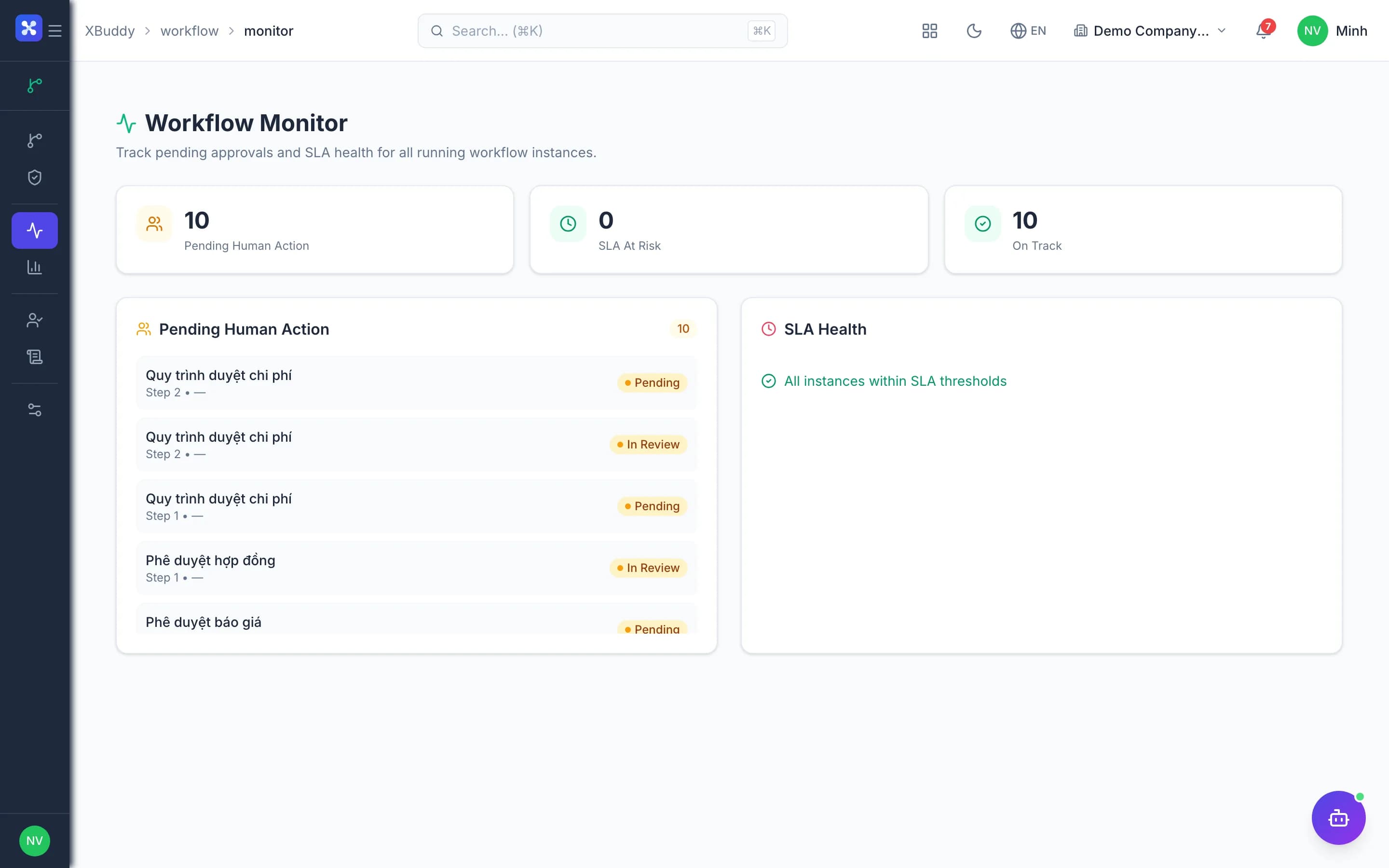
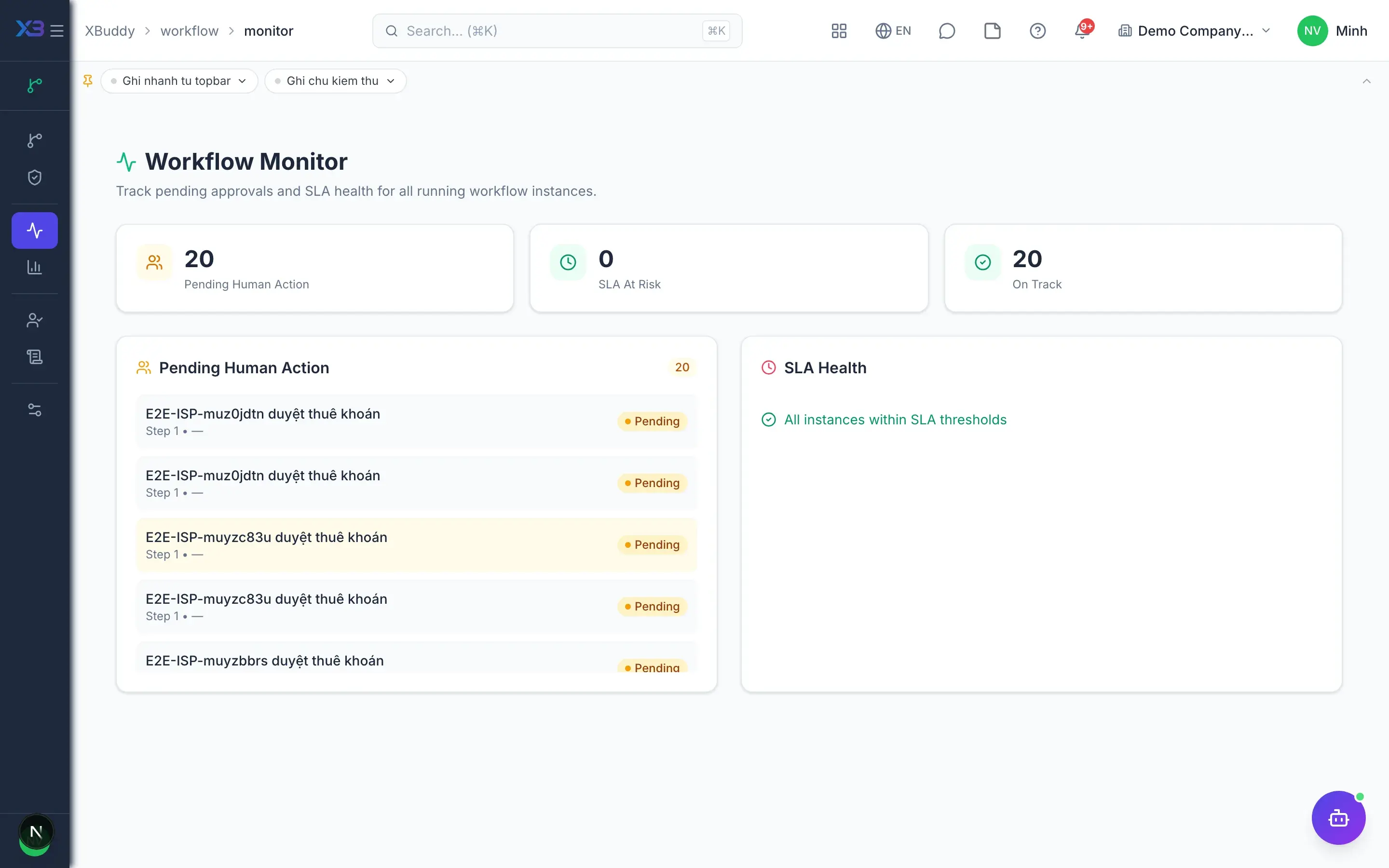
    View every running file, which step it is stuck at and for how long.

  • Audit log

    Every approve, reject and delegation action is recorded for later reconciliation.

  • Five operational reportsAdvanced

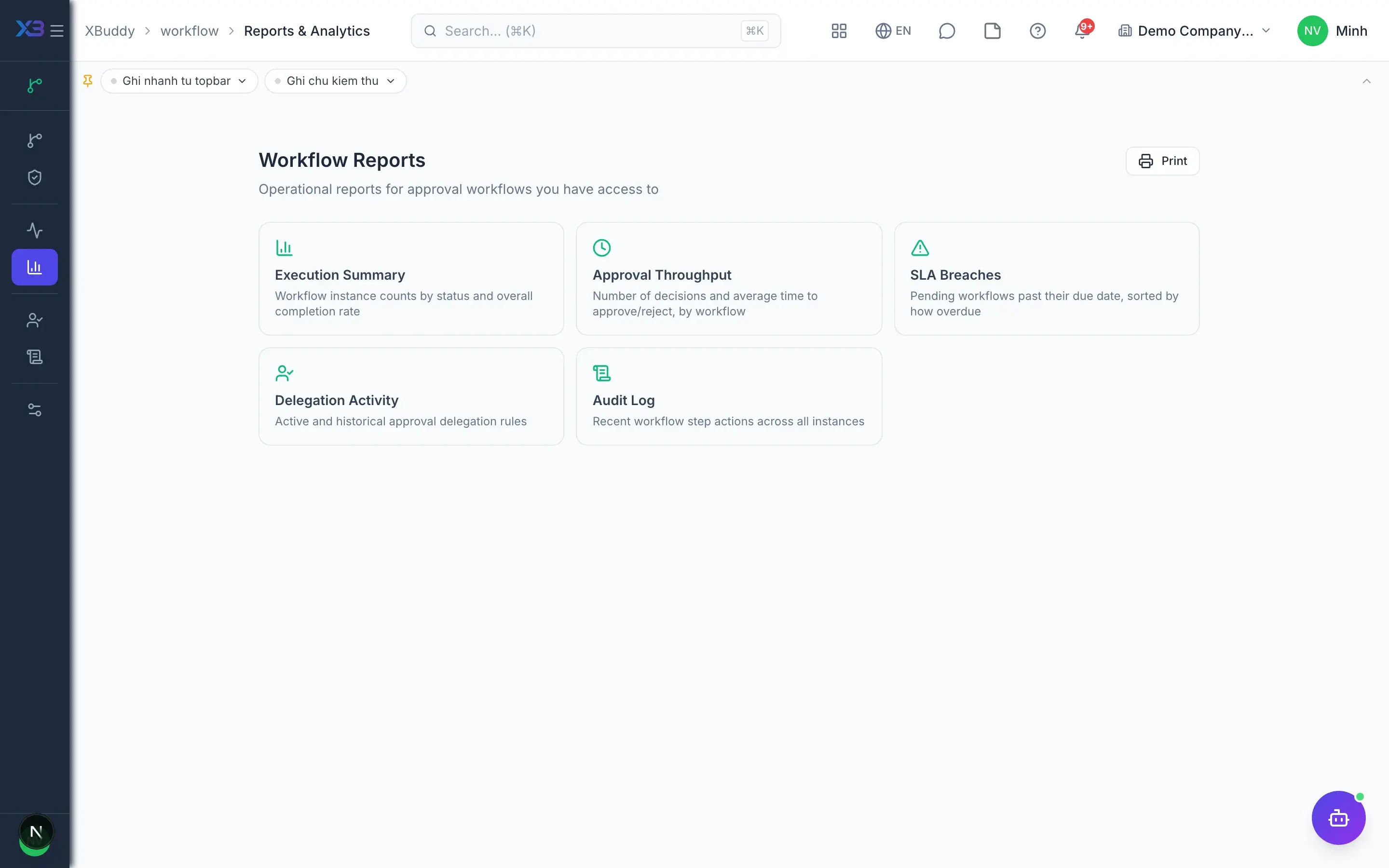
    Execution summary, approver productivity, SLA breaches, delegation activity and audit log.

Real screens

Inside Process management

Process management — product screen
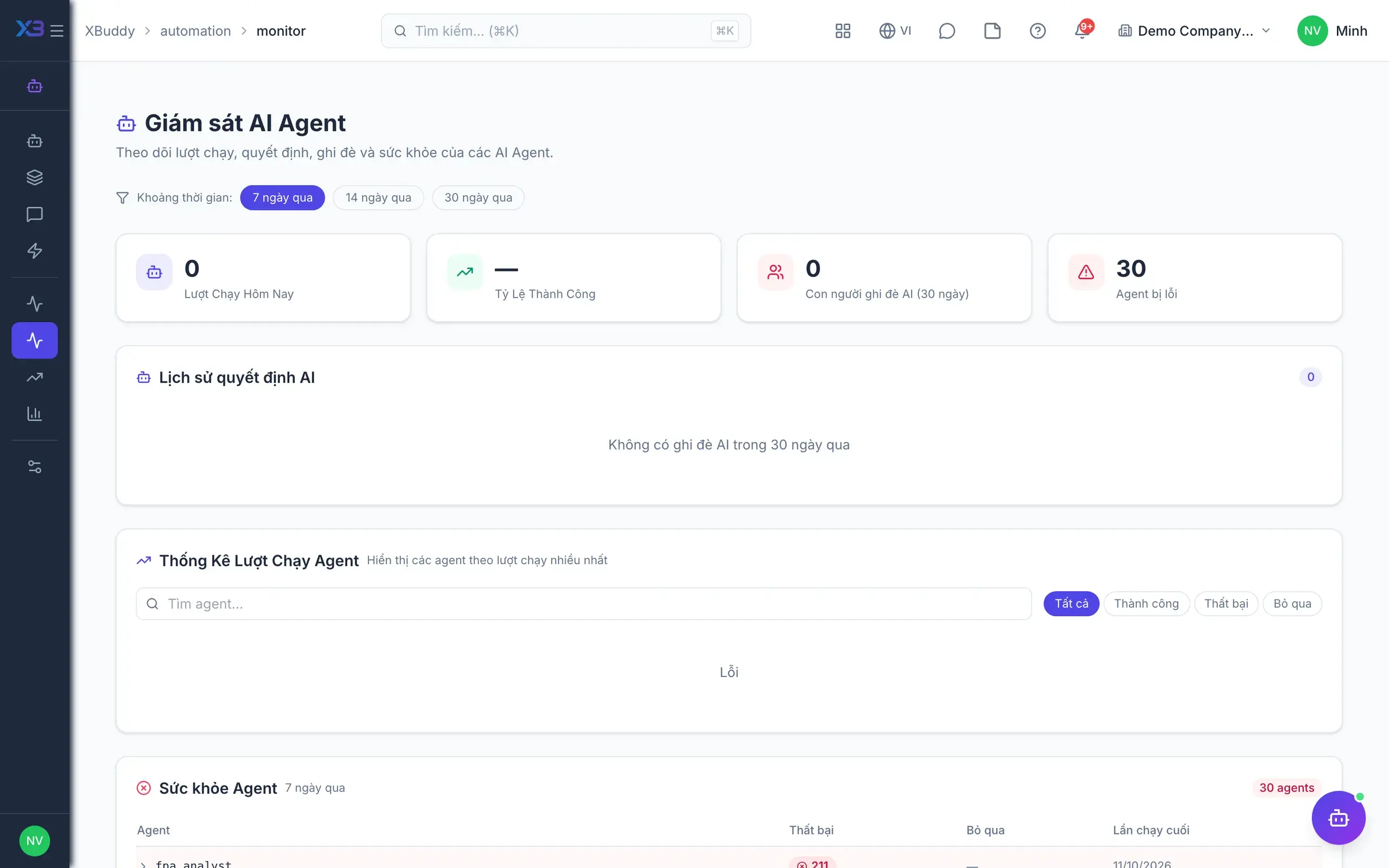
Automation monitor — running, completed and failed

In practice

When you reach for it

1

Changing an approval threshold without writing code

Approval rules change with the season and with scale — waiting for a software release is too slow.

  1. 1.An administrator edits the threshold in the workflow builder
  2. 2.The new version is released; in-flight requests keep running on the old one
  3. 3.The log records who changed which rule, and from when

The process keeps up with the business, and every change is traceable.

Assistants on this app

1 assistants work on this data

Each assistant carries its own skills on this app’s data, inside the caller’s permission scope.

Monitors approval queues, enforces SLA, analyzes rejections, and routes escalations to available approvers.

Explore skills
  • Approval SLA EnforcerWarns approvers approaching deadlines and auto-escalates overdue approval requests
  • Approval Decision PrepAssembles the research an approver would otherwise do by hand for each waiting request: how this amount compares to peer norms, the requester's recent approval record, and how long it has waited versus a typical cycle. Reports only — approving remains a human judgement.
  • Approval Rejection AnalyzerAnalyzes rejection patterns across entity types, clusters root causes, and recommends rule improvements to reduce rejection rates
  • Approver Availability OptimizerMonitors approver workload and inactivity. Alerts when approvers are overloaded or unresponsive and suggests delegation targets
  • Delegation Rule OptimizerAnalyzes approval bottlenecks and recommends delegation rules and threshold adjustments
  • Approval Compliance AuditorWeekly audit of approval decisions for documentation completeness. Flags missing comments and generates per-approver compliance scores
  • Workflow Bottleneck AnalyzerIdentifies approval workflows stuck at the same step for too long. Pinpoints the people and process steps causing the most delays.
  • Request Backlog MonitorFinds employee requests past their SLA and alerts the approvers who can act on them

FAQ

Frequently asked

Does it cost anything?

No. Workflow Management is part of the platform and included free.

What if a process has no steps?

Activation is blocked, so no document is ever approved without someone reviewing it.

In a parallel step, does clicking twice count twice?

No. Each member has exactly one vote.

Which documents does it cover?

Invoices, purchase orders, employee requests and many other documents share the same approval engine.

See Process management running on your data

A thirty-minute demo focused on the process you are actually stuck on.