Time Tracking

Attendance and project hours, approved in one inbox

Capture hours from time clocks, the mobile app or project timesheets.

  • Presence time and work time in a single place
  • One inbox for hours, timesheets, overtime and workdays
  • Approved numbers flow straight into payroll and invoices
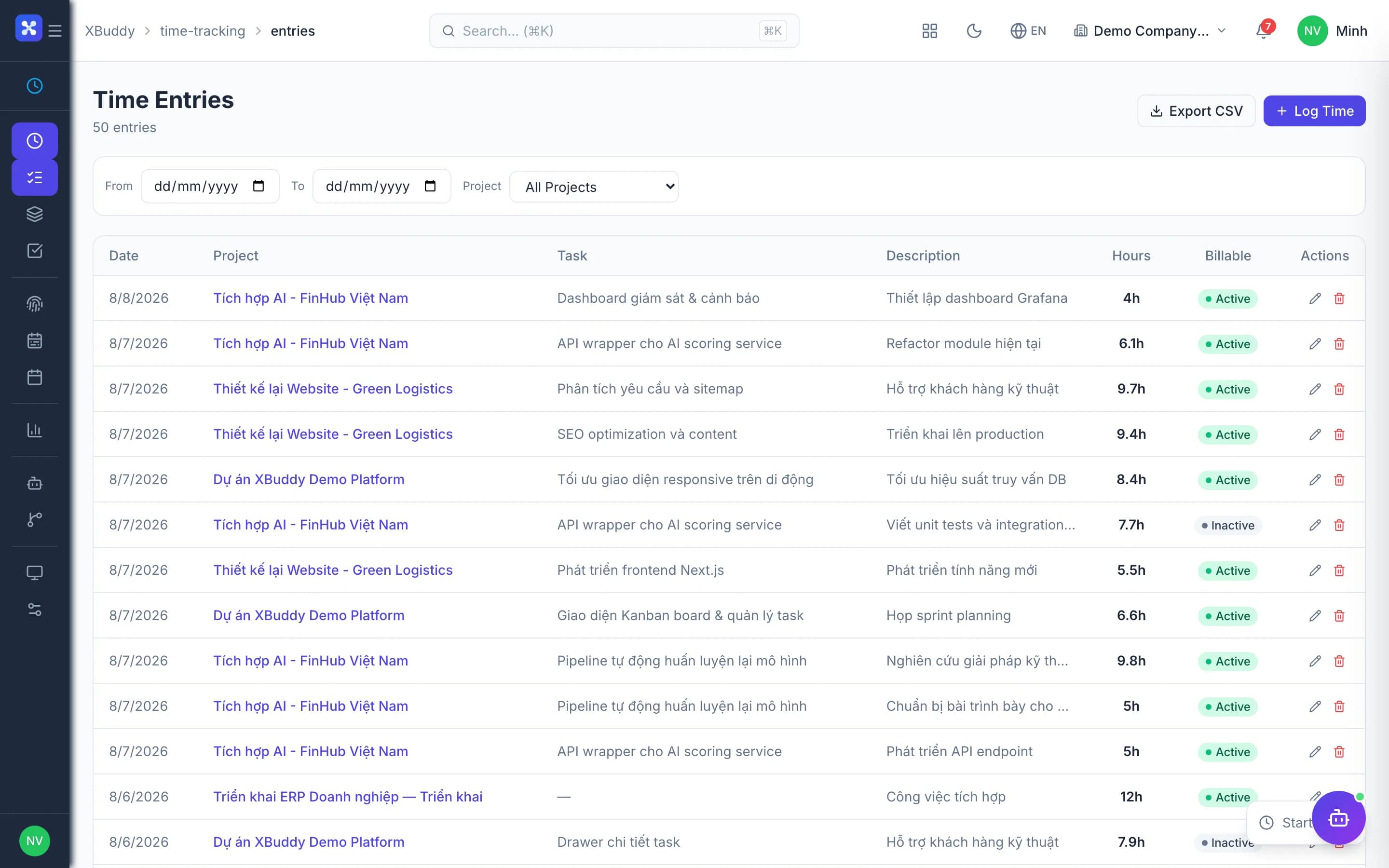
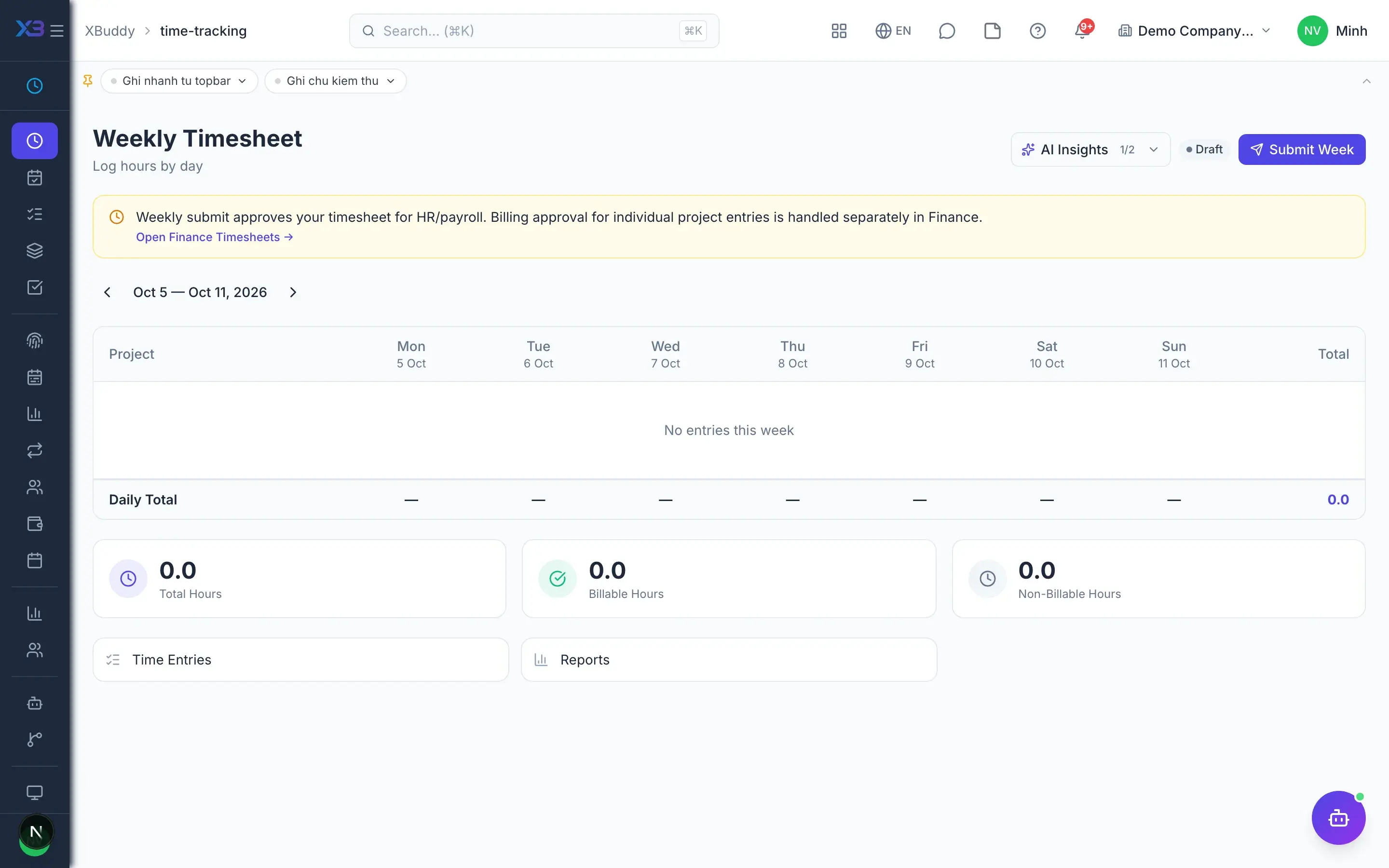
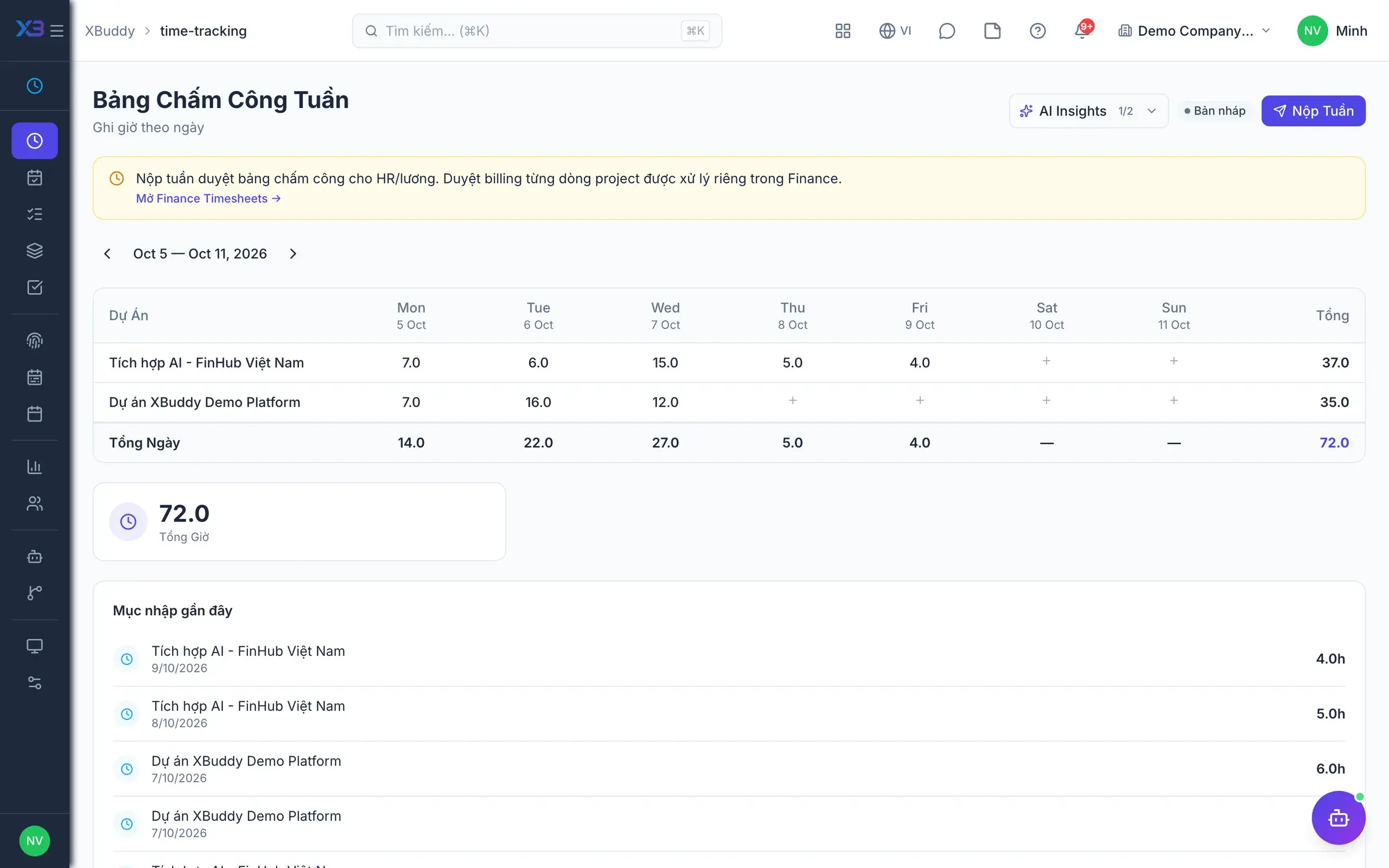
Time Tracking — product screen

Screenshot 1 of 8

24
capabilities
10
advanced & AI features
2
AI assistants on this data
Yes
on mobile

Sound familiar?

The problems this app removes

  • Attendance on one device, project hours in a spreadsheet
  • Hours, overtime and corrections approved piecemeal over chat
  • Overtime breaches labour law limits without anyone noticing
  • Unapproved hours end up on customer invoices

Capabilities

24 capabilities in Time Tracking

Catalogued against screens that exist in the product, grouped by the work they do — not a flat marketing list.

Time logging

5
  • My DayMobile

    Puts clock-in and clock-out next to logged hours and shows exactly what is missing.

  • Project and task hours

    Log hours against each project and task, separating billable from non-billable time.

  • General hours

    Log meetings, training and internal work without attaching them to any project.

  • Live timersMobile

    Start a timer on web or phone when work begins; stopping it creates the entry.

  • Weekly timesheets

    Roll up the week's hours to submit once, locked from edits after approval.

One approval inbox

3
  • Central approvals

    Project hours, timesheets, overtime, workdays, attendance corrections and general hours in one inbox.

  • No self-approvalAdvanced

    Nobody approves their own time; every notification points to the same approval inbox.

  • Custom approval workflowsAdvanced

    Design approval flows for timesheets and time entries with the Workflow builder.

Attendance

5
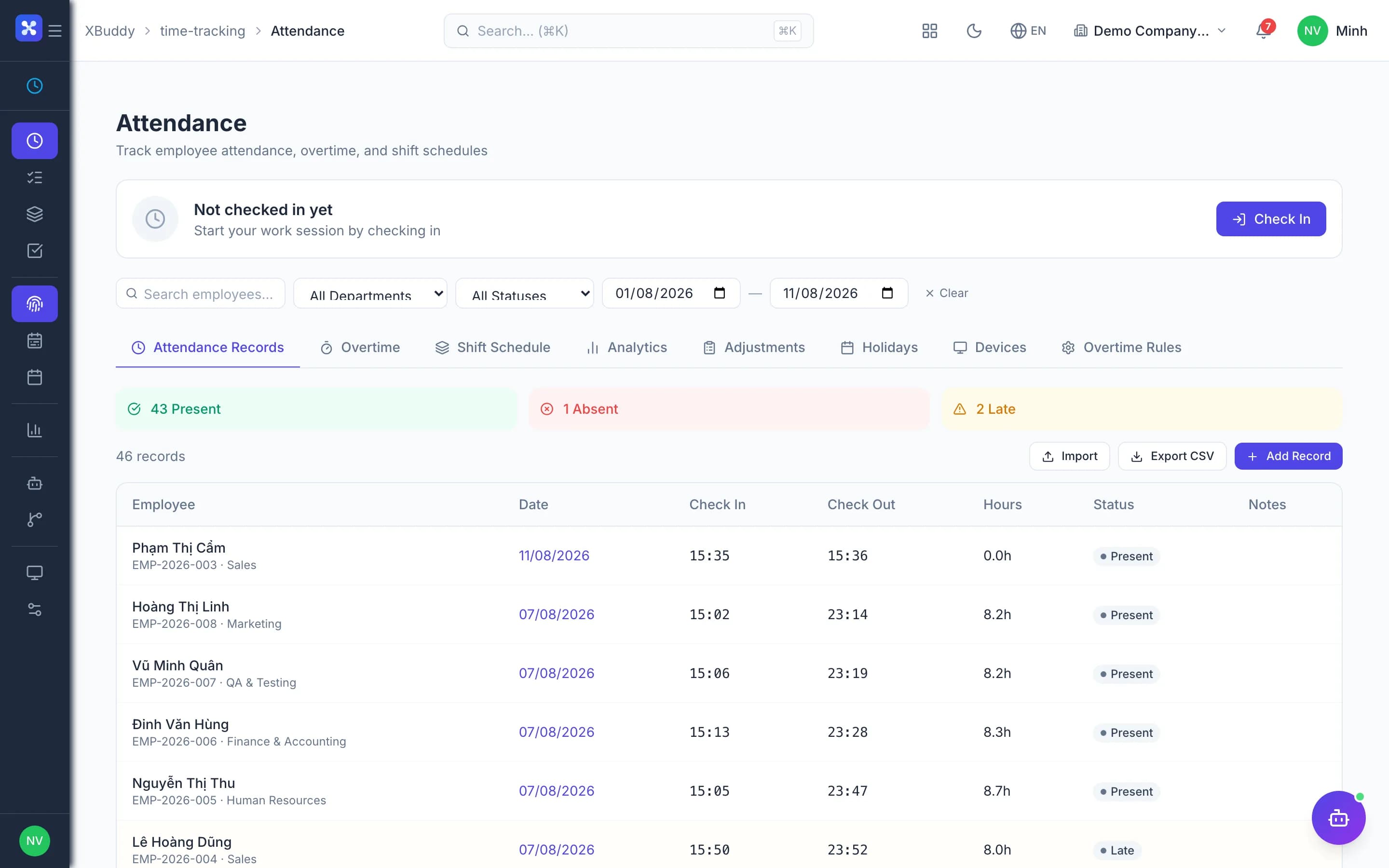
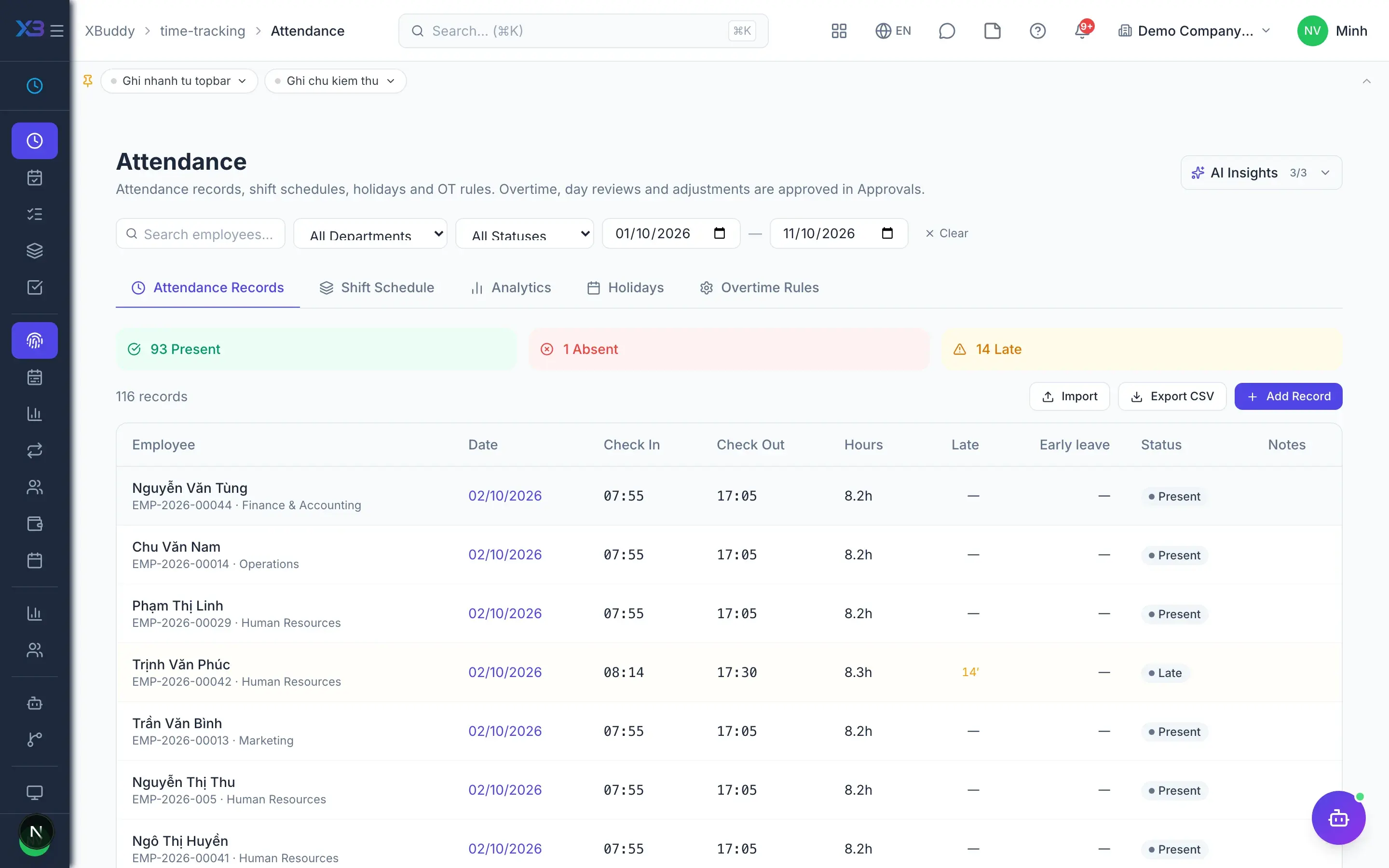
  • Web, mobile and device clock-inMobile

    Captures every punch from all sources, removes duplicates and derives accurate workdays.

  • ADMS time clock integrationAdvanced

    Time clocks are identified by serial number and punches flow straight into the system.

  • Photo on clock-inMobile

    Require a photo at clock-in and clock-out to discourage buddy punching.

  • Workday approval before payroll

    Optionally require workdays to be approved before the payroll run can start.

  • Holidays and overtime rules

    Configure holidays, overtime types for weekdays, Sundays, holidays and night shifts, plus rounding.

Compliance & control

4
  • Working hour and overtime capsAdvanced

    Check daily, monthly and yearly hour and overtime limits on approval; block or warn.

  • Payroll period lockAdvanced

    Once payroll closes for a month, nobody can log or edit hours in it.

  • Future and backdate limits

    Restrict logging hours for future dates and how many days back entries are allowed.

  • Bill only approved hoursAdvanced

    Hours without an approved timesheet never reach invoices; billed hours cannot be edited.

Shifts & schedules

4
  • Shift roster

    Schedule shifts by week, copy and lock weeks, and import or export CSV.

  • Work schedule templates

    Create standard work schedules per employee group and apply them quickly.

  • Rotations and coverageAdvanced

    Shift rotation patterns, demand-based coverage and geofenced sites for shift-based teams.

  • Shift swaps and open shiftsAdvanced

    Staff request swaps and pick up open shifts; no-shows are flagged after a grace period.

Reporting & automation

3
  • Hours by project and employee

    Reports on hours by project, billable hours and monthly totals per employee.

  • Automatic timesheet remindersAI

    Background agents remind people who have not submitted timesheets before the approval deadline.

  • Overtime and utilisation alertsAI

    Agents analyse time utilisation and raise early warnings about overtime risk.

Real screens

Inside Time Tracking

Time Tracking — product screen
Time Tracking — Weekly timesheet with billable and non-billable entries

On mobile

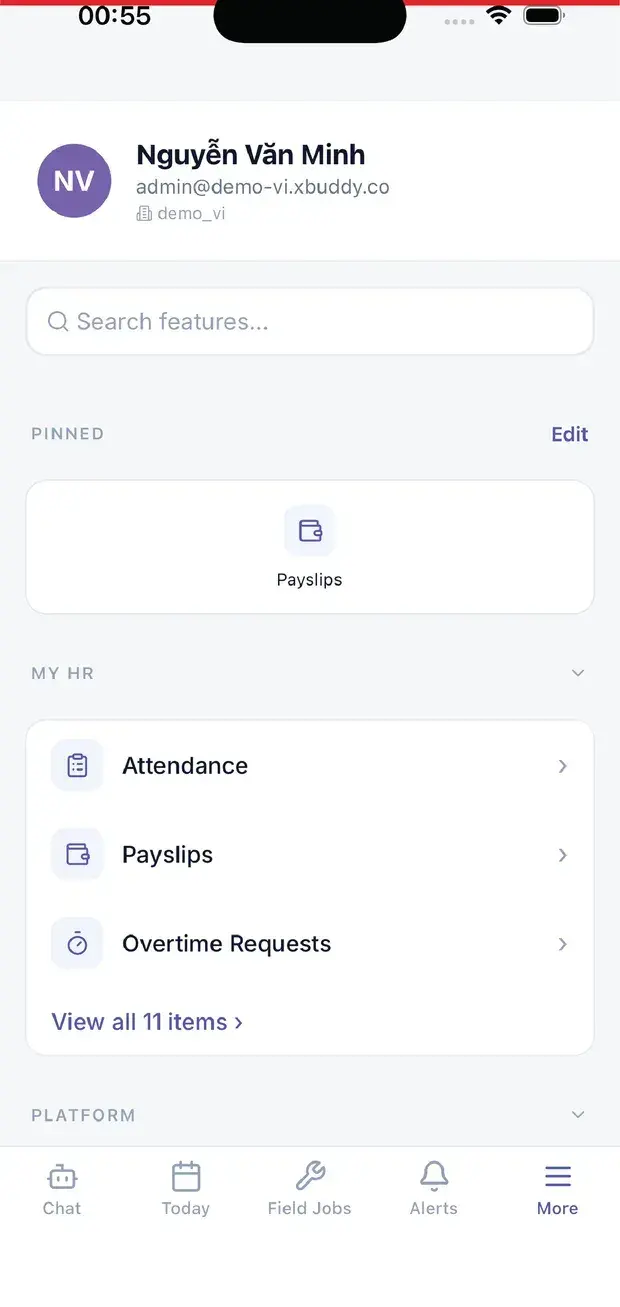
Work anywhere with XBuddy Office & XBuddy Work

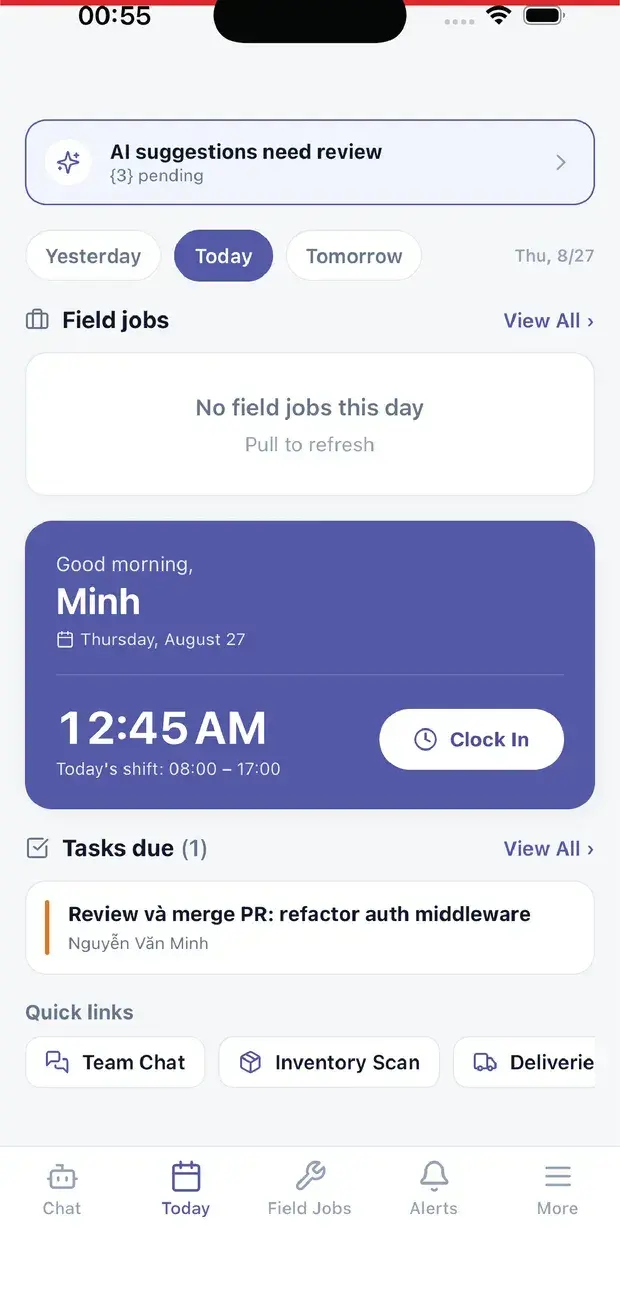
Today: clock-in and field jobs
My HR: attendance, payslips, overtime

In practice

When you reach for it

1

Turning hours into a customer invoice

Hours recorded loosely in a notebook are hours that never get billed.

  1. 1.Staff log time against a project and mark whether it is billable
  2. 2.A manager approves the timesheet; approved hours enter the billing queue
  3. 3.Finance invoices from approved, not-yet-billed hours only

Nothing billed twice, and nothing worked left unbilled.

Assistants on this app

2 assistants work on this data

Each assistant carries its own skills on this app’s data, inside the caller’s permission scope.

HR operations assistant — monitors flight/attrition risk, engagement, leave & overtime patterns, succession and workforce planning, and nudges self-service tasks.

Explore skills
  • Employee Engagement MonitorWeekly analysis of employee activity patterns to detect early signs of disengagement or burnout. Alerts HR confidentially.
  • Leave Pattern AnalystDetects leave patterns indicative of burnout, disengagement, or coverage risks. Identifies peak leave periods and departments with capacity shortfalls.
  • Probation Review NudgerNudges upcoming and overdue probation reviews and flags probation decisions stuck awaiting approval.
  • Attendance Anomaly DetectorDetects repeated lateness, missing checkouts, and absences without approved leave over the last 14 days.
  • Overtime Risk DetectorDetects employees approaching overtime thresholds and alerts managers to redistribute workload proactively.
  • Learning Gap DetectorAnalyzes skill inventory against job requirements to identify team-wide skill gaps. Recommends targeted training programs and identifies critical capability deficits.
  • Succession Planning AdvisorIdentifies critical roles at succession risk by analyzing seniority, tenure, and organizational structure. Flags knowledge concentration risks and recommends succession strategies.
  • Workforce Planning AnalystAnalyzes headcount by department, turnover trends, and hiring velocity. Forecasts workforce gaps and recommends proactive hiring strategies.
  • Performance CoachWeekly analysis of team OKR progress. Identifies at-risk goals, suggests corrective actions, and automatically prepares 1:1 meeting agendas with talking points.
  • Onboarding Experience MonitorTracks new hire onboarding progress across the first 90 days. Identifies employees at risk of poor onboarding outcomes and recommends timely interventions.
  • Knowledge Gap DetectorScans the knowledge base for articles that have not been updated in over 90 days, identifies topic coverage gaps across categories, and suggests new articles based on what is missing.
  • Self-Assessment NudgerReminds employees to complete self-assessments during performance review cycles to ensure timely feedback.
  • Leave Balance ReminderNotifies employees of expiring leave balances and encourages them to plan time off before entitlements lapse.
  • Timesheet Submission ReminderSends timely reminders to employees who have not submitted their timesheets before the deadline.
  • Utilization AnalyzerAnalyzes billable vs total hours per employee monthly and flags those below the target ratio with AI-generated recommendations.
  • Overtime AlertDetects employees exceeding standard weekly hours and alerts managers with severity classification (low / medium / high).
  • Timesheet ReminderSends weekly reminders to employees who have not logged sufficient hours for the prior week. Configurable minimum-hours threshold.
  • Time Log Compliance MonitorMonitors time logging habits across the team and flags gaps or inconsistencies that may affect payroll or billing accuracy.

Payroll assistant — tracks the payroll run lifecycle and readiness, flags anomalies and cost variance, and checks PIT/BHXH and overtime compliance.

Explore skills
  • Payroll Anomaly DetectorAudits payroll records for anomalies including unusual deductions, salary outliers, duplicate payments, and compliance irregularities across pay periods.
  • Payroll Readiness CheckPre-flight check before payrun: flags missing timesheets, unapproved leaves, and missing bank accounts
  • Payroll Cost Variance MonitorMonitors month-over-month payroll cost changes by department — flags significant cost spikes, headcount shifts, and per-employee salary variance
  • Overtime Compliance MonitorFlags employees exceeding legal or company OT limits and creates compliance reports
  • PIT Compliance CheckerChecks PIT compliance: flags employees missing personal tax codes (MST), and identifies compliance gaps before PIT form generation
  • BHXH ReconciliationReconciles social insurance declarations vs payroll data — flags new hires without BHXH registration and salary changes requiring contribution updates
  • Salary Band Drift MonitorDetects employees whose salaries have drifted outside their defined grade band

FAQ

Frequently asked

Are attendance hours and project hours double-counted?

No. The two are shown side by side for comparison and are never added together.

Where do managers approve?

Only on the Approvals page; operational pages carry no approve buttons and every notification leads there.

What if we don't need complex shift planning?

Advanced shift features are off by default and hidden from the menu until your business turns them on.

See Time Tracking running on your data

A thirty-minute demo focused on the process you are actually stuck on.