Calendar

Every meeting ends with minutes and owned action items

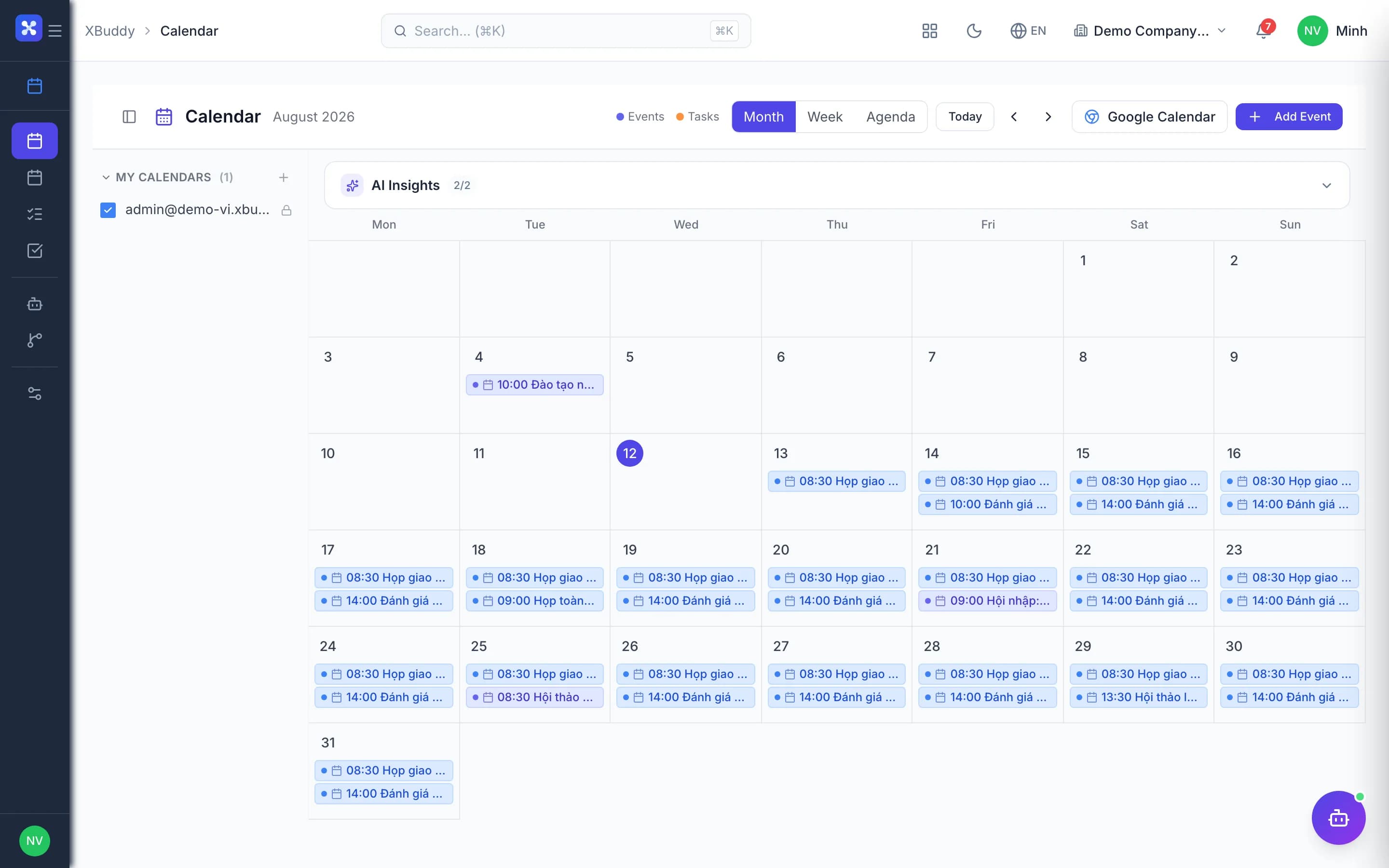
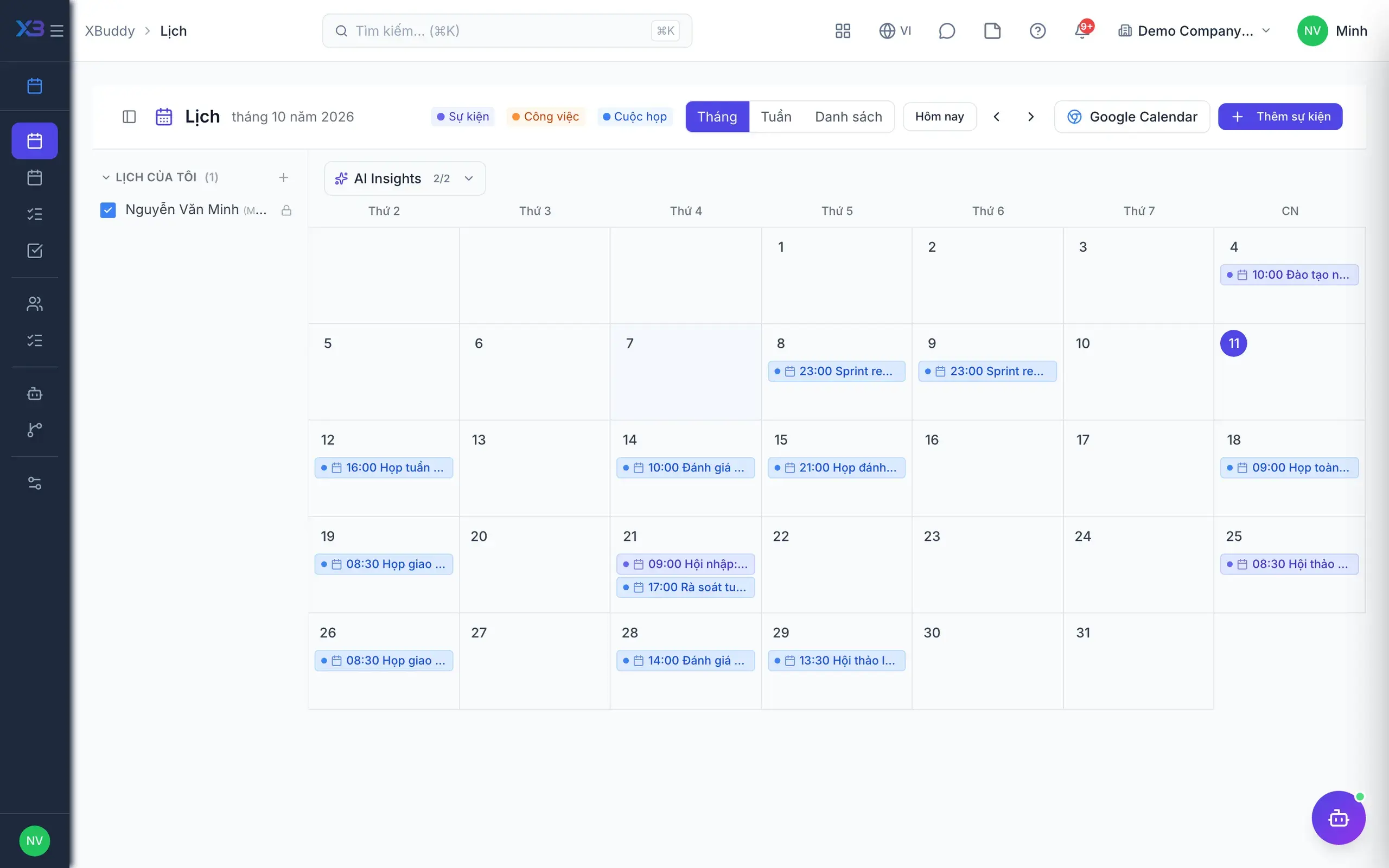
Shared team, room and resource calendars, synced two ways with external calendars.

  • One shared calendar linked to tasks, projects and contracts
  • Meeting conclusions get owners, deadlines and auto-generated tasks
  • Unfinished items carry over to the next meeting automatically
Calendar — product screen

Screenshot 1 of 5

21
capabilities
11
advanced & AI features
1
AI assistants on this data
Web
on mobile

Sound familiar?

The problems this app removes

  • Meetings end with scattered notes in someone's notebook
  • Agreed actions are forgotten within a week
  • The calendar lives apart from tasks and projects
  • Writing minutes takes far too long

Capabilities

21 capabilities in Calendar

Catalogued against screens that exist in the product, grouped by the work they do — not a flat marketing list.

Calendar

6
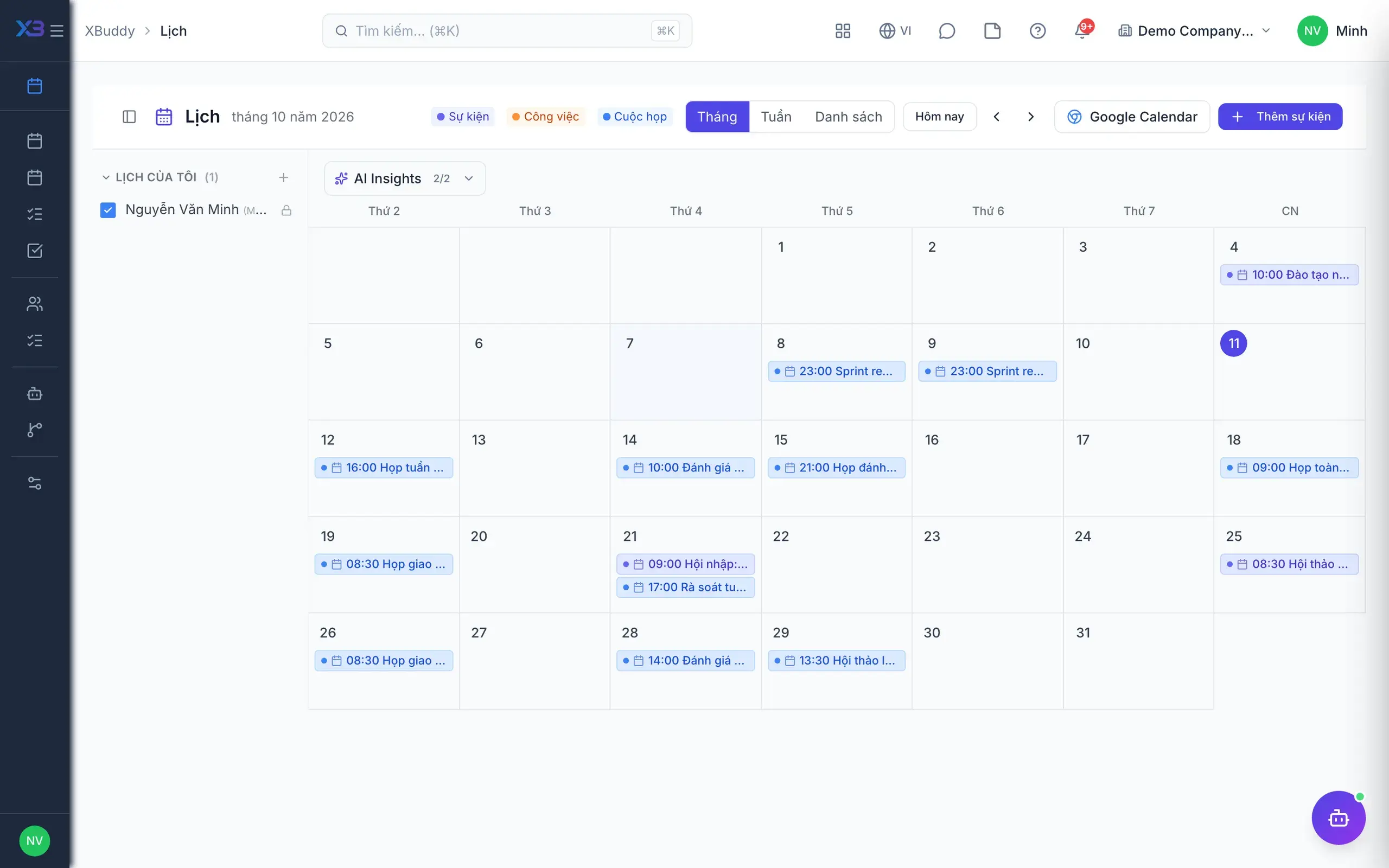
  • Four views

    Month, week, agenda and upcoming-tasks views, all on the same calendar.

  • Named calendars with members

    Create calendars for teams or departments and invite members to share them.

  • Flexible recurring eventsAdvanced

    Edit a single occurrence or the whole series of a recurring event safely.

  • Invitations and RSVP

    Send invitations, collect attendance replies and remind people at configured intervals.

  • Linked to records

    Events link to tasks, projects or contracts and open from those very pages.

  • Conflict detectionAdvanced

    When enabled, blocks events that clash with the same organiser's other events.

Meetings

5
  • Numbered meetings

    Every meeting has its own code, agenda and attendees, with or without a project.

  • Attendance and minutes

    Take attendance, write minutes and publish them for everyone involved to read.

  • Attachments

    Meeting files are stored in the Documents app and stay linked to the meeting.

  • Project meetingsAdvanced

    Schedule meetings from a project and view meetings across the whole project portfolio.

  • External guests

    Invite partners by email only; admins can switch this off when needed.

Conclusions & follow-up

5
  • Six conclusion typesAdvanced

    Classify decisions, actions, follow-ups and more, each with an owner and a deadline.

  • Conclusions become tasksAdvanced

    Action conclusions create tasks for their owners, keeping the meeting-to-task chain intact.

  • Carry-overAdvanced

    Open items move to the next meeting; older decisions are marked as superseded.

  • Overdue notifications

    Owners are notified when assigned and again when a conclusion becomes overdue.

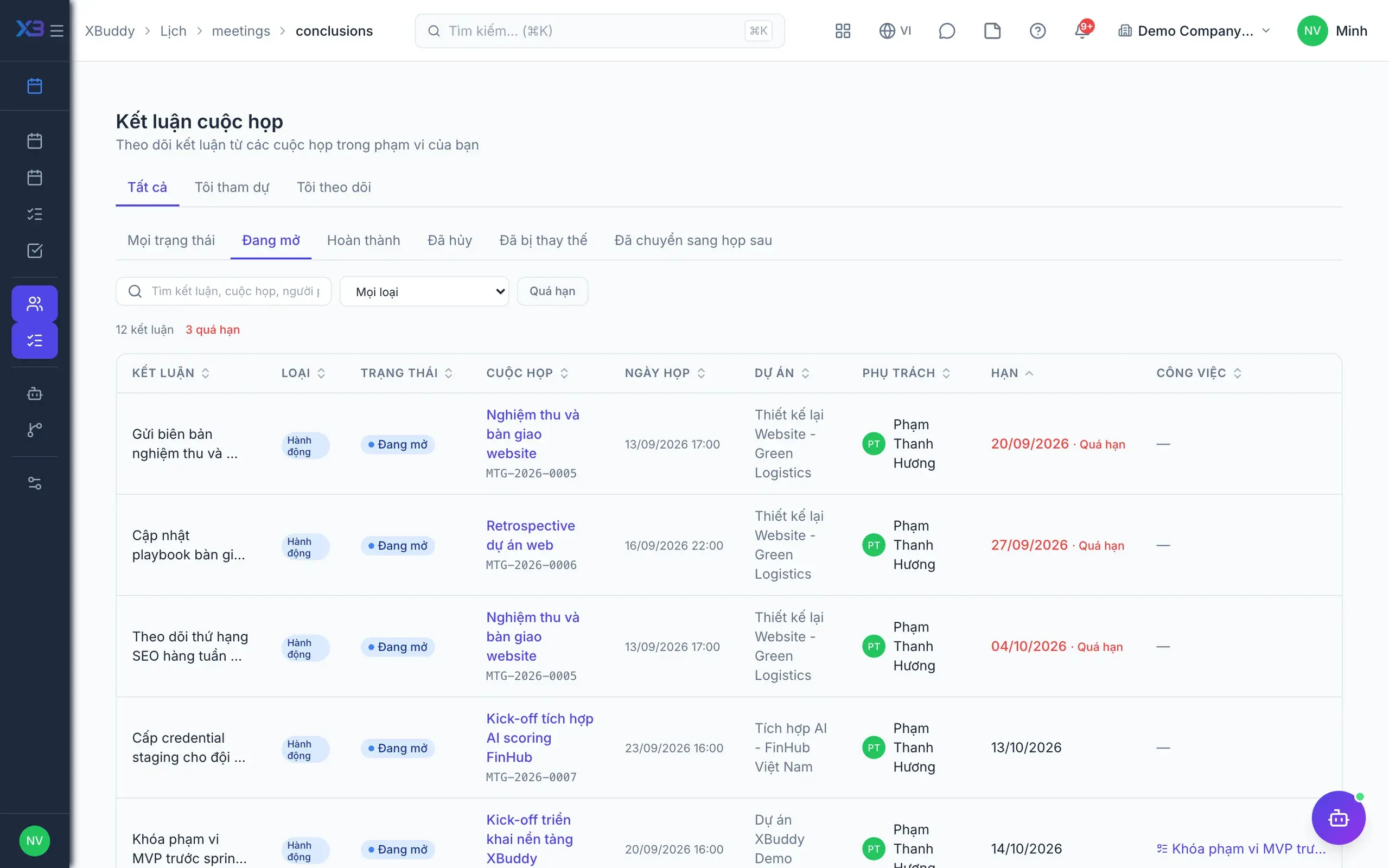
  • My conclusions

    One page listing every open conclusion you are responsible for.

AI secretary

5
  • AI-suggested conclusionsAI

    AI summarises the minutes and suggests conclusions for the chair to pick and save.

  • New slots for clashesAI

    The Calendar Secretary assistant detects conflicts and proposes alternative time slots.

  • Overdue conclusion trackingAI

    The assistant flags overdue conclusions and suggests tasks, without closing anything itself.

  • Meeting load analysisAI

    The assistant analyses meeting time to show who is overloaded with meetings.

  • Lookup in XBuddy ChatAI

    Ask about meetings and open conclusions right inside XBuddy Chat.

Real screens

Inside Calendar

Calendar — month view
Calendar — My open meeting conclusions list
Calendar — Due view showing tasks and approvals with deadlines
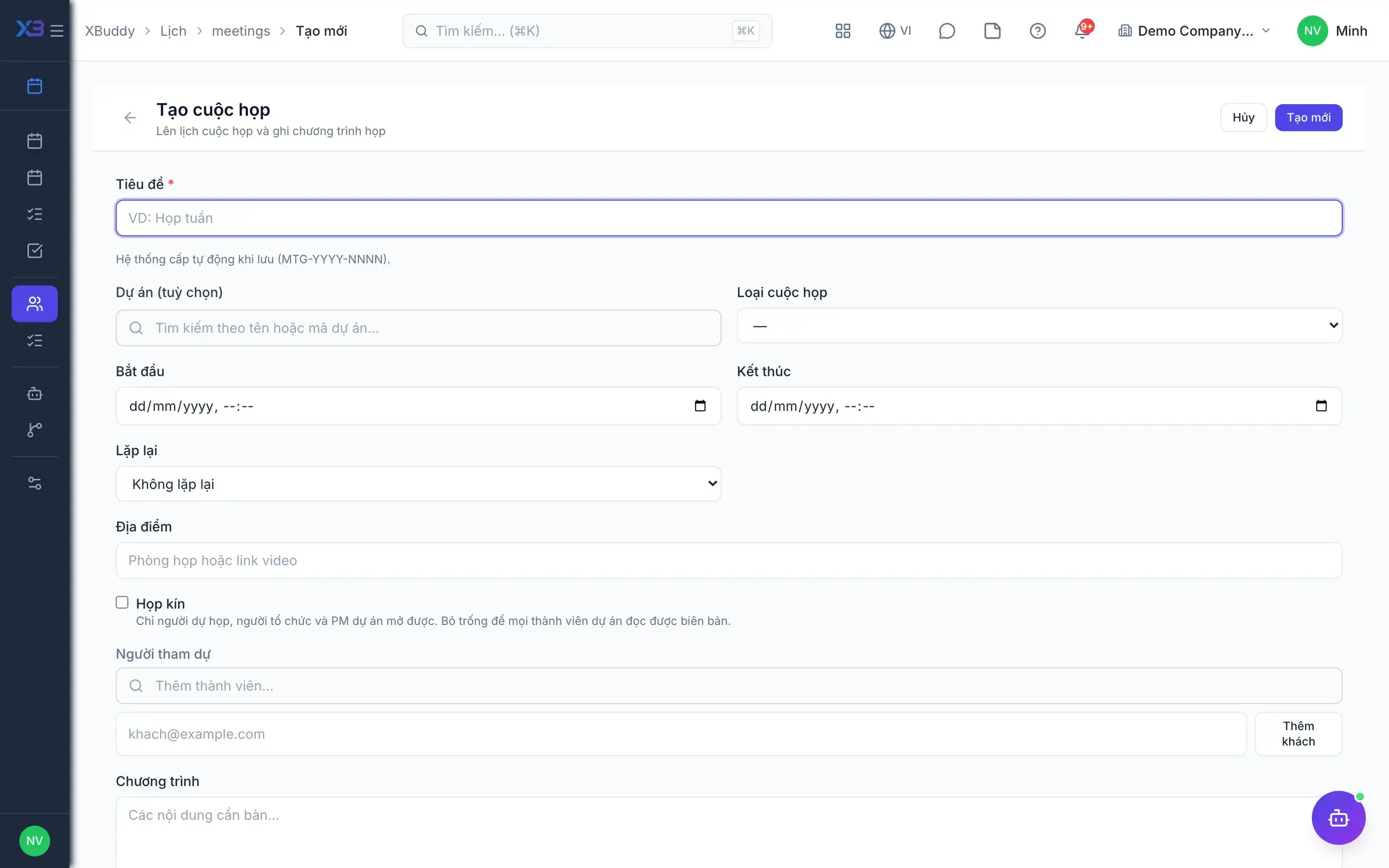
Calendar — New meeting form with agenda and attendees

In practice

When you reach for it

1

A customer meeting visible on the customer record

A calendar separate from CRM means a successor cannot tell how often you met.

  1. 1.Events link to an account, opportunity or project when created
  2. 2.The customer timeline shows both the meeting and its minutes
  3. 3.Reminders go out on the channel attendees actually use

A complete contact history that does not depend on someone remembering to log it.

Assistants on this app

1 assistants work on this data

Each assistant carries its own skills on this app’s data, inside the caller’s permission scope.

Weekly calendar health per organizer — meeting load and fragmentation — and proposes protected focus-time blocks on overloaded calendars. Every booking is approve-gated; the agent never books time on its own.

Explore skills
  • Calendar Conflict DetectorDetects scheduling conflicts where two events overlap for the same user within the next 7 days. Runs every weekday morning to flag conflicts before the workday begins.
  • Meeting Load AnalyzerAnalyzes weekly meeting load per team member and flags those spending more than 60% of working hours in meetings. Runs every Monday to help managers optimize team schedules.

FAQ

Frequently asked

Is there a fee?

No. Calendar & Meetings is part of the platform and free.

Does it sync with Google Calendar or Outlook?

Syncing with external calendars is not supported at this time.

Does AI create tasks from minutes by itself?

No. AI only suggests conclusions; the chair chooses and saves them, and action conclusions then create tasks.

See Calendar running on your data

A thirty-minute demo focused on the process you are actually stuck on.