Field service

When the technician finishes, the invoice is ready

Dispatch technicians by schedule and location; capture parts and time on site.

  • Dispatch, materials and sign-off in one connected flow
  • Every site visit has a clear owner for its cost
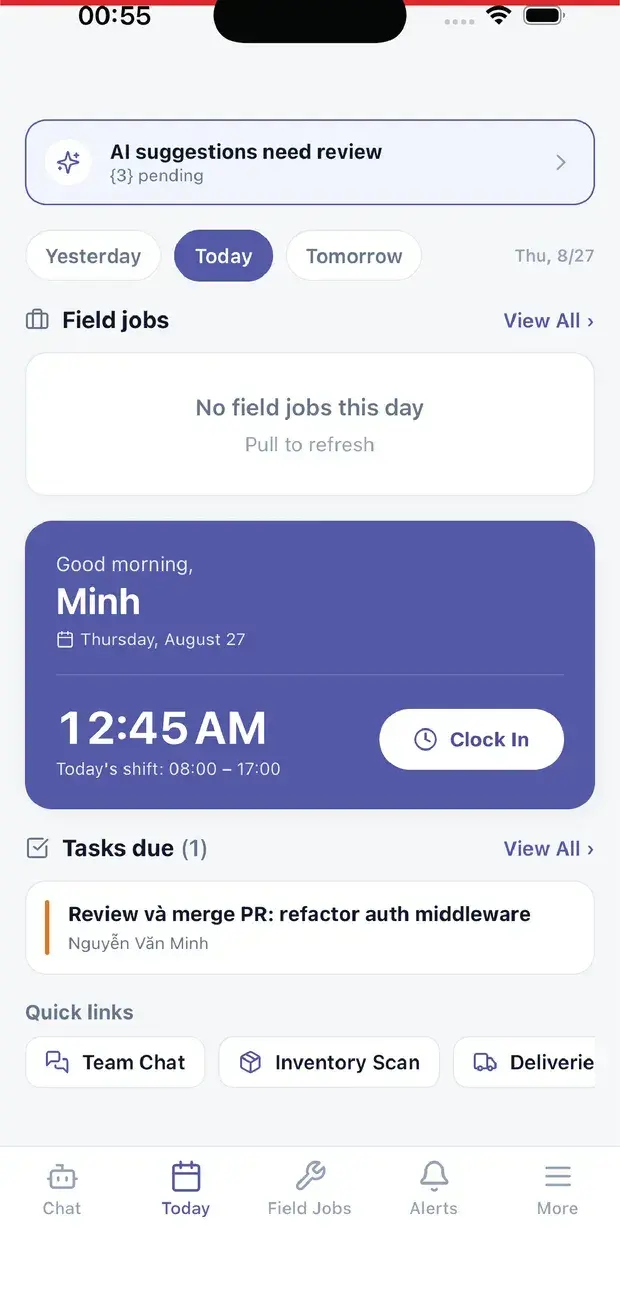
  • Technicians receive jobs and report back from their phone
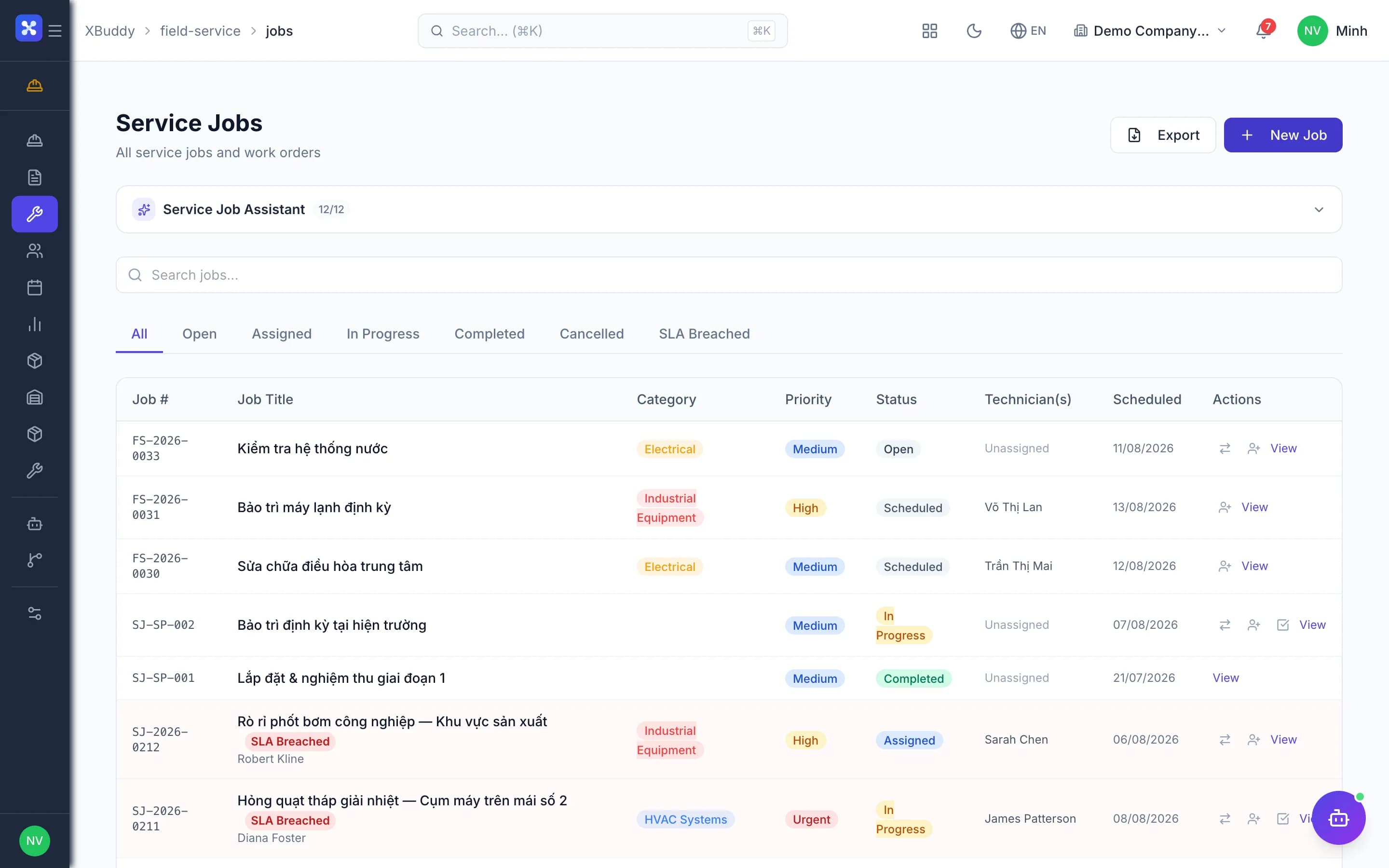
Field service — product screen

Screenshot 1 of 9

24
capabilities
10
advanced & AI features
2
AI assistants on this data
Yes
on mobile

Sound familiar?

The problems this app removes

  • Jobs arrive by phone and invoices get forgotten afterwards
  • Nobody knows which job used the materials taken out
  • Manual technician scheduling causes clashes and missed SLAs
  • Internal equipment maintenance gets billed to customers by mistake

Capabilities

24 capabilities in Field service

Catalogued against screens that exist in the product, grouped by the work they do — not a flat marketing list.

Service jobs

5
  • Full service job lifecycle

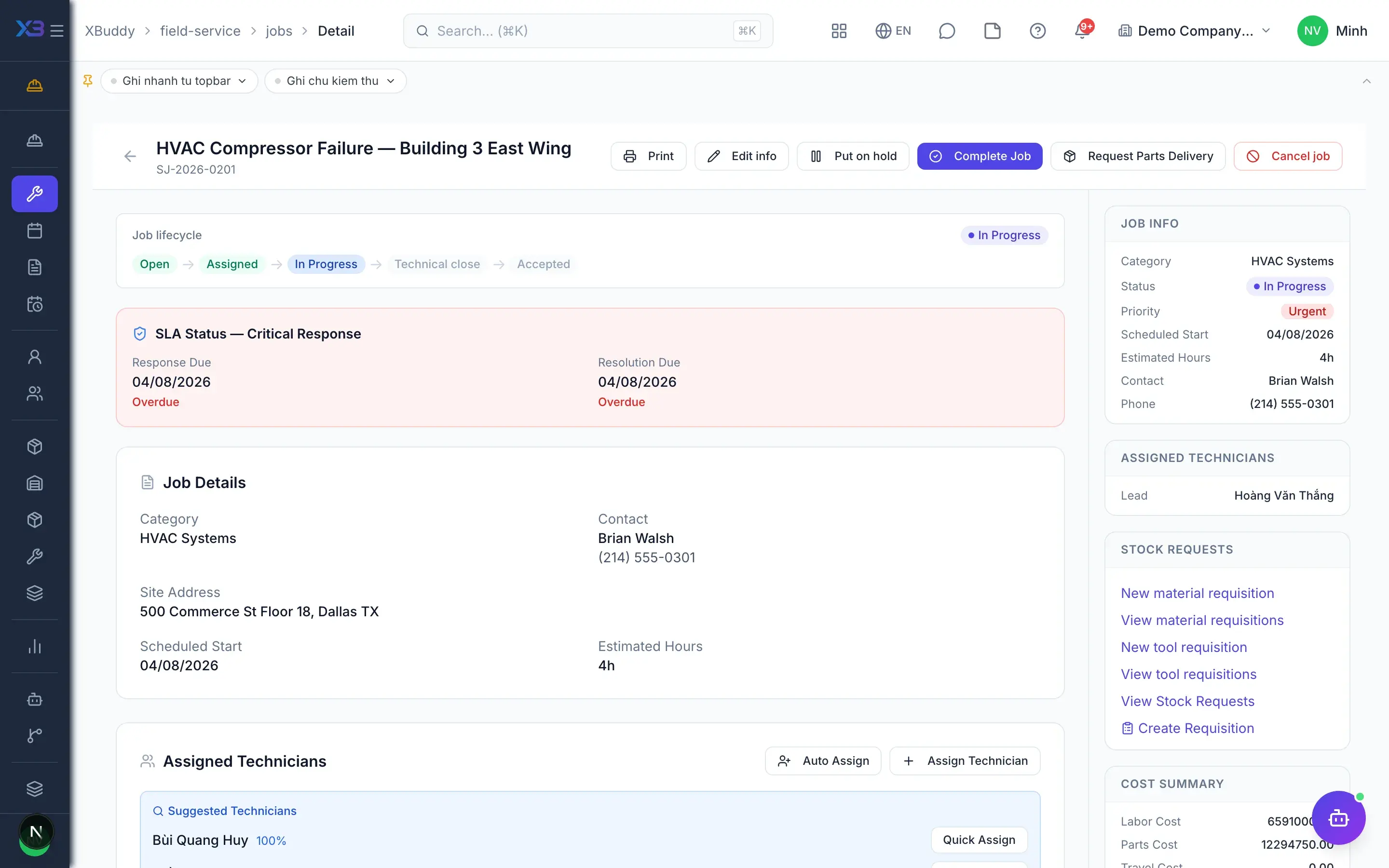
    Create, assign, dispatch, execute and complete field jobs with clear status at every step.

  • Jobs from tickets and service orders

    Tickets or service orders spawn field jobs, and job status flows back to the ticket.

  • Job types and templatesAdvanced

    Versioned templates with material, machine, tool and labour norms create standard jobs in seconds.

  • Internal versus customer jobsAdvanced

    Internal maintenance jobs never invoice; their cost lands on the right cost center automatically.

  • Per-job permissions

    Grant view or edit rights on a single job to specific users, even outside the team.

On-site execution

4
  • Checklists, photos, signaturesMobile

    Technicians complete checklists, take photos and capture the customer signature on site in the app.

  • Acceptance or dispute

    Customers accept the work or raise a dispute; invoicing can wait until acceptance is given.

  • Mandatory completion rulesAdvanced

    Block job closure when checklist, photos or customer signature are missing, per company policy.

  • Job time loggingMobile

    Technician hours are logged on the job and flow into Projects and Payroll.

Dispatch & resources

4
  • Technician schedule

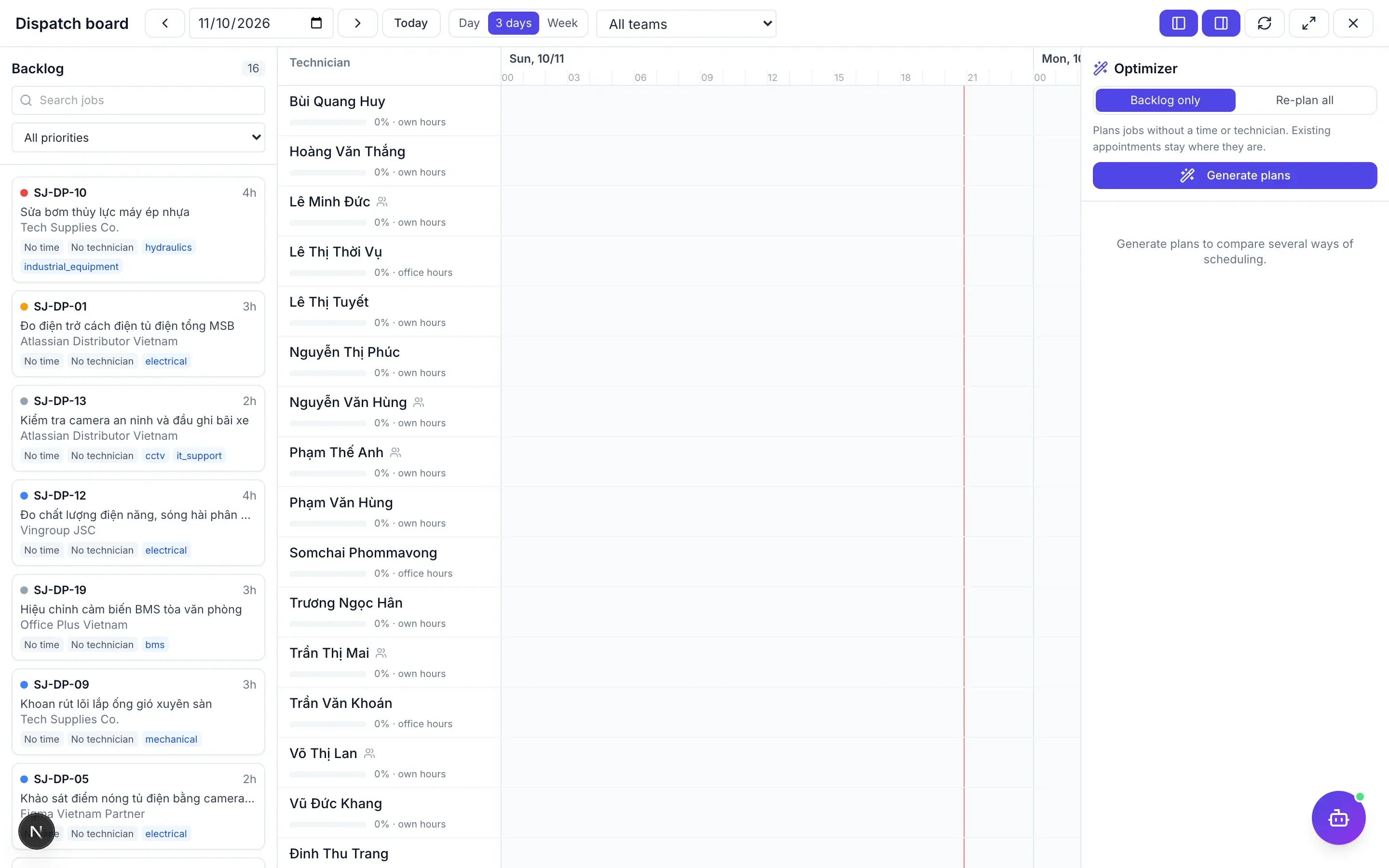
    See the whole crew by day or week and drag jobs to assign or reschedule quickly.

  • Optimising dispatch boardAdvanced

    Proposes schedule options by SLA, travel distance or workload balance across technicians.

  • Shared equipment bookingAdvanced

    Reserve shared machines and equipment per job so two crews never compete for one unit.

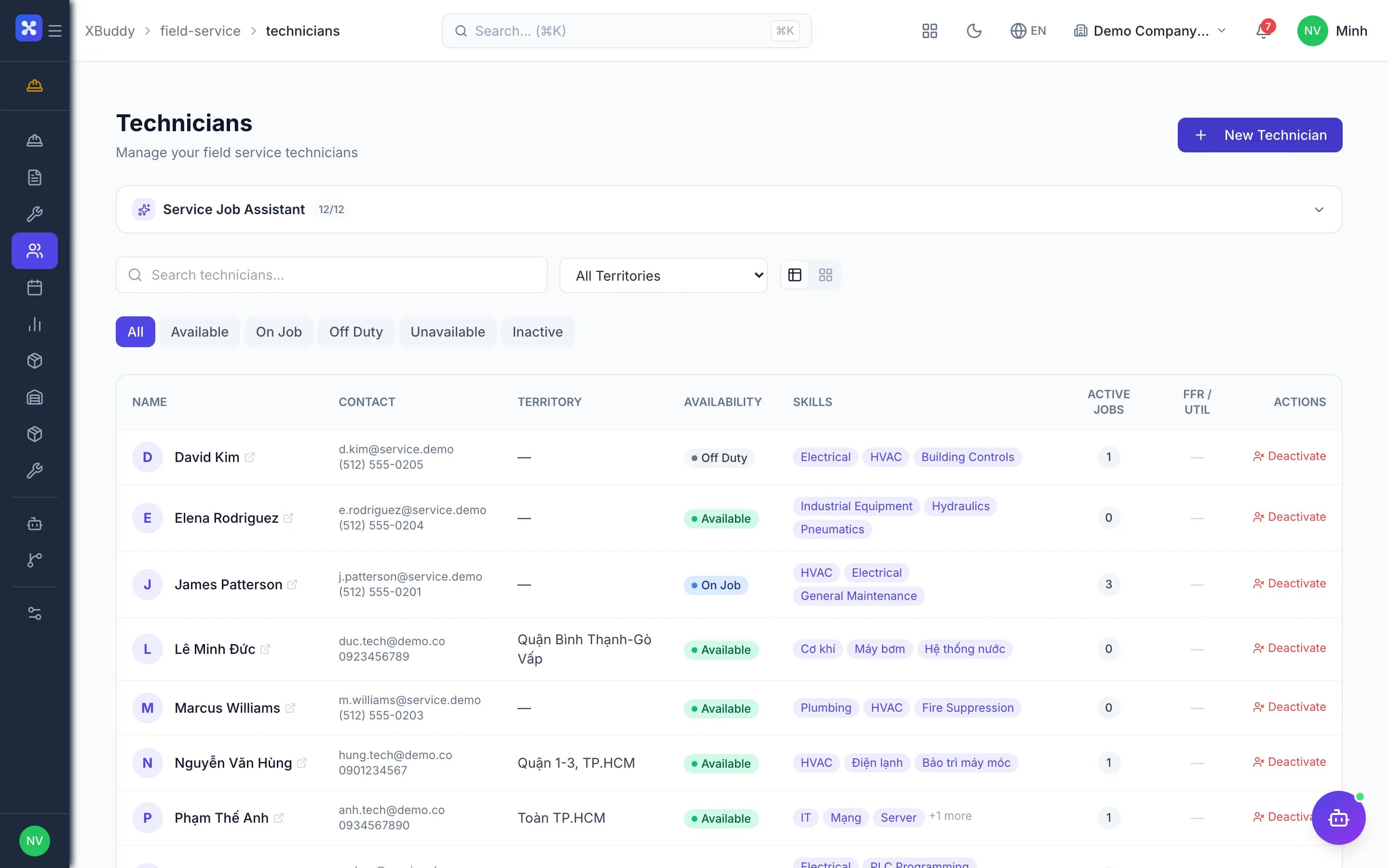
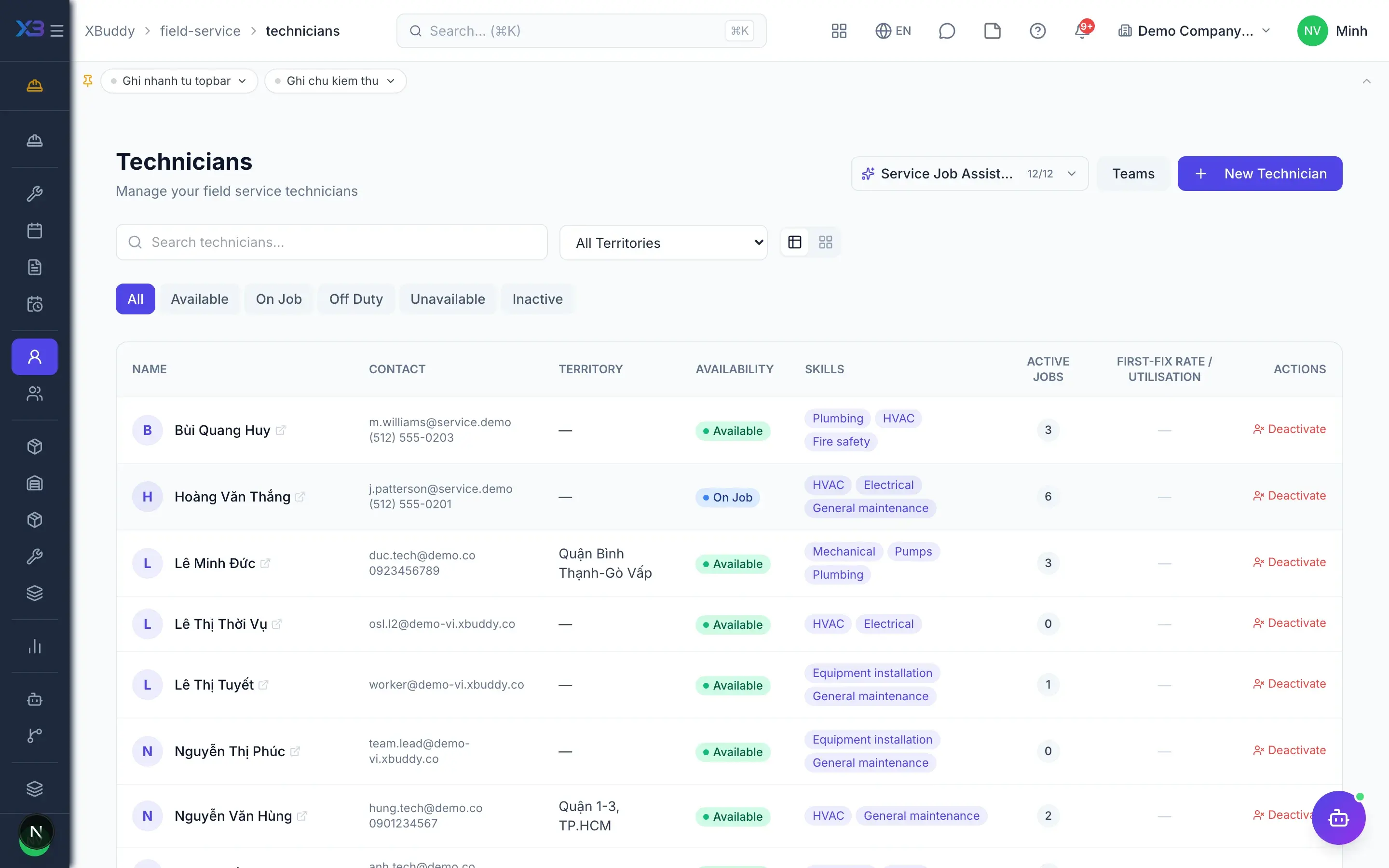
  • Skills, zones and teams

    Manage skills, service zones and teams so the right person gets the right job.

Materials & tools

4
  • Van and technician stock

    Track material stock on each van or technician store, issued through Inventory with documents.

  • Material requisitions

    Create, import, approve, issue, consume and return materials; leftovers must return before job close.

  • Batch picking for many jobsAdvanced

    Group several jobs into one batch and requisition only the materials still missing from norms.

  • Tool custody

    Issue tools to technicians, see who holds what, and receive them back when work ends.

Contracts & maintenance

3
  • Field service contracts

    Manage customer maintenance contracts and attach every resulting job to the right contract.

  • Preventive maintenanceAdvanced

    Recurring maintenance plans generate due jobs automatically, without relying on anyone's memory.

  • Automatic draft invoices

    Completed or accepted jobs create draft invoices automatically, so no billable work slips through.

AI & reporting

4
  • AI dispatcherAI

    Forecasts SLA breaches and flags unbilled work and jobs short of materials for dispatchers.

  • Technician copilotAI

    An AI assistant that supports technicians while they work through jobs in the field.

  • AI-explained schedule optionsAI

    On the dispatch board, AI ranks and explains schedule options; the dispatcher makes the call.

  • Service reports

    Track job volume, turnaround time and field team performance period by period.

Real screens

Inside Field service

Field service — product screen

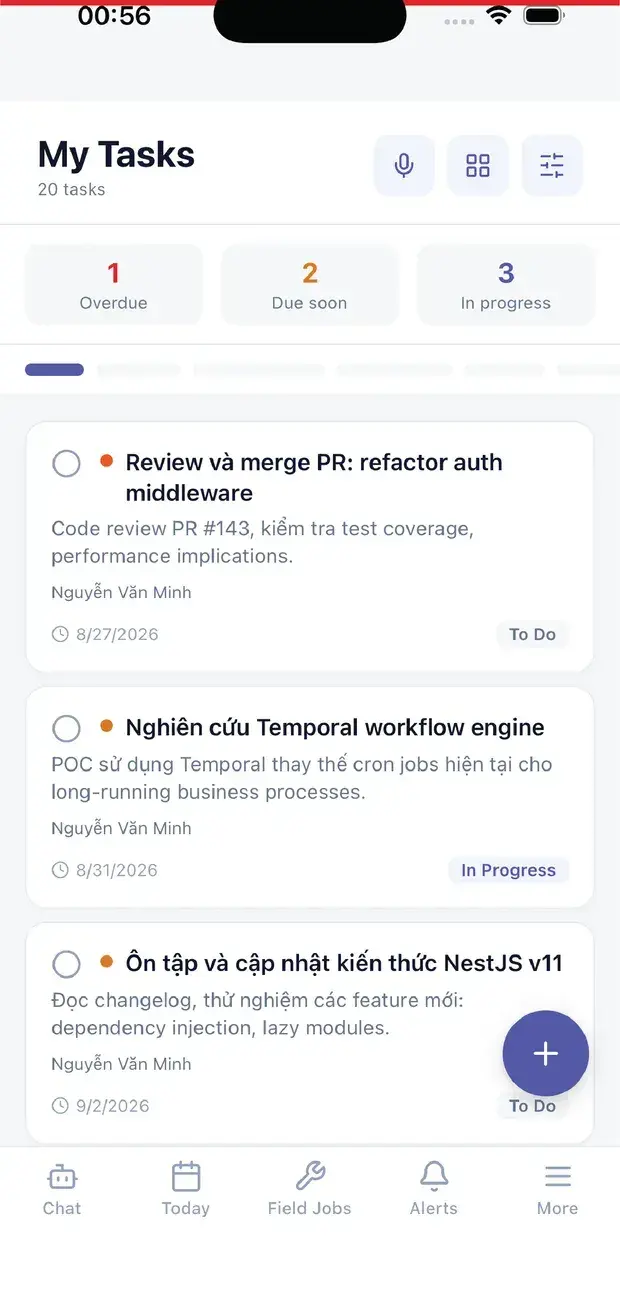
On mobile

Work anywhere with XBuddy Office & XBuddy Work

Today: clock-in and field jobs
My tasks

In practice

When you reach for it

1

Ticket to invoice without retyping once

Every retype is a chance for two records to disagree.

  1. 1.The ticket creates a job, inheriting equipment, contract and address
  2. 2.The technician records parts used and captures a signature on the phone
  3. 3.Parts deduct from van stock; completing the job drafts an invoice

One connected document chain an auditor can read end to end.

Assistants on this app

2 assistants work on this data

Each assistant carries its own skills on this app’s data, inside the caller’s permission scope.

Field service assistant — dispatch recommendations, SLA-breach prediction, parts availability, first-fix and technician-utilization monitoring across the field-service lifecycle.

Explore skills
  • Smart Dispatch RecommenderDaily AI-driven dispatch recommendations for unassigned urgent and high-priority jobs in the next 48 hours
  • SLA Breach PredictorHourly scan of service jobs approaching SLA resolution deadlines with AI-driven risk scoring and intervention alerts
  • Parts Availability Pre-checkCross-checks parts required for upcoming service jobs against inventory to prevent job delays
  • Failure Code Pattern AnalyzerWeekly analysis of recurring job failure patterns with AI-generated root cause analysis and preventive recommendations
  • Revenue Leakage DetectorWeekly detection of uninvoiced completed jobs and over-delivered service contracts to prevent revenue leakage
  • First-Fix Rate MonitorTracks first-visit resolution rate per technician and flags those below the target threshold
  • Checklist Compliance MonitorWeekly tracking of QA checklist completion rates per technician — flags those below the compliance threshold
  • Customer Satisfaction MonitorDaily analysis of job completion ratings to identify technicians with low satisfaction scores and generate coaching recommendations
  • Technician Skill Gap AnalyzerMonthly analysis of technician skill gaps versus job category demand with personalized training path recommendations
  • Technician Utilization OptimizerWeekly analysis of technician capacity utilization — identifies under/overloaded technicians and recommends workload rebalancing
  • Tool Maintenance PlannerPlans preventive maintenance and calibration for field-service tools before they fall out of certification

Works for the field technician: what this job needs, what to bring, what still has to be recorded before it can be closed

Explore skills
  • Job Prep BriefPre-visit briefing: prior repairs on this asset, repeat failures, and blockers to clear before travelling
  • Parts Readiness CheckChecks whether the parts this job is likely to need are on hand before the technician sets off
  • Completion Report DrafterDrafts the job write-up from the technician’s own logs, parts and hours
  • Next Job HintShows what is next on the technician’s own schedule today, with travel distance and SLA pressure

FAQ

Frequently asked

How is Field Service different from Service Management?

Service Management handles the commercial side: contracts, tickets, service orders, billing. Field Service handles execution on site.

Do I need Inventory?

Yes. Field Service keeps no separate item catalog; materials come from Inventory's catalog and warehouses so stock always matches.

Does maintaining our own equipment create an invoice?

No. Internal jobs never invoice; their cost is posted to the relevant cost center.

See Field service running on your data

A thirty-minute demo focused on the process you are actually stuck on.