Tasks

Who does what, how many hours, what result — one place

Tasks attached to real documents and records, not floating outside your operating data.

  • Personal and project tasks in a single system
  • Daily log records hours, overtime and progress per task
  • Managers review results; review scores feed KPIs
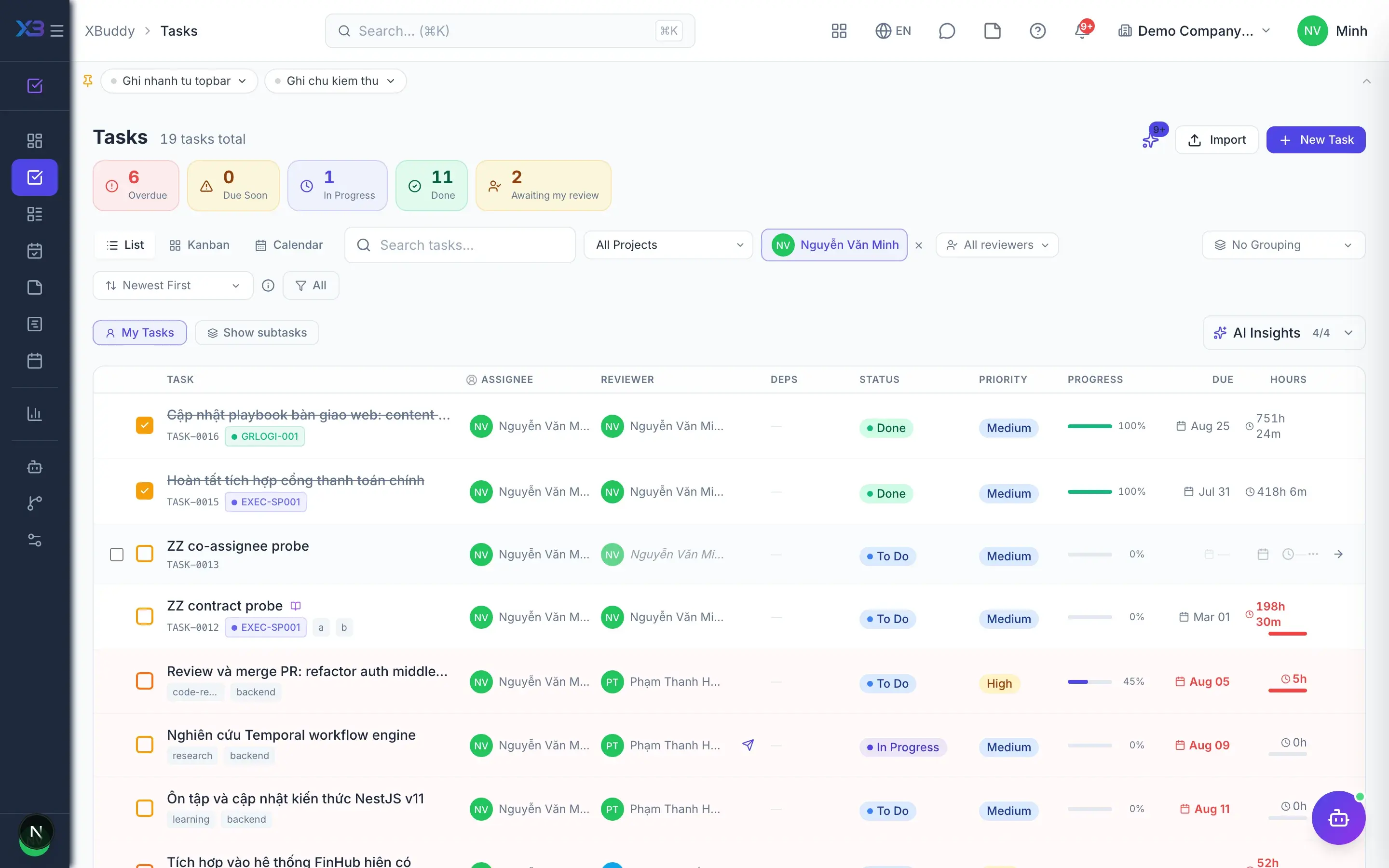
Tasks — product screen

Screenshot 1 of 7

24
capabilities
10
advanced & AI features
1
AI assistants on this data
Yes
on mobile

Sound familiar?

The problems this app removes

  • Tasks assigned in chat and then forgotten
  • No idea what staff actually worked on today
  • Marked done, but nobody checks the quality
  • One late task delays the whole chain behind it

Capabilities

24 capabilities in Tasks

Catalogued against screens that exist in the product, grouped by the work they do — not a flat marketing list.

Everyday work

6
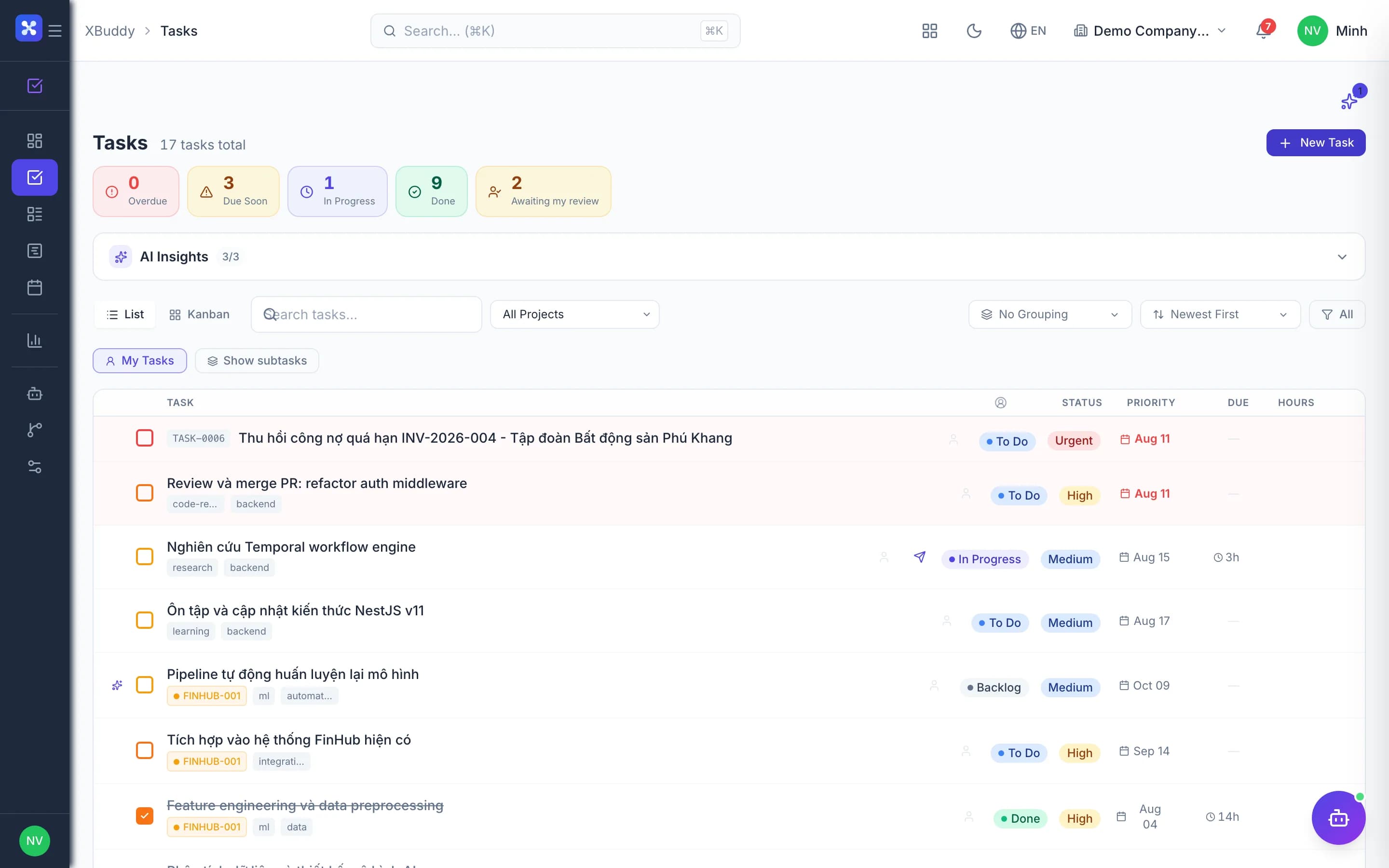
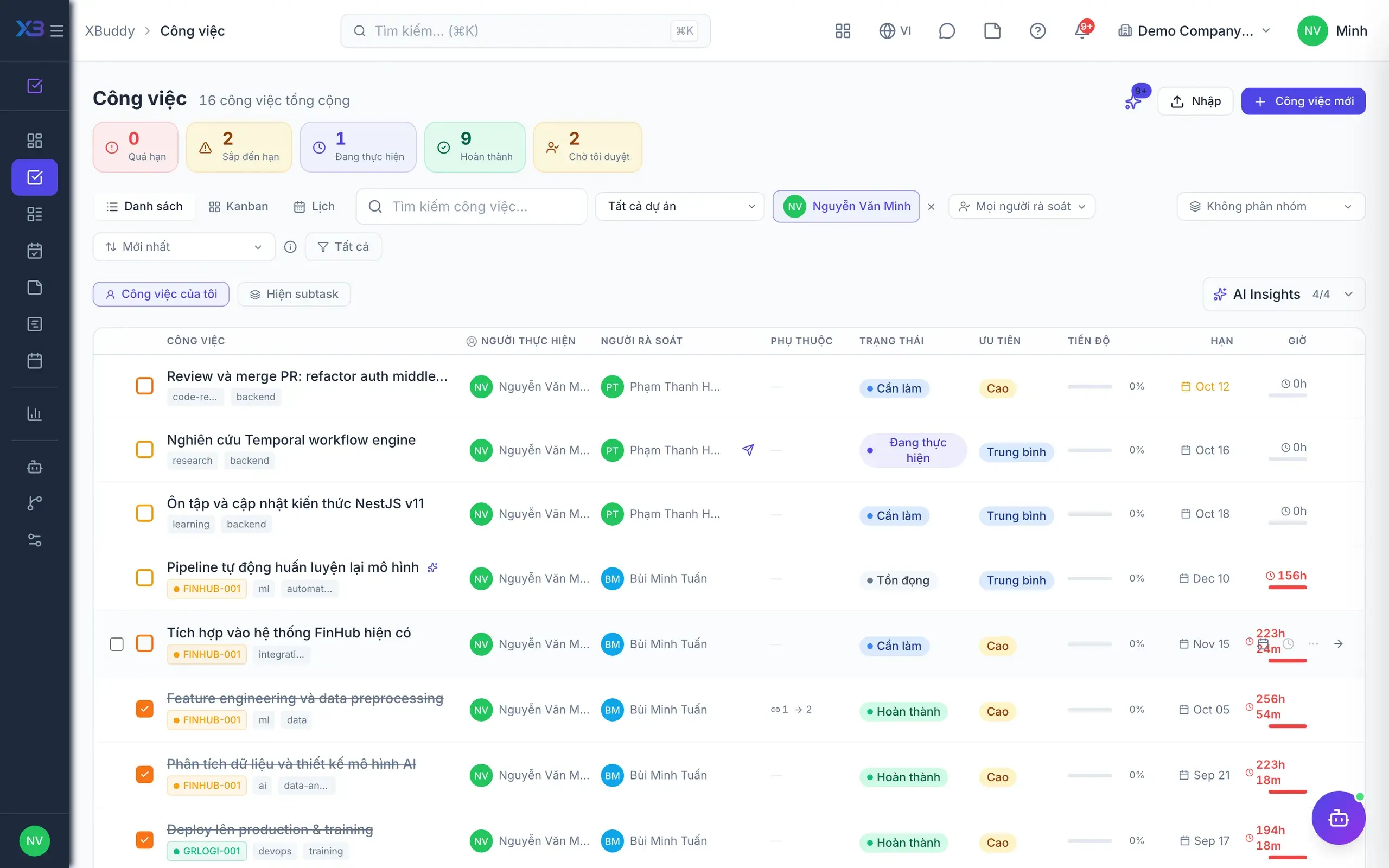
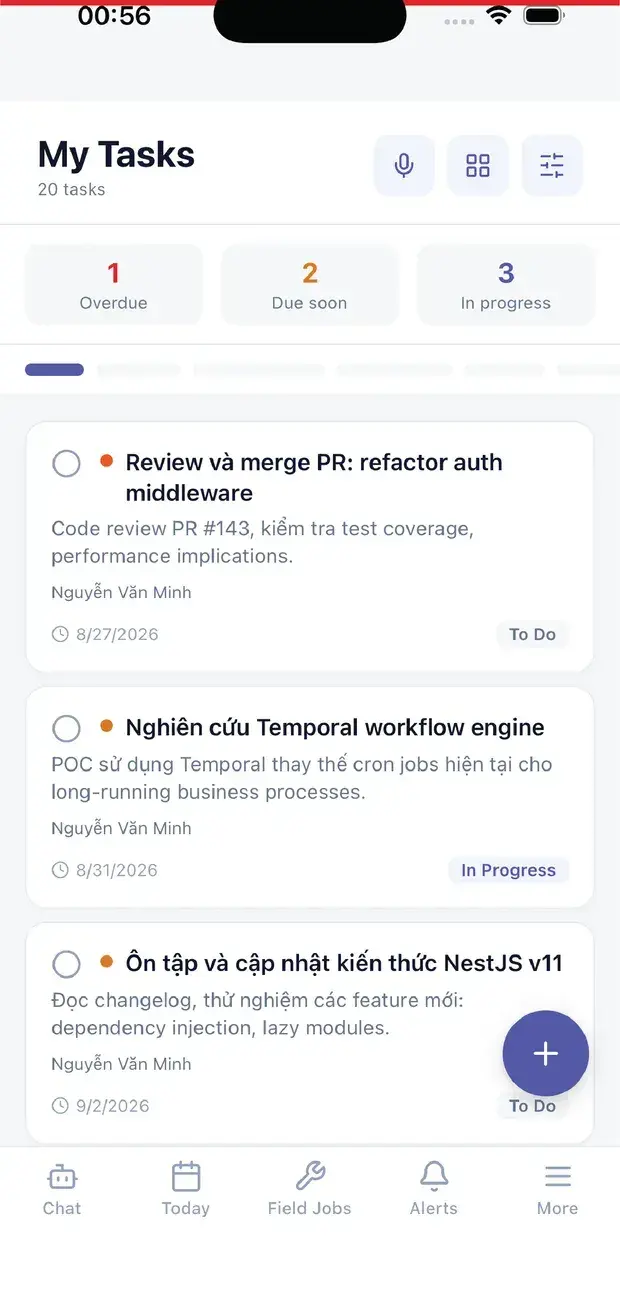
  • My tasks

    One queue with tasks assigned to you, tasks you co-own and your team's queue.

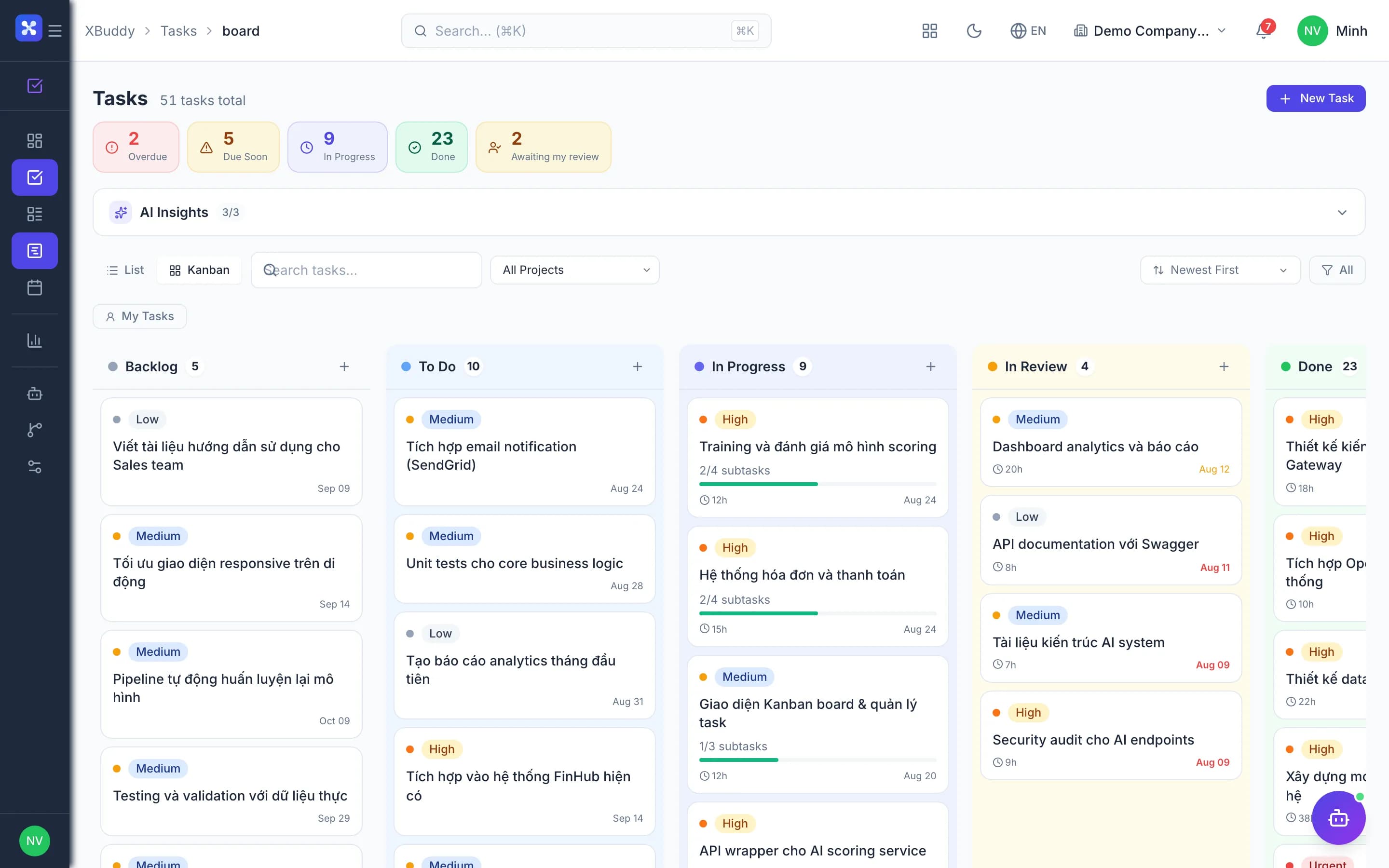
  • Kanban board

    Drag tasks between statuses, with project tasks appearing on the same board.

  • Due-date calendar

    See tasks on a calendar of due dates to know what this week requires.

  • Subtasks and cloning

    Break big work into subtasks and clone recurring tasks to create them quickly.

  • Private notes

    Personal notes with pins and tags that your manager cannot read.

  • CSV import

    Bulk import up to 500 tasks at a time from a CSV file.

Daily log

4
  • Hours per task

    At day's end, record hours, overtime, progress percentage and notes for each task.

  • Hours flow to projectsAdvanced

    Each logged task becomes a project time entry for that day, with no re-entry.

  • Weekly and monthly totals

    View hours by week or month and print with signature lines for employee and manager.

  • Submit logs for approvalAdvanced

    Send logs for manager approval, within a back-dating window your company configures.

Review & quality

4
  • Submit for reviewAdvanced

    Finished work goes to review; reviewers accept or request changes, with full history.

  • Custom scoring criteriaAdvanced

    Define your own criteria and weights on a 1–5 scale, such as quality, timeliness and effort.

  • Review scores feed KPIsAdvanced

    When enabled, review scores flow into KPI data in the Performance app.

  • Reviewer controlsAdvanced

    Block self-approval or allow only the designated reviewer to approve a task.

Collaboration & dependencies

5
  • Comments and @mentions

    Discuss on the task itself, mention colleagues, reply in threads and attach files.

  • Follow tasks

    Follow important tasks to be notified whenever something changes.

  • Task dependenciesAdvanced

    Declare which work must finish first to see the order clearly and spot knock-on delays.

  • Reschedule the chainAdvanced

    When one task slips, the system proposes new dates for every dependent task.

  • OKR linking

    Link tasks to key results so daily work visibly contributes to company goals.

Reports & automation

5
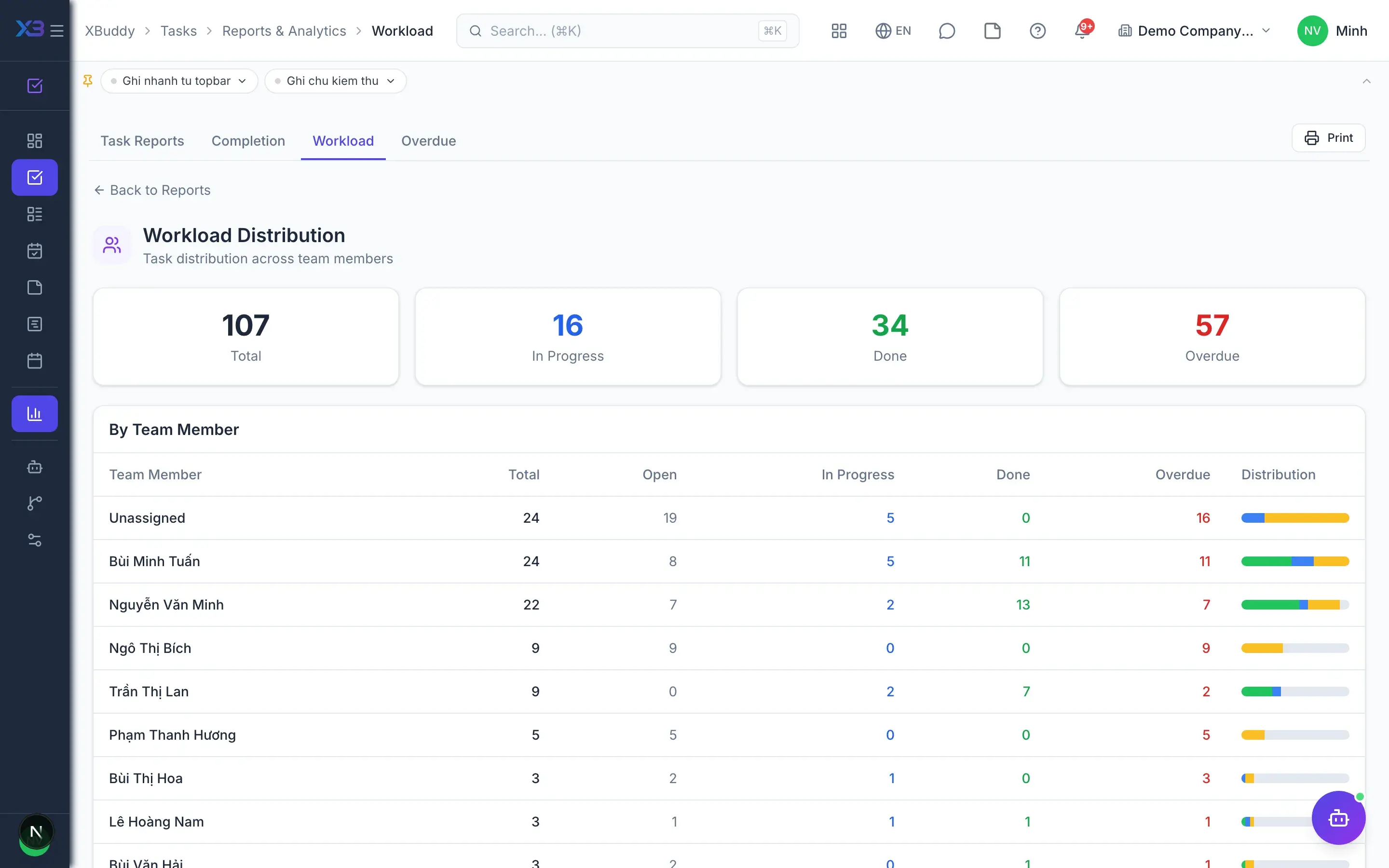
  • Completion overview

    A company-wide picture of completed, in-progress and overdue work.

  • Team workload

    Workload reports by person so work can be distributed more evenly.

  • Overdue report

    Overdue tasks listed by person and team so they can be handled in time.

  • AI warningsAI

    The project assistant suggests assignees and warns about overdue risk and bottlenecks.

  • Event-driven workflowsAdvanced

    Attach automated workflows to task events directly inside the app.

Real screens

Inside Tasks

Tasks — product screen
Tasks — Kanban board with To Do, In Progress, and Done columns

On mobile

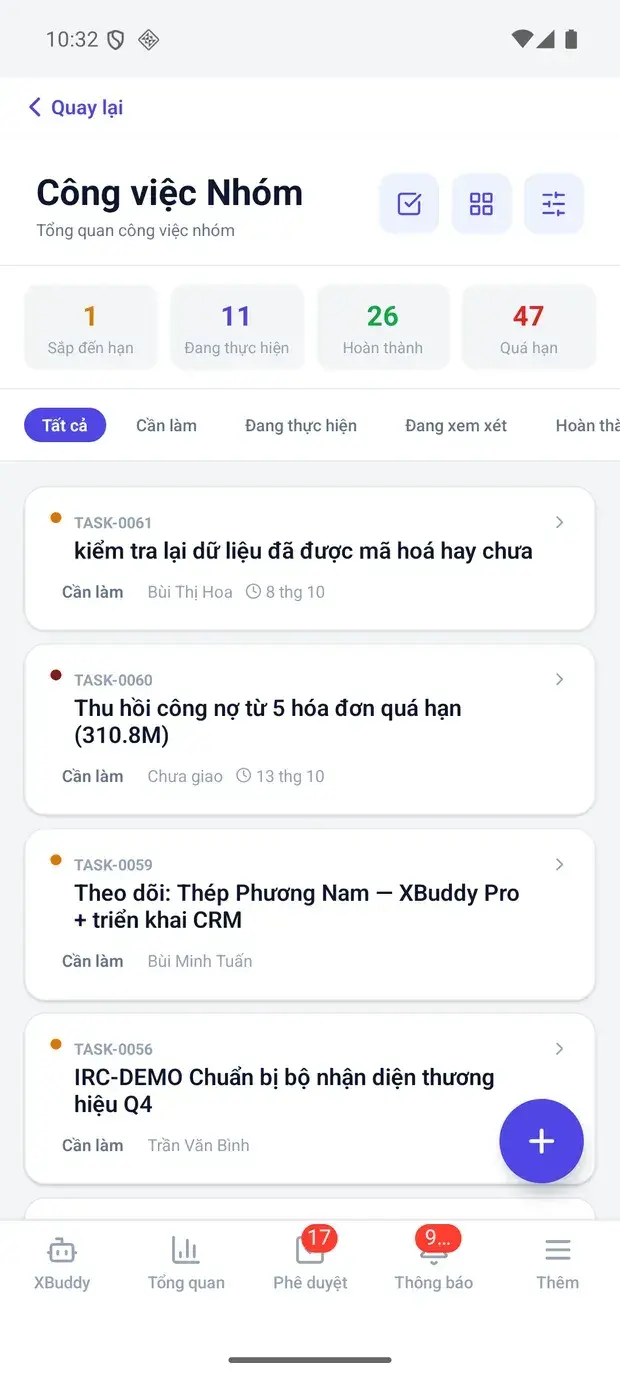
Work anywhere with XBuddy Office & XBuddy Work

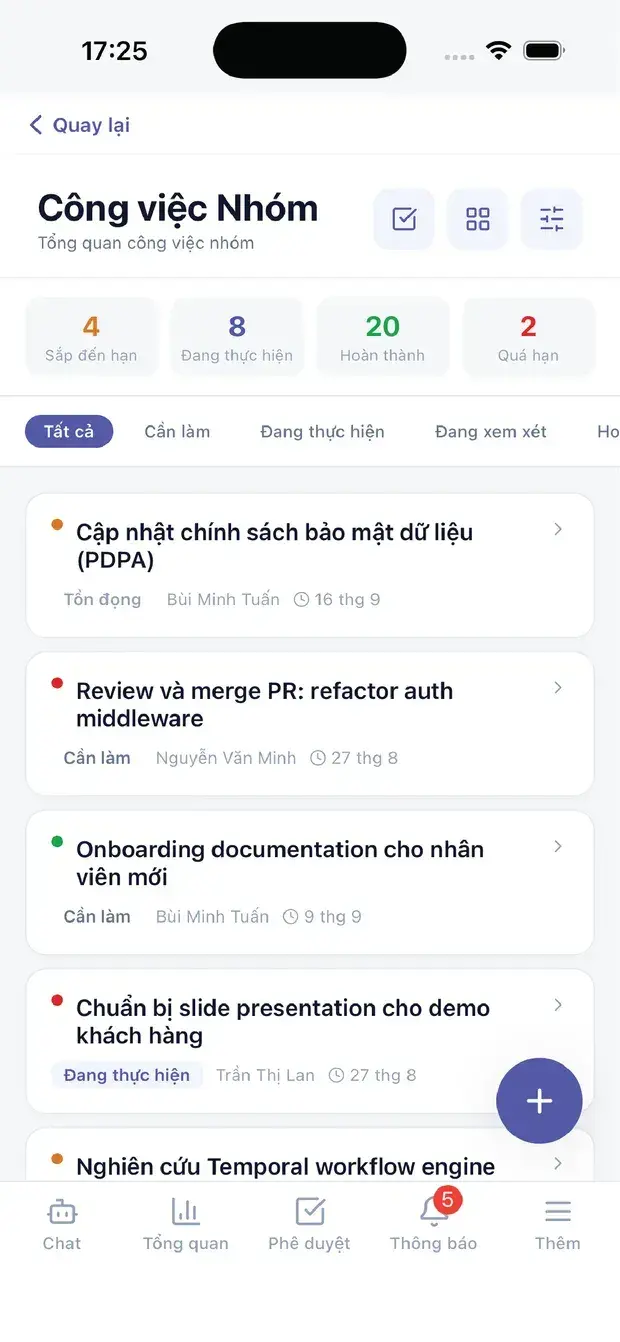
Team tasks by status
Team tasks
My tasks

In practice

When you reach for it

1

Work attached to records, not floating free

Work detached from its business context is work nobody can explain the existence of.

  1. 1.A task created from an invoice, ticket or opportunity keeps that link
  2. 2.Opening the task shows the source record directly, with nothing to go looking for
  3. 3.Completing it updates the state of the source document

No more orphaned task lists that nobody dares delete.

Assistants on this app

1 assistants work on this data

Each assistant carries its own skills on this app’s data, inside the caller’s permission scope.

Project management assistant — monitors project risk, budget and margin, task assignment and velocity, dependency blockers and resource capacity across projects and tasks.

Explore skills
  • Project Budget GuardianMonitors project budget burn rate using actual time logs and expenses. Forecasts budget exhaustion dates and alerts when projects are on track to exceed budget before their deadline.
  • Project Margin ForecasterWeekly AI forecast of project margin at completion using actual and committed costs combined with current burn rate. Warns when forecasted margin falls below configurable threshold.
  • Project Procurement RecommenderDetects tasks in progress with resource allocations but no Purchase Requisition, then recommends or auto-creates draft PRs to prevent procurement delays.
  • Project Cross-Module HealthChecks cross-module coherence for active projects: stale sales orders not invoiced, purchase orders with pending GRN, overdue delivery orders, and scope creep indicators.
  • Milestone Deadline ForecasterForecasts milestone completion dates based on current task velocity and remaining work. Flags milestones at risk of missing deadlines and suggests recovery actions before it is too late.
  • Task Smart AssignerFinds unassigned tasks and suggests the best team member based on current workload and skill tags.
  • Task Velocity CoachWeekly measurement of each team member's task completion velocity. Detects declining velocity trends, flags potential blockers or burnout, and generates personalized coaching suggestions.
  • Task Bottleneck DetectorDetects tasks stuck in the same status for too long and identifies workflow bottlenecks by stage. Analyzes patterns across projects and provides actionable unblocking recommendations.
  • Task Overdue Risk PredictorPredicts which tasks are likely to go overdue in the next 3 days based on due date, completion progress, and assignee historical on-time rate.
  • Task Dependency Blocker AlertDetects tasks that are blocking multiple downstream dependent tasks and flags critical path risks. Prioritizes alerts by the number of tasks blocked and proximity to deadlines.
  • Resource Capacity BalancerIdentifies overloaded and underutilized team members based on active task count and logged hours. Suggests task redistribution to improve team throughput and prevent burnout.
  • Resource Utilization OptimizerAnalyzes workload distribution across team members to identify over-burdened and underutilized resources. Recommends task rebalancing for optimal throughput.
  • Billable Hours OptimizerAnalyzes logged hours to identify unbilled or miscategorized time entries and recommends corrections to maximize revenue capture.

Solutions

Tasks in end-to-end solutions

FAQ

Frequently asked

Does Tasks cost anything?

No. Tasks is part of the platform and not tied to any paid module.

Can my manager read my notes?

No. Notes are visible only to the person who created them.

Do daily log hours reach the project?

Yes. Each task becomes a project time entry for that day.

See Tasks running on your data

A thirty-minute demo focused on the process you are actually stuck on.