Payroll

Accurate, explainable payroll that posts straight to the books

Payroll from timesheets, allowances and your own policies, with Vietnamese PIT and insurance rules.

  • Payroll built from approved attendance, leave and inputs
  • Social insurance, PIT and annual finalisation in one place
  • Approval triggers journal entries and payslip publishing
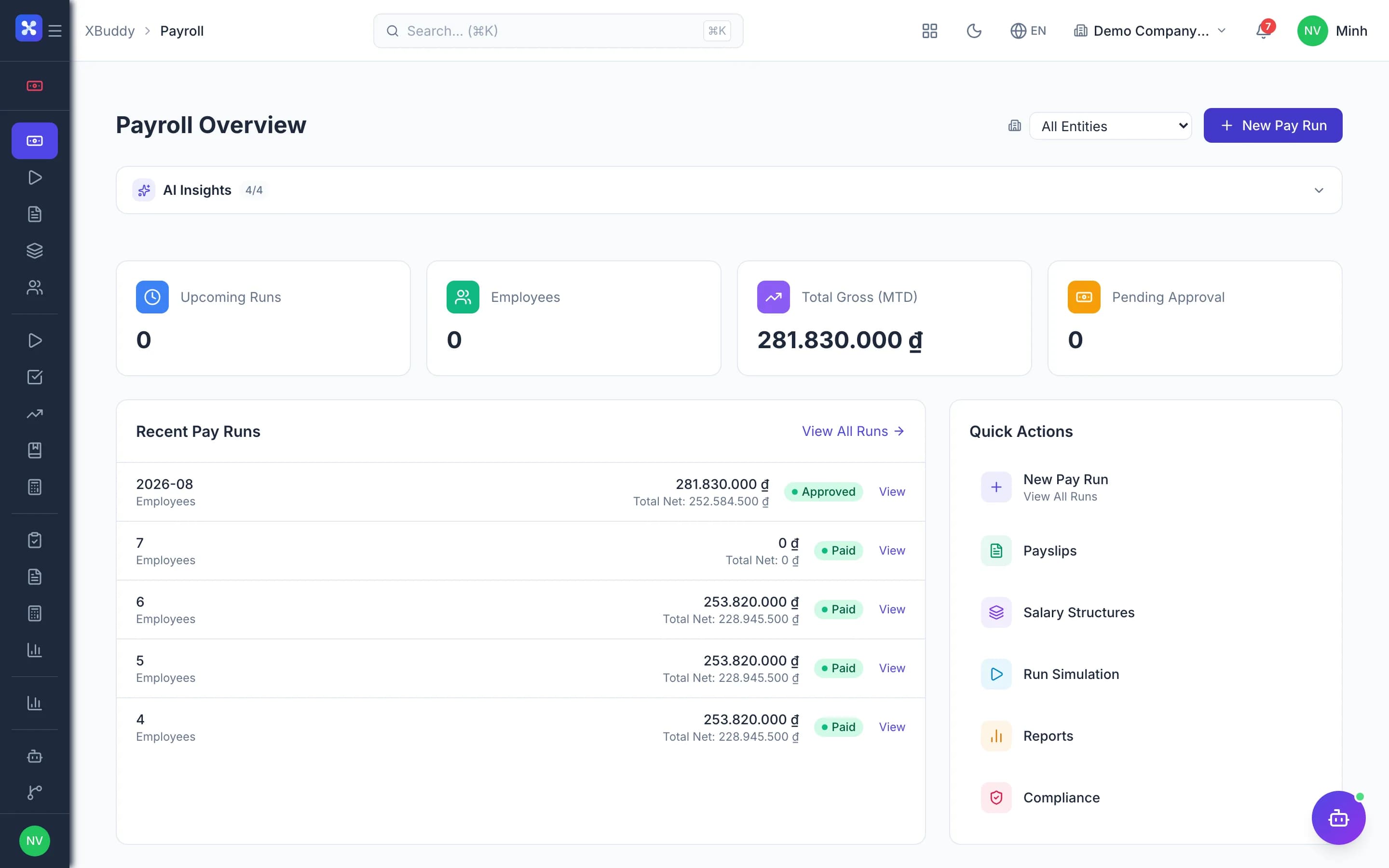
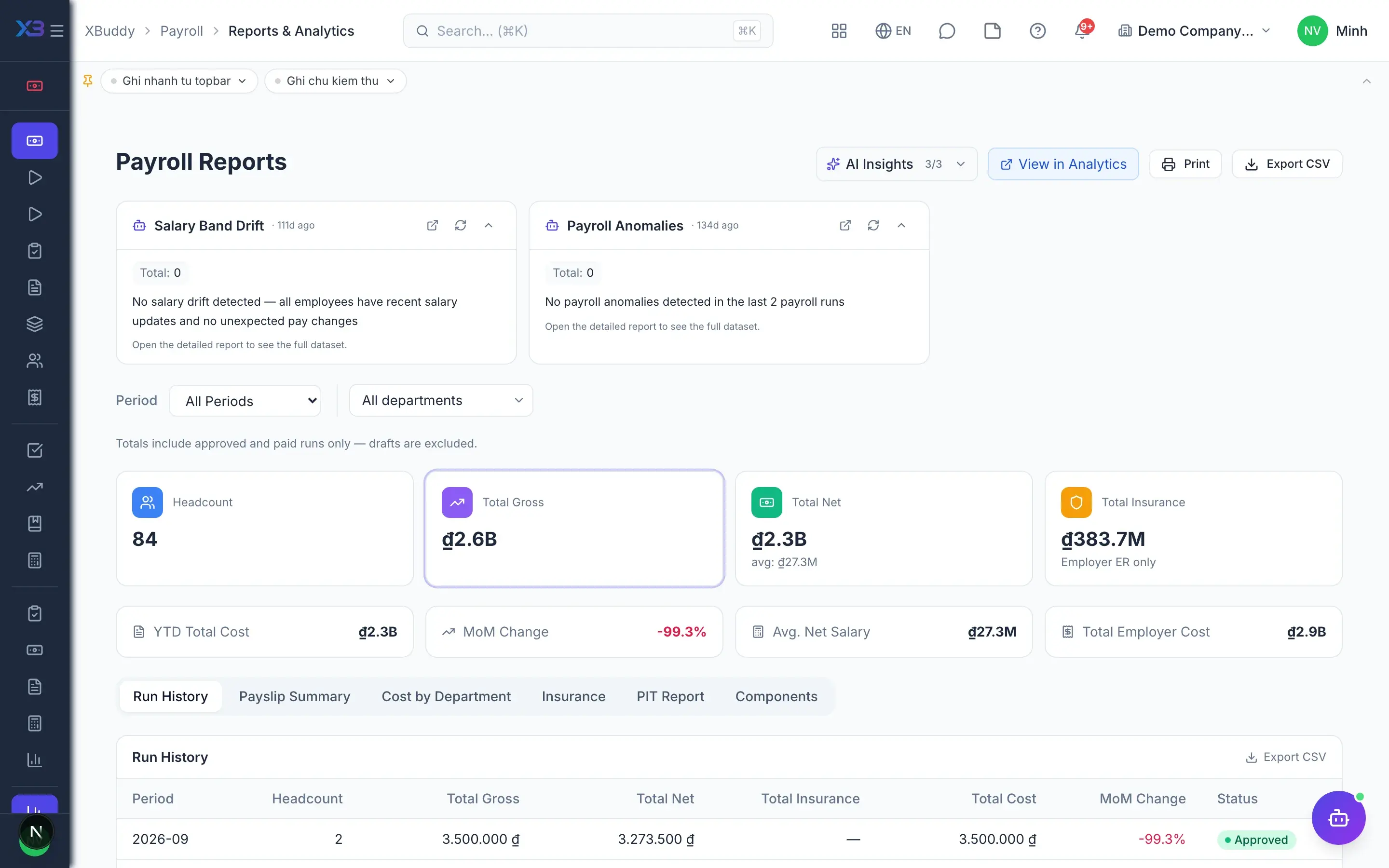
Payroll — product screen

Screenshot 1 of 8

28
capabilities
12
advanced & AI features
1
AI assistants on this data
Yes
on mobile

Sound familiar?

The problems this app removes

  • Payroll runs in standalone spreadsheets, disconnected from attendance
  • Nobody can explain a number when employees ask
  • Errors surface only after payroll is closed
  • PIT declarations never match the payroll register

Capabilities

28 capabilities in Payroll

Catalogued against screens that exist in the product, grouped by the work they do — not a flat marketing list.

Payroll processing

5
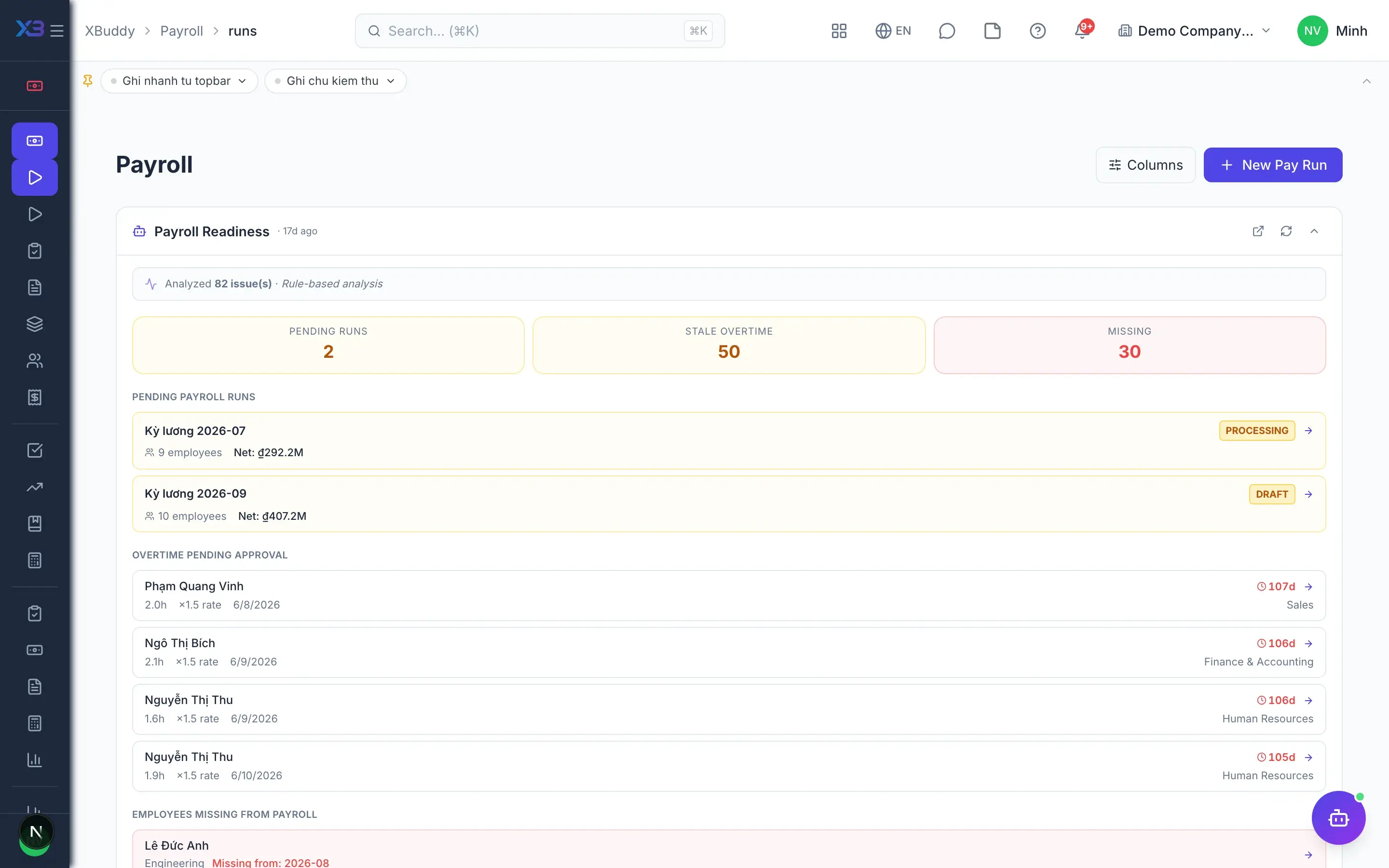
  • Pre-run readiness checkAdvanced

    Lists pending leave, attendance and overtime; blocks the run while inputs remain unapproved.

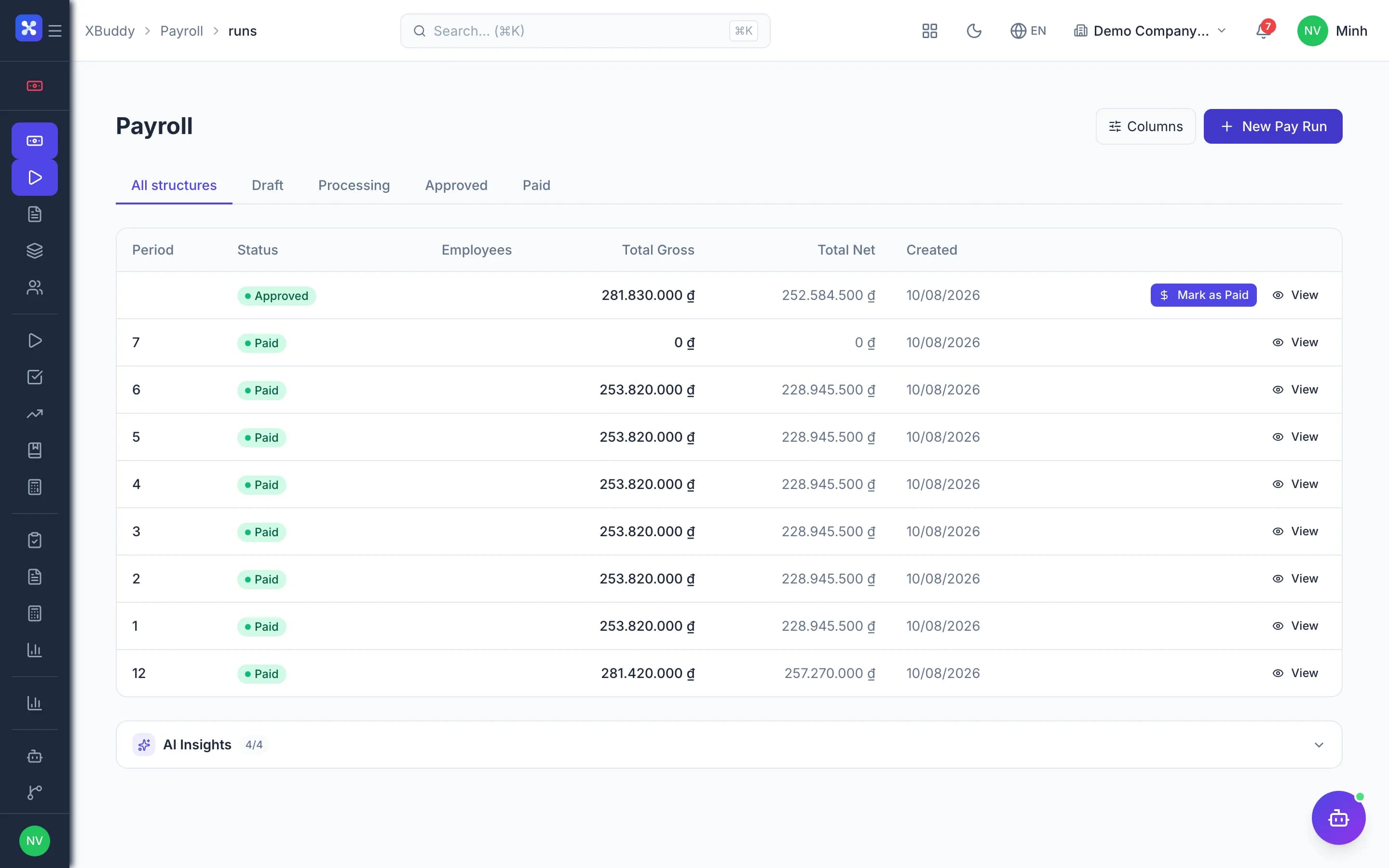
  • Full payroll run lifecycle

    Create, recalculate, submit, approve, pay or cancel runs with clear status throughout.

  • Maker-checker approvalAdvanced

    Enforce separation of duties: the approver must be different from whoever created the run.

  • Input matrix

    See every employee's payroll inputs for the period before calculating anything.

  • Payroll simulation

    Test gross, social insurance, PIT and net pay without writing any data.

Transparency & corrections

4
  • Explain any pay lineAdvanced

    Open any figure to see the variables, formula and source data that produced it.

  • Per-payslip change history

    Every recalculation and adjustment is recorded on each individual payslip.

  • Reopen approved runs

    Approved but unpaid runs can be reopened for controlled corrections.

  • Arrears and supplementary runsAdvanced

    Carry differences into the next period or create a supplementary run with only the delta.

Pay structures & data

7
  • Salary structures and components

    Define earnings, allowances and deductions for each group of employees.

  • Salary formula templatesAdvanced

    Use ready-made formula templates or build your own to match how you pay.

  • Salary grades and steps

    Manage pay scales and get warnings when pay falls outside its grade band.

  • Variable pay and adjustments

    Bonus and commission rules, plus approved salary adjustment proposals before each run.

  • Performance-based payAdvanced

    Completion rates from the Performance app become variables in the payroll formula.

  • Employee receivables

    Track amounts owed by employees and recover them through payroll or write them off.

  • Payroll data import

    Import salaries, bank accounts and dependants from a file with a preview step.

Vietnam compliance

5
  • Social insurance and PIT

    Calculate insurance contributions, family deductions and PIT, including 10% withholding for short contracts.

  • PIT declarations

    Prepare periodic PIT declarations straight from payroll data.

  • Annual finalisation with reconciliationAdvanced

    Reconcile payroll, declarations and annual finalisation so tax figures never diverge.

  • Social insurance reconciliation

    Match insurance amounts due against payroll and catch differences early.

  • Statutory remittance tracking

    Track insurance, PIT and union fee payments by period on one overview screen.

Accounting & payslips

4
  • Automatic payroll journalsAdvanced

    Map accounts once; approval and payment post entries, rolling back and alerting on errors.

  • Project cost allocationAdvanced

    Allocate payroll cost to projects and check budgets when running payroll.

  • Payslip publishing

    Publish, revoke, export to PDF and email payslips automatically when the run closes.

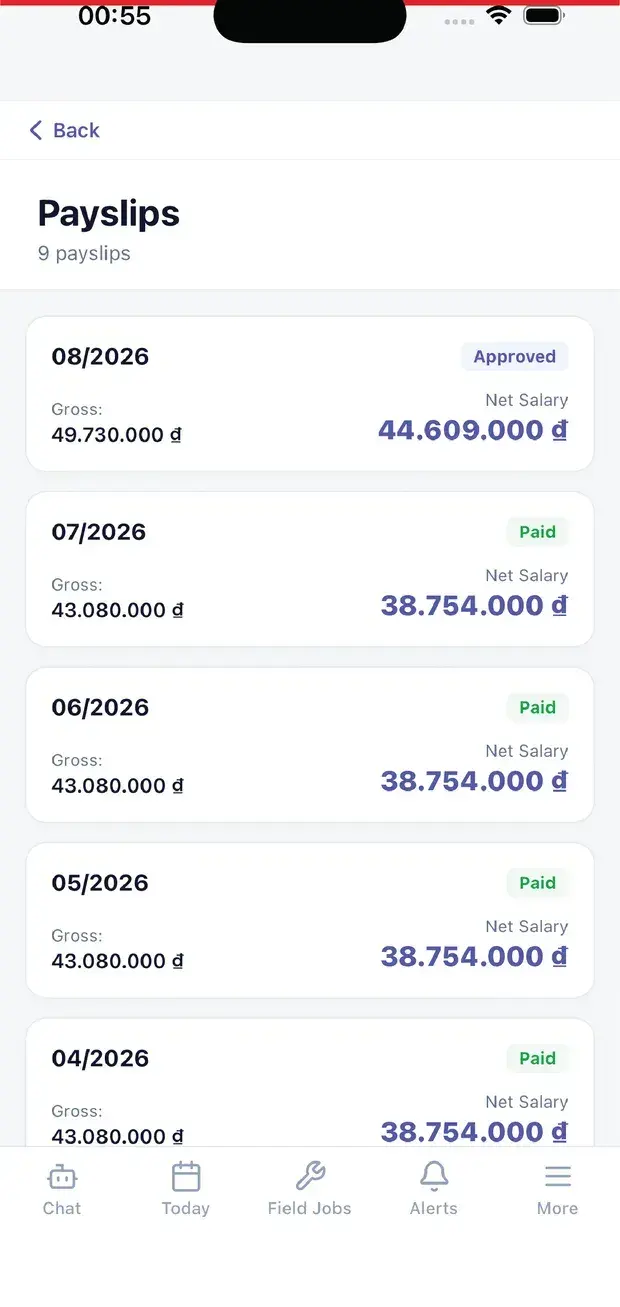
  • Payslips on mobileMobile

    Employees view published payslips in the self-service portal on their phone.

AI assistant

3
  • Payroll anomaly detectionAI

    AI scans for unusual pay lines and payroll cost swings compared with earlier periods.

  • PIT, insurance and overtime checksAI

    AI checks tax compliance, reconciles insurance and monitors overtime hours before closing.

  • Pre-run warningsAI

    AI checks readiness and raises warnings; it never approves or pays on anyone's behalf.

Real screens

Inside Payroll

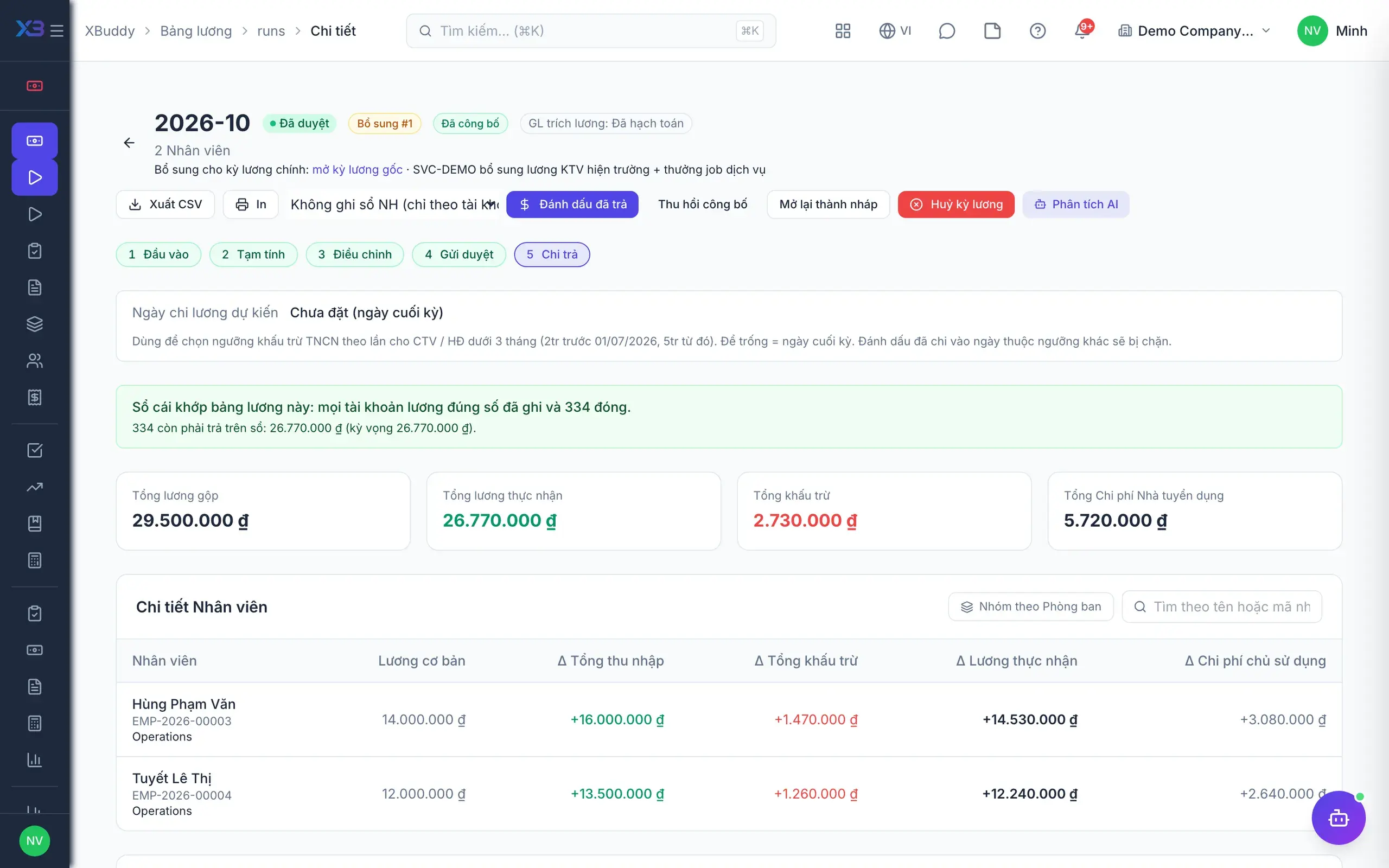
Payroll — product screen
Payroll — Payroll run detail with per-employee gross, deductions, and net pay

On mobile

Work anywhere with XBuddy Office & XBuddy Work

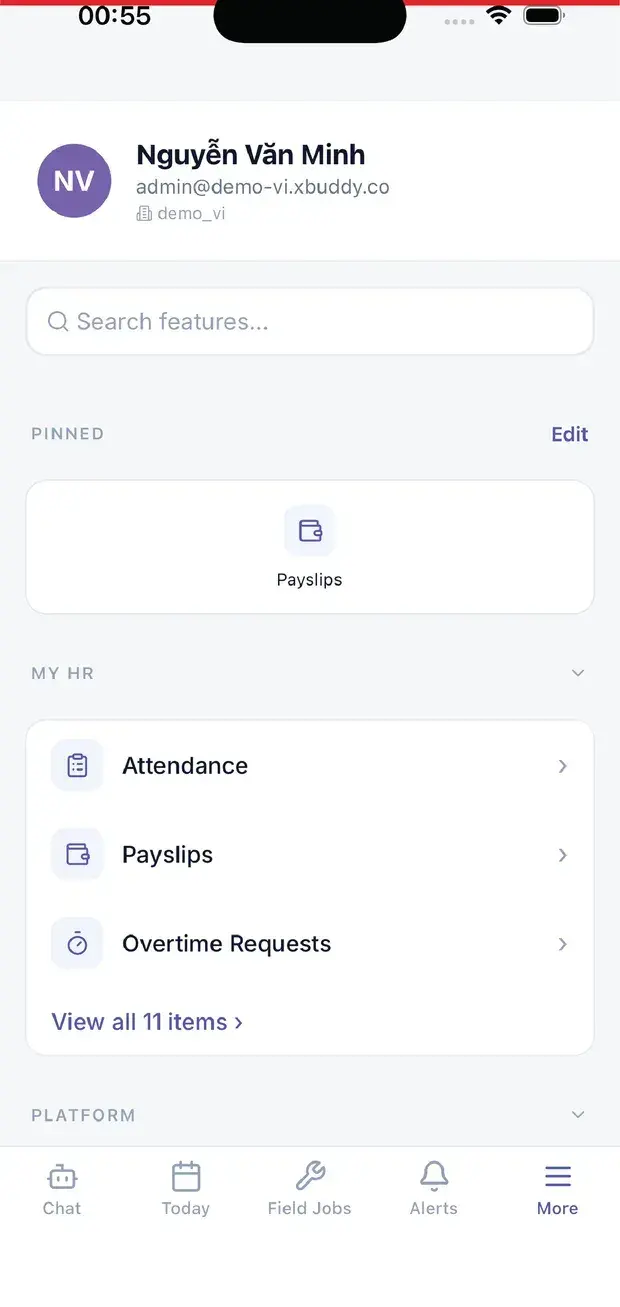
Monthly payslips
My HR: attendance, payslips, overtime

In practice

When you reach for it

1

A dry run before money leaves the account

Payroll is the kind of number where fixing it after payment costs many times more than checking it before.

  1. 1.The dry run computes everything but posts nothing and creates no payment order
  2. 2.A comparison against last period flags anyone with an unusual movement
  3. 3.Only after approval does it create entries and a transfer file

Errors get caught in the draft, not in an employee's bank account.

Assistants on this app

1 assistants work on this data

Each assistant carries its own skills on this app’s data, inside the caller’s permission scope.

Payroll assistant — tracks the payroll run lifecycle and readiness, flags anomalies and cost variance, and checks PIT/BHXH and overtime compliance.

Explore skills
  • Payroll Anomaly DetectorAudits payroll records for anomalies including unusual deductions, salary outliers, duplicate payments, and compliance irregularities across pay periods.
  • Payroll Readiness CheckPre-flight check before payrun: flags missing timesheets, unapproved leaves, and missing bank accounts
  • Payroll Cost Variance MonitorMonitors month-over-month payroll cost changes by department — flags significant cost spikes, headcount shifts, and per-employee salary variance
  • Overtime Compliance MonitorFlags employees exceeding legal or company OT limits and creates compliance reports
  • PIT Compliance CheckerChecks PIT compliance: flags employees missing personal tax codes (MST), and identifies compliance gaps before PIT form generation
  • BHXH ReconciliationReconciles social insurance declarations vs payroll data — flags new hires without BHXH registration and salary changes requiring contribution updates
  • Salary Band Drift MonitorDetects employees whose salaries have drifted outside their defined grade band

FAQ

Frequently asked

What if we find an error after closing payroll?

Three options by run status: reopen an approved unpaid run, carry arrears into the next period, or create a supplementary run.

Does payroll post to accounting automatically?

Yes, once posting is enabled and accounts are mapped; if posting fails, the approval or payment is rolled back with an error.

Can workdays come from attendance?

Yes. Approved workdays, overtime and leave from Time Tracking and HR feed directly into the payroll run.

See Payroll running on your data

A thirty-minute demo focused on the process you are actually stuck on.