Messaging

One inbox for Email, Zalo, Telegram and Slack

Talk on the record itself: every invoice, ticket and contract has its own thread.

  • Customer messages from every channel in one shared inbox
  • Clear ownership so no message slips through
  • Team chat that creates tasks right inside the channel
Messaging — product screen

Screenshot 1 of 8

21
capabilities
7
advanced & AI features
1
AI assistants on this data
Web
on mobile

Sound familiar?

The problems this app removes

  • Customer messages scattered across many apps
  • Nobody knows who is answering which message
  • The same replies typed out again every day
  • Internal discussion disconnected from real work

Capabilities

21 capabilities in Messaging

Catalogued against screens that exist in the product, grouped by the work they do — not a flat marketing list.

Multichannel inbox

5
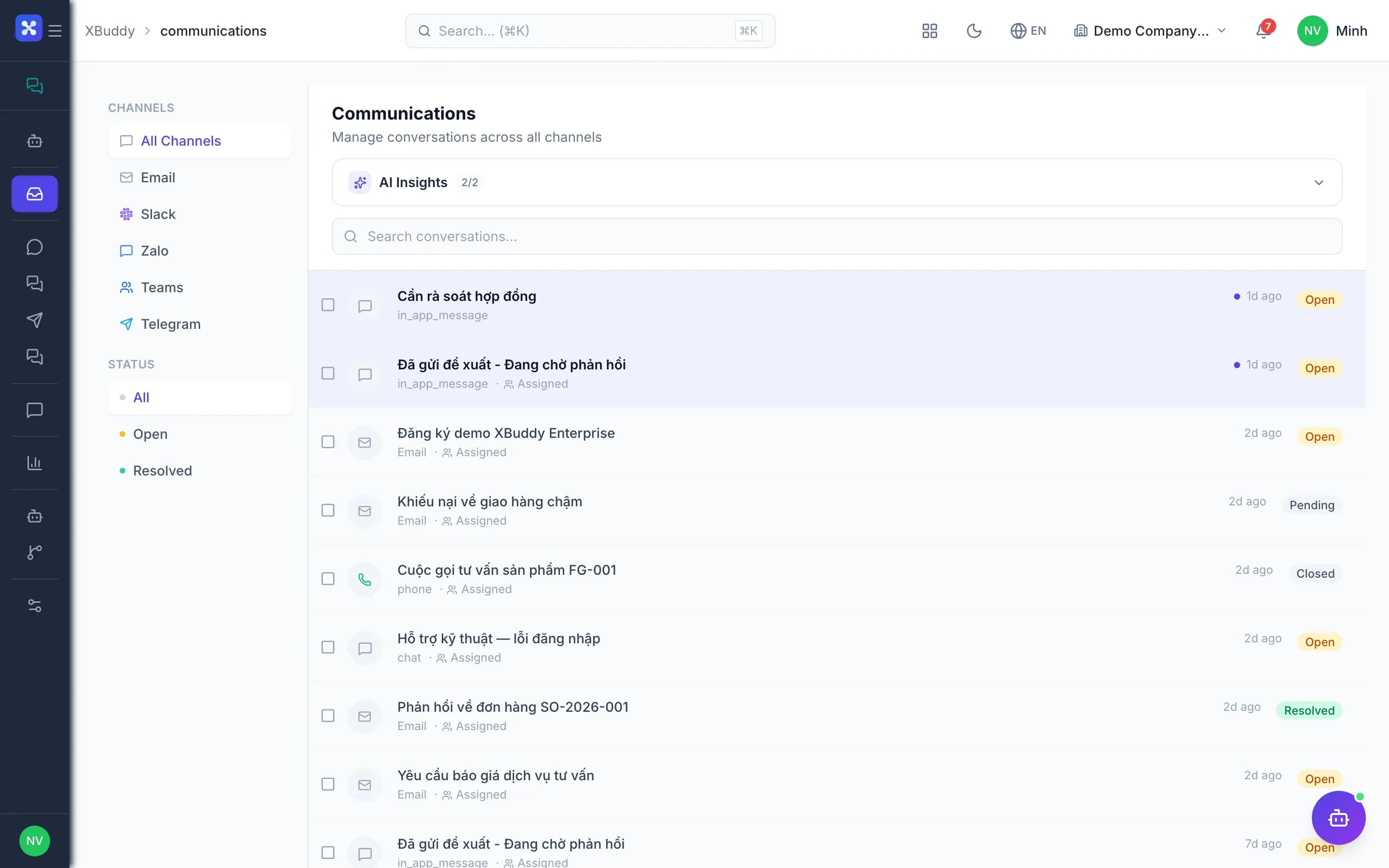
  • Shared inbox

    View, search and reply to conversations from every channel on one screen.

  • Filter by channel

    Quickly filter Email, Slack, Telegram or Zalo conversations when you need focus.

  • Assign an ownerAdvanced

    Assign each conversation to the right person so everyone knows who is handling it.

  • Bulk resolve

    Mark one or many conversations as read or resolved in a single action.

  • Canned responses

    Insert standard answers to common questions and reply fast and consistently.

Channel connections

5
  • Email mailboxes

    Connect mailboxes via OAuth, sync them and check connection health.

  • Automatic email importAdvanced

    Enable a scheduled scanner that pulls email from connected mailboxes into the shared inbox.

  • Zalo OAAdvanced

    Receive and answer Zalo Official Account messages right inside XBuddy.

  • Telegram bot

    Connect a Telegram bot via webhook so its conversations join the shared inbox.

  • Slack and Microsoft Teams

    Connect Slack and Teams via OAuth to bring discussions into one place.

Team chat

4
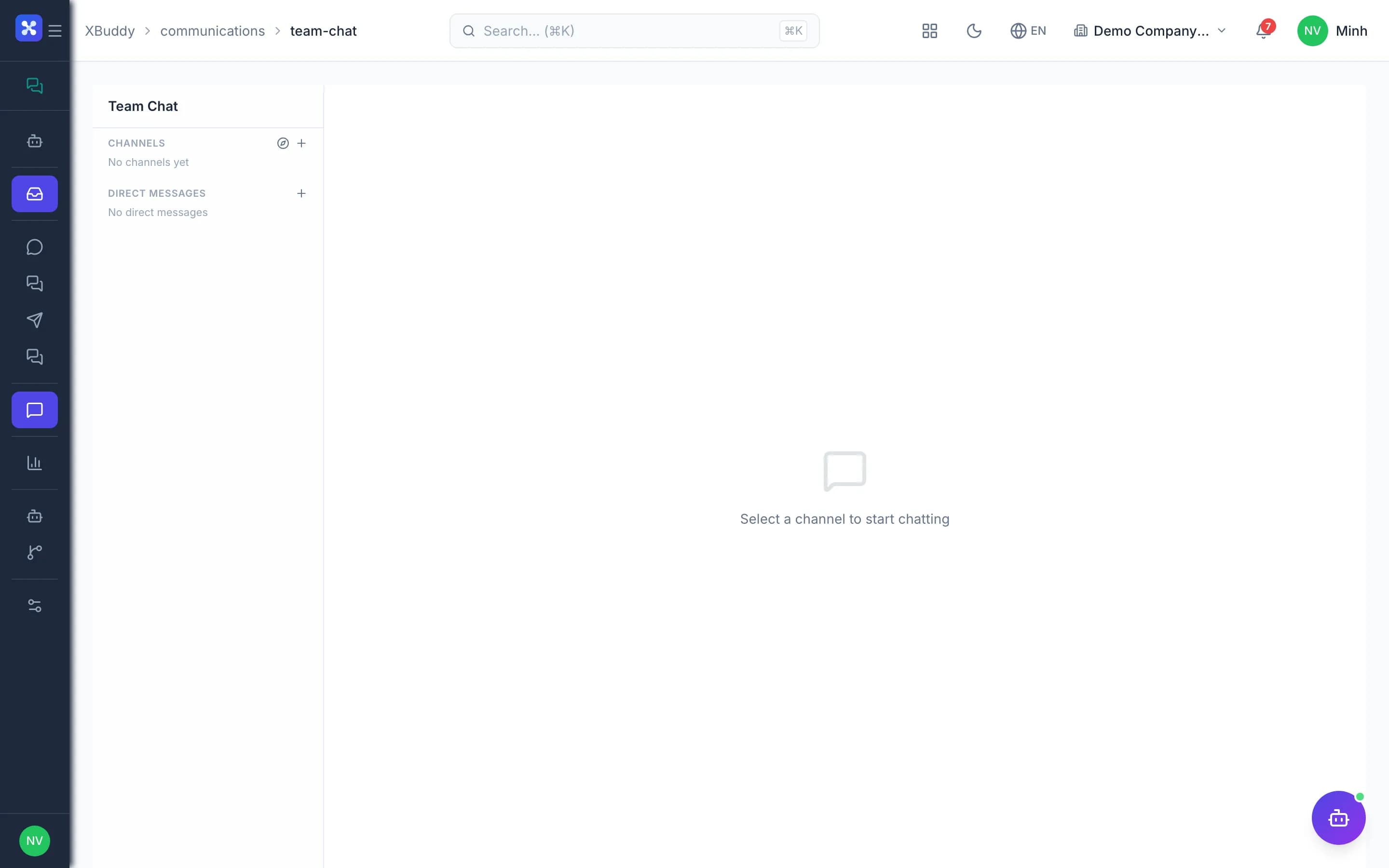
  • Channels and direct messages

    Create channels by department or project, and message colleagues directly.

  • Public channels

    Join or leave public channels as needed, without waiting for an invite.

  • Reactions and attachments

    React with emoji, send files and search old messages quickly.

  • Project-linked channels

    Chat channels linked directly to a project keep discussion in work context.

Work commands

3
  • Slash commands create tasksAdvanced

    Type a command in a channel to create a task in Tasks without leaving the conversation.

  • Private results

    Command results are shown only to the person who typed them, keeping channels clean.

  • Customer profile in CRM

    Customer conversations appear on the CRM contact profile so the whole team stays informed.

Reports and AI

4
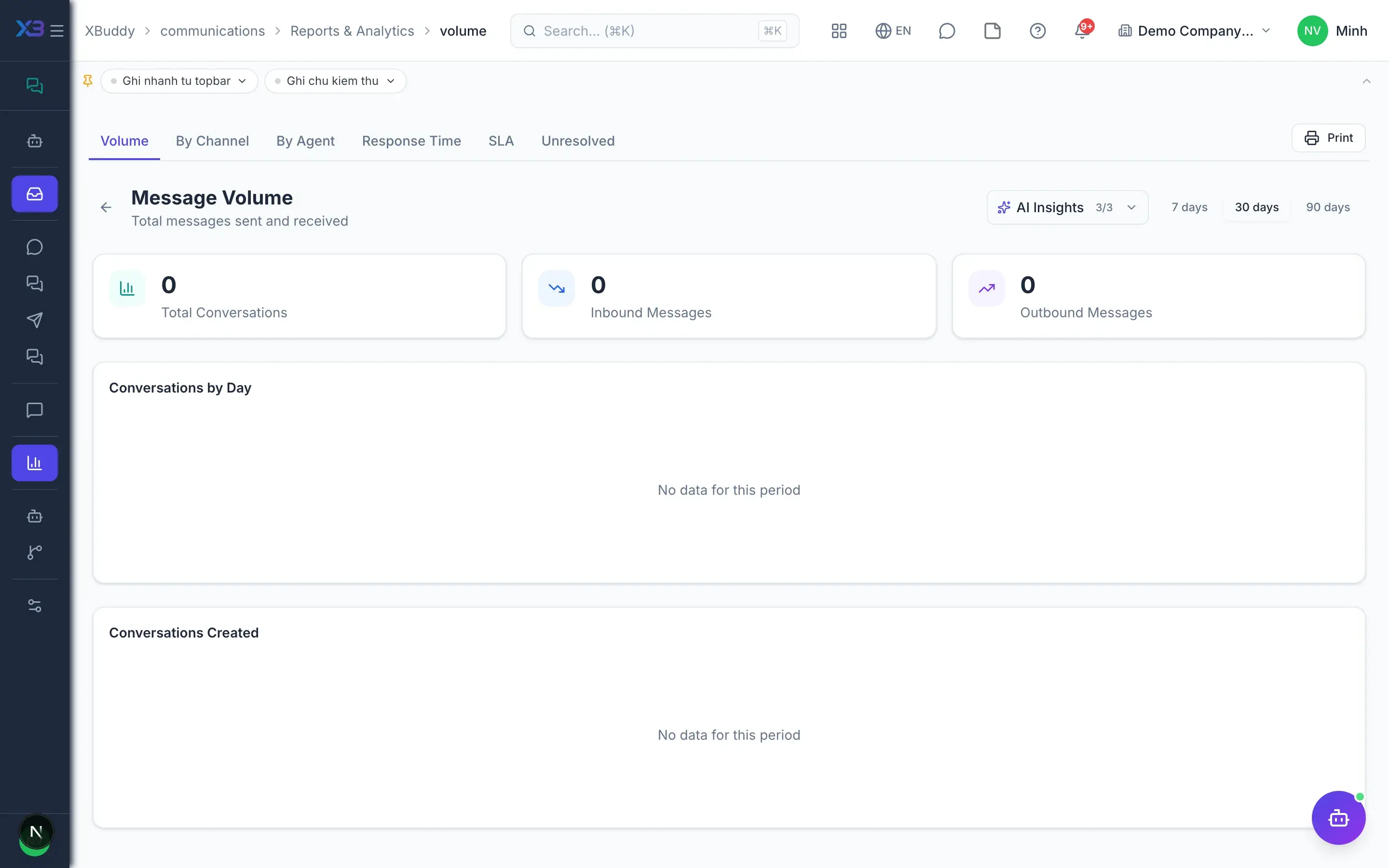
  • Conversation volume

    Report conversation counts by channel and by handler over time.

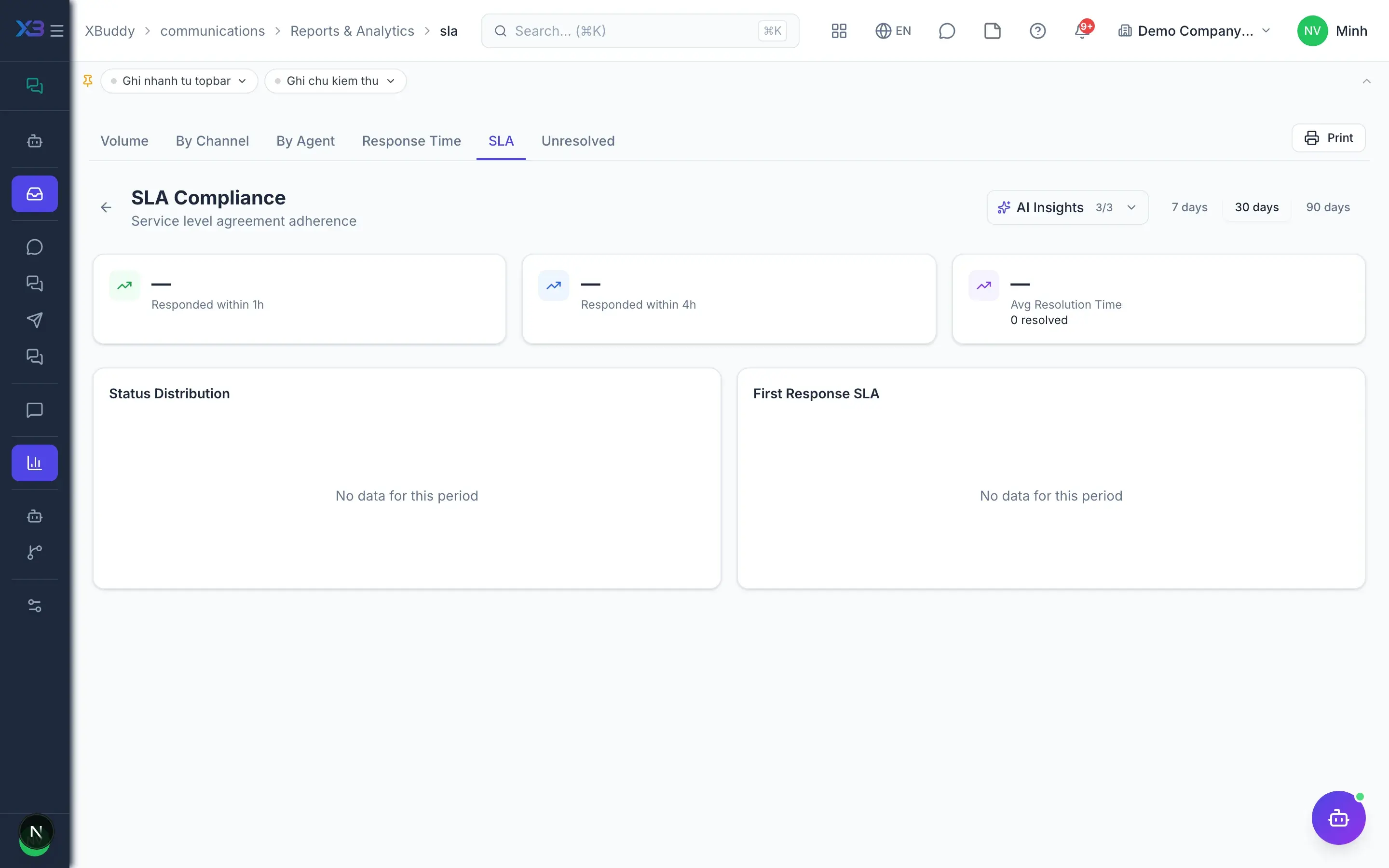
  • SLA and response timeAdvanced

    Measure first response time and the team's SLA compliance.

  • Communications AI HubAI

    AI assistants and automated workflows for your customer care team in the same app.

  • XBuddy ChatAI

    Ask the general AI assistant about your business data straight from the messaging menu.

Real screens

Inside Messaging

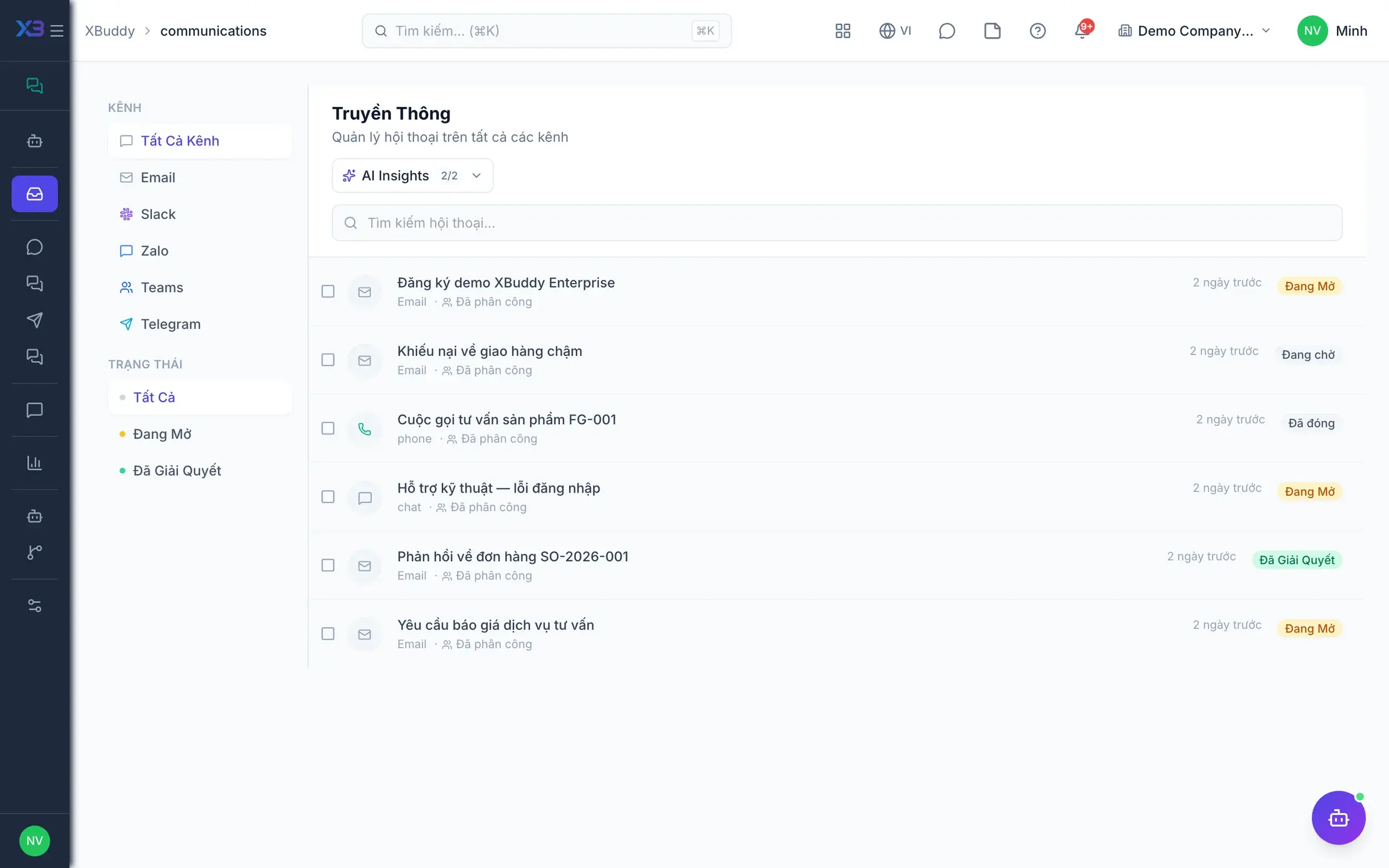
Messaging — product screen
Communications — Unified Inbox across all channels

In practice

When you reach for it

1

Discussion that lives next to the record, not somewhere else

A decision debated in a separate chat app disappears from the file when you need to look it up.

  1. 1.Every invoice, order and ticket has its own thread
  2. 2.Mentioning a colleague sends a notification linking straight to the record
  3. 3.The conversation stays with the document, including after someone leaves

The reasoning behind a decision is still there when an auditor asks.

Assistants on this app

1 assistants work on this data

Each assistant carries its own skills on this app’s data, inside the caller’s permission scope.

Triages and classifies conversations across channels and monitors response SLA breaches.

Explore skills
  • Unanswered Conversation DigestDaily digest of conversations still waiting on a reply beyond the configured threshold, grouped by channel and assignee so managers see where the inbox is stuck.
  • Customer Sentiment MonitorReads recent inbound customer messages and flags conversations where sentiment has turned negative
  • Response Quality CheckerReviews sent replies for whether they answered the question, and flags unanswered points and delivery failures
  • SLA Breach NotifierMonitors open conversations that have exceeded SLA response time and notifies assigned staff and managers before customer satisfaction is impacted.

FAQ

Frequently asked

Which channels are supported?

Email, Zalo OA, Telegram, Slack and Microsoft Teams. All customer conversations land in one shared inbox.

Can I create tasks from chat?

Yes. Type a work command in a team chat channel to create a task in the Tasks app instantly.

How do I know if the team responds fast enough?

Reports show conversation volume, response time and SLA attainment by person and by channel.

See Messaging running on your data

A thirty-minute demo focused on the process you are actually stuck on.