
Manufacturing companies
Shop floor, stock and costing books in one rhythm
Multi-level BOMs, MRP, work orders, shop floor, operation QC and period costing — every issue and report creates stock moves and journal entries.
- Know what to make and buy, and when
- Material and finished stock match the books
- Period costing without spreadsheets

The core problems
What is costing you time and money
Recipes and orders live in spreadsheets
Bills of materials, work orders and stock slips are tracked across many Excel files. Change a recipe in one place and the others don't follow, and nobody knows which version a running order is using.
Shortages discovered too late
Work orders are released before anyone finds out the warehouse doesn't have enough material. Purchasing runs on urgent phone calls while other items sit overstocked.
No view of what the floor is doing
Which operation is in progress, which machine is down and why is known only through the shift leader. Actual minutes, defects and scrap are written on paper and reach the office late.
Product cost out of line with the books
At month end, accounting collects figures from the floor and the warehouse to work out product cost by hand. Closing work in progress is a guess, and finished-goods receipt cost doesn't match the costs actually incurred.
Before and after
What changes on XBuddy
Today
- BOMs and work orders across many Excel files
- Orders released before shortages surface
- Material issues and output recorded by hand
- Quality inspection results on paper
- Product cost reworked in Excel every month
With XBuddy
- Multi-level BOMs, revisioned routings and approved ECOs
- MRP proposes draft work orders and draft requisitions
- Issues and output reports create stock moves and entries
- Operation QC blocks completion, failures raise NCRs
- Monthly costing periods with WIP and account 154 closing
The flow
7 steps, one continuous record
- 1
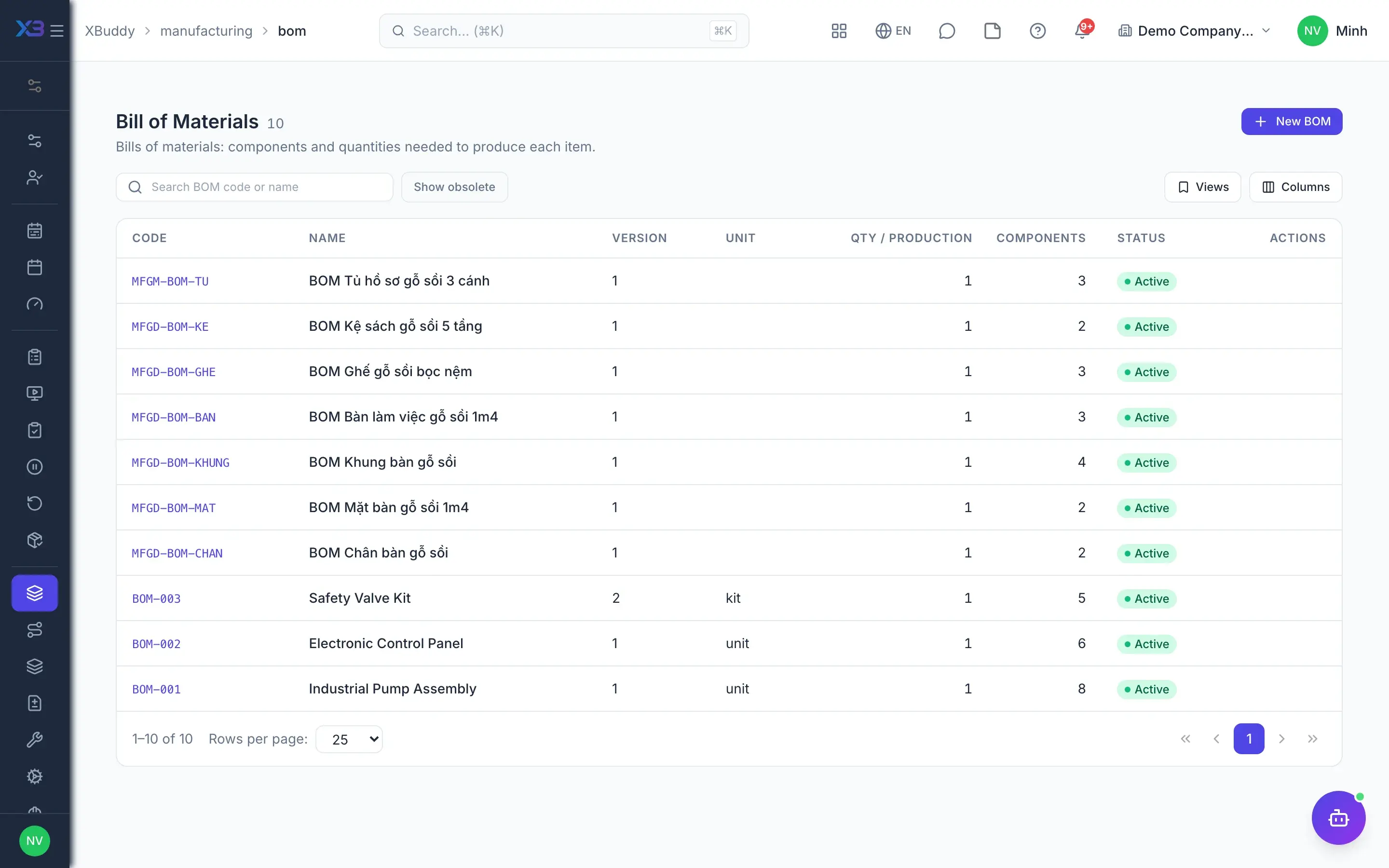
Bills of materials and routings
The production engineer defines BOMs with per-line units of measure, semi-finished goods, by-products and scrap, plus routings with operations, work centers, standard times and quality check steps. With revisions enabled, a released revision cannot be edited; every change goes through an approved ECO.
- Multi-level BOMs, phantoms, by-products, scrap
- BOM tree and where-used lookup
- Immutable revisions, changes via ECO
- Standard cost roll-up per BOM
- 2
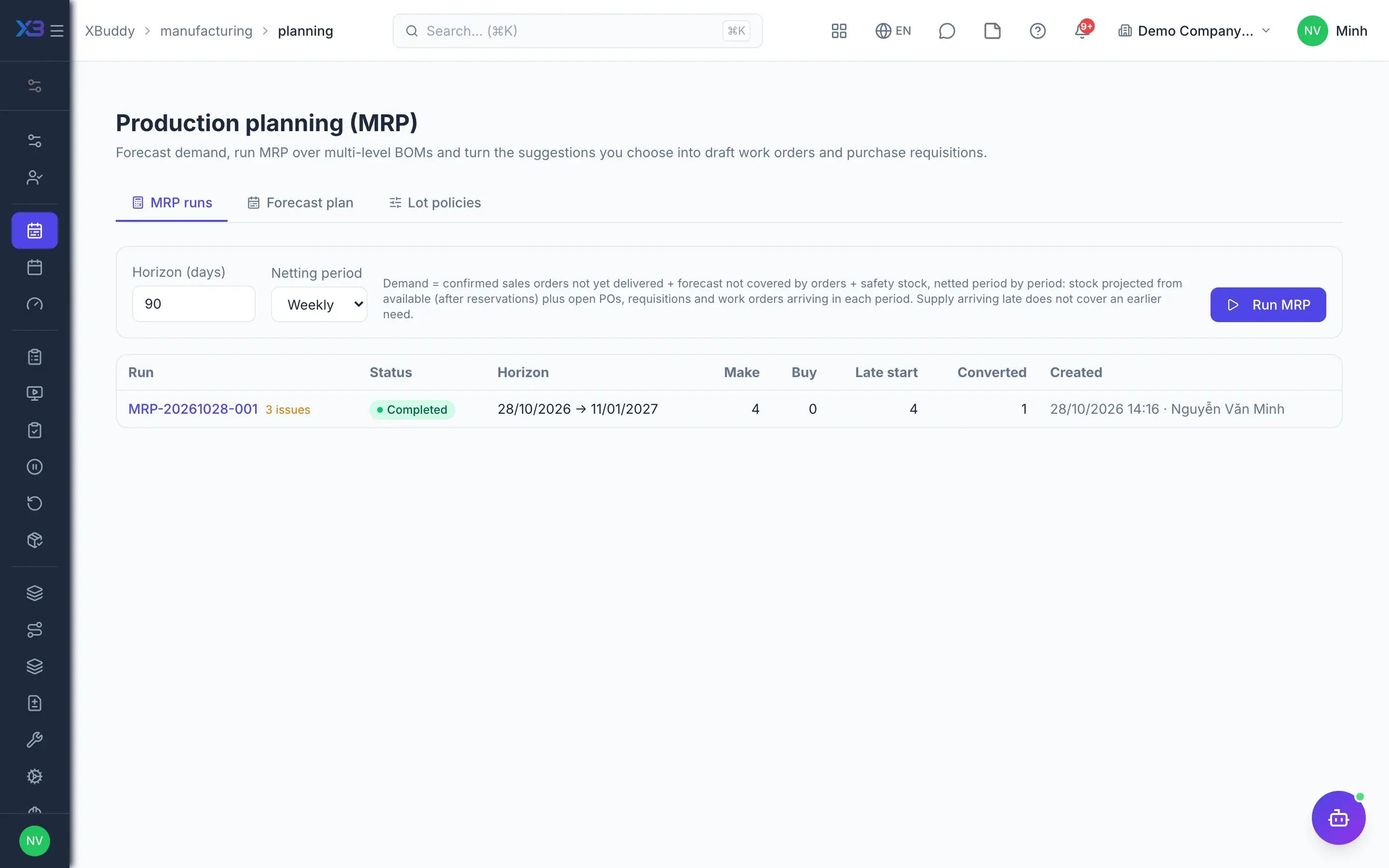
Production planning and MRP
The planner enters the master production schedule (MPS) by item and period, sets lot sizing and lead time policies per item, then runs MRP. Each proposal comes with its reason: sales order demand, forecast, safety stock or incoming supply.
- MPS by item and period
- Lot policies: lot-for-lot, minimum, multiple
- MRP by day, week or month
- Reasoned proposals, drafts only when the user selects them
- 3
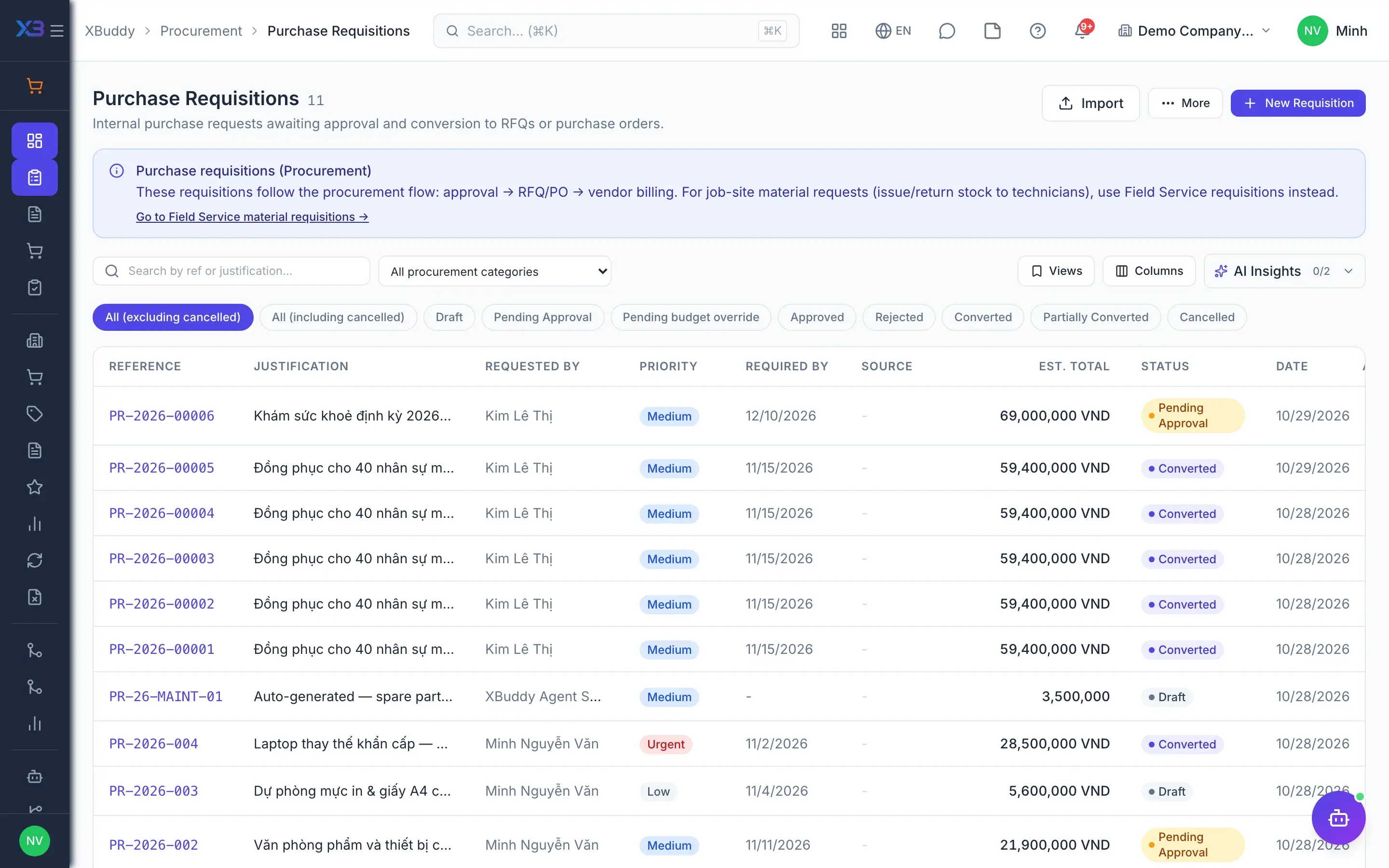
Purchase raw materials
Purchase proposals from MRP become draft requisitions in Purchasing for buyers to review, approve and convert into POs. Incoming material is received into stock on a goods receipt, optionally with an incoming quality inspection before it goes into production.
- Draft requisitions from MRP
- POs, receiving and three-way matching
- Service POs for subcontracted operations
- 4
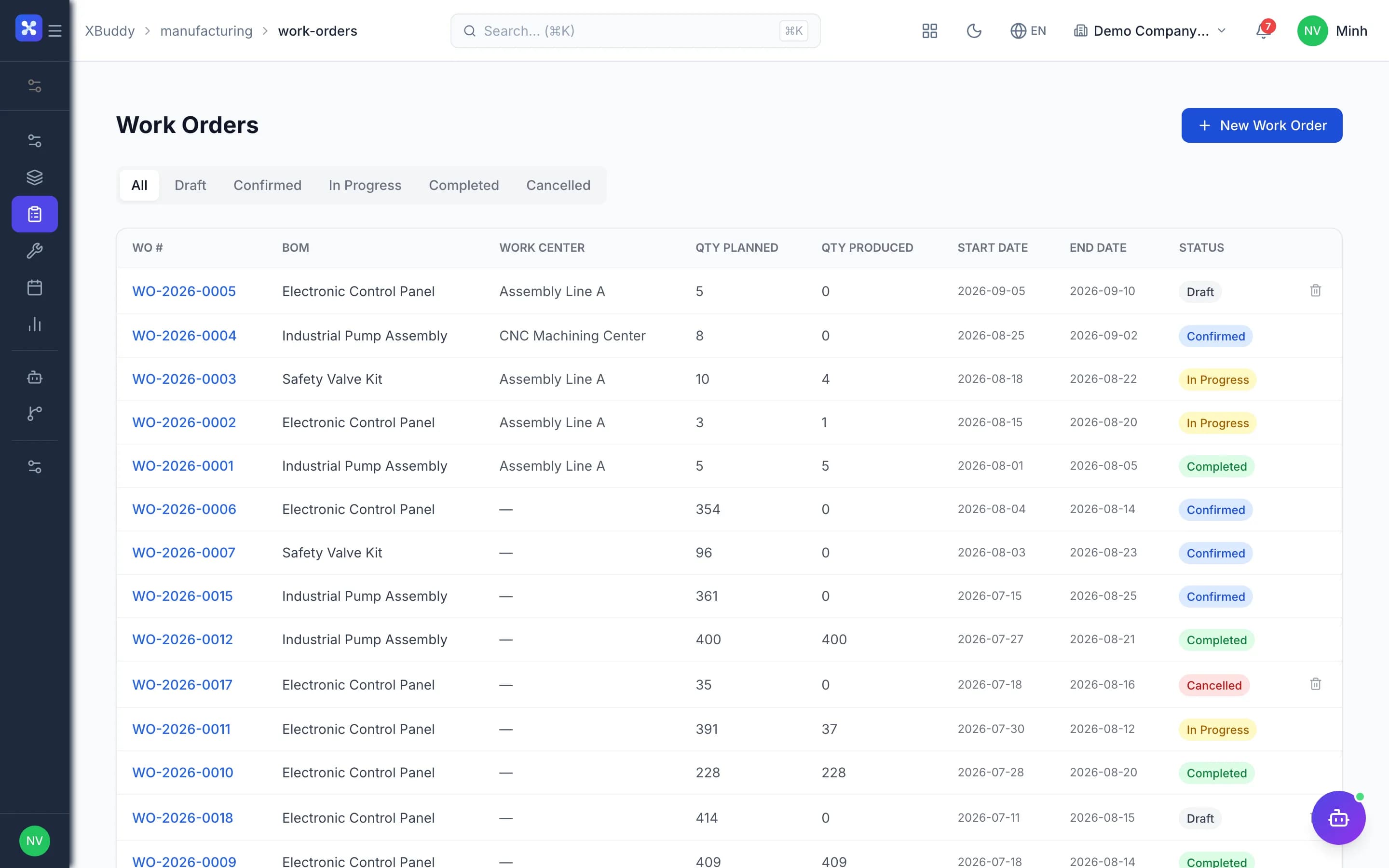
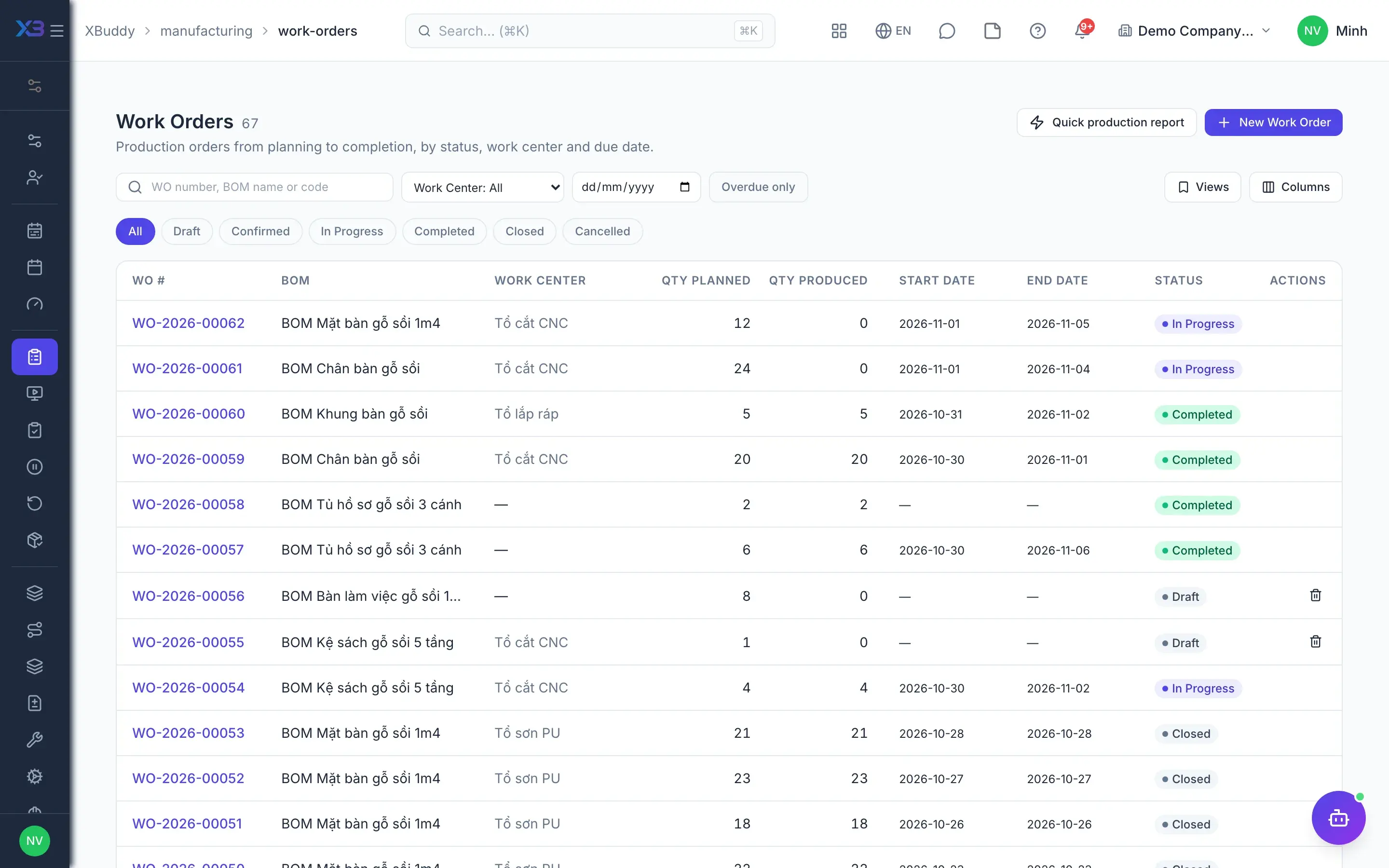
Work orders and material issue
A work order created from a BOM generates its planned consumption and operations, and is checked for material availability before release. The storekeeper issues material in several batches and returns leftovers to stock; anything above the standard needs a reason and approval from an authorized person.
- Material check against the BOM
- Issue in batches, return leftovers
- Over-standard issue needs a reason and approval
- Make-to-order from sales lines, child orders for sub-assemblies
- 5
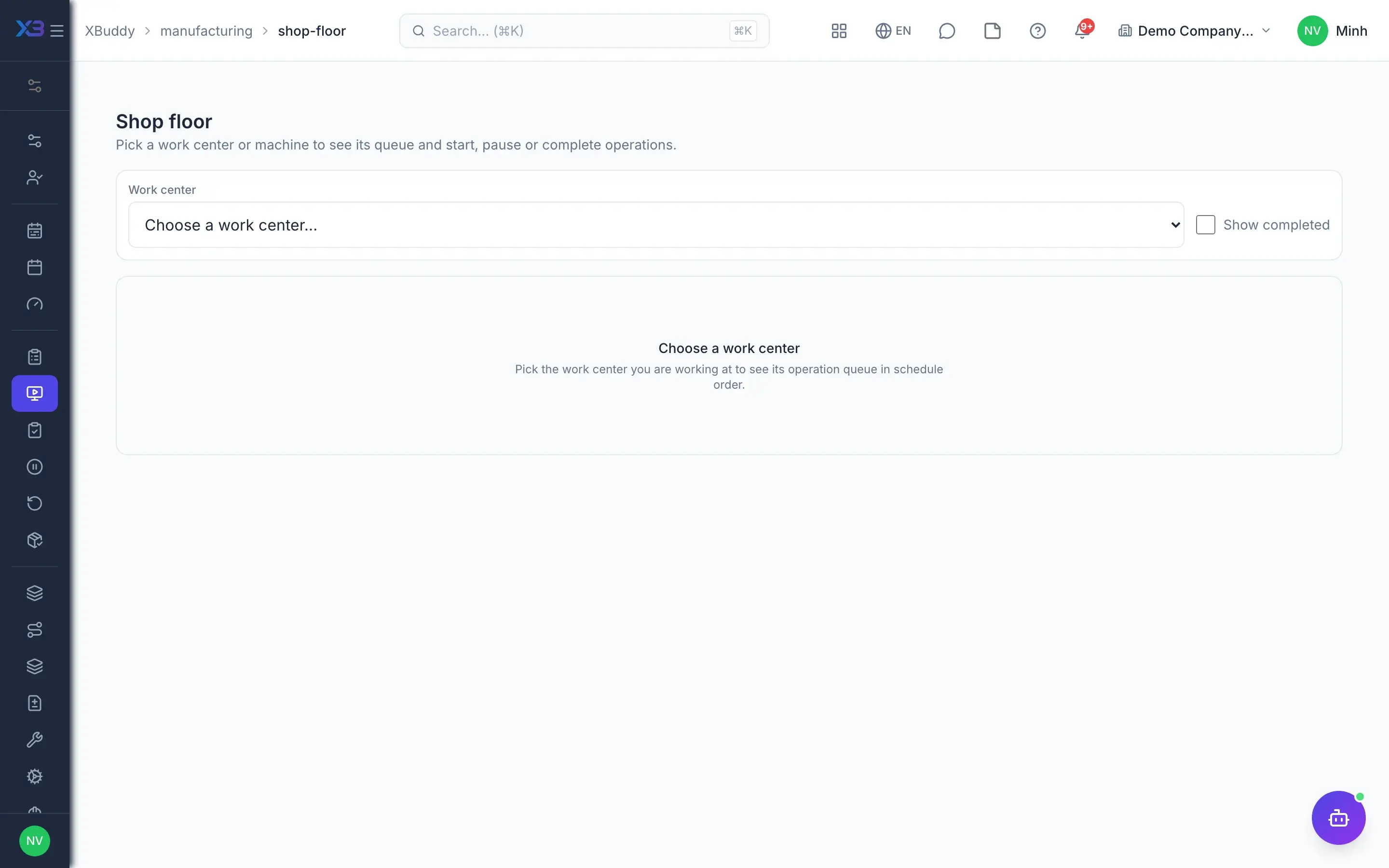
Shop floor
Operators and shift leaders open My Work or the Shop Floor screen to start, pause with a reason and complete operations; completing creates an output report with good, defective and scrap quantities. Labor minutes come from the actual run intervals, and machine downtime is logged by reason to calculate OEE.
- Start, pause and complete operations
- Drawings and documents on the operation card
- Record lots/serials of material consumed
- Downtime logging, OEE by work center
- 6
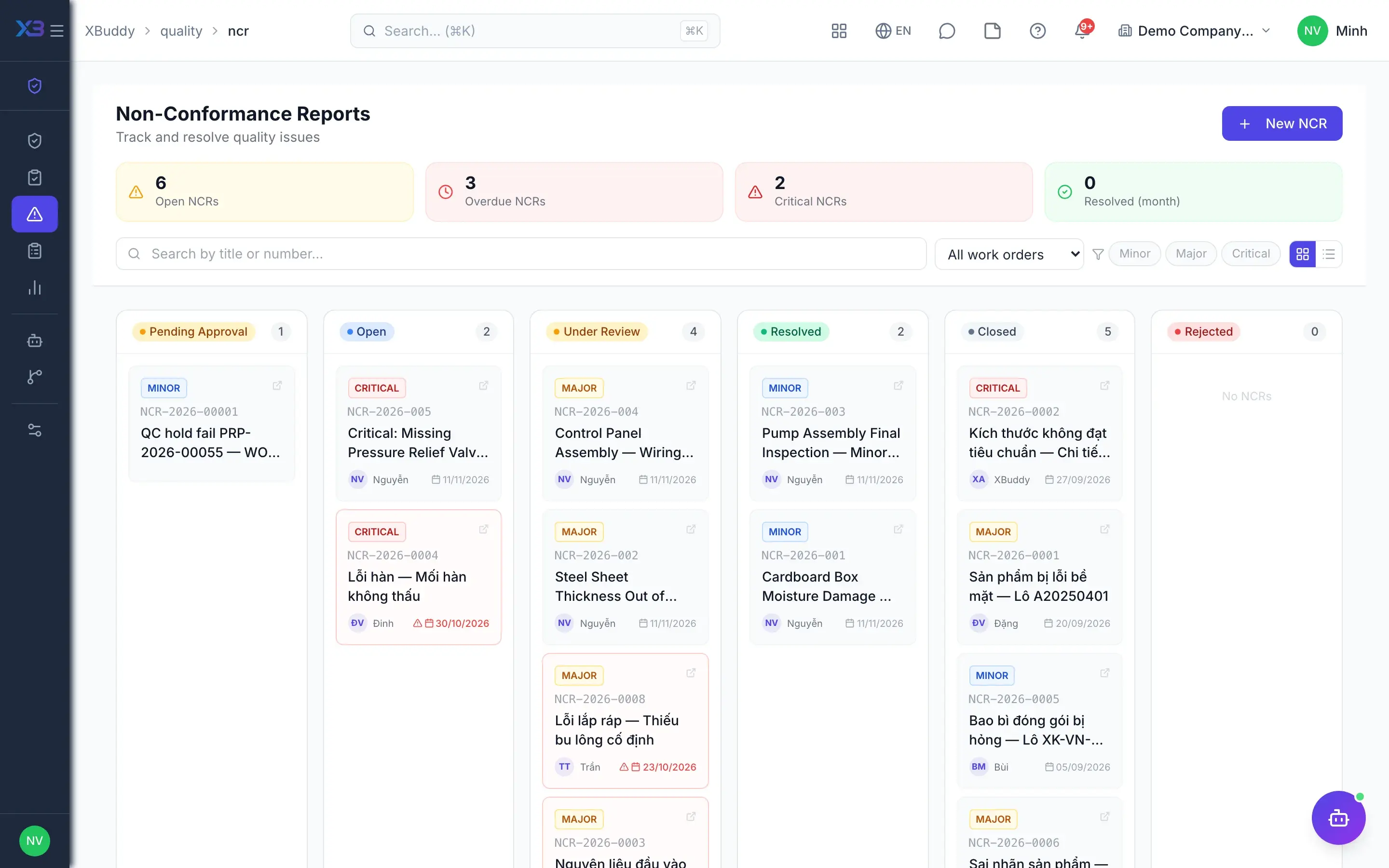
Quality control
A failed QC step on an operation blocks completion of the work order. On output reports, a failed QC automatically raises a non-conformance report (NCR) in Quality, and the NCR can be the source of a rework order whose quantity cannot exceed the defects.
- Operation QC blocks completion
- NCR raised automatically on QC failure
- Rework orders from defect reports or NCRs
- 7
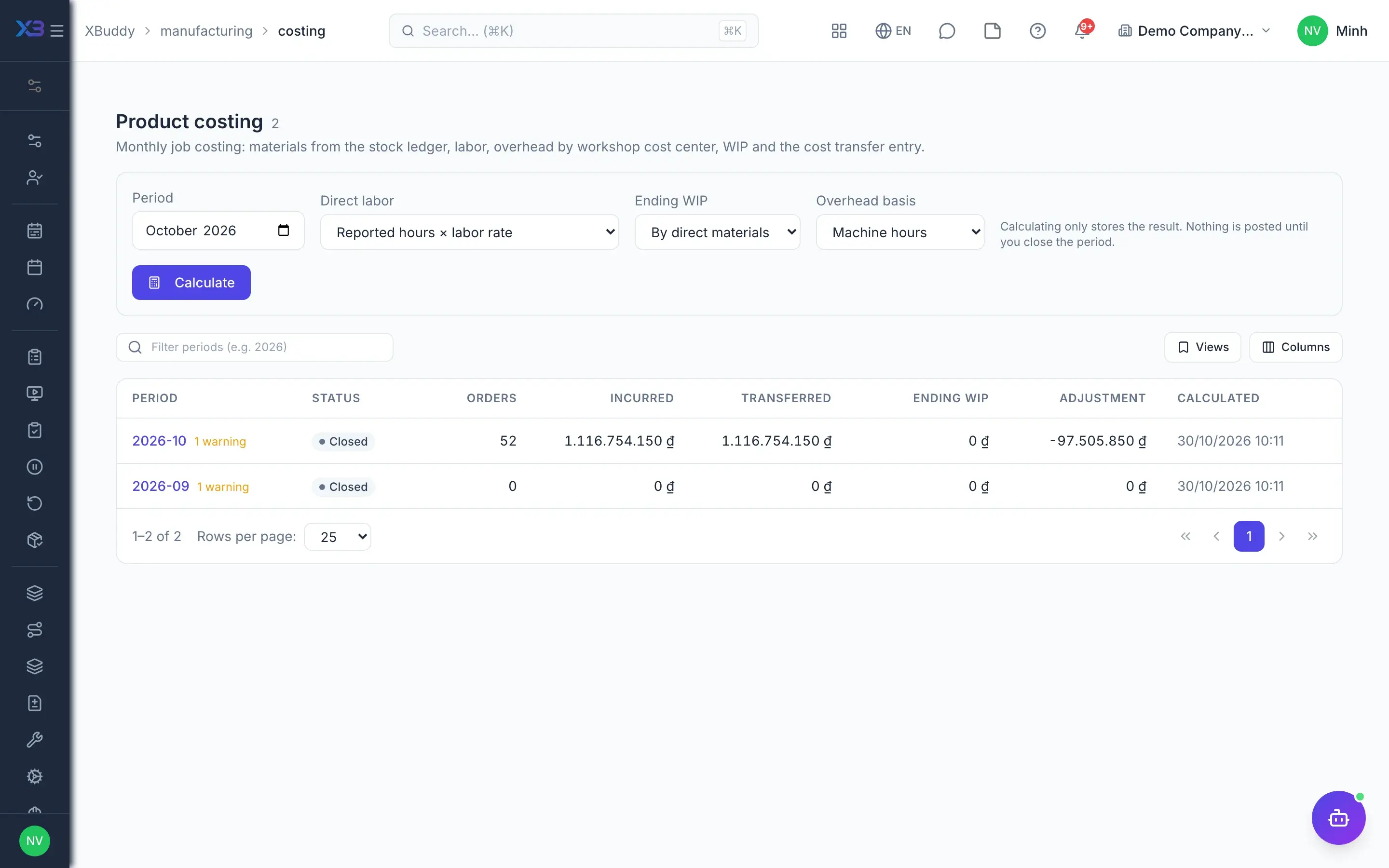
Costing and posting
Every material issue, output report and subcontract receipt posts work-in-progress (154) and finished-goods (155) entries. At month end, the cost accountant runs the costing period: collecting material, labor and overhead by order, determining WIP and closing the period to transfer balances and adjust finished-goods receipt cost.
- 154/155 entries per document
- Overhead allocated by allocation basis
- Closing WIP, standard versus actual
- Close the period, reopen the latest one with a reason
Key capabilities
What this solution relies on
Design & planning
Multi-level BOMsAdvanced
Routings, revisions and ECOsAdvanced
MPS and MRPAdvanced
Finite schedulingAdvanced
Capacity load and machines
Shop-floor execution
Partial issue and reporting
Shop Floor and My Work
Quick report for shift leadersMobile
Downtime and OEE
Subcontracting
Quality & traceability
Operation QC
NCRs and rework
Lot/serial traceability
Plant overview
Costing & AI
Order-level costing
Monthly costing periodsAdvanced
Standards-aware accounts
Production Planner assistantAI
Handled out of the box
Hard questions XBuddy already answers
What’s inside
Apps and AI assistants involved
FAQ
Frequently asked
Does it work for a small workshop?
Yes. The basic flow of BOM, work order, operations and finished-goods receipt works straight away. Advanced capabilities such as multi-level BOMs, MRP, finite scheduling, the shop floor screen and period costing are off by default and can be switched on as the workshop is ready.
Does MRP create work orders or purchase orders on its own?
No. MRP only proposes, with reasons; draft work orders or draft requisitions are created only for the proposals the planner selects. MRP does not yet suggest rescheduling or cancelling open orders.
How is product cost calculated?
At two levels. Order-level cost is always available: operation minutes times the work center hourly rate, plus material consumed at stock ledger cost. Period costing adds overhead by allocation basis, closing work in progress and finished-goods cost adjustment when the period is closed.
Does it connect to machines and sensors (MES)?
Not yet. XBuddy provides a light MES layer: operators record operations, log downtime, and OEE is calculated from output reports and logged stops. It does not currently collect data automatically from PLCs, SCADA or IoT devices, and there is no real-time OEE.
What if a closed costing period turns out wrong?
The latest closed period can be reopened with a reason, as long as the stock adjustment has not been consumed. Otherwise, the difference is handled with an adjusting entry in the following period.
Can we make to customer order?
Yes. From a sales order line you create a work order for the quantity to be made, progress shows on the order, and finished goods are reserved for it. Cancelling the order cancels orders that have not started; once an order has started, cancelling the sales order is blocked.
See this flow on your own data
A thirty-minute demo focused on the process you are actually stuck on.