

Requests & Approvals

One approval inbox for every document and request

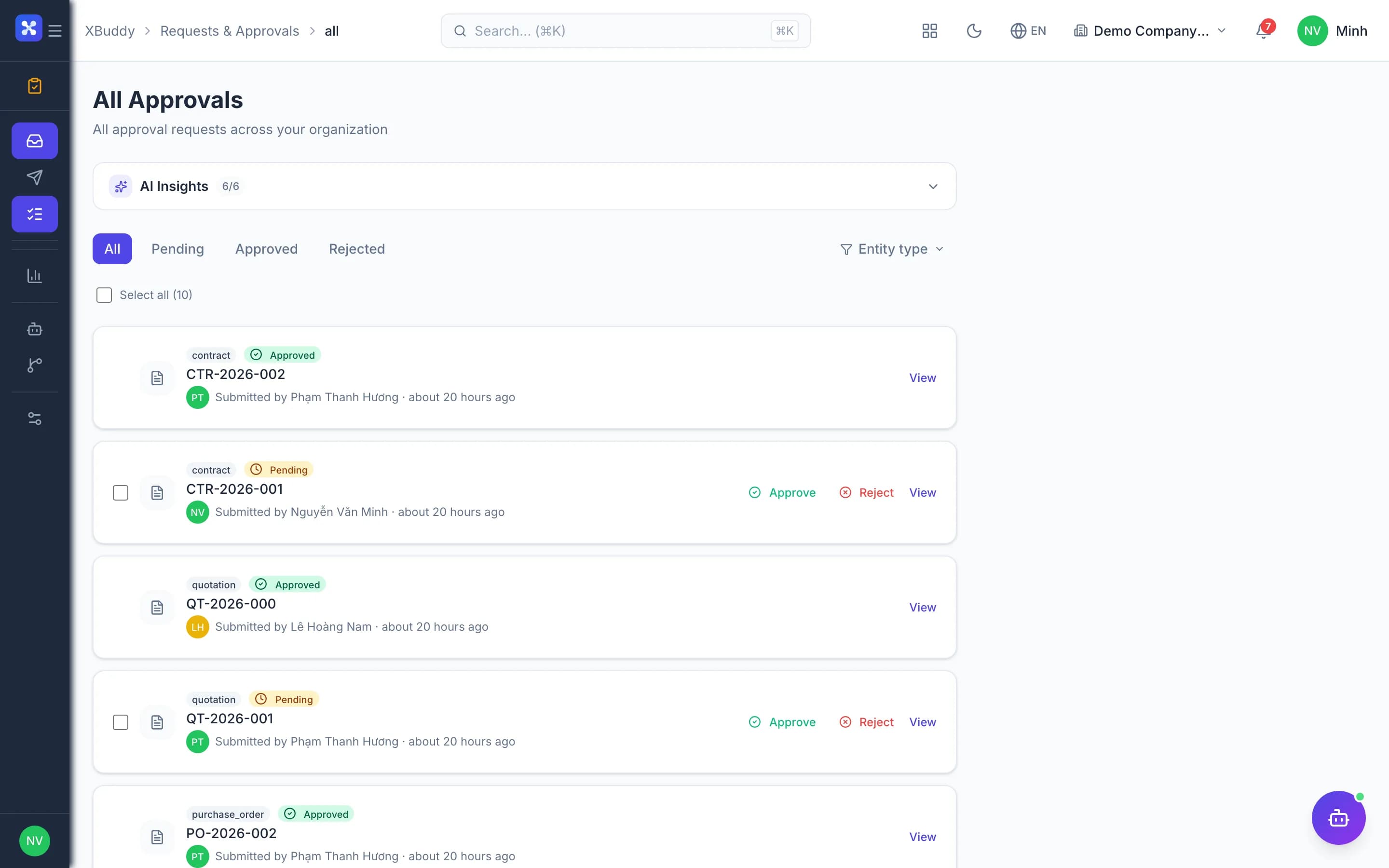
Everything waiting on you — expenses, contracts, leave, AI actions — in a single inbox.

  • Invoices, POs, leave and contracts approved in one place
  • See who is holding each request and how overdue it is
  • Advances flow through settlement and payout to closure
Requests & Approvals — product screen

Screenshot 1 of 6

22
capabilities
8
advanced & AI features
1
AI assistants on this data
Yes
on mobile

Sound familiar?

The problems this app removes

  • Approvals by email, chat and paper, so nobody knows where things stall
  • Every tool has its own way of approving
  • Cash advances paid out but never settled
  • An absent approver brings the whole process to a halt

Capabilities

22 capabilities in Requests & Approvals

Catalogued against screens that exist in the product, grouped by the work they do — not a flat marketing list.

Shared approval inbox

6
  • My tasks

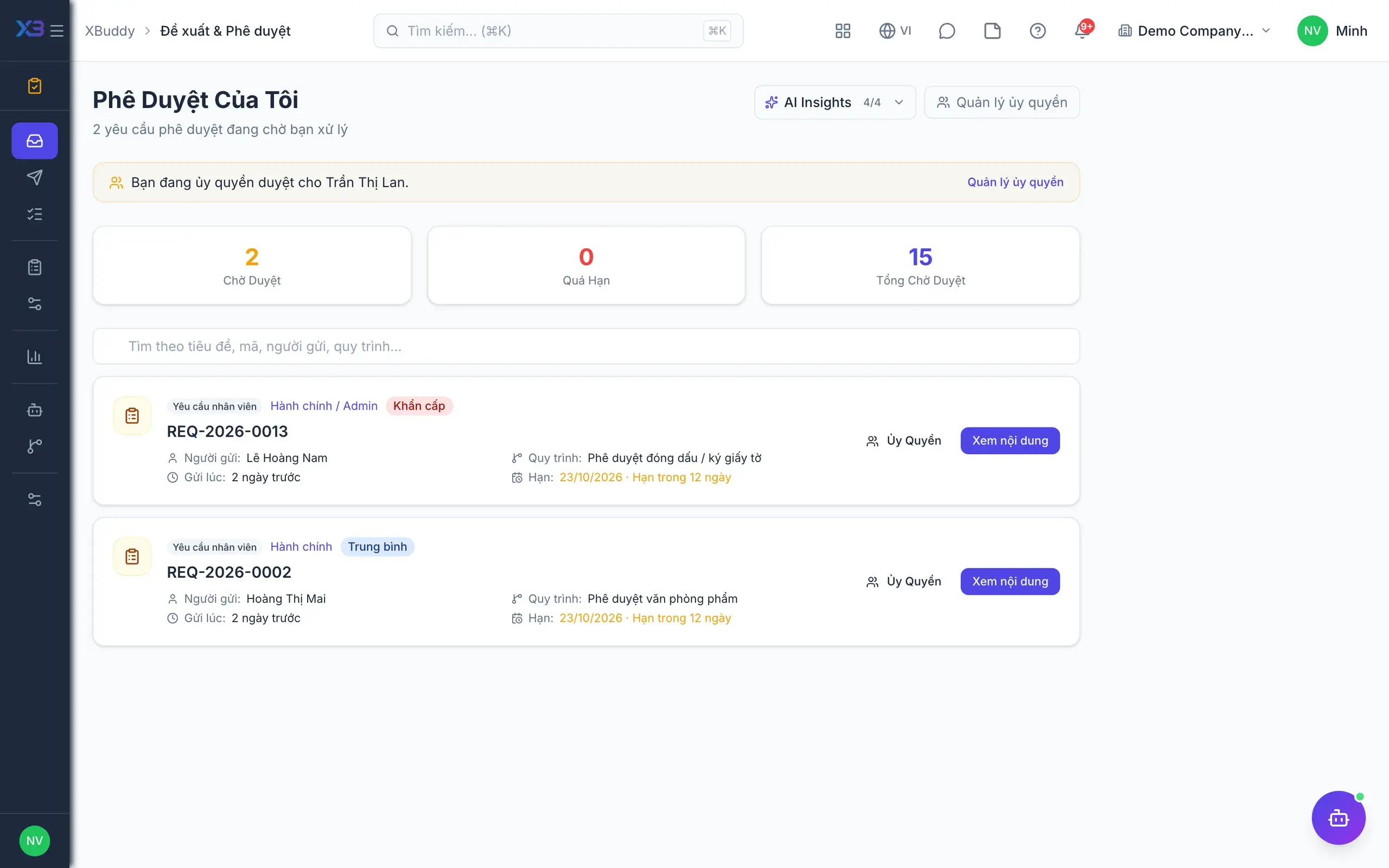
    Every document awaiting your approval, from every app, in a single list.

  • Approve, reject, returnAdvanced

    Decide quickly, or return for revision and resubmission on the same record.

  • Bulk approval

    Select several requests and approve them at once, saving managers time.

  • Partial approvalAdvanced

    Approve a lower quantity than requested on request types that support it.

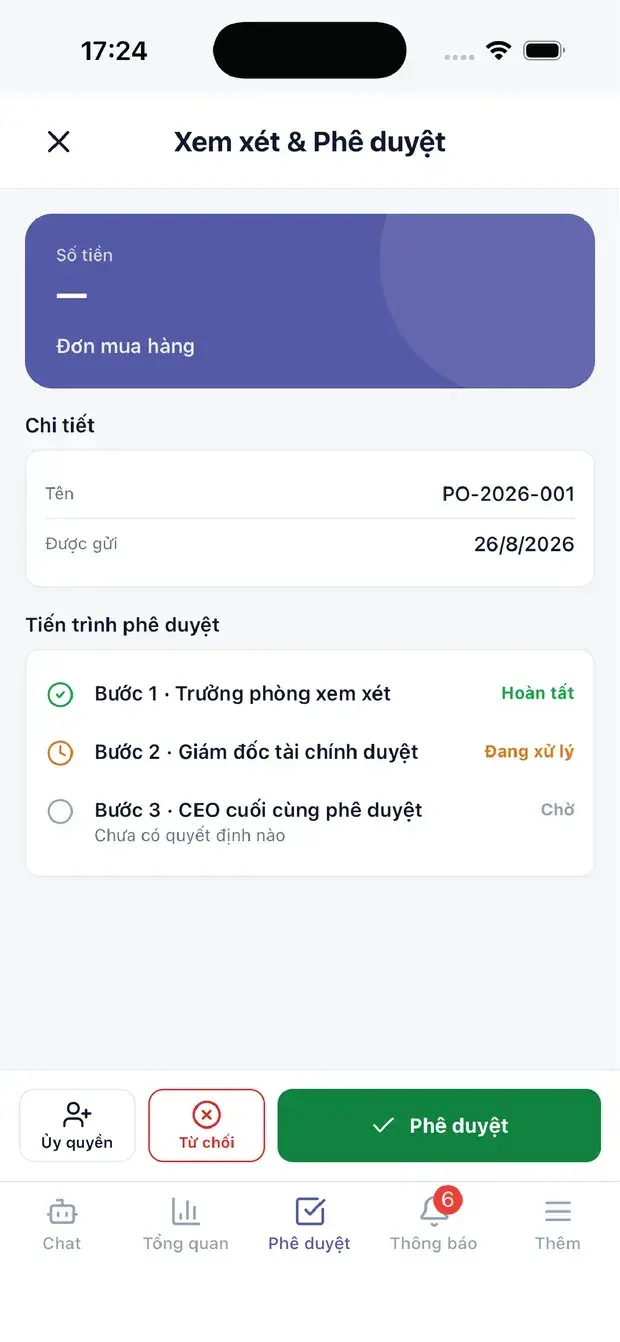
  • Approve on mobileMobile

    Get notified and approve requests right in the mobile app.

  • Track what you sent

    Senders see which step a request is at, who holds it and for how long.

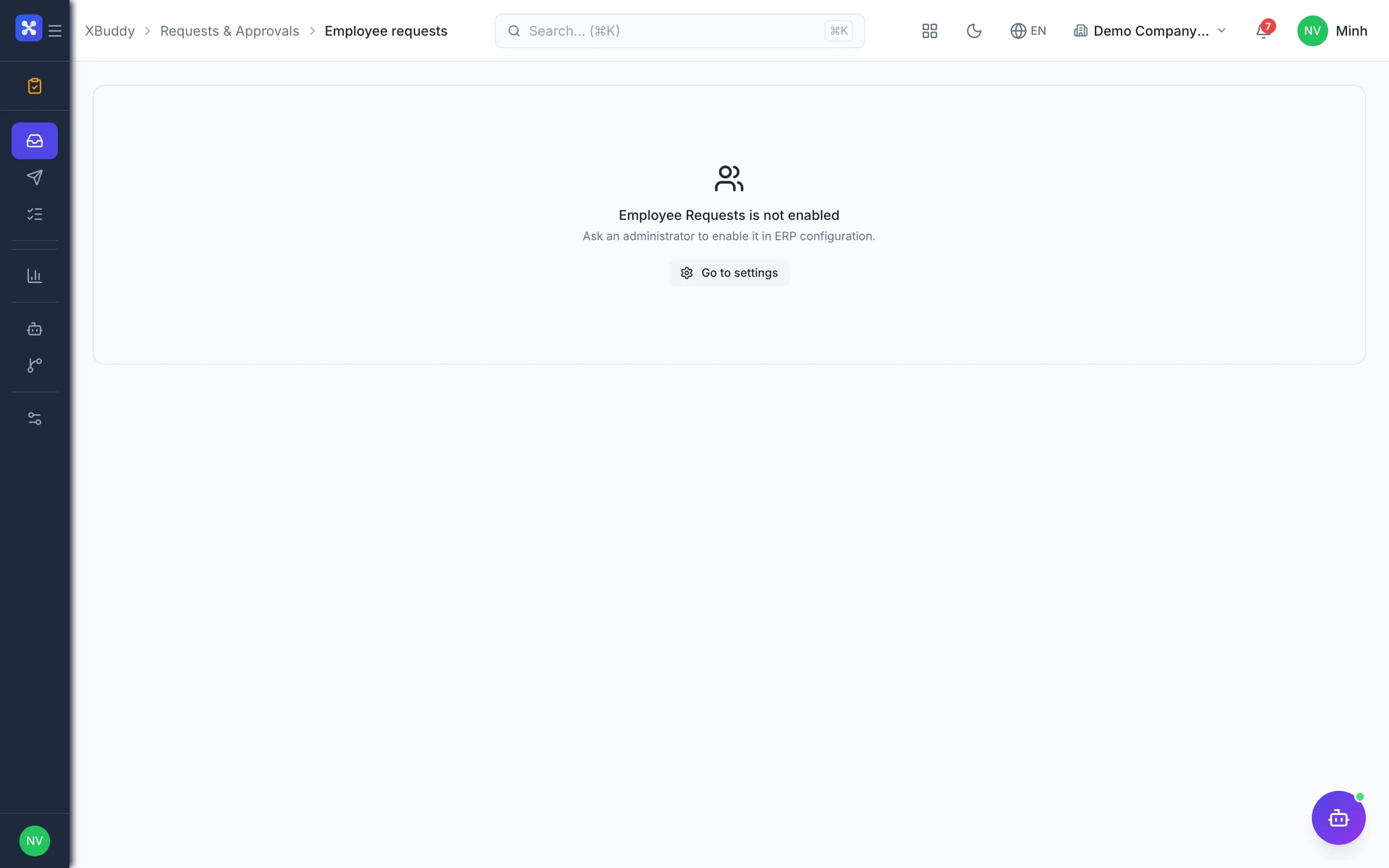
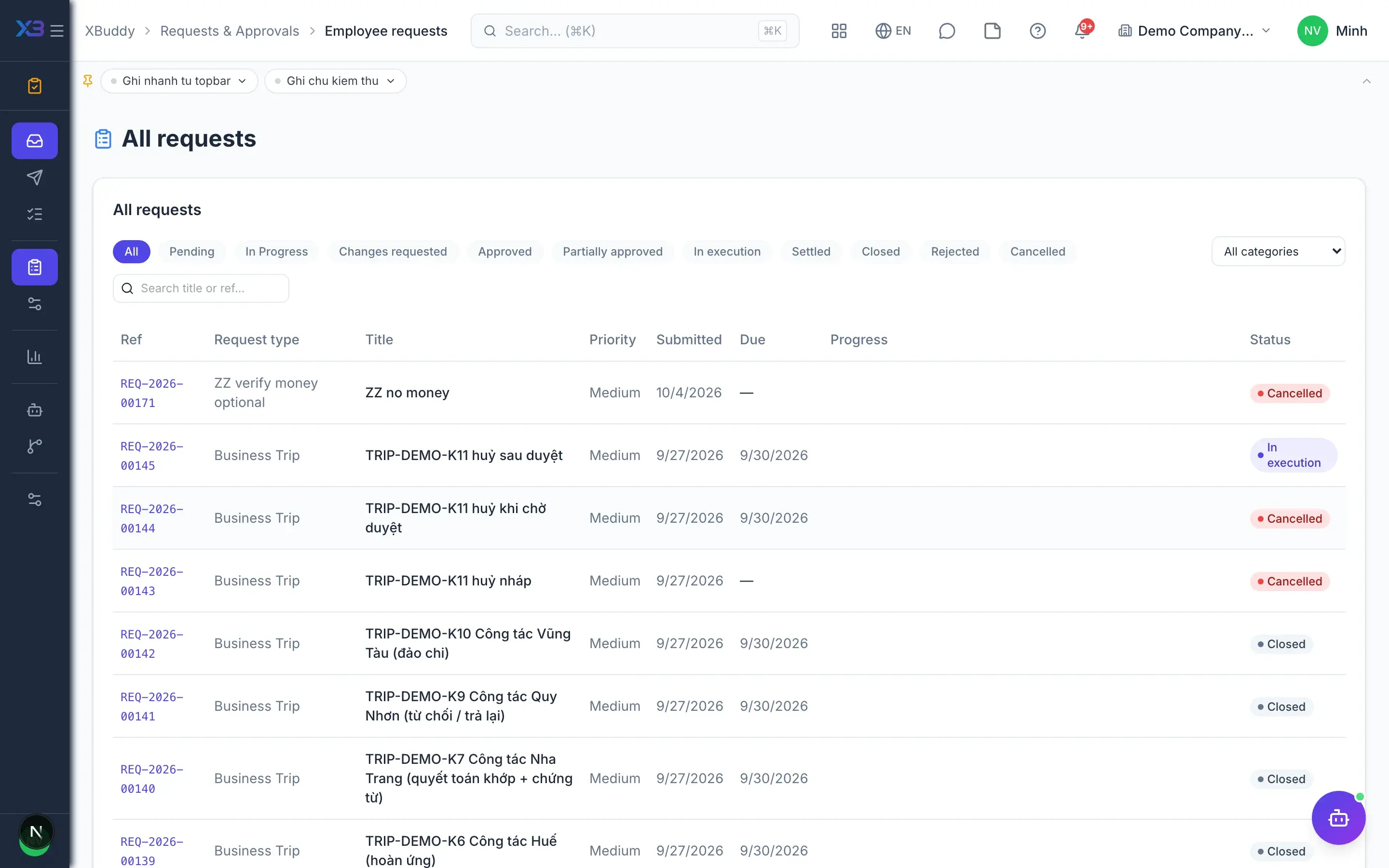
Employee requests

5
  • Request type library

    Start from ready request templates, then copy and customise them for your company.

  • Dynamic formsAdvanced

    Design custom fields for each request type without writing code.

  • Chains by request type

    Pin an approval route to each request type and preview approvers before submitting.

  • Comments and attachments

    Discuss and add supporting files on the request, with every trace kept.

  • Post-approval fulfilment

    Assign someone to carry out the request after approval and close it when done.

Advances and settlement

3
  • Multiple advancesAdvanced

    Advance, top up and adjust the estimate on a single request record.

  • Settlement and refundsAdvanced

    Settle actual costs and generate the extra payment or refund receipt automatically.

  • Accounting entries

    Advance payouts post journal entries and expense requests create Expenses in accounting.

Rules and signing

4
  • Conditional rulesAdvanced

    Route approvals by amount, department, document type or other conditions.

  • Delegation

    Delegate approvals while away so the process keeps moving.

  • Overdue escalation

    Overdue requests escalate automatically to the next level as configured.

  • Sign when approvingAdvanced

    Require a handwritten signature, email OTP or biometrics per document type.

Reports and AI

4
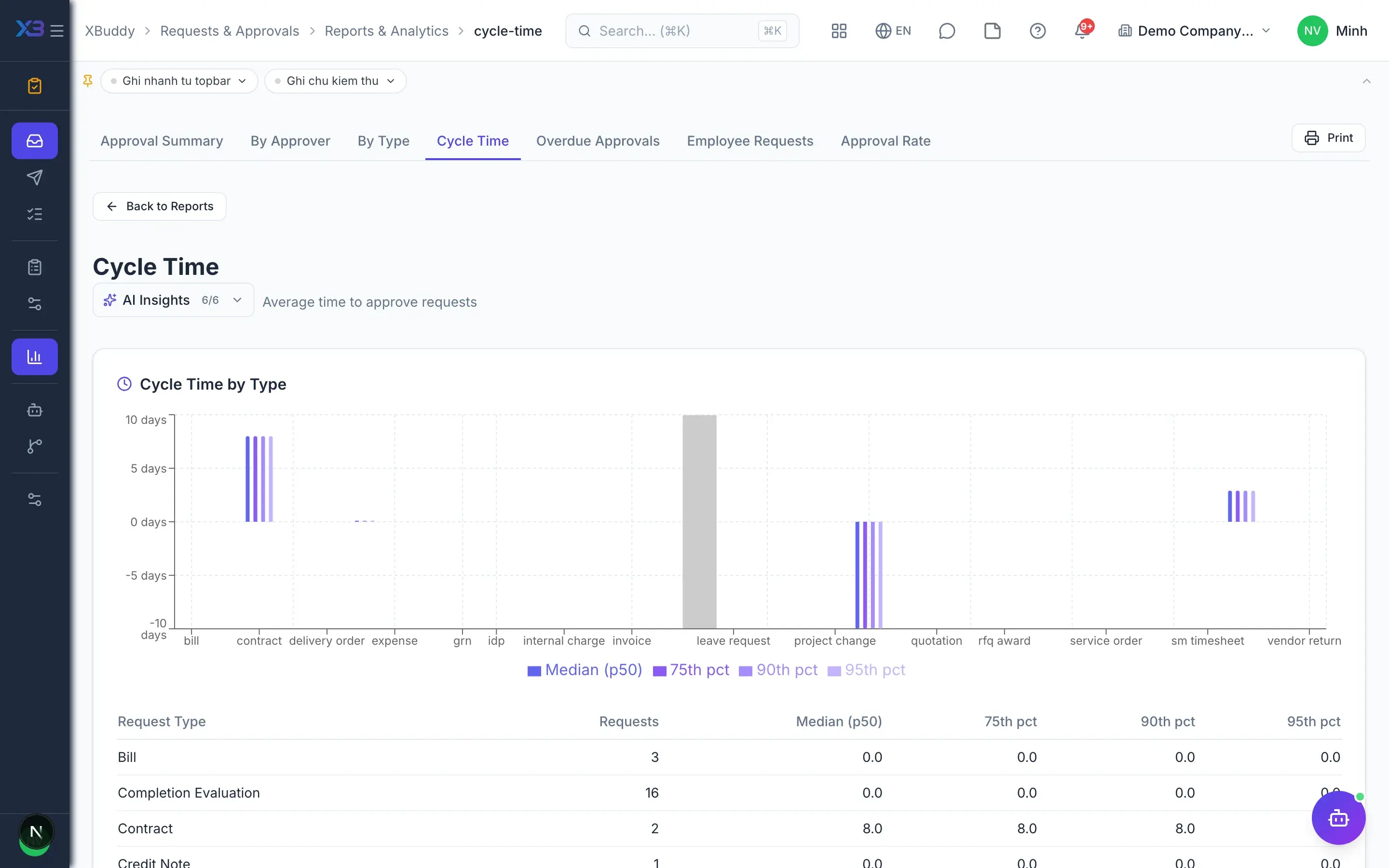
  • Approval time

    Measure average approval time by approver and by document type.

  • Overdue requests

    A list of overdue requests and who holds them, for timely follow-up.

  • Approval rate

    Track approval and rejection rates by request type and approver.

  • AI approval assistantAI

    AI summarises each request so approvers grasp the essentials quickly.

Real screens

Inside Requests & Approvals

Requests & Approvals — product screen
Approvals — My Tasks queue awaiting decisions

On mobile

Work anywhere with XBuddy Office & XBuddy Work

My approvals inbox
Multi-step PO approval on the phone
SLA and approval notifications

In practice

When you reach for it

1

The director travels for ten days

Without a delegation path everything above the threshold stops — and nobody knows where it stopped.

  1. 1.Delegation is declared in advance, with a time window and a scope of request types
  2. 2.New requests route straight to the delegate
  3. 3.The log records who approved on whose behalf, and over which dates

Operations keep moving, and accountability still traces to a person.

Assistants on this app

1 assistants work on this data

Each assistant carries its own skills on this app’s data, inside the caller’s permission scope.

Monitors approval queues, enforces SLA, analyzes rejections, and routes escalations to available approvers.

Explore skills
  • Approval SLA EnforcerWarns approvers approaching deadlines and auto-escalates overdue approval requests
  • Approval Decision PrepAssembles the research an approver would otherwise do by hand for each waiting request: how this amount compares to peer norms, the requester's recent approval record, and how long it has waited versus a typical cycle. Reports only — approving remains a human judgement.
  • Approval Rejection AnalyzerAnalyzes rejection patterns across entity types, clusters root causes, and recommends rule improvements to reduce rejection rates
  • Approver Availability OptimizerMonitors approver workload and inactivity. Alerts when approvers are overloaded or unresponsive and suggests delegation targets
  • Delegation Rule OptimizerAnalyzes approval bottlenecks and recommends delegation rules and threshold adjustments
  • Approval Compliance AuditorWeekly audit of approval decisions for documentation completeness. Flags missing comments and generates per-approver compliance scores
  • Workflow Bottleneck AnalyzerIdentifies approval workflows stuck at the same step for too long. Pinpoints the people and process steps causing the most delays.
  • Request Backlog MonitorFinds employee requests past their SLA and alerts the approvers who can act on them

FAQ

Frequently asked

Which documents go through the approval inbox?

Invoices, bills, POs, PRs, quotations, leave, contracts and employee requests. Every app shares one approval gate.

What if the approver is travelling?

They can delegate to someone else or approve on their phone. Overdue requests escalate automatically as configured.

Does a wrong request have to be cancelled and redone?

No. The approver returns it for revision, and the sender edits and resubmits the same request.

See Requests & Approvals running on your data

A thirty-minute demo focused on the process you are actually stuck on.