Digital signature

Sign any document in-system, with verifiable evidence

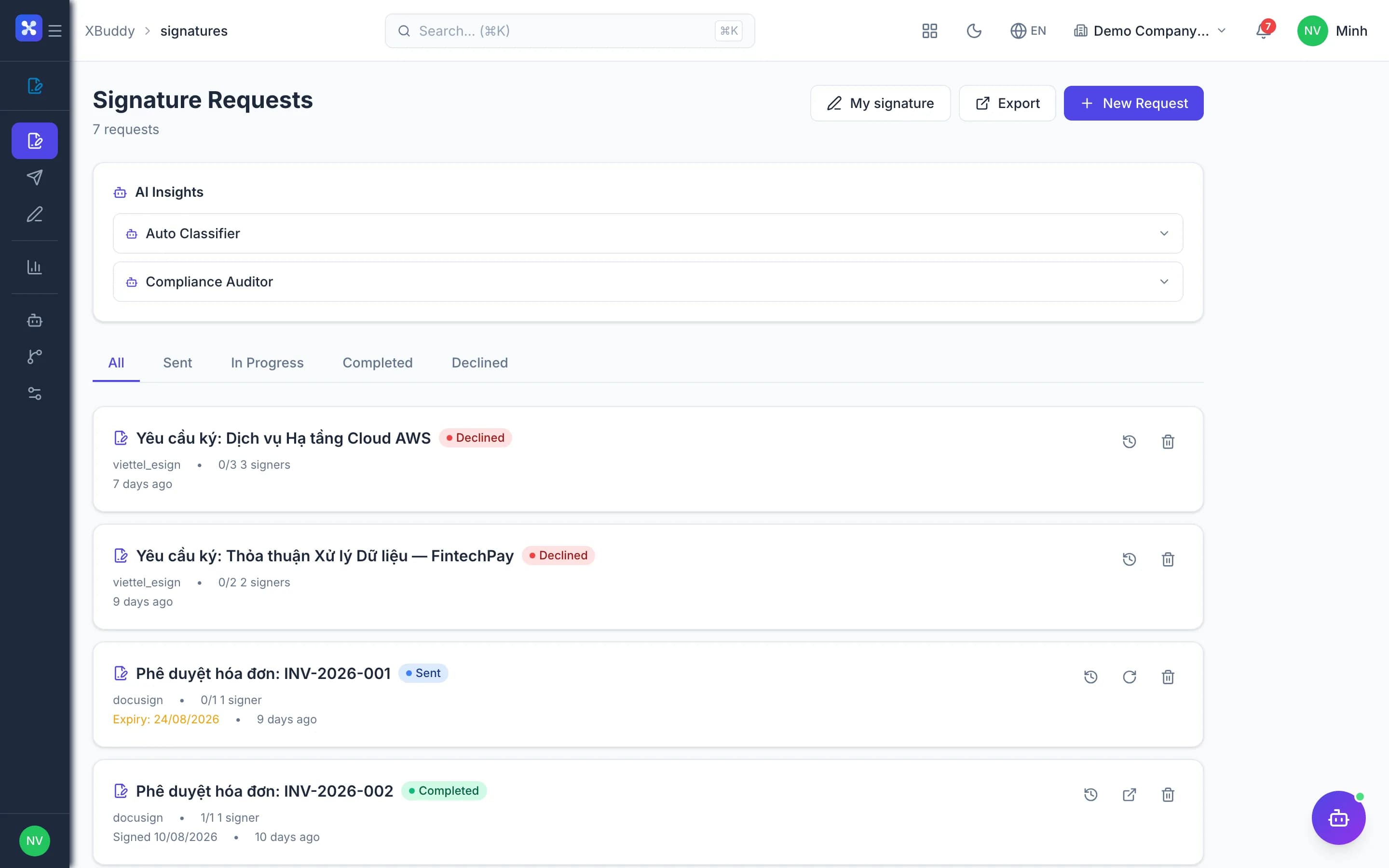
Sign inside the approval flow, with timestamp and signing evidence stored with the document.

  • Send for signature straight from the source record, 22 document types
  • PAdES digital signatures via USB token or remote HSM
  • Detect any document changed after it was sent
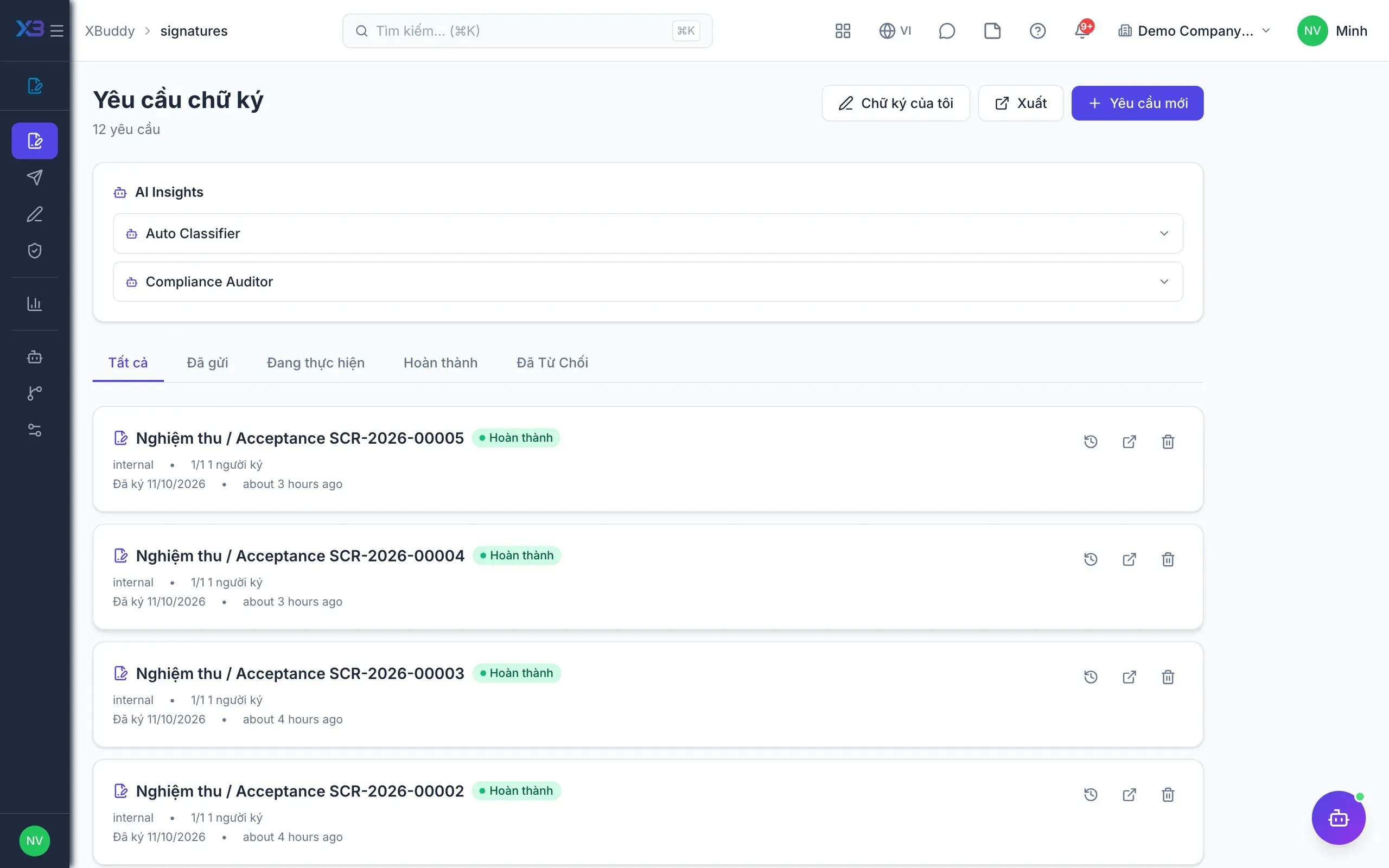
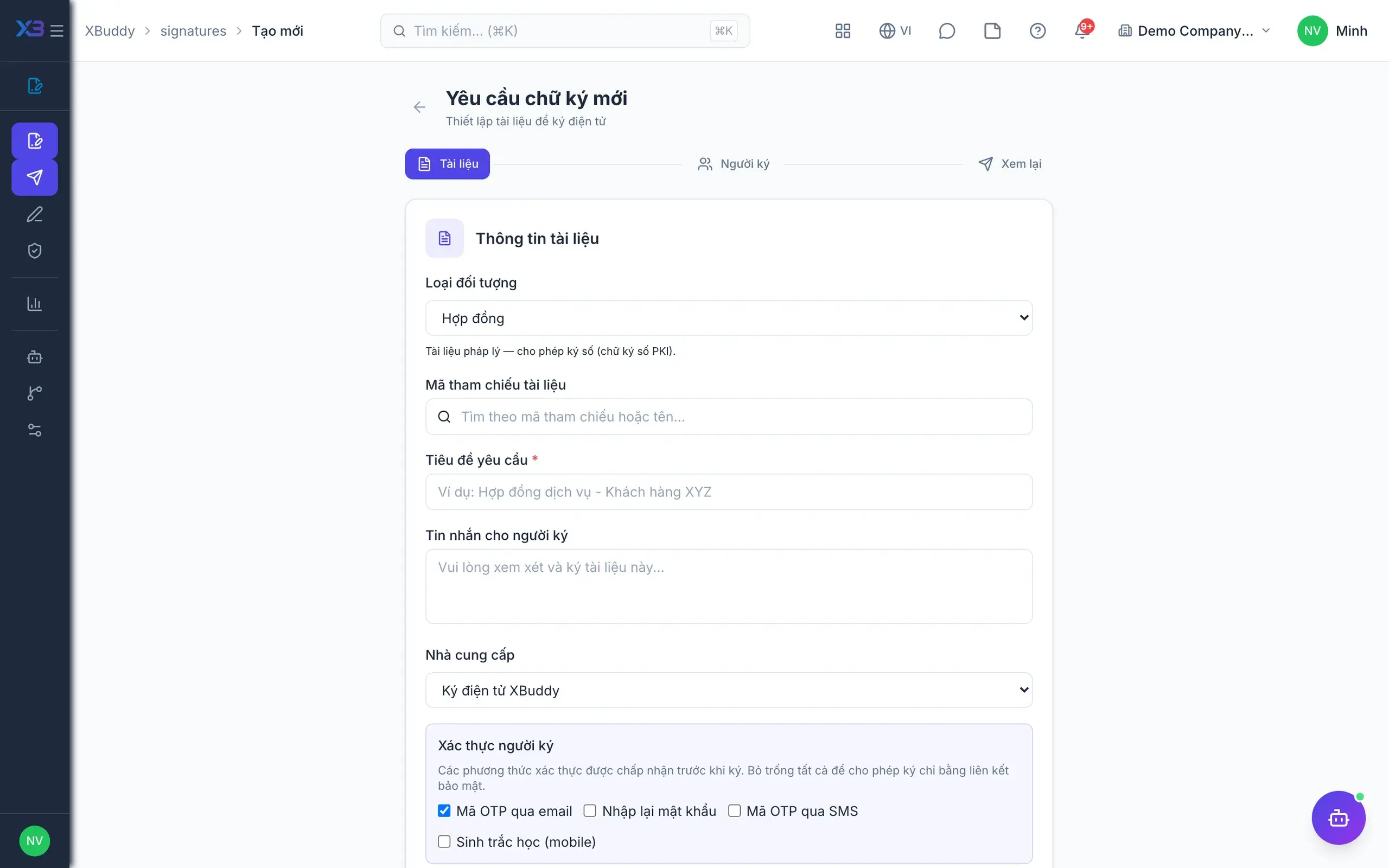
Digital signature — product screen

Screenshot 1 of 7

21
capabilities
10
advanced & AI features
1
AI assistants on this data
Web
on mobile

Sound familiar?

The problems this app removes

  • Print, sign by hand, scan back — slow and easily lost
  • No certainty a document wasn't changed after sending
  • Signers forget and nobody chases until it is late
  • Signed PDFs arrive from outside with no way to verify

Capabilities

21 capabilities in Digital signature

Catalogued against screens that exist in the product, grouped by the work they do — not a flat marketing list.

Signature requests

5
  • Sign from the source document

    Send quotations, orders, POs, contracts, payslips and more for signing right from the record.

  • Multi-party signing

    One request goes to several internal and external signers, each tracked individually.

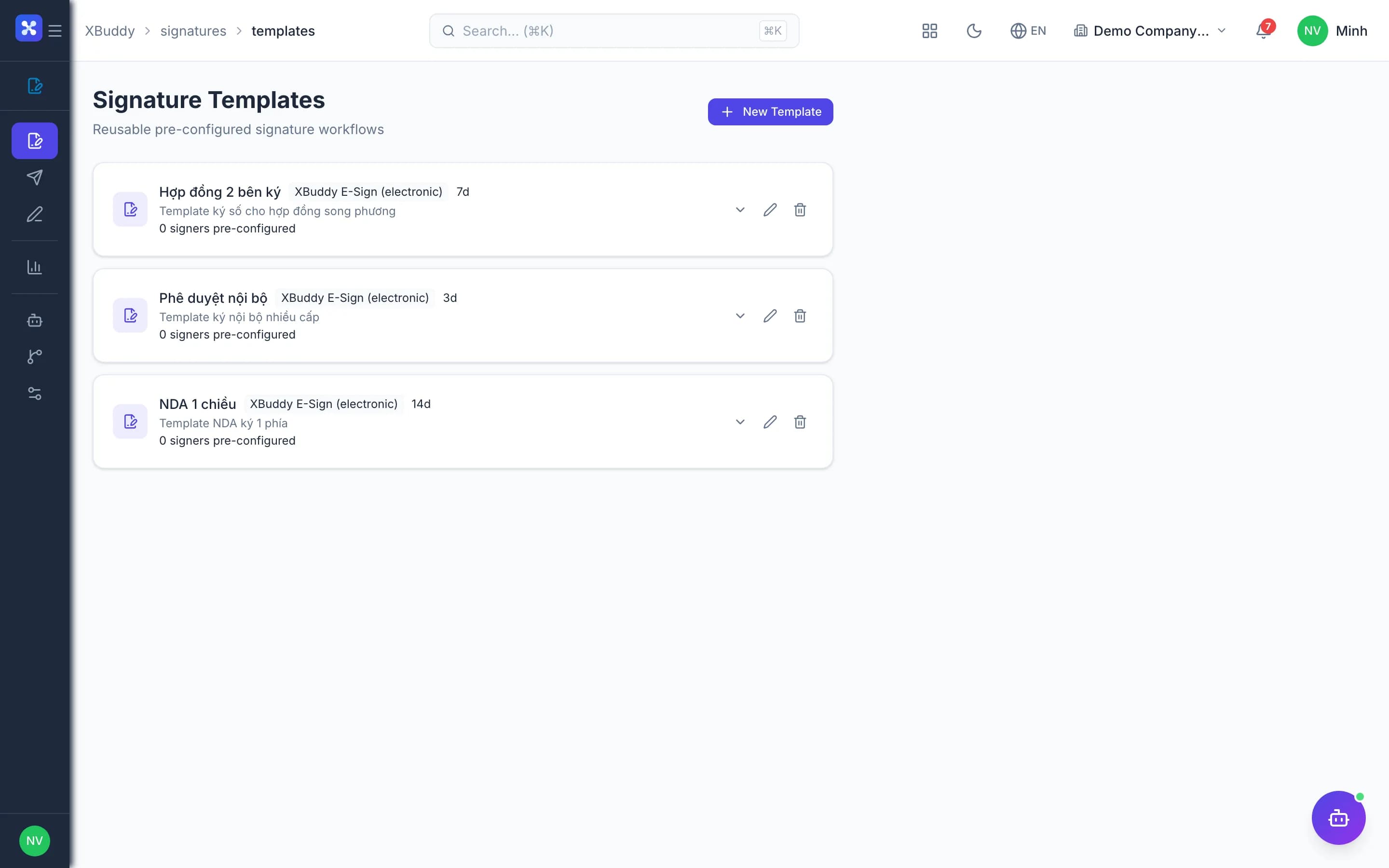
  • Signing templates

    Prepare templates with signers and fields to fill so the next request is faster.

  • Resend, remind, cancel

    Resend, remind manually or cancel a request when circumstances change.

  • Daily remindersAdvanced

    The system reminds signers every day and marks requests expired once the deadline passes.

Signer experience

4
  • In-app signing inbox

    Internal users see every document awaiting their signature in a single inbox.

  • Link-based signing portal

    External signers open a link and sign, with no account or login required.

  • Signer authenticationAdvanced

    Verify signers by OTP, password or WebAuthn biometrics before they sign.

  • Personal signature

    Save your signature once and reuse it for every future signing.

Legal digital signatures

4
  • PAdES signingAdvanced

    Standards-based PAdES signatures embedded in the PDF with long-term timestamps.

  • Local CA USB tokensAdvanced

    Sign with USB tokens from Vietnamese certificate authorities.

  • Remote HSMAdvanced

    Sign remotely through an HSM with MISA eSign, no token plugged in.

  • Provider connections

    Connect Viettel eSign, VNPT eSign, MISA eSign and DocuSign.

Evidence & integrity

4
  • Document integrity anchorAdvanced

    The file is hashed at sending and rechecked at signing; any mismatch is rejected.

  • Completion certificate

    Download the signed copy with a completion certificate and full signing log.

  • PDF signature verificationAdvanced

    Check the signatures on PDFs received from outside, right inside the app.

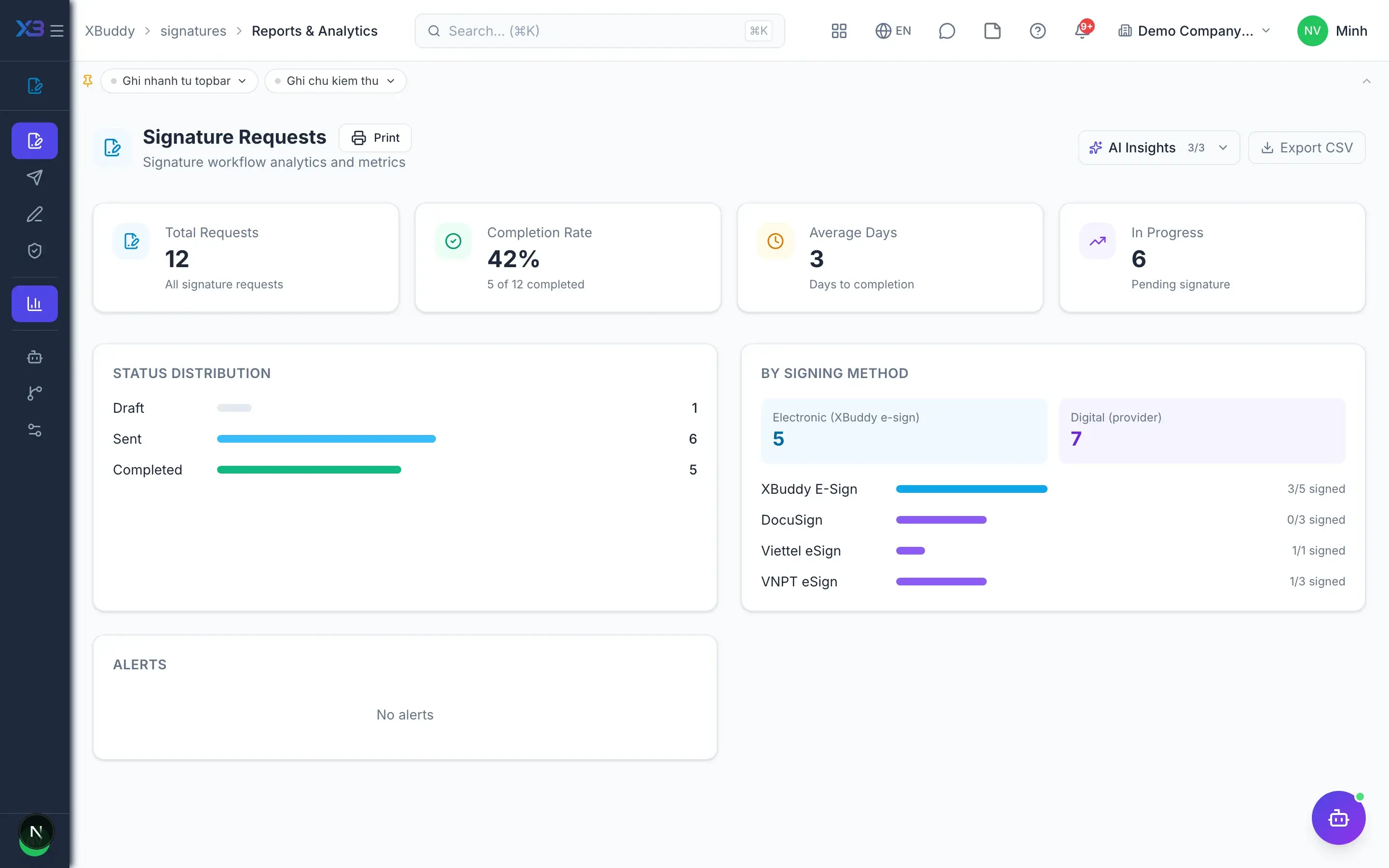
  • Signing reports

    Track pending, signed and expired requests over time.

Policies & AI

4
  • Sign before confirmingAdvanced

    Require Sales, Purchase or Service Orders to be fully signed before confirming or sending.

  • Status write-back

    Once signed, the status flows back to the source contract, order or HR record.

  • Bulk signature requestsAI

    The Signature Steward assistant creates requests for documents matching value and status thresholds.

  • Expiry alertsAI

    The assistant flags requests expiring within 7 days along with the total value at risk.

Real screens

Inside Digital signature

Digital signature — product screen
E-Signatures — Status tracking across all requests
Signing request builder — signers and fields

In practice

When you reach for it

1

A three-party contract signed in the right order

Signing out of order usually means starting over, and nobody notices until filing.

  1. 1.Declare the signing order; each party's turn opens only once the previous one signs
  2. 2.Each signature records time, authentication method and a document hash
  3. 3.The hash anchors the content — change one character and the evidence no longer matches

A signing file that holds up when challenged, not only when everything goes smoothly.

Assistants on this app

1 assistants work on this data

Each assistant carries its own skills on this app’s data, inside the caller’s permission scope.

E-signature portfolio assistant — tracks signature requests by status (draft/sent/completed/expired), surfaces pending signers and expiring requests, and proposes bulk scheduling and reminders under human approval

Explore skills
  • Signature Bulk SchedulerAutomatically creates signature requests in bulk for entities matching configured conditions — entity type, status filter, minimum value threshold, and optional signature template
  • Signature Expiry Risk DetectorDetects signature requests expiring within 7 days that still have pending signers. Classifies by severity (critical/high/medium) and calculates total value at risk across linked contracts, invoices, and quotations
  • Signature Chase LadderEscalates stalled signature requests by rung: dispatches requests that were created but never sent, and re-issues the signing link when a request has passed its expiry while signers are still outstanding (a plain reminder would link to a dead token). Every send is approve-gated.

FAQ

Frequently asked

Does it cost extra?

No. Signatures is included with the platform; external digital signature providers charge separately.

Does signing auto-approve a workflow?

No. Completion is recorded so each business process handles it; it never advances approval steps itself.

Which signature providers are supported?

Viettel eSign, VNPT eSign, MISA eSign (remote HSM), DocuSign and USB tokens from local CAs.

Do external signers need an account?

No. They sign through a private link, optionally with OTP verification.

See Digital signature running on your data

A thirty-minute demo focused on the process you are actually stuck on.