Inventory

Stock that matches the books, from receipt to delivery

Real-time stock across warehouses and units of measure, with lot and expiry traceability.

  • Every stock movement flows through one single stock ledger
  • Costing and inventory journal entries post straight to Accounting
  • Know which lots expire soon and where every serial sits
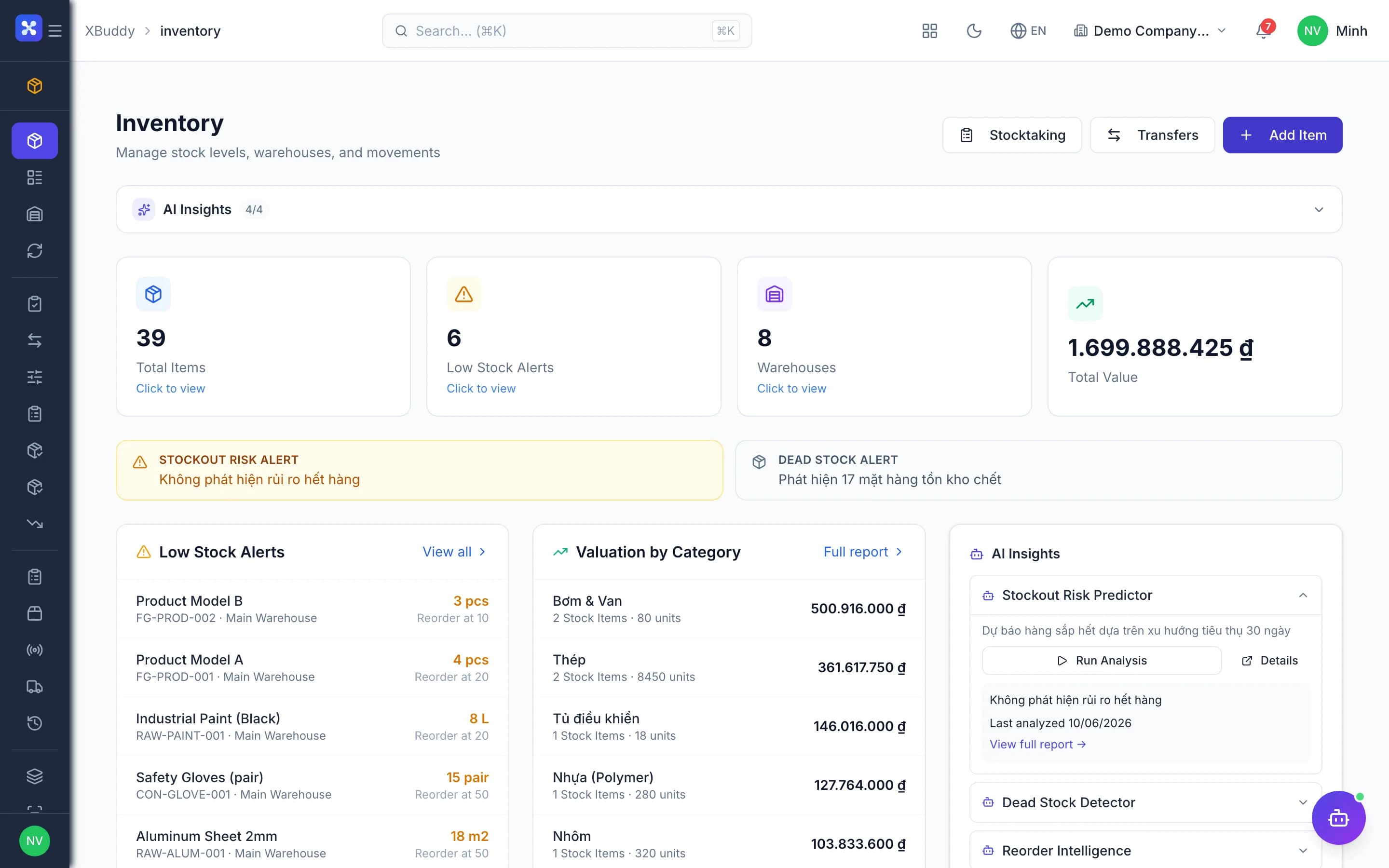
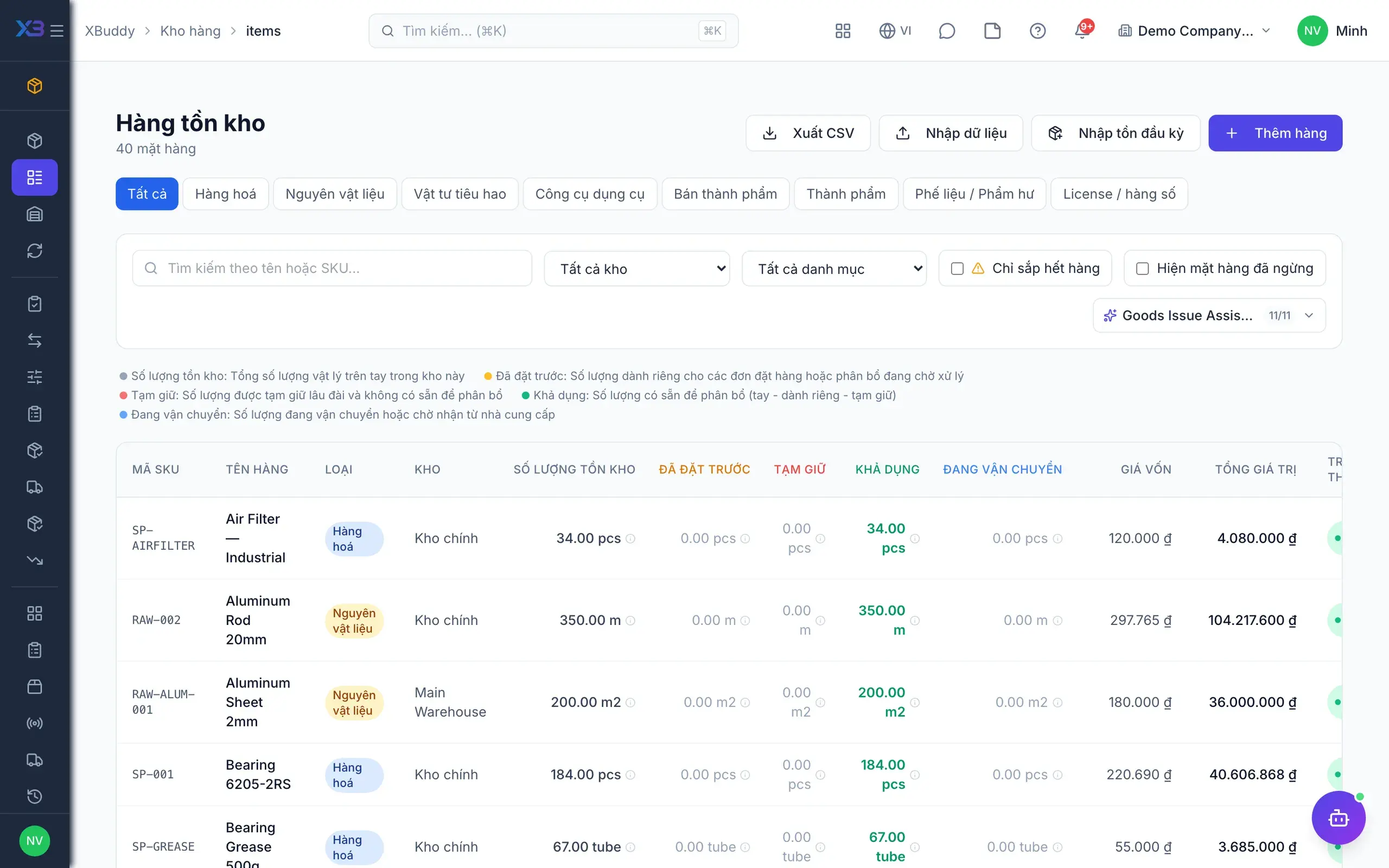
Inventory — product screen

Screenshot 1 of 8

25
capabilities
11
advanced & AI features
2
AI assistants on this data
Web
on mobile

Sound familiar?

The problems this app removes

  • Spreadsheet stock never matches the accounting ledger at month end
  • Cases and units get mixed up, skewing stock all period
  • Suppliers get paid for goods that never fully arrived
  • Expired stock is discovered only when it is too late

Capabilities

25 capabilities in Inventory

Catalogued against screens that exist in the product, grouped by the work they do — not a flat marketing list.

Catalog & warehouses

4
  • Item master

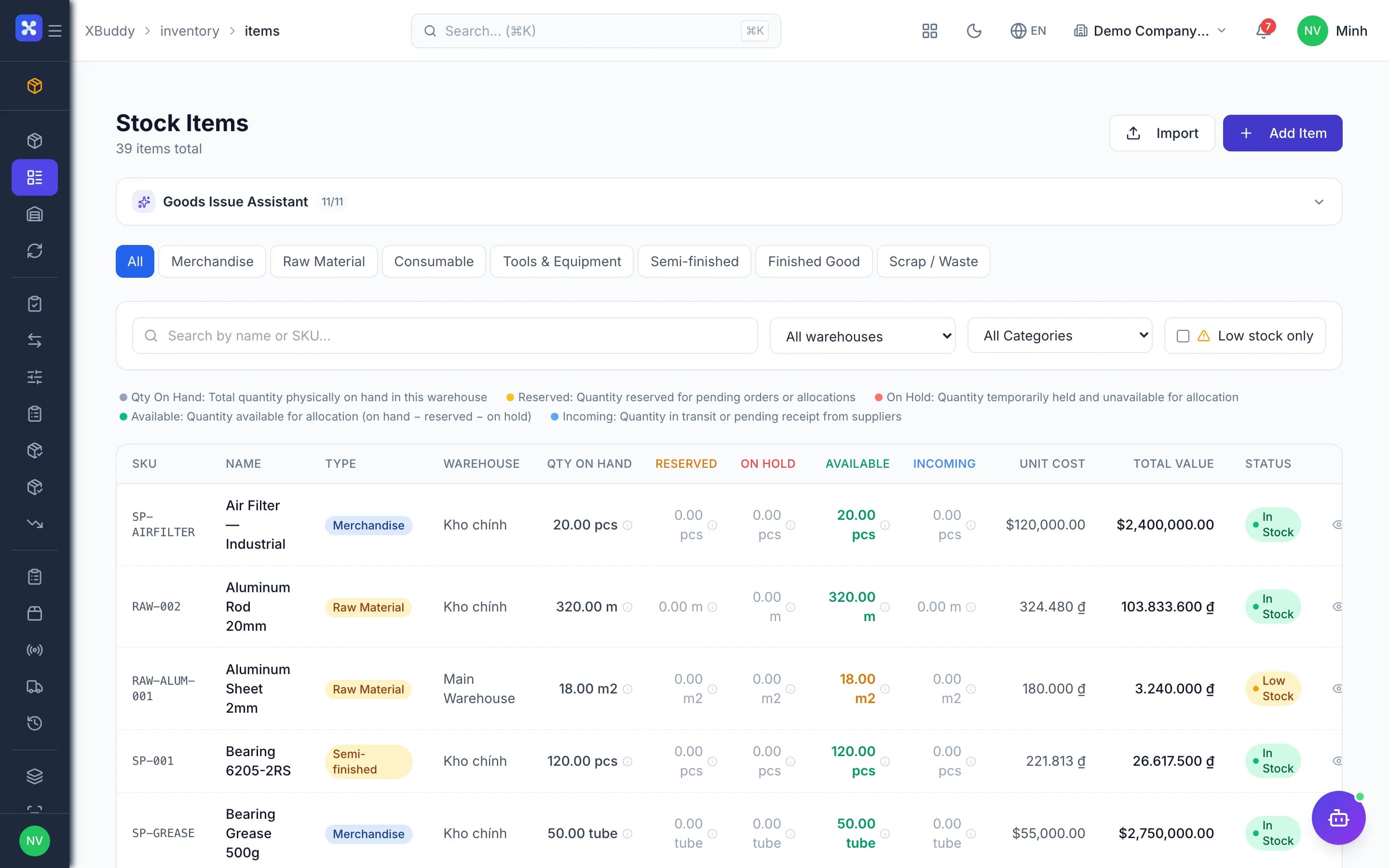
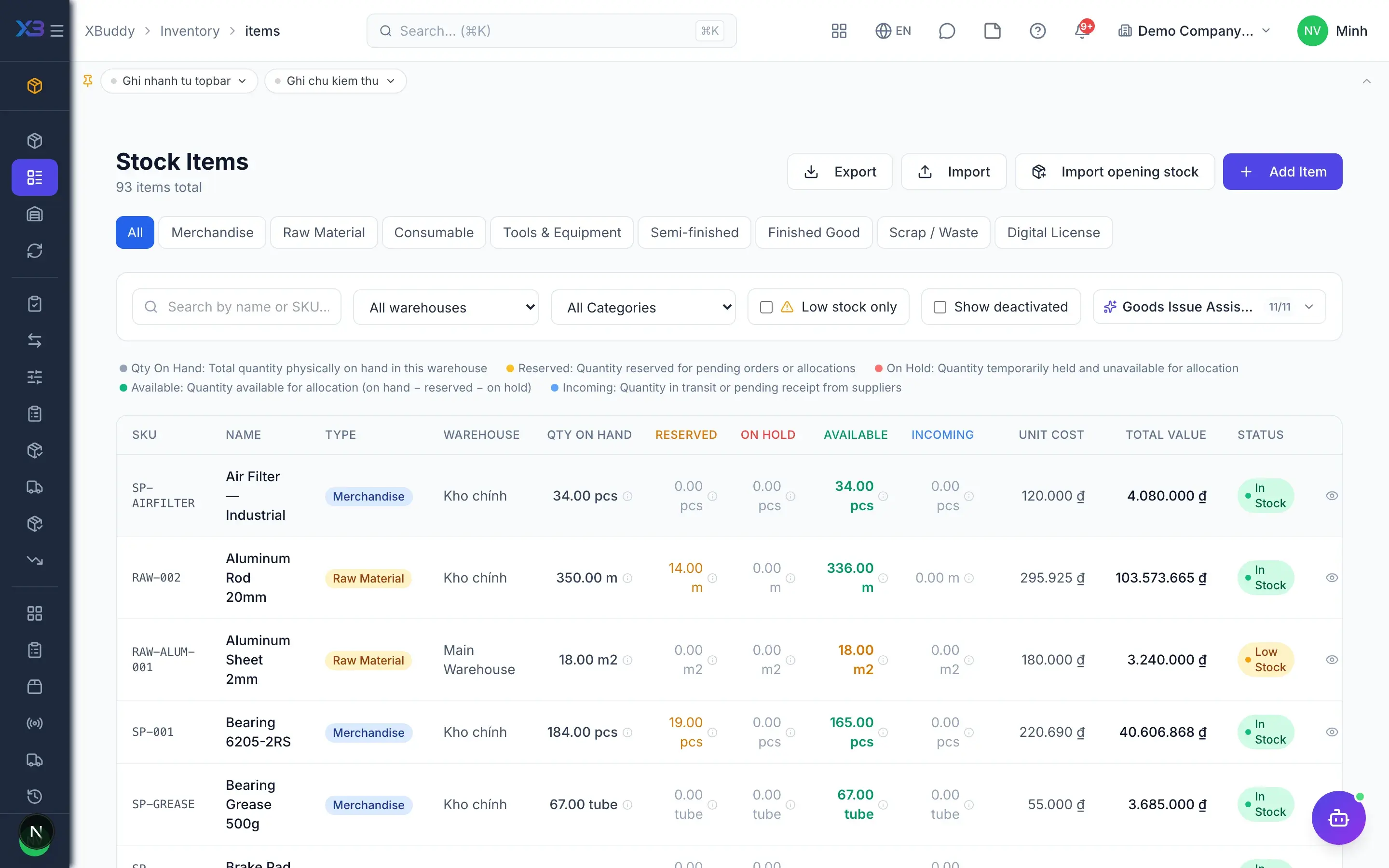
    Manage SKUs, item groups and cost; import the catalog and opening stock from a file with preview.

  • Multi-warehouse and binsAdvanced

    Track stock per warehouse and bin location, and restrict users to specific warehouses when needed.

  • Unit of measure conversionAdvanced

    Receive by the case, issue by the unit; stock is always counted in the base unit.

  • Substitute items

    Define substitute items and get replacement suggestions whenever an item runs short of stock.

Receive, issue, transfer

5
  • Goods receipt (GRN)

    An approved PO creates a draft receipt, so the keeper only checks and confirms quantities received.

  • Goods issue

    Issue stock to sales, projects, maintenance or service jobs, deducted the moment it is posted.

  • Transfers and stock requests

    Departments request goods, the warehouse approves and transfers between sites with in-transit tracking.

  • RMA returns

    Receive customer returns, inspect their condition and put them back into stock or quarantine.

  • Pick, pack and dispatch

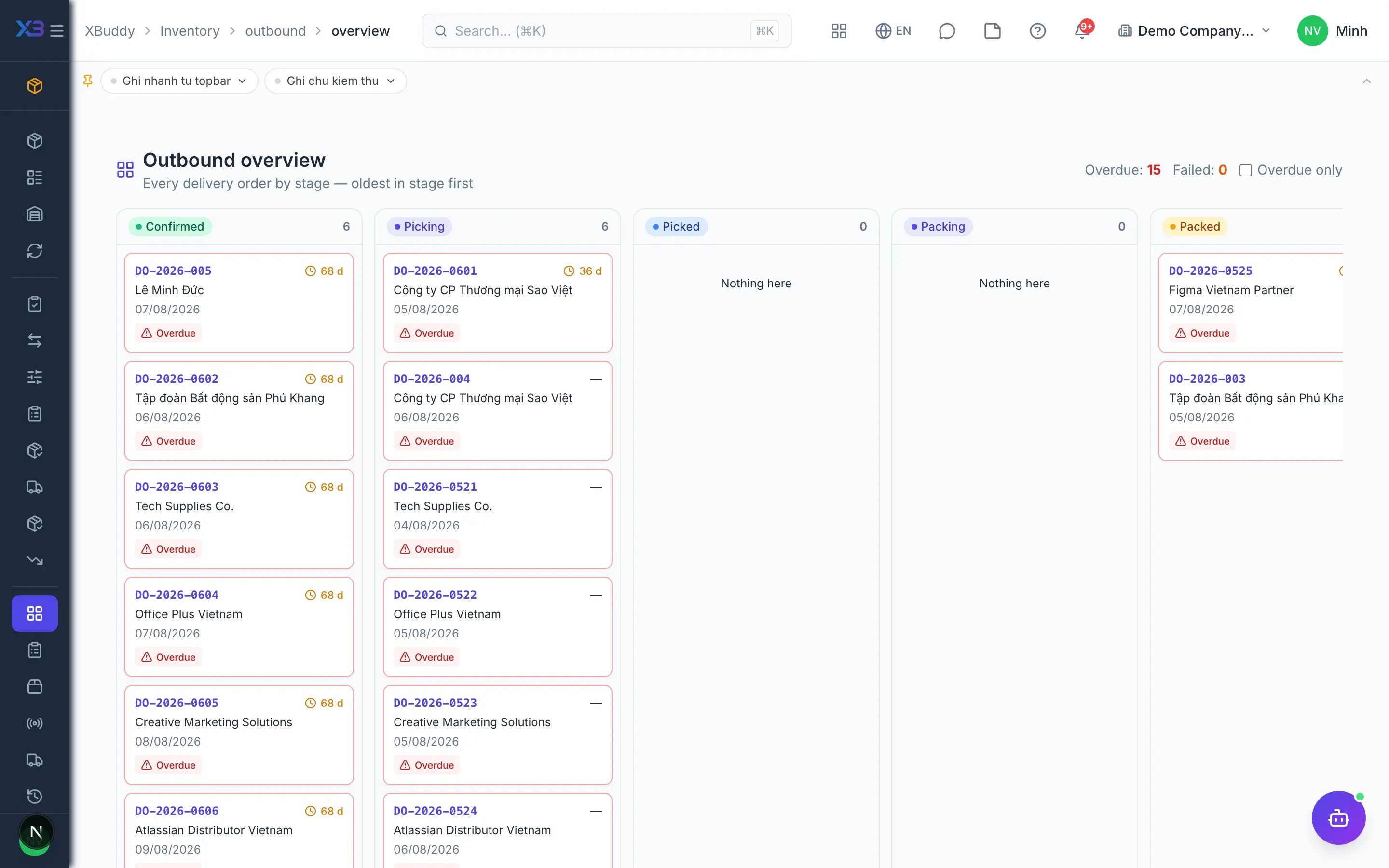
    Picking, packing, dispatch and in-transit queues in one outbound overview for the warehouse team.

Stock control

5
  • Full and cycle countsAdvanced

    Run full or rotating cycle counts by item group; differences become adjustment documents automatically.

  • Approved stock adjustments

    Adjustments go draft, approval, then posting; nobody can overwrite stock quantities directly.

  • Lot and expiry trackingAdvanced

    Track lots and expiry dates, issuing stock first-expired-first-out (FEFO) to cut write-offs.

  • Serial numbersAdvanced

    See when each serial arrived, which warehouse holds it, and which customer or document received it.

  • Reorder point alerts

    Items hitting their minimum level trigger alerts so purchasing can reorder before stock runs out.

Purchasing & suppliers

3
  • Reorder planner

    Suggests order quantities from stock and demand, and creates purchase orders straight from chosen lines.

  • Three-way matchingAdvanced

    Match PO, goods receipt and supplier bill before payment, blocking payment for undelivered goods.

  • Supplier performance

    Track on-time and in-full delivery for every supplier to pick better sources over time.

Costing & accounting

5
  • Inventory valuation policyAdvanced

    Moving average, periodic average, FIFO, specific or standard cost, scoped by warehouse, branch or company.

  • Controlled method changes

    Changing the costing method needs a decision number and reason, is blocked mid-period and logged.

  • Automatic stock journals

    Every receipt, issue and transfer posts journal entries using the XBuddy Accounting chart of accounts.

  • Valuation reports

    Stock value by warehouse, item group and period, sourced from the same data as the ledger.

  • Reconciliation consoleAdvanced

    Find stock documents missing journal entries or out of sync with the ledger, and rerun them.

AI & automation

3
  • Inventory planner assistantAI

    AI flags slow-moving items, forecasts stock-out risk and analyses inventory turnover for each warehouse.

  • AI on detail pagesAI

    Call the assistant directly on an item, lot, supplier, goods receipt or stocktaking session.

  • Custom approval workflowsAdvanced

    Design approval flows for adjustments, transfers and stock requests to match how your company runs.

Real screens

Inside Inventory

Inventory — product screen
Inventory — Item master with SKU and costing

In practice

When you reach for it

1

Buy by the case, sell by the can

This is where stock accuracy usually breaks — and it breaks by a multiple, not by a percentage.

  1. 1.The item declares purchase, sales and stock units with conversion factors
  2. 2.The receipt records 2 cases; the system books 48 cans into stock
  3. 3.Selling one can deducts exactly one base unit

The books and the shelf agree without anyone doing mental arithmetic.

2

Recalling a defective lot

The question you must answer in minutes: which customers received this lot.

  1. 1.Every issue records the lot number that left the warehouse
  2. 2.Trace from the lot number to every delivery note and customer
  3. 3.Block the remaining stock of that lot at its bin

Recall scope determined from data, not from memory.

Assistants on this app

2 assistants work on this data

Each assistant carries its own skills on this app’s data, inside the caller’s permission scope.

Inventory planning assistant — goods-issue and stock-request tracking, stockout-risk prediction, smart reorder, dead-stock and expiring-lot alerts, and discrepancy explanations.

Explore skills
  • Stock RequestProcess-aware agent tracking stock request lifecycle, flagging urgency and delays, and proposing timely approval or fulfillment actions
  • Stockout Risk PredictorAnalyzes 30-day consumption trends to predict stockout dates
  • Smart Reorder CalculatorEOQ-based optimal order quantity with AI rationale
  • Reorder IntelligenceWeekly urgency ranking of items below reorder point
  • Dead Stock DetectorIdentifies items with zero movement for 90+ days
  • Discrepancy ExplainerAI analysis of stocktaking discrepancies against movement history
  • Expiring Lots AlertMonitors inventory lots approaching expiry dates. Sends tiered alerts at configurable thresholds (default 30, 14, 7 days). Runs daily at 6AM with 24-hour per-lot cooldown to prevent waste.
  • RMA Aging MonitorMonitors RMA returns stuck in pending or in-transit status beyond a configurable threshold. Runs Mon/Wed/Fri to ensure timely processing of customer returns.
  • Item Description GeneratorAI-powered professional item description generation
  • Supplier Performance DigestWeekly digest of supplier on-time delivery and quality scores. Alerts procurement team when suppliers fall below configurable thresholds. 7-day cooldown per supplier.
  • Inventory Turnover AnalystCalculates inventory turnover ratios by category. Identifies slow-moving SKUs with zero movement for 90+ days. Recommends clearance or write-off actions.

Process-aware agent tracking shipment lifecycle, flagging shipments past their estimated delivery

Explore skills
  • Last-Mile TrackerTracks delivery-route completion stop by stop and flags routes closed with stops never updated
  • Shipping Cost OptimizerCompares carrier cost per shipment and per kilogram, and flags where a cheaper carrier was available
  • Fleet Utilization MonitorMeasures per-vehicle route load, planned vs actual time on the road, and fuel cost per stop
  • Delivery OrderProcess-aware agent tracking delivery order lifecycle and proposing timely dispatch or follow-up actions
  • Shipment Delay PredictorMonitors in-transit shipments and predicts late deliveries based on carrier historical performance, current tracking events, and destination transit times.
  • Delivery Exception HandlerHandles failed, missed, or returned delivery events. Determines appropriate action: reschedule, customer notification, return processing, or carrier claim initiation.
  • Carrier Performance MonitorGenerates weekly carrier KPI report: on-time delivery rate, average delay hours, cost per shipment, damage/loss rate. Ranks carriers and recommends allocation adjustments.
  • SLA Compliance MonitorTracks open service jobs approaching or breaching SLA response and resolution deadlines. Escalates high-priority jobs to available senior technicians immediately.
  • Return Rate AnalystAnalyzes return order patterns by product, customer segment, and return reason. Identifies systemic issues driving returns and recommends process or product improvements.
  • Distribution Route OptimizerAnalyzes delivery routes, order volumes, and vehicle capacities daily to generate optimal delivery sequences. Reduces fuel cost and improves on-time delivery for distribution operations.

FAQ

Frequently asked

Can I edit stock quantities directly?

No. Stock changes only through adjustments or counts with a dedicated permission, so every change has a supporting document.

Does switching from average cost to FIFO change stock value?

No. FIFO layers are seeded at the current average cost, so stock value stays the same at the switch.

Do delivery orders live in Inventory or Sales?

The document belongs to Sales; Inventory offers shortcuts plus picking, packing and dispatch queues for the warehouse team.

See Inventory running on your data

A thirty-minute demo focused on the process you are actually stuck on.