AI hub

35 AI assistants at work, humans keep approval power

Where all enterprise AI is managed: assistants, pipelines, models, credits and run logs.

  • Specialist AI assistants for accounting, sales, inventory and HR
  • AI proposes; authorised people approve before anything executes
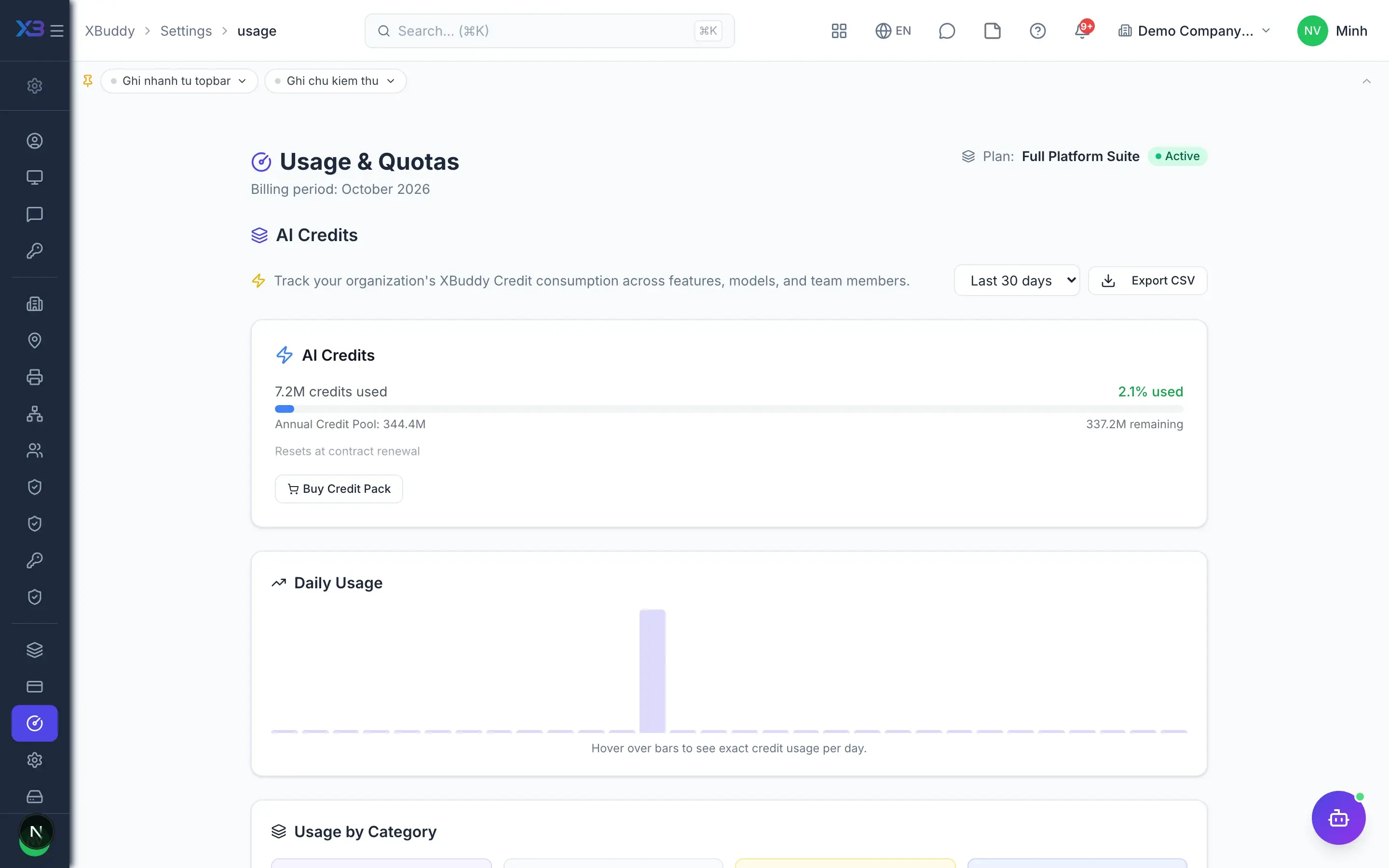
  • Track AI quality and cost assistant by assistant
AI hub — product screen

Screenshot 1 of 8

20
capabilities
13
advanced & AI features
Yes
on mobile

Sound familiar?

The problems this app removes

  • Afraid AI will silently change ledgers, orders or HR records
  • Scattered AI tools that cannot read the company's real data
  • No idea how much AI is costing each month
  • No way to tell whether AI is doing the right thing

Capabilities

20 capabilities in AI hub

Catalogued against screens that exist in the product, grouped by the work they do — not a flat marketing list.

Specialist assistants

5
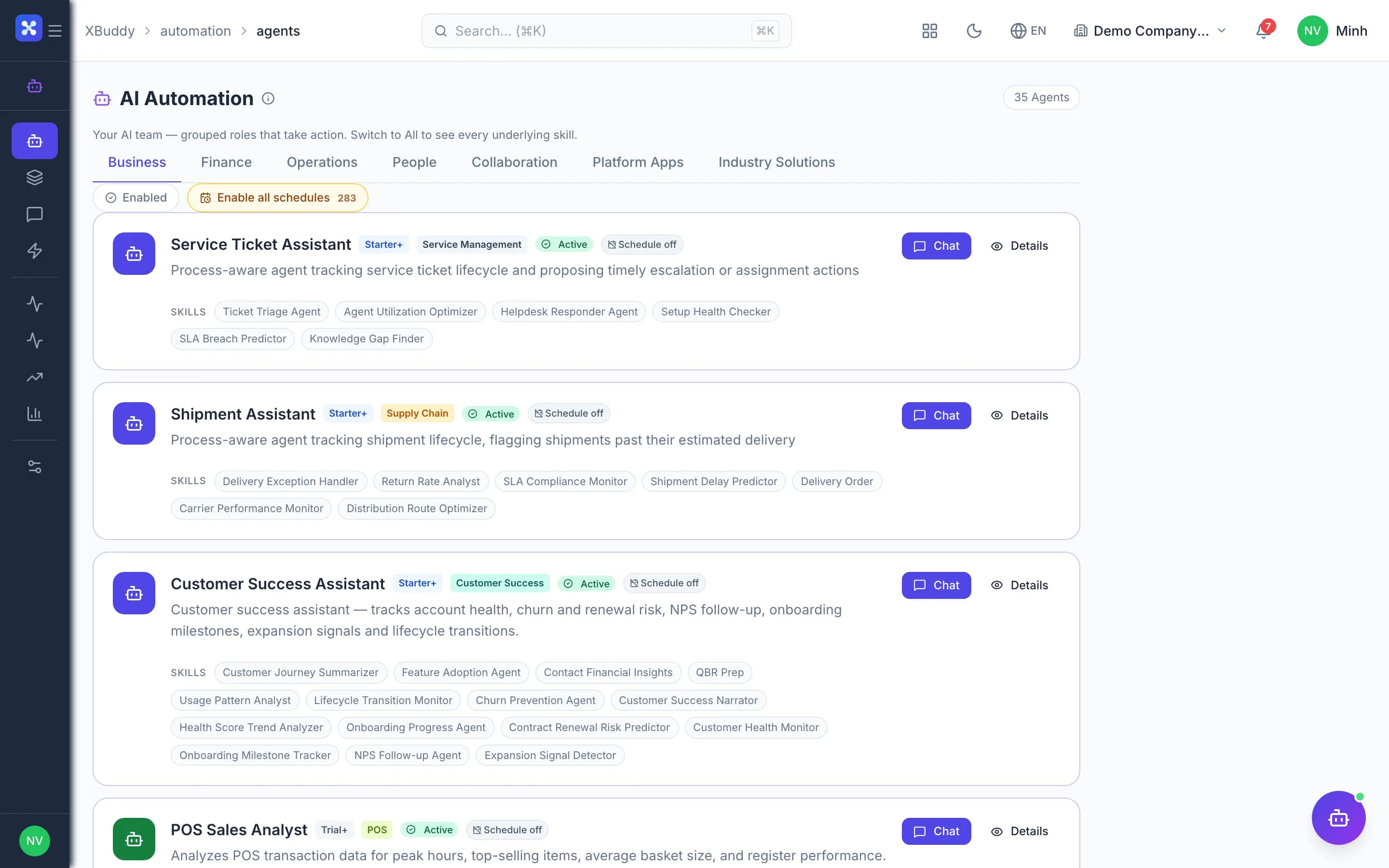
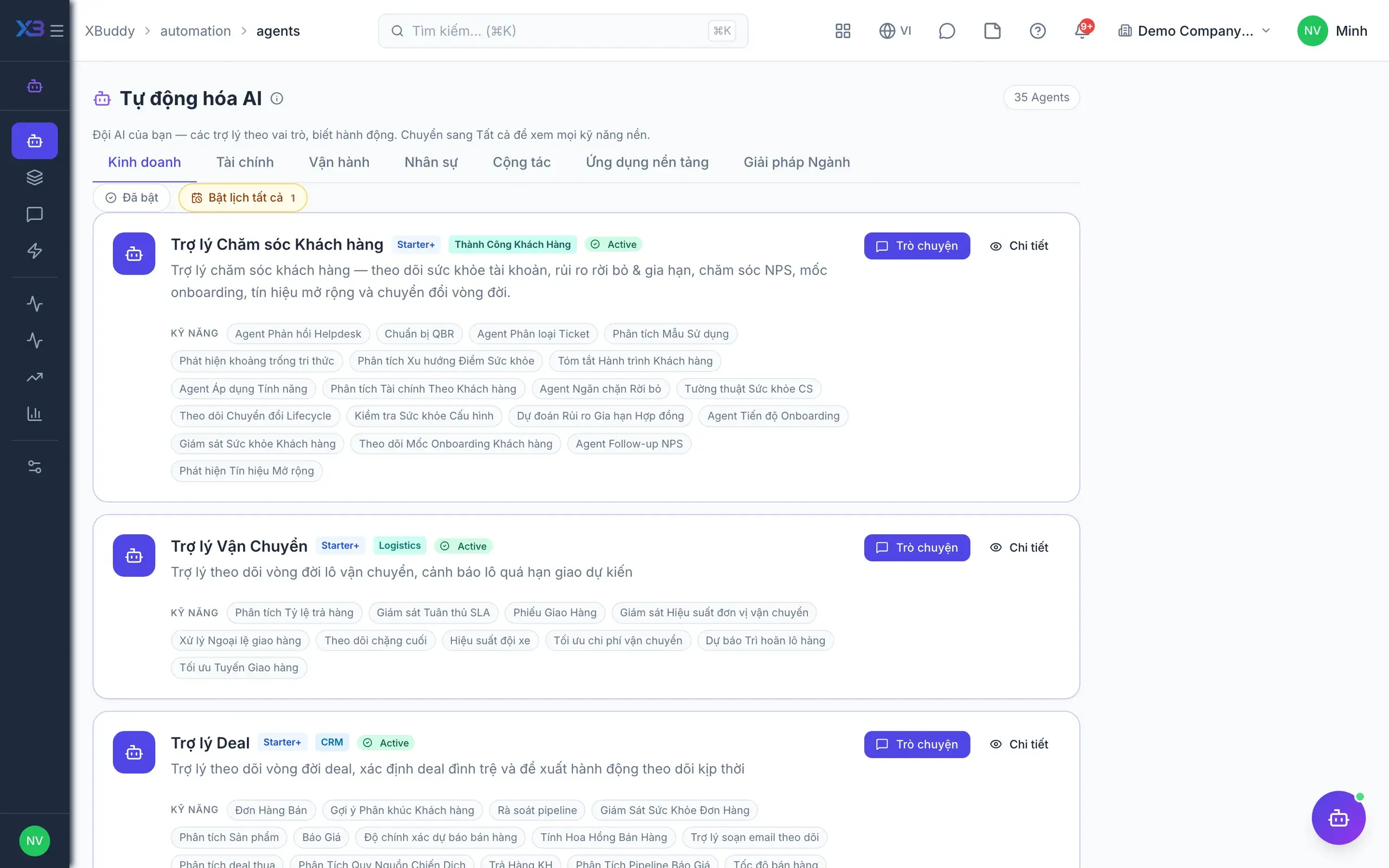
  • 35 domain assistantsAI

    Collections, accounting, lead screening, purchasing, inventory planning, HR, payroll, FP&A and more.

  • Switch assistants on or off

    Pick the assistants each area needs and turn them on or off in one action.

  • Schedules and run conditionsAdvanced

    Run assistants on a schedule or whenever data meets the conditions you configure.

  • Suggest-only by defaultAI

    Every assistant starts at notify-and-suggest level and never writes data on its own.

  • Record-level assistantsAI

    Run assistants on an invoice, customer or contract detail page to analyse that exact record.

Automation playbooks

3
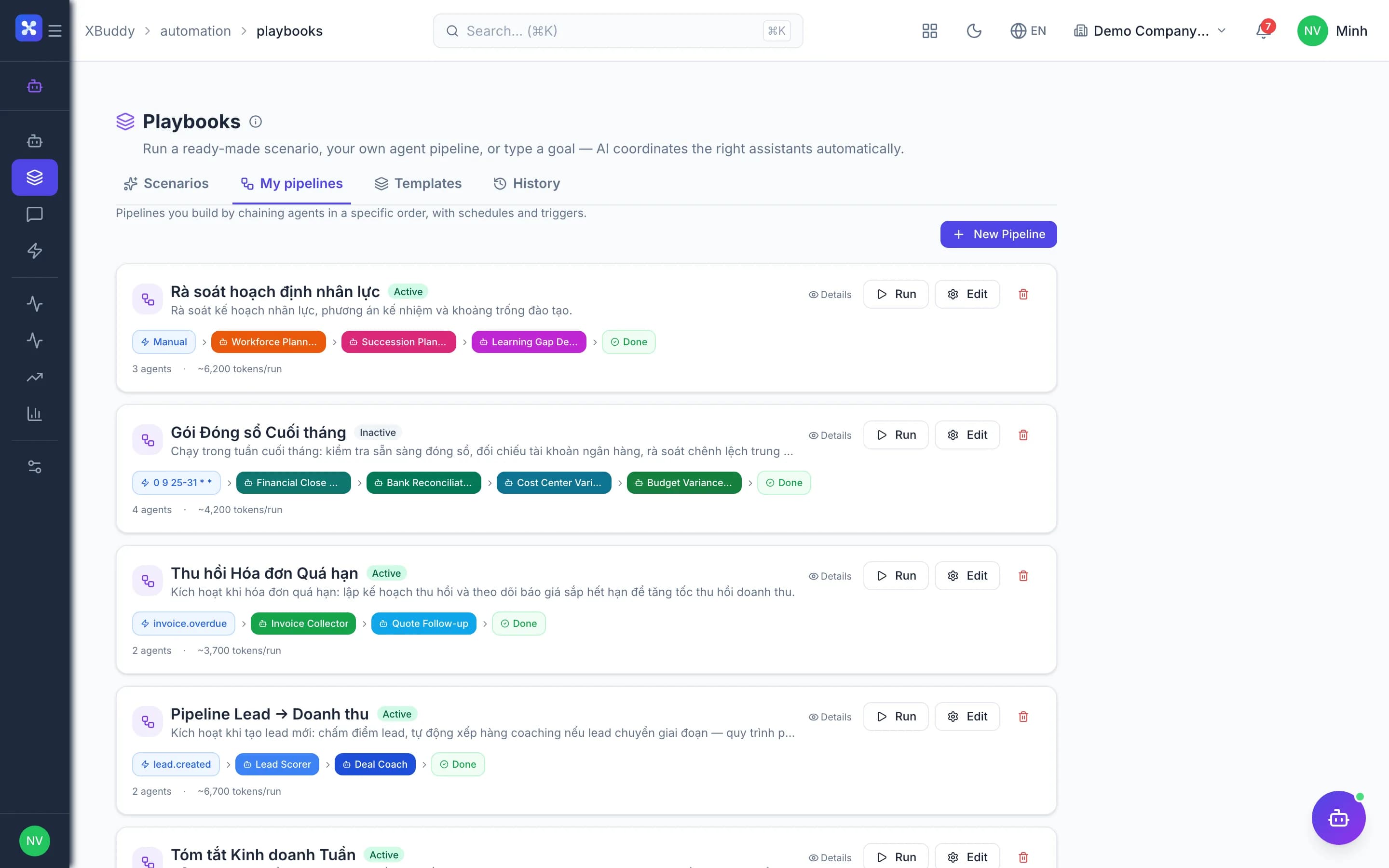
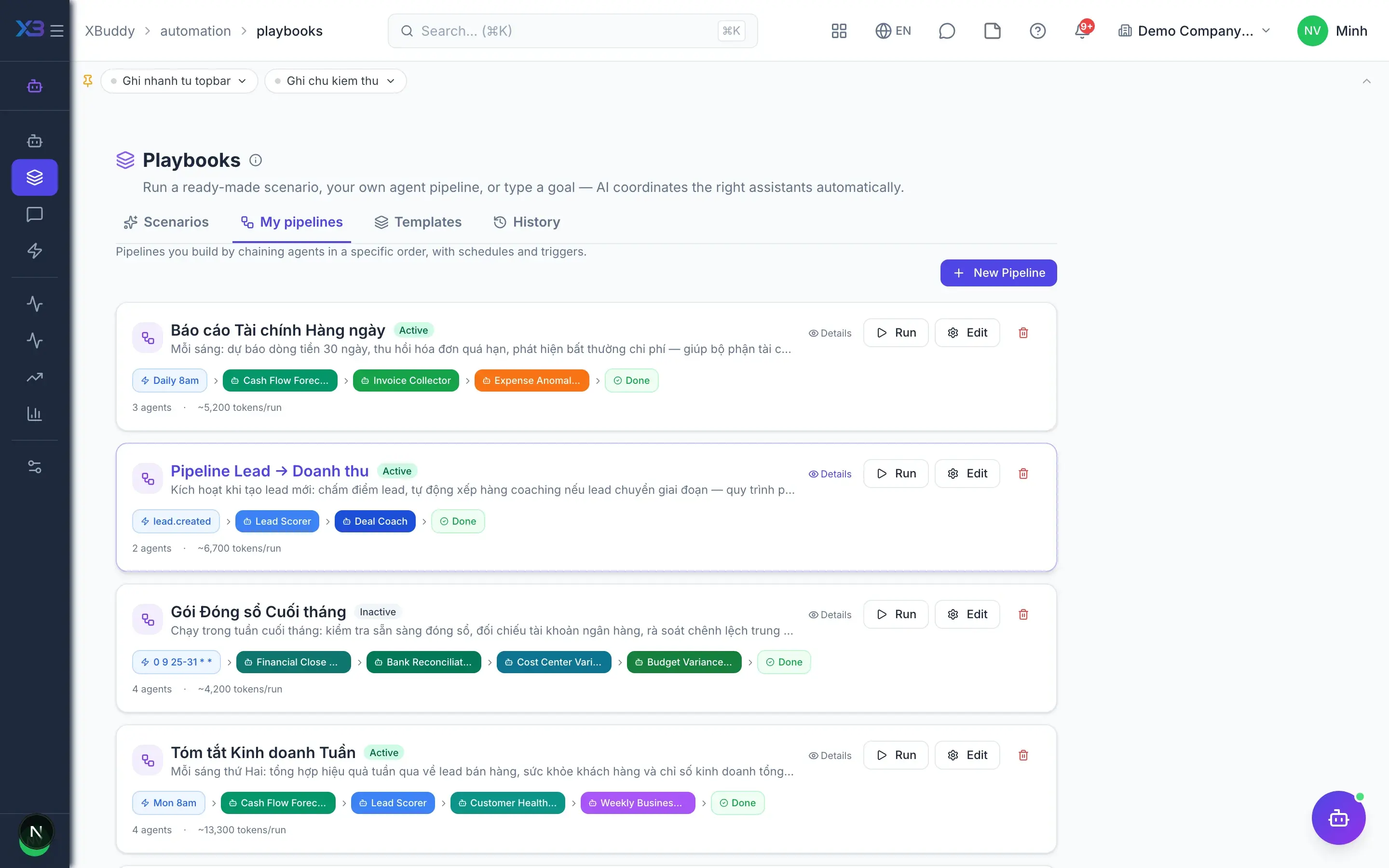
  • Multi-step playbooksAdvanced

    Chain several assistant steps into one complete automated playbook.

  • Scheduled or from templatesAdvanced

    Playbooks run on a recurring schedule or start quickly from ready-made templates.

  • Triggers and quotas

    Admins configure triggers, frequency limits and AI usage quotas in one place.

Human approval

4
  • AI suggestion queueAI

    Every action AI wants to take waits in one queue for an authorised person to approve.

  • Batch decisions

    Approve or dismiss suggestions one by one or many at once to save time.

  • Mute suggestion types

    Stop receiving unhelpful suggestion types so the queue stays short and focused.

  • AI activity feed

    A timeline of everything AI has analysed, suggested and executed.

Quality & cost

4
  • Quality monitoringAdvanced

    Track error patterns and user feedback to see which assistants need tuning.

  • Cost per assistantAdvanced

    See AI cost broken down by assistant, with trends over time and forecasts.

  • Per-user quotas

    Cap AI usage per user to keep the monthly budget under control.

  • User feedback

    Users rate AI results, helping admins improve each assistant's configuration over time.

XBuddy Chat & external AI

4
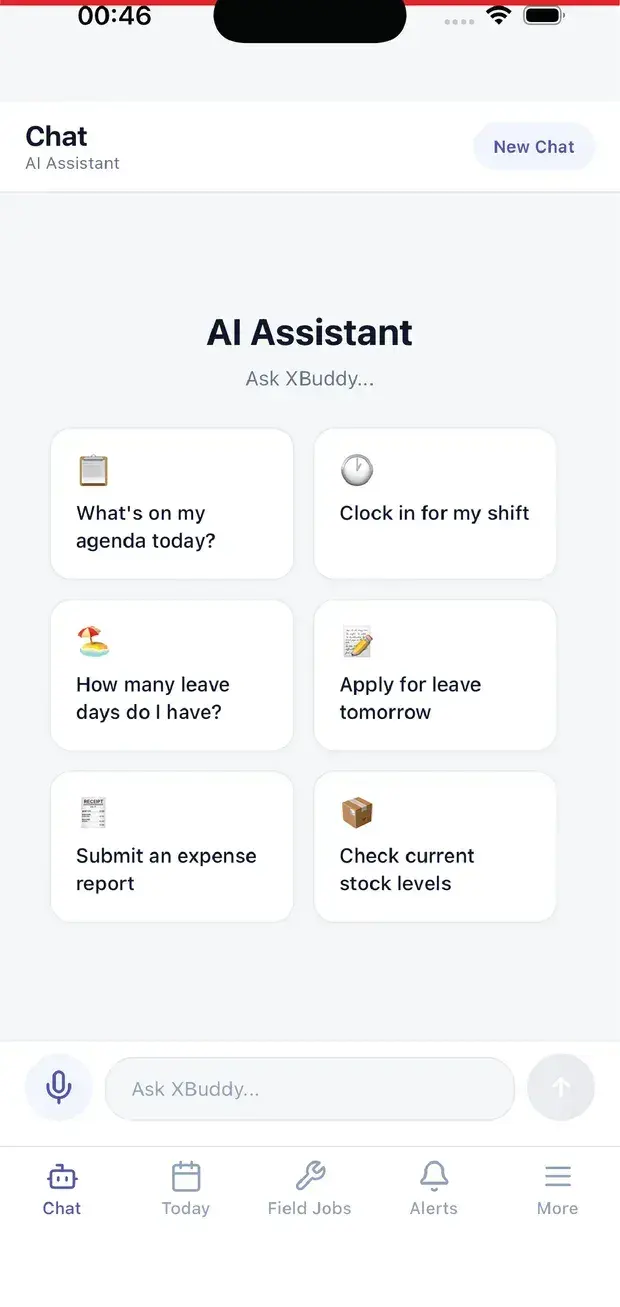
  • Ask your business dataAI

    Ask in natural language, including by voice, over data within your own permissions.

  • Writes need confirmationAI

    Every write action from chat shows a confirmation card before anything happens.

  • Connect Claude via MCPAdvanced

    Issue tokens so Claude and other MCP clients read XBuddy data under the grantor's permissions.

  • Sensitive writes await approvalAdvanced

    Writes from external AI are classified; sensitive ones only create suggestions awaiting approval.

Real screens

Inside AI hub

AI hub — product screen
AI Agents — catalog list on Automation → Agents

On mobile

Work anywhere with XBuddy Office & XBuddy Work

AI assistant on mobile

In practice

When you reach for it

1

Turning AI on without losing the data boundary

The IT director's first question: what can the assistant read.

  1. 1.The assistant reads as the identity of the PERSON asking, never as a service account
  2. 2.Four axes apply together: capability, module, data scope and field-level access
  3. 3.Every write is a proposal, waiting for someone with authority to approve it

Nobody reads more than they are cleared for, including when they ask through AI.

FAQ

Frequently asked

Can AI change the books by itself?

No. Actions needing approval go to the suggestion queue; only authorised approvers execute them. Assistants default to notify-and-suggest.

Can external AI like Claude see everything?

No. Access uses MCP tokens limited to the grantor's permissions, with logging and rate limits.

How is AI cost charged?

Through your plan's credits and quotas; AI Hub shows cost per assistant plus a forecast.

Do assistants understand Vietnamese business rules?

Yes. They work in Vietnamese on XBuddy data that follows Vietnamese accounting, payroll and tax standards.

See AI hub running on your data

A thirty-minute demo focused on the process you are actually stuck on.