

Analytics

The whole company on one screen, no Excel stitching

Dashboards and self-service reports across all data, filtered to the viewer’s permissions.

  • Domain dashboards read live data straight from your apps
  • Build your own reports without waiting on IT
  • Scheduled reports emailed automatically, respecting viewer permissions
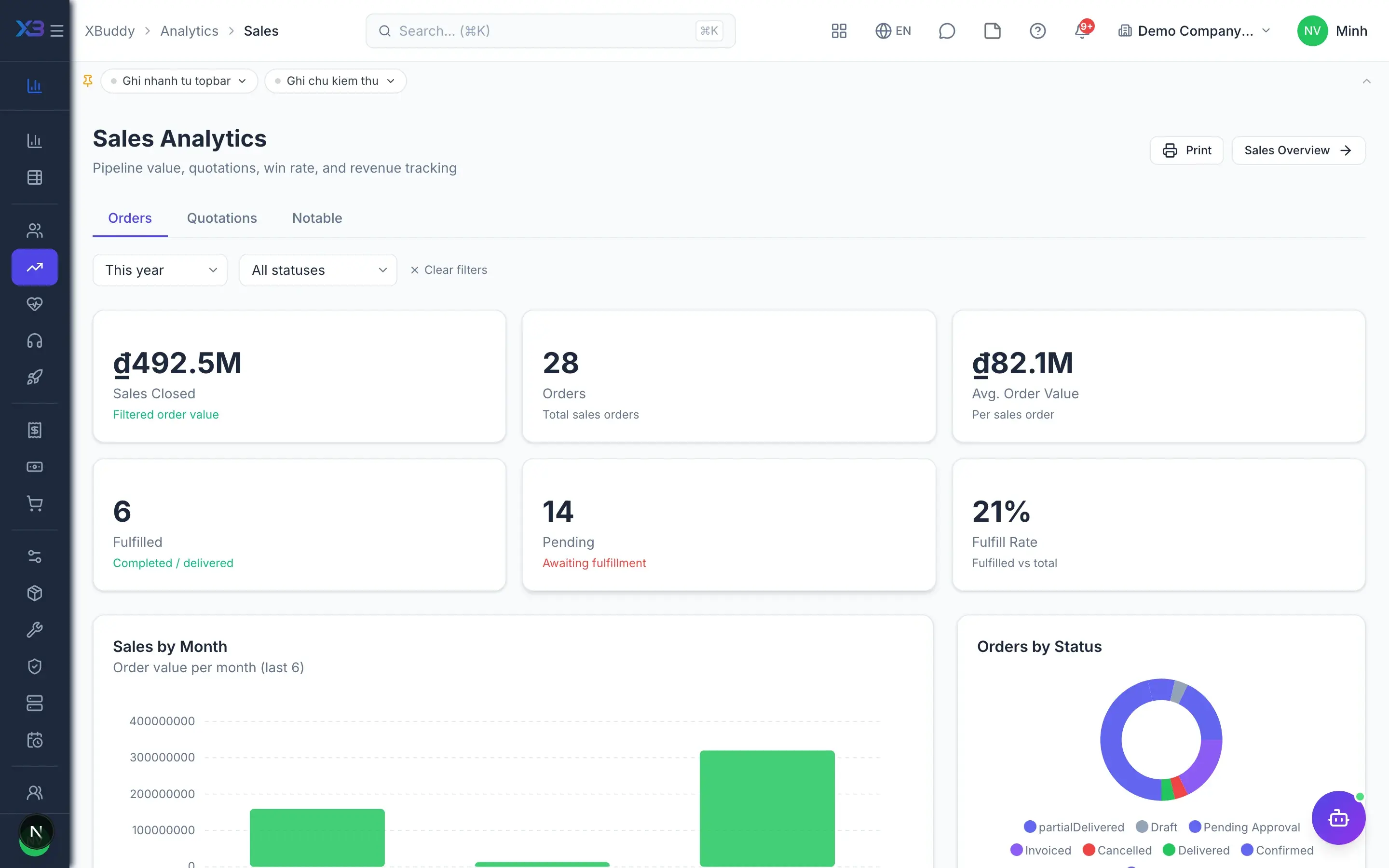
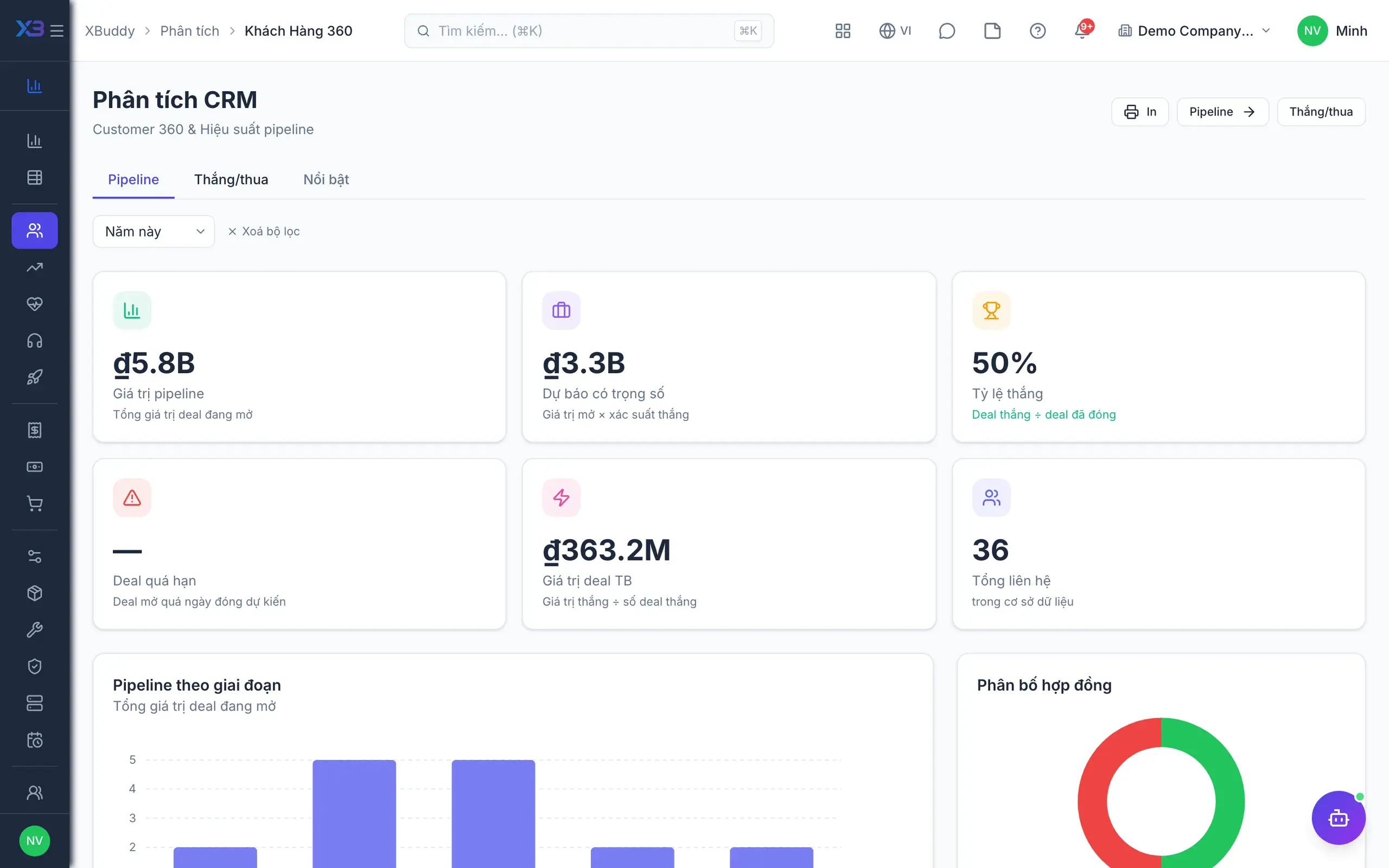
Analytics — product screen

Screenshot 1 of 8

22
capabilities
8
advanced & AI features
2
AI assistants on this data
Yes
on mobile

Sound familiar?

The problems this app removes

  • Numbers scattered across tools, stitched together in Excel every month
  • A custom report means waiting for IT to write queries
  • Management wants weekly numbers, but someone must remember to send them
  • Worry that staff can see sensitive payroll or finance figures

Capabilities

22 capabilities in Analytics

Catalogued against screens that exist in the product, grouped by the work they do — not a flat marketing list.

Domain dashboards

6
  • Company overview

    One page summarising key metrics from every app your company uses, so the picture is instant.

  • Sales & customers

    CRM, sales, customer success, service management and project analytics built on live data.

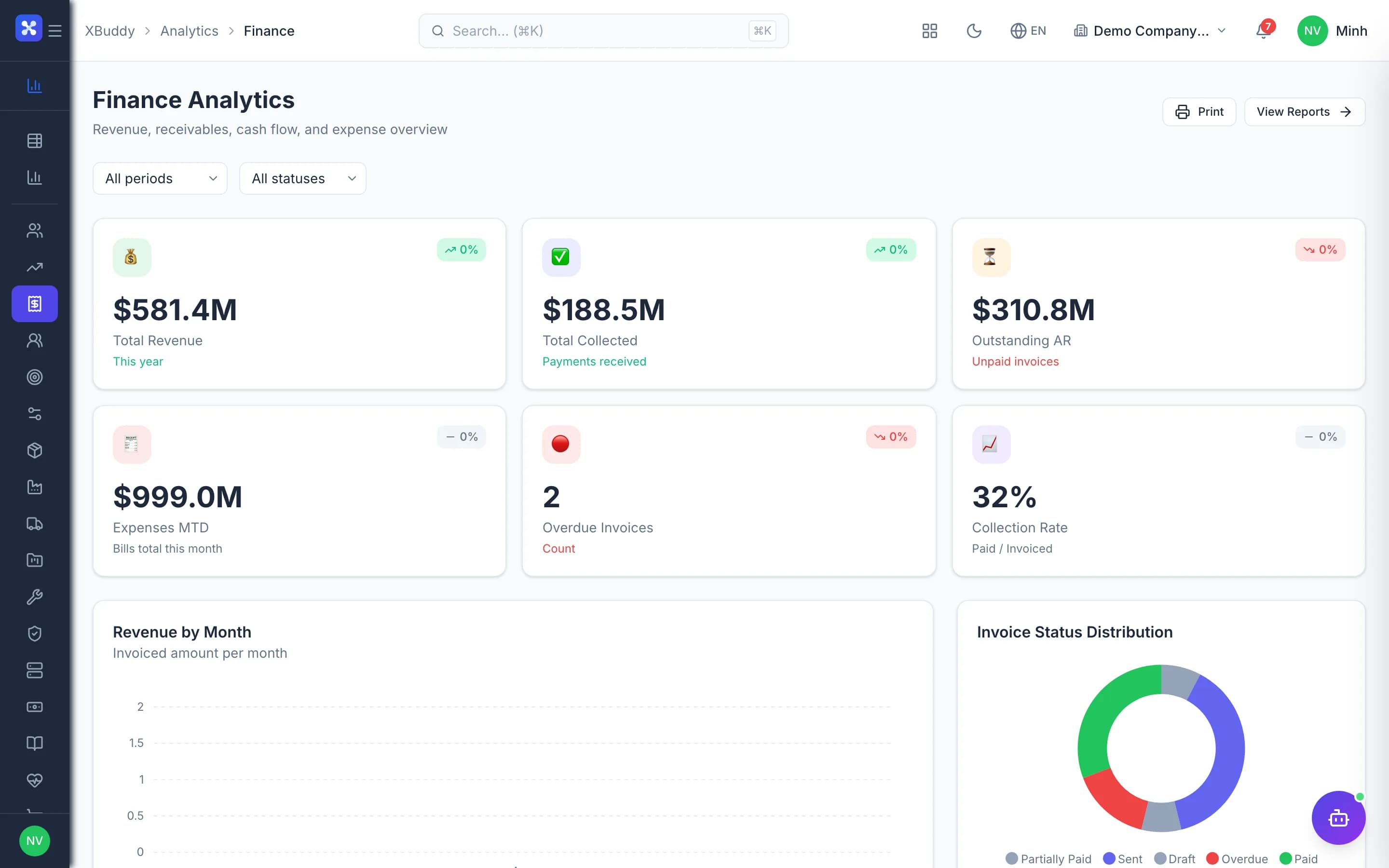
  • Finance, payroll, procurement

    Finance, payroll and purchasing dashboards reading directly from the ledgers and documents.

  • Operations & supply chain

    Inventory, manufacturing, field service, quality, assets, logistics, distribution and F&B in one place.

  • People & performance

    Attendance, HR, performance and learning analytics with the same period and department filters.

  • Shared filter bar

    Every domain page has a consistent filter bar and a totals row at the bottom.

Self-service reporting

5
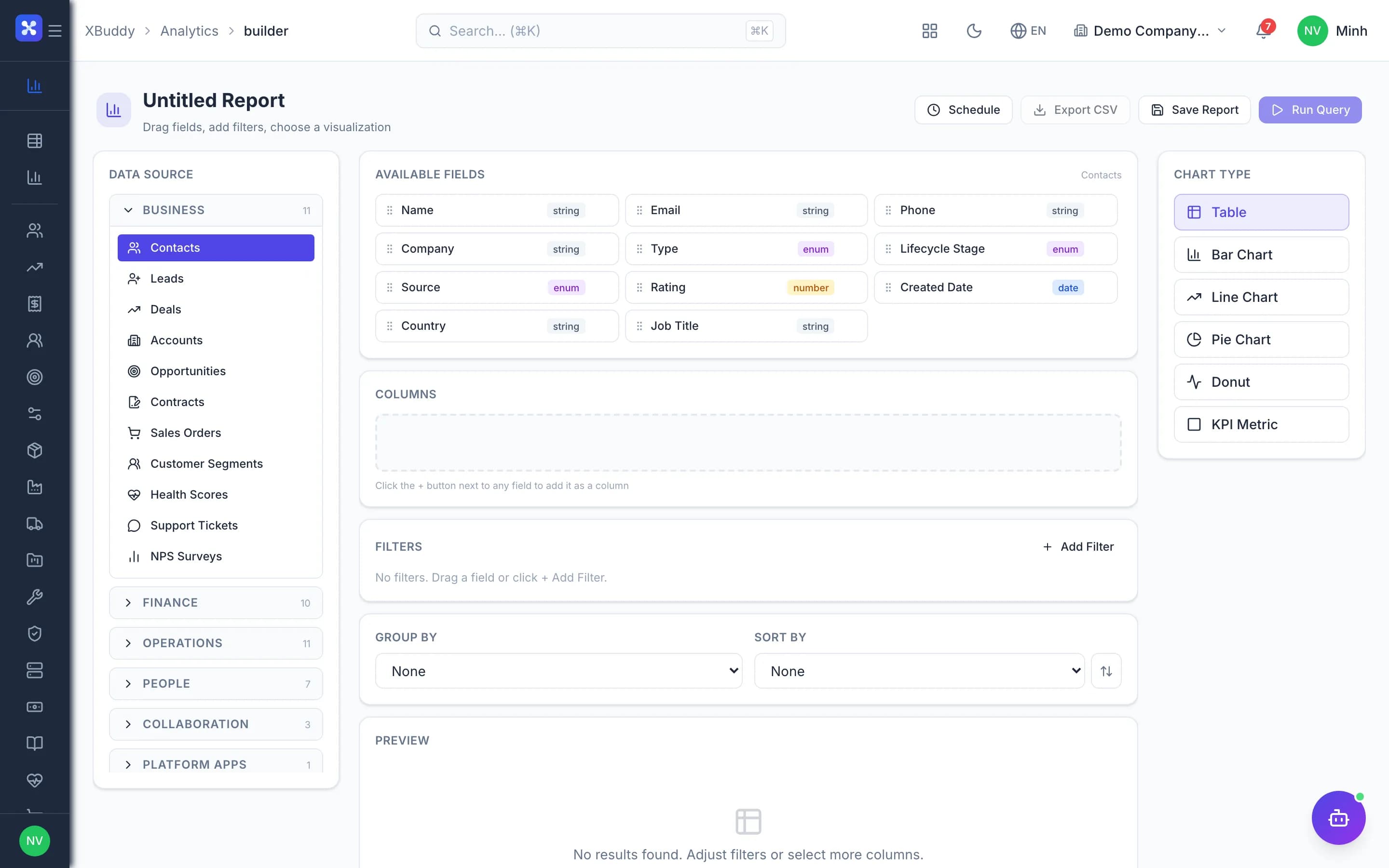
  • Drag-and-drop Report BuilderAdvanced

    Drag dimensions and measures onto the canvas, then pick columns, filters and groupings without queries.

  • Many data sourcesAdvanced

    Customers, leads, deals, invoices, sales and purchase orders, journals, employees, stock, projects and tasks.

  • Save and reopen

    Save the reports you build and reopen them any time with the latest numbers.

  • Business report library

    Ready-made reports for each business area, usable immediately with no extra setup.

  • Honest errorsAdvanced

    Unsupported sources return a clear error instead of an empty table that looks like no data.

Scheduled reports

4
  • Automatic email schedules

    Schedule CSV reports daily, weekly or monthly to the people who need them.

  • Internal recipients only

    Reports go only to company members, reducing the risk of figures leaking outside.

  • Permission check on sendAdvanced

    Before every email, the creator's access to the data source is checked again.

  • Company-wide switch

    Admins can enable or disable all scheduled reports with a single switch.

Data access control

3
  • Per-domain permissionsAdvanced

    Separate view rights for finance, payroll, HR and more, enforced on every query.

  • Pages follow your modules

    Each analytics page appears only when the company has that app and the user has access.

  • Role-based access

    Grant report access by role or by individual user from the settings page.

AI & automation

4
  • Executive briefingAI

    The Executive Briefing assistant summarises the day and explains strategic KPIs for leadership.

  • Insight without editsAI

    The assistant gives summaries and insights only; it never changes any of your data.

  • Agents and workflowsAI

    Monitor analytics-related agents and workflows directly inside the app.

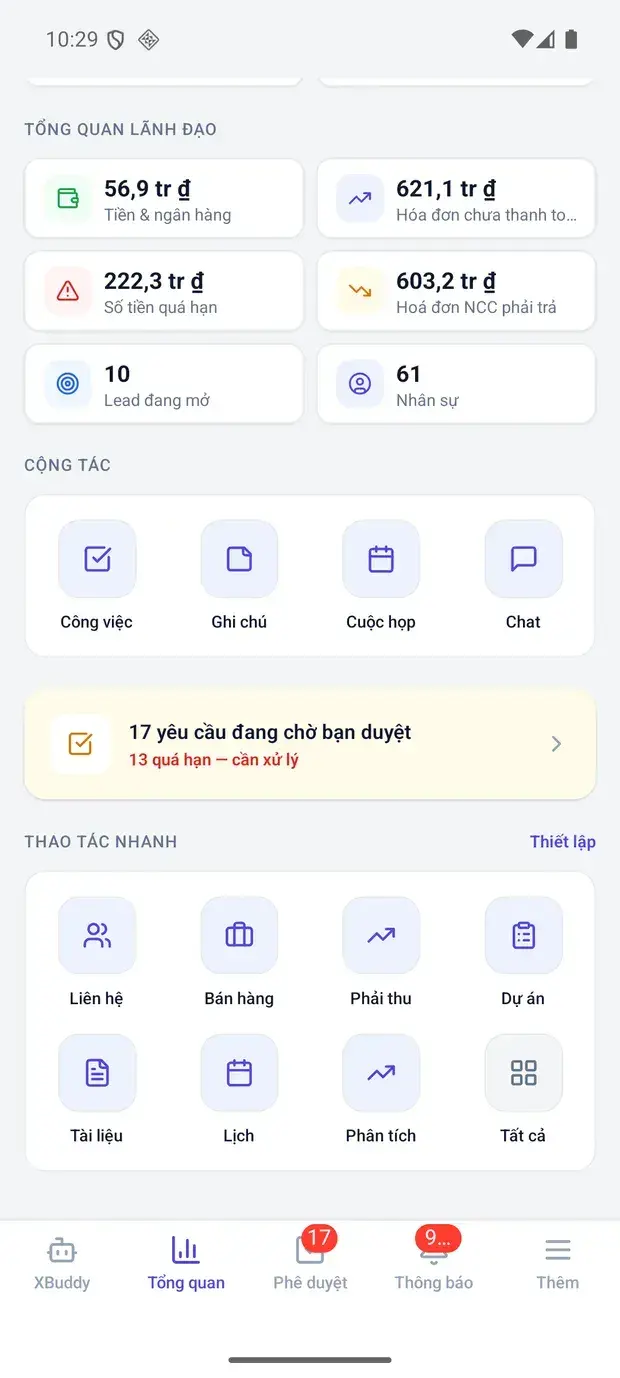
  • Mobile summariesMobile

    Dashboard summaries are delivered to the mobile app for a quick look on the go.

Real screens

Inside Analytics

Analytics — product screen
Analytics — a domain report page with the shared filter bar and totals footer

On mobile

Work anywhere with XBuddy Office & XBuddy Work

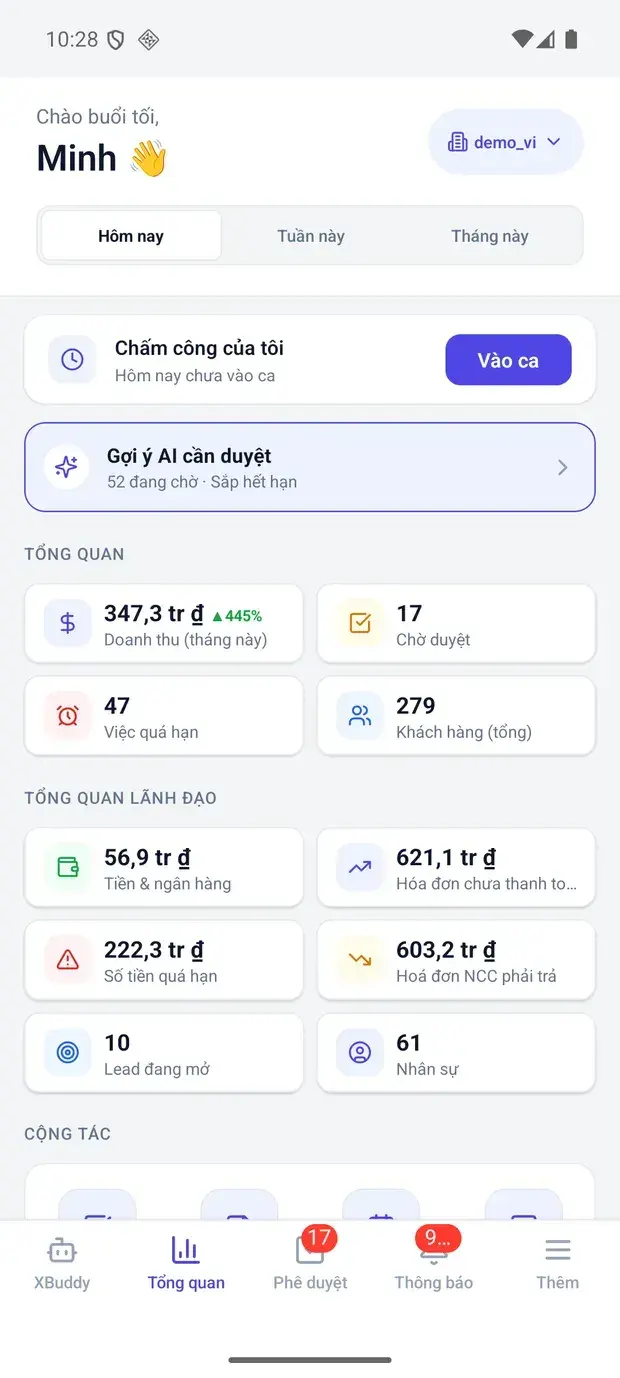
Executive overview: revenue, cash, receivables on XBuddy Office
Leadership metrics and quick actions
Executive overview on XBuddy Office
My approvals inbox

In practice

When you reach for it

1

Every role opens the thing they actually need

One shared dashboard for everyone is a dashboard nobody uses.

  1. 1.Dashboards attach to a role, not to an individual
  2. 2.Data scope applies to whoever is looking: their own, their team's, or the whole company
  3. 3.Scheduled reports go out automatically, each within the recipient's scope

The same report, and each person sees exactly the slice they are cleared for.

Assistants on this app

2 assistants work on this data

Each assistant carries its own skills on this app’s data, inside the caller’s permission scope.

FP&A Analyst5 skills

Forecasts cash flow, analyzes revenue trends, and monitors budget variance and cross-domain anomalies.

Explore skills
  • Bill Payment AssistantProposes bill approvals and concrete payment runs for bills due soon — every write is confirmed by you before it executes
  • Revenue Trend AnalyzerAnalyzes monthly revenue trends over the last 6 months, detects significant growth or decline (>15% MoM), surfaces seasonality patterns, and recommends corrective actions.
  • Budget ForecastingForecasts month-end spending based on actual trends, identifies departments at risk of budget overrun, and recommends reallocation opportunities.
  • Budget Variance AlertCompares actual departmental spending against approved budget lines every week. Forecasts month-end overspend and alerts the finance team before budgets are breached.
  • Cross-Domain Anomaly CorrelatorSynthesizes anomaly signals from multiple domains (finance, HR, operations, sales) to detect systemic patterns and root causes that single-domain agents may miss.

Compiles daily and weekly briefings with strategic KPI narratives and data-freshness checks for leadership.

Explore skills
  • Daily BriefingSends a morning briefing every weekday at 8am with key metrics, pending tasks, overdue items, and team check-ins
  • Strategic KPI NarratorTransforms raw KPIs and cross-domain agent insights into a compelling executive narrative with strategic priorities, key wins, and critical concerns for leadership.
  • Data Freshness GuardianMonitors data pipeline sync timestamps and alerts when sources become stale
  • KPI Regression DetectorDetects KPI metrics with sustained declining trends and alerts responsible managers
  • Report Delivery MonitorChecks scheduled report deliveries for failures and retries or alerts the admin
  • Compliance Audit AgentDaily scan of audit logs for unusual access patterns: logins at odd hours, bulk data exports, permission escalations, or repeated failed access attempts. Generates a risk-ranked security report.

Solutions

Analytics in end-to-end solutions

FAQ

Frequently asked

Does it cost extra?

No. Analytics is included with the platform; each domain page appears once the company has the matching app.

Can reports be emailed outside the company?

No. Recipients must be company members, and the creator's access to the data source is checked.

What format are scheduled reports?

CSV files by email, sent daily, weekly or monthly.

Can staff see payroll figures?

Only if granted payroll analytics access; domain permissions are checked on every query.

See Analytics running on your data

A thirty-minute demo focused on the process you are actually stuck on.