CRM

Never lose a customer between first lead and signed deal

One customer record for the whole company: every call, quote, contract, invoice and ticket on a single timeline.

  • One customer record shared by marketing, sales and service
  • Clear pipeline with lead scoring and sales forecasting
  • Won deals flow straight into Sales Orders and delivery
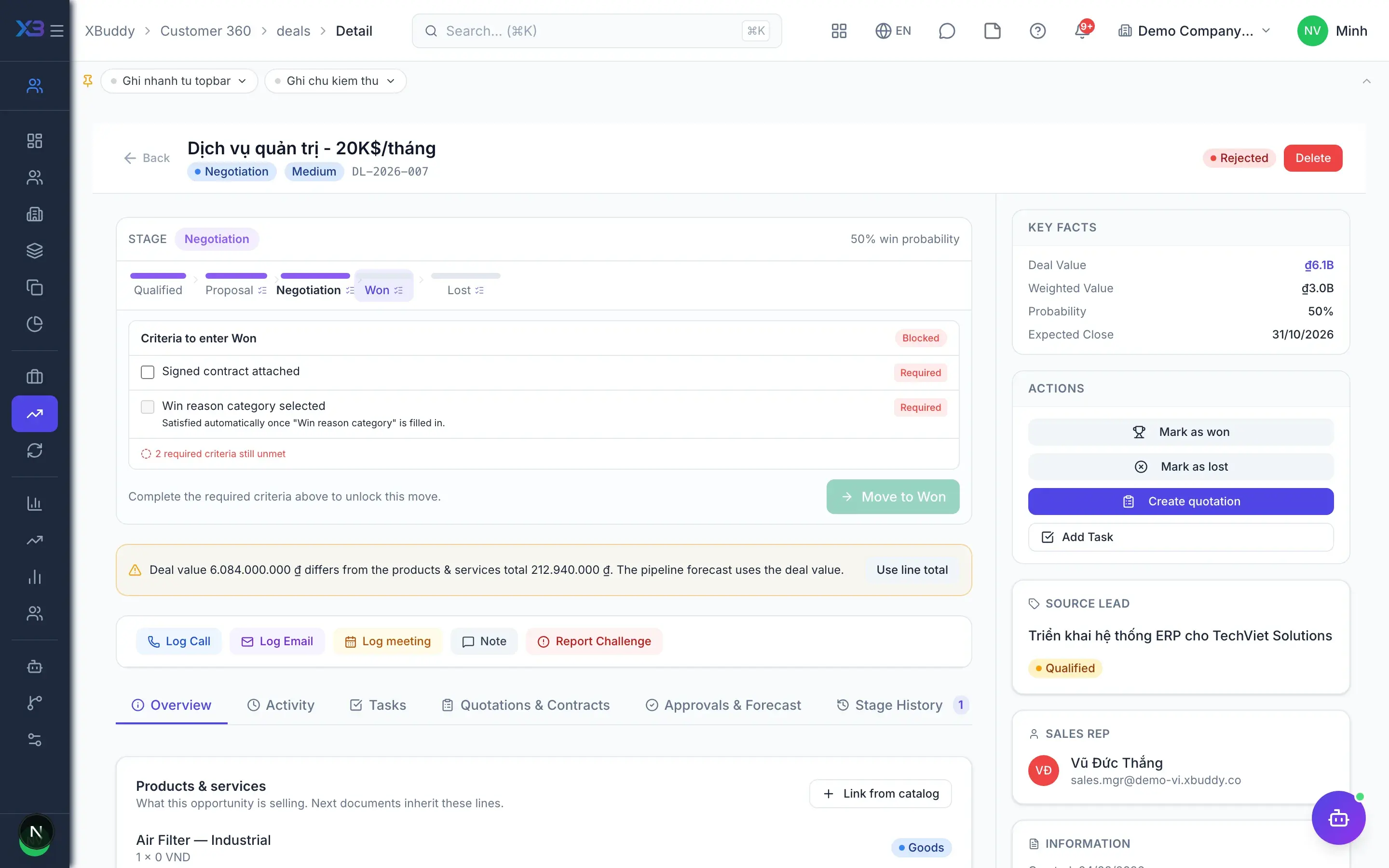
CRM — product screen

Screenshot 1 of 8

23
capabilities
11
advanced & AI features
3
AI assistants on this data
Yes
on mobile

Sound familiar?

The problems this app removes

  • Customer data scattered across spreadsheets and chat apps
  • Hot leads go cold because nobody owns the follow-up
  • No idea how much revenue will close this quarter
  • Duplicate contacts lead reps to call the same customer twice

Capabilities

23 capabilities in CRM

Catalogued against screens that exist in the product, grouped by the work they do — not a flat marketing list.

Customer data

5
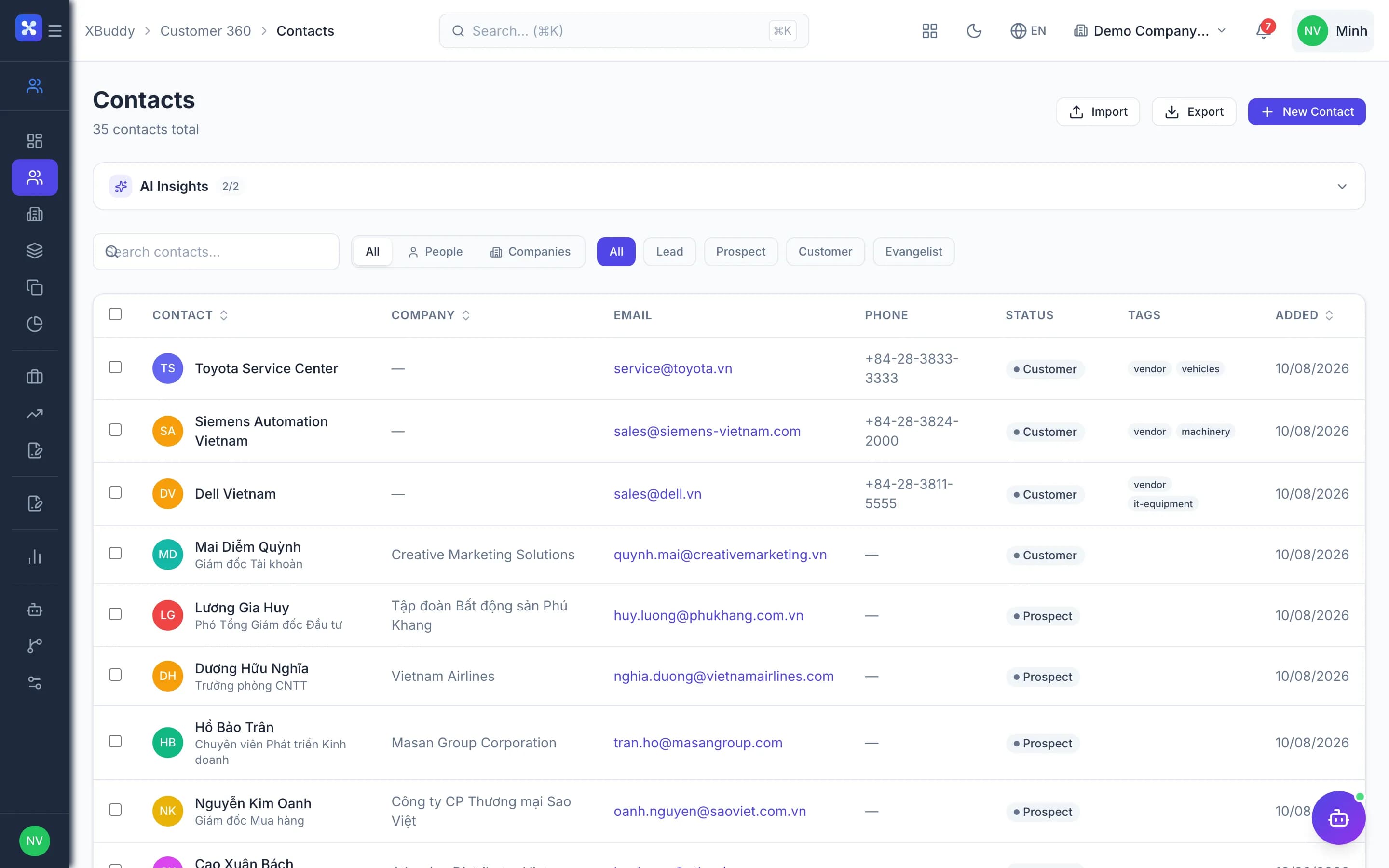
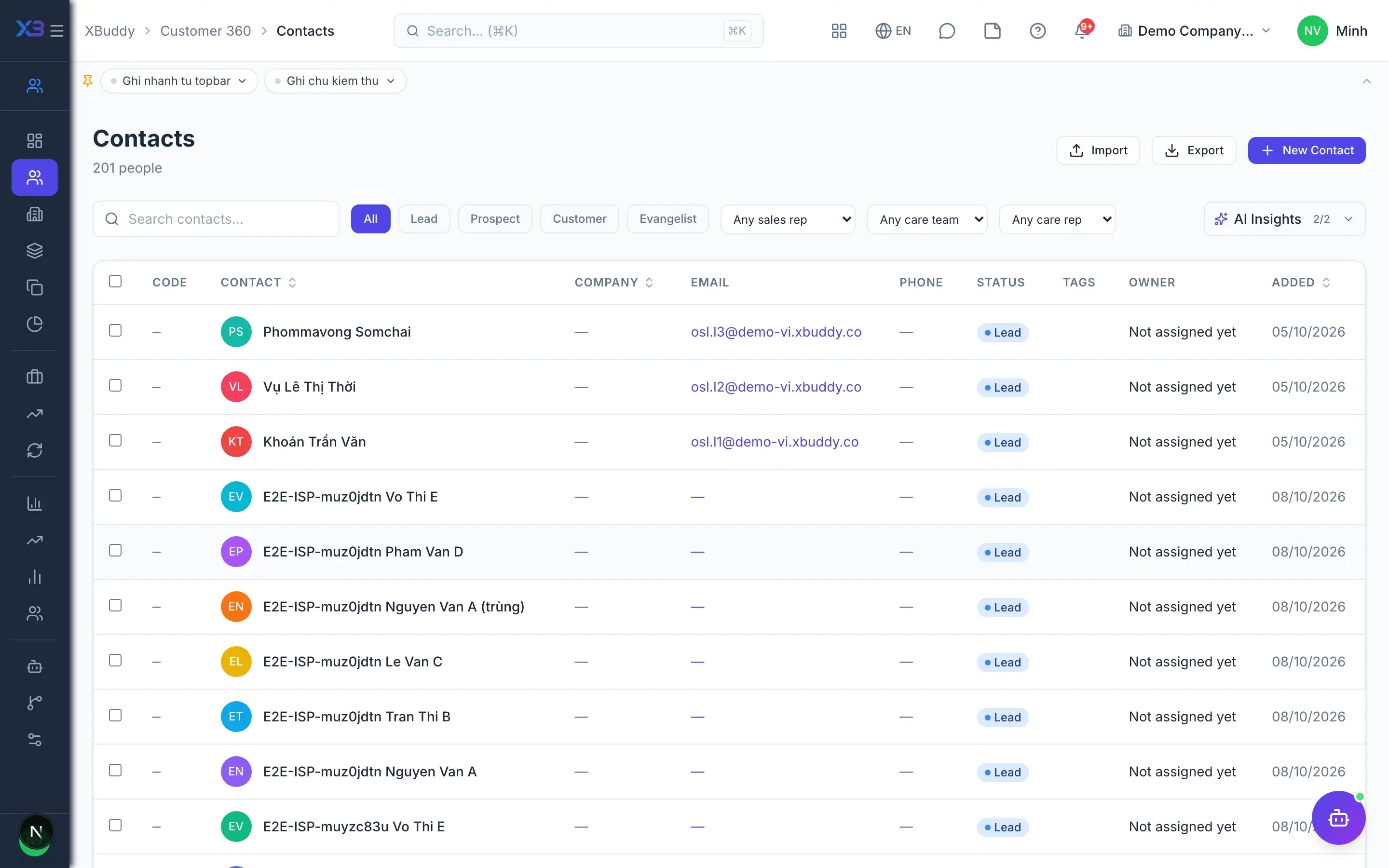
  • Contacts & accountsMobile

    Manage people and companies in one shared directory with every interaction visible in one place.

  • CSV import & export

    Import customer lists with a preview step that checks each row before anything is written.

  • Duplicate detection & mergeAdvanced

    Find duplicate contacts and merge them while keeping deals, activities and notes intact.

  • Dynamic segmentsAdvanced

    Build static segments or dynamic ones that refresh on a schedule from your filter rules.

  • Customer health score

    See a health score on each account page to spot customers who need attention.

Leads & funnel

5
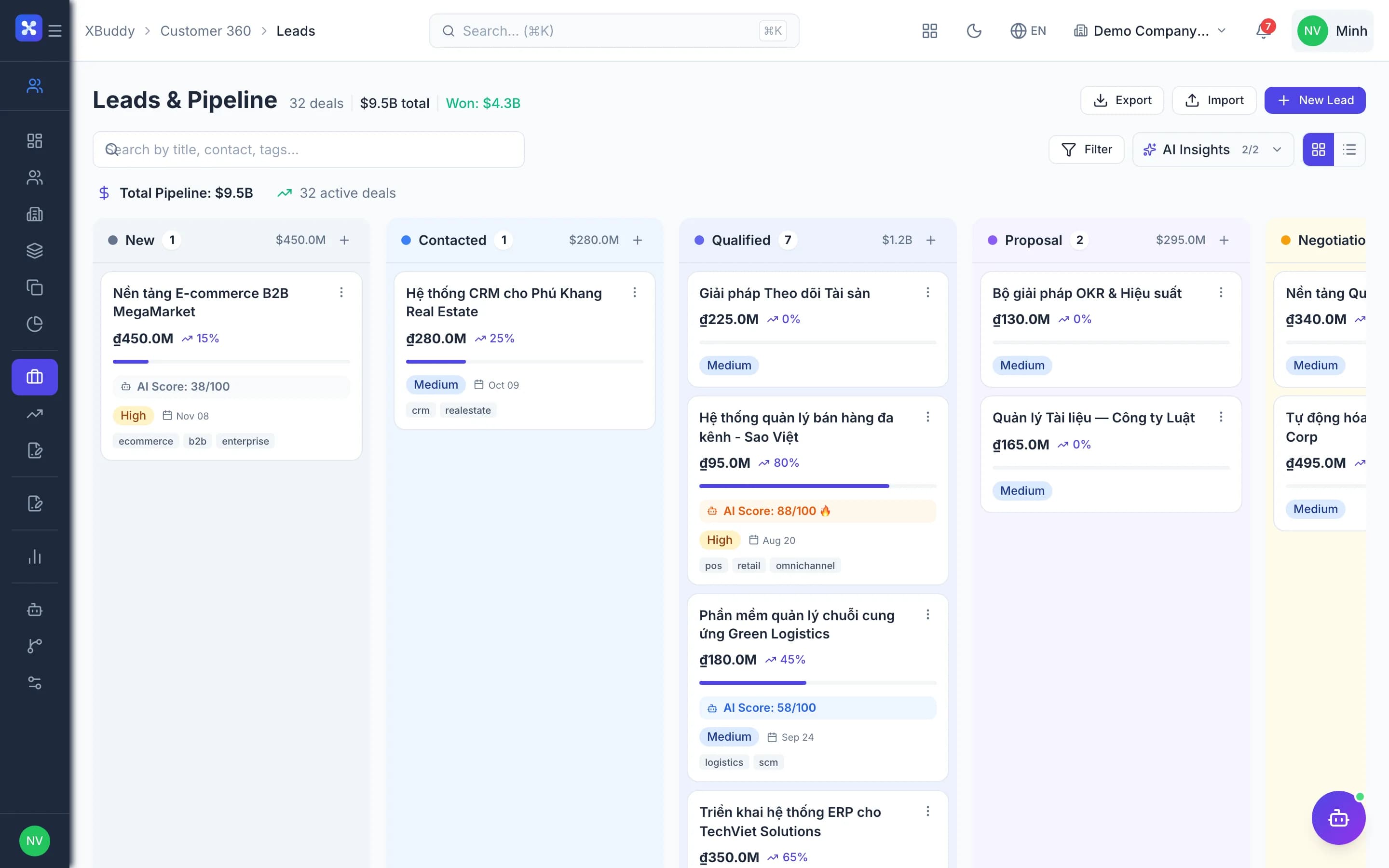
  • Lead list & KanbanMobile

    Track prospects by status, assign owners and filter quickly in list or board view.

  • Lead scoringAI

    Score leads by behaviour and campaign; the Hot leads list shows only open leads above threshold.

  • Hand-off to sales

    One click hands a lead to sales, with email and in-app notification for the new owner.

  • Campaign attribution carry-overAdvanced

    Leads created from contacts inherit their latest campaign, keeping attribution intact through the funnel.

  • Convert lead to deal

    Convert a lead into a deal and optionally create the delivery project at the same time.

Deals

6
  • Custom stages

    Configure pipeline stages to match how you sell and drag deals between columns.

  • Stage gatesAdvanced

    Set required conditions a deal must meet before it can move to the next stage.

  • Activities & blockersMobile

    Log calls and meetings, and raise blockers for managers to answer right on the deal.

  • Deal approvalsAdvanced

    Define approval rules by value or condition, submit deals and track decisions.

  • Won deal from Sales OrderAdvanced

    Confirming a Sales Order marks the deal won and promotes the contact to customer automatically.

  • Renewal opportunities

    Track service contracts nearing expiry as a dedicated renewal pipeline.

Analytics & forecasting

4
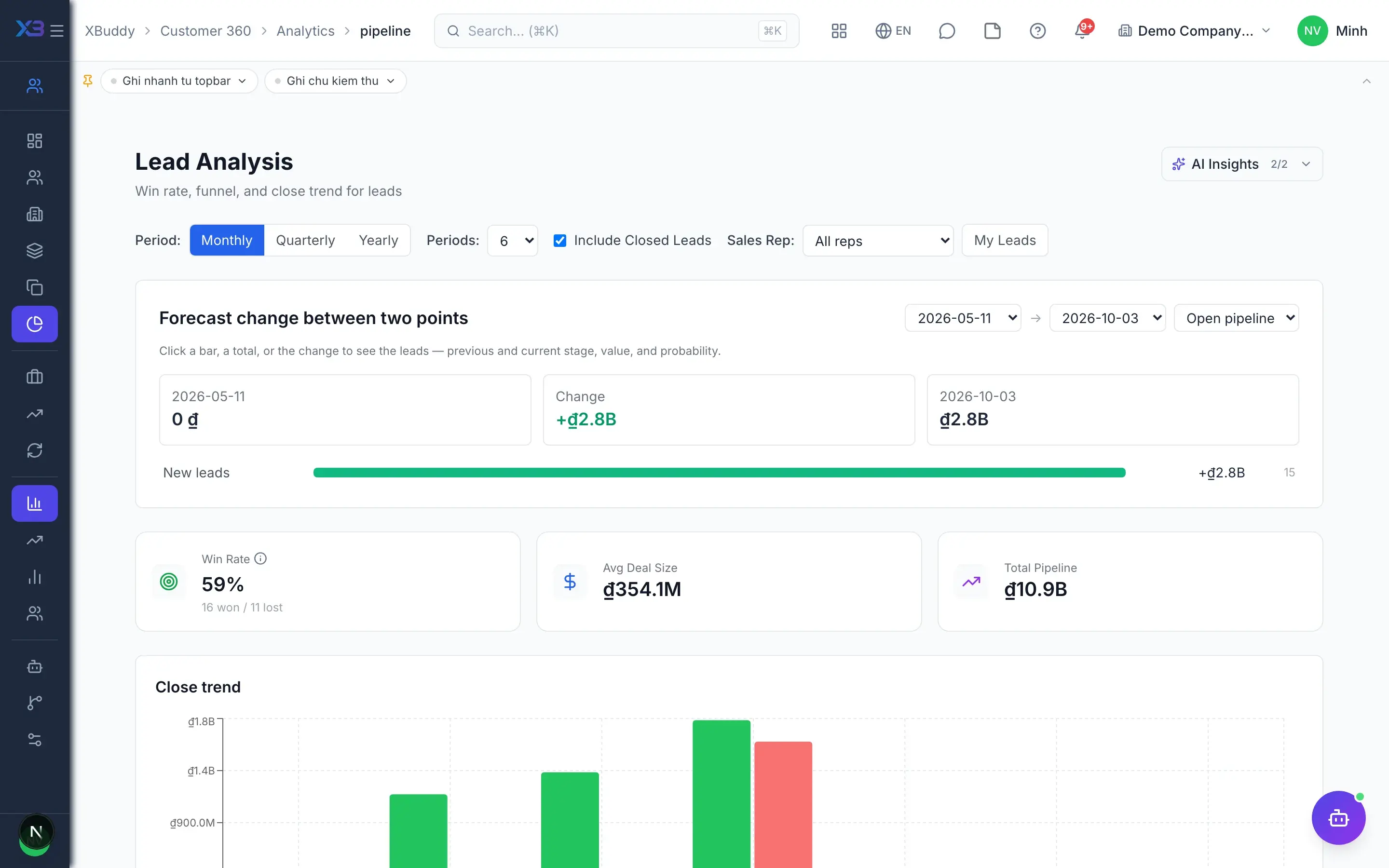
  • Pipeline analytics

    See deal value, count and velocity by stage, owner and channel.

  • Sales forecast submissionsAdvanced

    Reps submit period forecasts and managers compare them against the live pipeline.

  • Win/loss analysis

    Find the most common win and loss reasons to sharpen your sales approach.

  • Channel & customer analytics

    Compare acquisition channels and customer value across segments.

Automation & AI

3
  • AI sales assistantAI

    An AI assistant suggests next steps, summarises deals and flags leads going cold.

  • Workflow automationAdvanced

    Design approval and automation workflows for leads and deals with a visual builder.

  • Scoped data accessAdvanced

    Reps see their own customers, team leads their team's, and directors everything.

Real screens

Inside CRM

CRM — product screen

On mobile

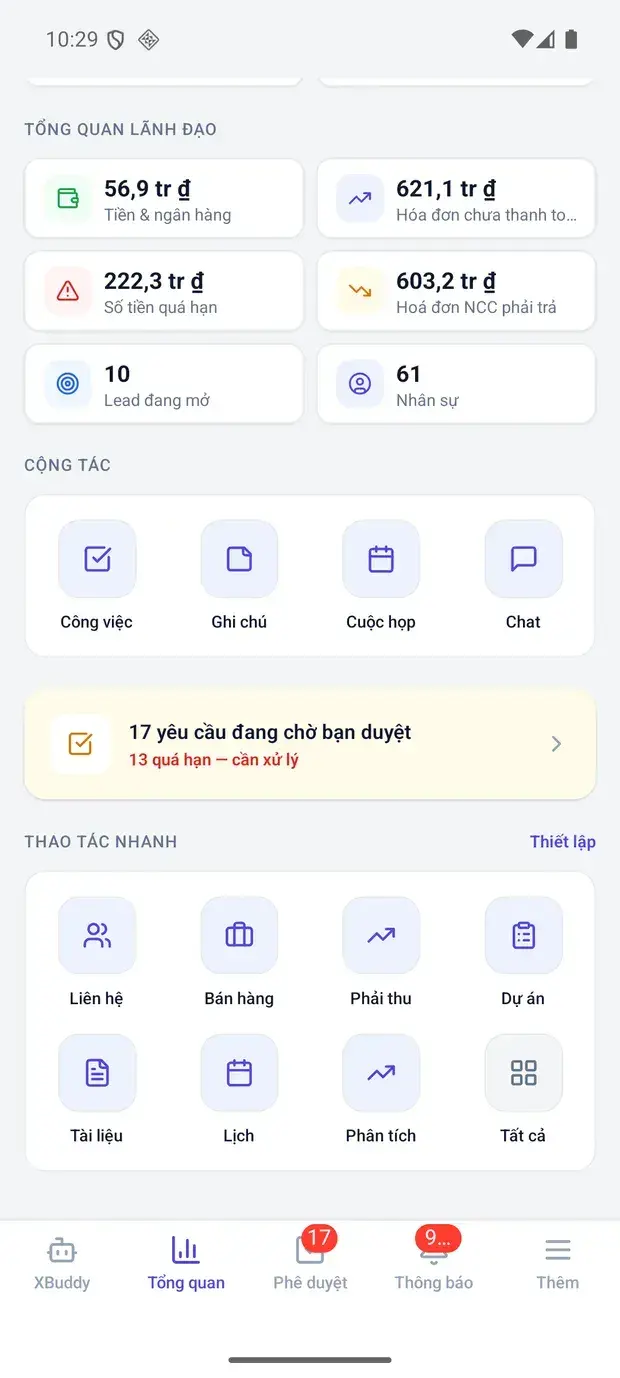
Work anywhere with XBuddy Office & XBuddy Work

Leadership metrics and quick actions

In practice

When you reach for it

1

A new rep inherits an account list

The previous owner has left and the new one needs to know where every account stands.

  1. 1.Open the 360° account record
  2. 2.Read the timeline: calls, quotes, invoices, tickets
  3. 3.Check open opportunities and their current stage

A handover that takes an afternoon instead of two weeks, with no lost context.

2

Cleaning a list before a campaign

Accounts imported from several sources carry duplicates, and sending twice costs credibility.

  1. 1.The system proposes duplicate pairs by tax code and email
  2. 2.The owner confirms each pair
  3. 3.Records merge, keeping the full history of both

One customer is contacted once, and reports stop double-counting.

Assistants on this app

3 assistants work on this data

Each assistant carries its own skills on this app’s data, inside the caller’s permission scope.

Scores, enriches, and prioritizes leads — surfacing the hottest prospects and recommending the next action to convert them.

Explore skills
  • Contact EnricherEnriches contact profiles with AI-generated bios, LinkedIn URLs, and relevant tags. Runs weekly on stale profiles or on-demand for a single contact via the Enrich button.
  • Contact Auto-LabelerAutomatically analyzes contact activity, interactions, and profile completeness to apply intelligent labels and segments. Keeps your CRM organized without manual effort.
  • Quote Follow-upTracks sent quotations and automatically drafts follow-up reminders before expiry. Prevents lost deals from forgotten quotes.
  • Hot Lead Nurture AgentDaily scan for campaign leads with strong engagement signals who are not yet converted. Automatically creates prioritized follow-up tasks for the sales team.
  • Outreach SequencerRuns the SDR outreach cadence: decides each open lead's next touch, channel and timing, multi-threads stalled accounts, and stops chasing dead ones

Process-aware agent tracking deal lifecycle, identifying stale deals and proposing follow-up actions

Explore skills
  • Sales Velocity TrackerMeasures real days-to-close and flags deals sitting far longer than the winning average
  • Deal CoachMonitors your sales pipeline for stalled deals, suggests next best actions, and flags deals at risk of being lost based on time-in-stage and engagement patterns.
  • QuotationProcess-aware agent tracking quotation lifecycle and proposing timely follow-up or conversion actions
  • Sales OrderProcess-aware agent tracking sales order lifecycle and proposing timely fulfillment or escalation actions
  • Pricing OptimizerMonthly analysis of quote win/loss rates by product, price point, and discount level. Identifies pricing patterns that lead to wins and recommends adjustments to improve close rates.
  • Quotation Pipeline IntelligenceDaily monitoring of quotation funnel health: stale drafts, unanswered sent quotes, stuck approvals, and expiring quotes. AI-grades overall pipeline health and recommends actions.
  • Sales Order Health MonitorDaily scan for operational order issues: confirmed orders stuck without processing start, orders in-progress too long, overdue delivery dates, and high-value open orders needing attention.
  • Product AnalysisComprehensive per-product assistant: sales performance, pricing & discounting, won/lost price sensitivity, bundle & cross-sell, subscription & renewal, and catalog quality.
  • Upsell Opportunity DetectorAnalyzes each customer's purchase history and compares it against the full product catalog to uncover upsell and cross-sell opportunities. Ranks opportunities by estimated revenue potential.
  • Segment SuggesterAnalyzes a sample of your contacts to discover meaningful customer segments with ready-to-use filter criteria. Runs weekly and stores suggestions in the agent run report.
  • Campaign Attribution AnalystWeekly analysis of marketing campaign effectiveness through quotation and order revenue attribution. Identifies top-performing campaigns, low-conversion campaigns, and expiring campaign-sourced quotes.
  • Customer ReturnProcess-aware agent tracking customer return lifecycle, flagging returns stuck awaiting processing
  • Commission CalculatorWeekly audit of commission coverage: fulfilled orders missing commission entries, commission runs stuck in draft status, and per-rep performance analysis with AI anomaly detection.
  • Follow-up Email DrafterDrafts thank-you / follow-up emails after meetings for the salesperson to review and send
  • Pipeline ReviewRuns the weekly pipeline inspection: age-weighted commit vs best-case forecast, plus the next-step, engagement and date-slip findings for every slipping deal
  • Lost Deal AnalystAnalyzes closed-lost deals by reason, value and competitor to find the patterns worth changing
  • Forecast Accuracy MonitorMeasures how often deals close by their forecast date and lists open deals already past theirs

Customer success assistant — tracks account health, churn and renewal risk, NPS follow-up, onboarding milestones, expansion signals and lifecycle transitions.

Explore skills
  • Customer Health MonitorWeekly analysis of customer health based on engagement, payment history, and activity patterns. Flags at-risk accounts before they churn.
  • Health Score Trend AnalyzerDetects improving and declining customer health trends weekly by analyzing score history. AI recommendations for declining accounts.
  • Contract Renewal Risk PredictorPredicts renewal risk for upcoming contracts using health scores, renewal type, churn reason, upsell value, overdue invoices, and support load. Identifies upsell and cross-sell opportunities.
  • Expansion Signal DetectorIdentifies customers showing expansion signals — invoice growth ≥20% MoM, champion/loyal health score, positive NPS, or open upsell renewals
  • Lifecycle Transition MonitorTracks contact lifecycle stage changes daily, flags regressions (e.g., customer → churned), and suggests AI-powered playbook actions.
  • Customer Journey SummarizerGenerates AI-powered executive summaries of customer journeys using the unified timeline — activities, deals, invoices, and support tickets.
  • NPS Follow-up AgentIdentifies NPS detractors (score ≤6) from NPS surveys and low-rated service feedback. Flags critical responses (≤2) for immediate outreach and creates prioritized follow-up actions.
  • Onboarding Milestone TrackerMonitors onboarding_plans and csm_onboarding_tasks for stalled plans, overdue tasks, and go-live dates at risk. Alerts CSMs to accounts needing intervention before they fall behind.
  • Contact Financial InsightsAnalyzes invoice payment behavior per contact and flags financial risks — overdue invoices, slow payers, and high outstanding balances.
  • Churn Prevention AgentAggregates multi-dimensional signals: usage drop, unresolved ticket backlog, payment status, onboarding completion, login frequency. Computes Churn Risk Score 0-100.
  • Feature Adoption AgentAnalyzes api_request_logs and tenant_events to detect enabled modules with zero activity for 14+ days. Creates inline announcements with tips and tutorial links.
  • Usage Pattern AnalystSynthesizes behavioral report: DAU/MAU ratios, power user identification, plan tier usage comparison, upgrade suggestions when approaching quota limits.
  • Onboarding Progress AgentMonitors tenant onboarding checklist progress. Detects skipped steps after 2+ days and sends nudge announcements with step-by-step guidance.
  • Customer Success NarratorGenerates a weekly CS health narrative from customer health scores, renewal pipeline risks, onboarding progress, and NPS/satisfaction signals. Highlights champions, at-risk customers, and renewal exposure.
  • QBR PrepAssembles the quarterly business review pack for accounts approaching renewal — adoption, support burden, NPS trajectory, open opportunity and the asks worth making

FAQ

Frequently asked

Does CRM connect to sales and accounting?

Yes. Deals become Quotations, Sales Orders and Invoices in the same system, with no re-entry.

Can I import my existing customer list?

Yes. CSV import has a preview and validation step, then the merge tool cleans up duplicates.

Can reps see each other's customers?

Your choice. Data scope by own, team or company is assigned per role.

See CRM running on your data

A thirty-minute demo focused on the process you are actually stuck on.