
Customer service
Tickets with someone on call, SLAs, and customers who track their own
A helpdesk with rotating on-call shifts, SLAs, customer portal accounts, health scores and renewals shared with CRM — spot churn risk before it is too late.
- New tickets assigned to whoever is on call
- Customers create and track tickets on the portal
- Health alerts trigger playbooks automatically
The core problems
What is costing you time and money
Nobody knows who is on duty
Customer requests arrive by phone, email and chat and land with whoever is free. After hours or at shift change, tickets wait with no owner, and response-time commitments are broken.
Customers call back just to ask for status
Customers cannot see where their request stands, so they call again and again. The support team spends its time answering status questions instead of solving problems.
The same questions every week
The same question is answered again and again, differently by each person. Instructions live in chats and loose files, so customers cannot look anything up themselves.
Churn discovered too late
Tickets, surveys and contract end dates sit in different tools. Nobody sees a customer gradually souring, and sales looks at a different renewal list than customer success.
Before and after
What changes on XBuddy
Today
- Tickets land with whoever is free, none taken after hours
- Customers call back to ask for status
- Template answers kept in individual chats
- No signal that a customer is about to leave
- Renewals tracked separately by CS and sales
With XBuddy
- Rotating on-call rosters assign new tickets, bulk shift hand-over
- Customer portal: accounts per contact, create, comment, close tickets
- A knowledge base with a public lookup portal for customers
- Health scores, de-duplicated alerts, playbooks that run themselves
- One Renewal record shared by CS and CRM
The flow
7 steps, one continuous record
- 1
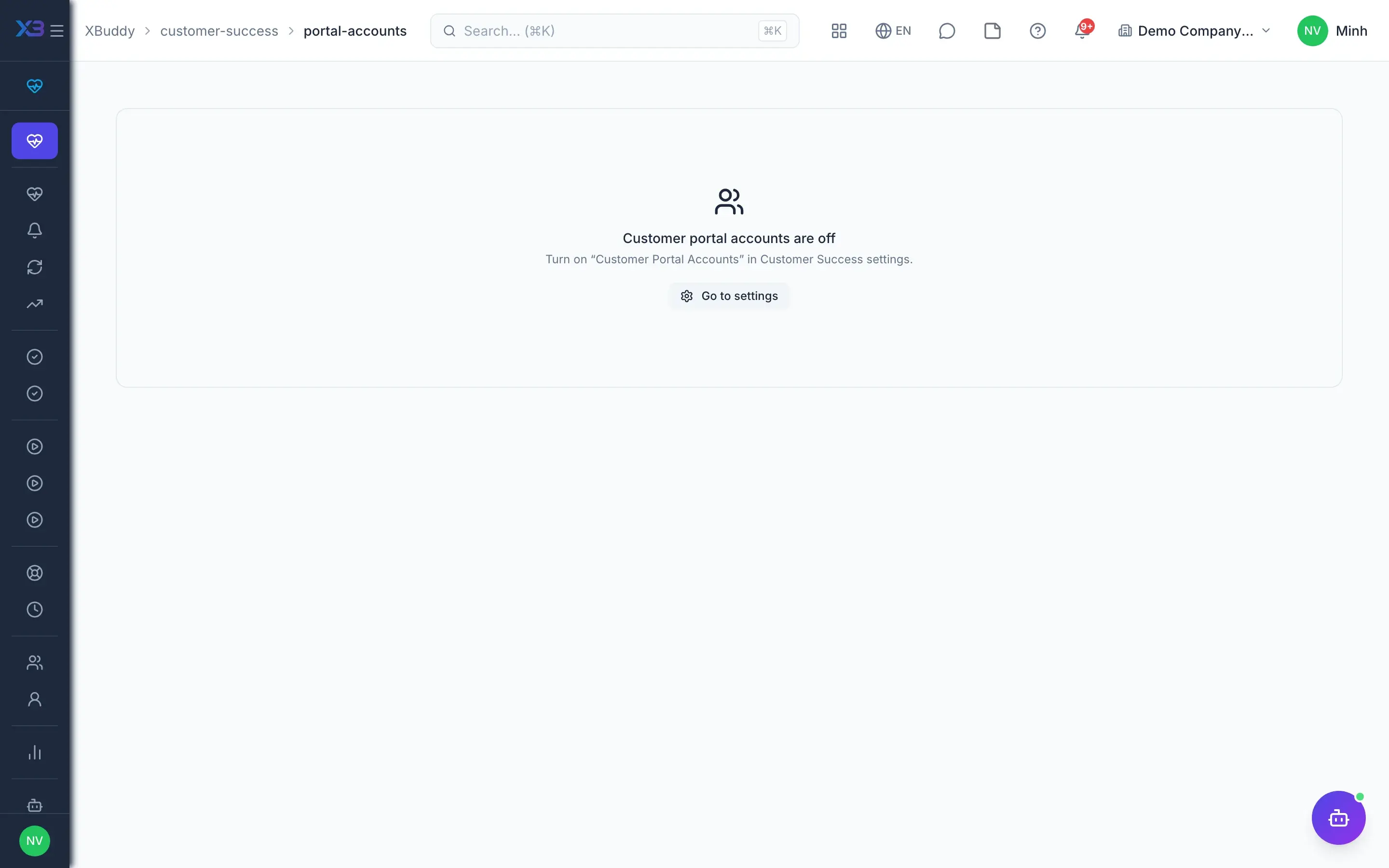
Open the portal to customers
The CS admin creates portal accounts for customer contacts with an admin or member role and sends an invitation. Customers sign in to the company's own portal to create tickets; members see their own tickets, while a customer-side admin sees tickets for the whole customer account.
- Customer identity fully separate from staff accounts
- Invitations and password resets use one-time tokens
- Internal comments never appear on the portal
- 2
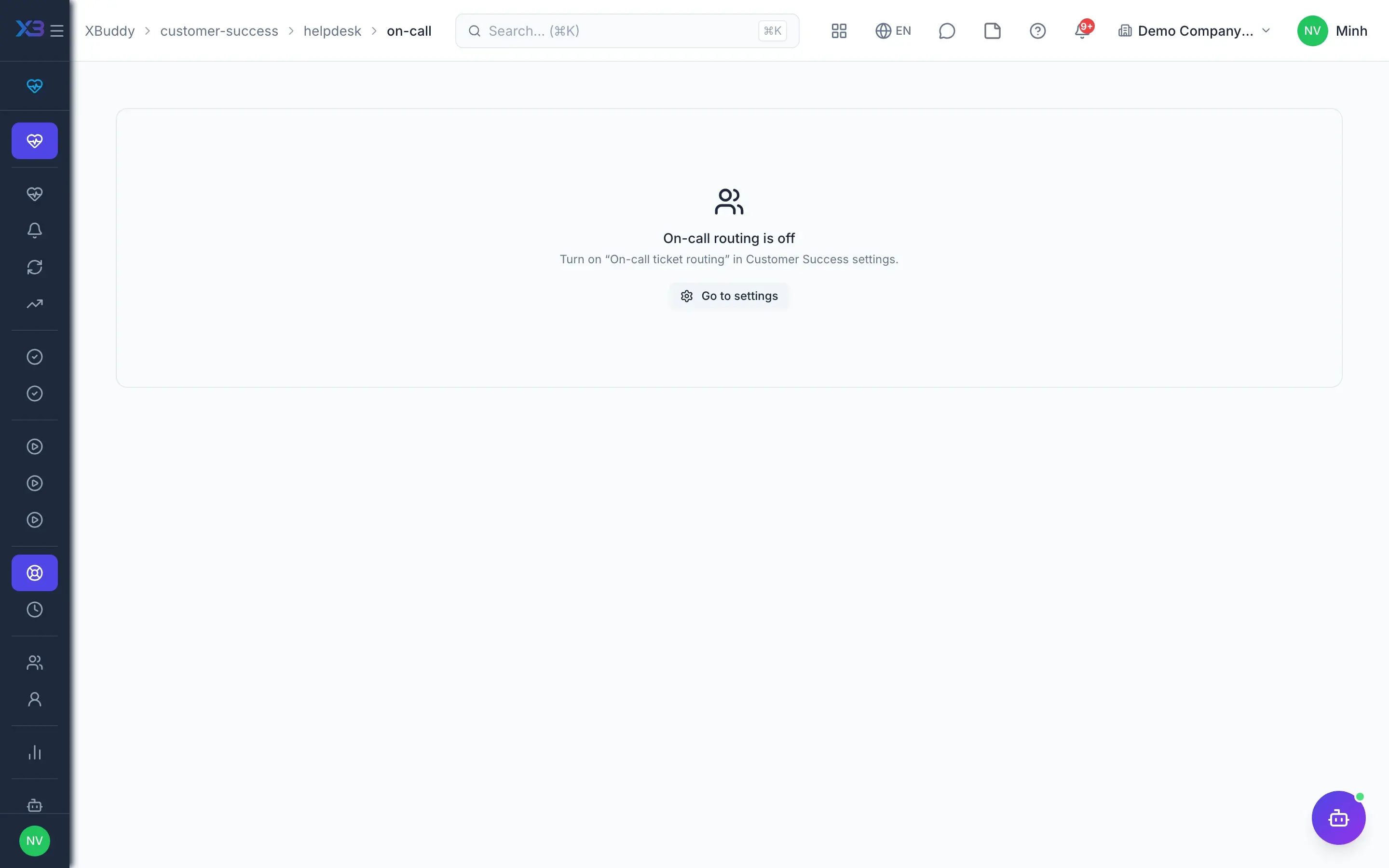
Rotating on-call shifts
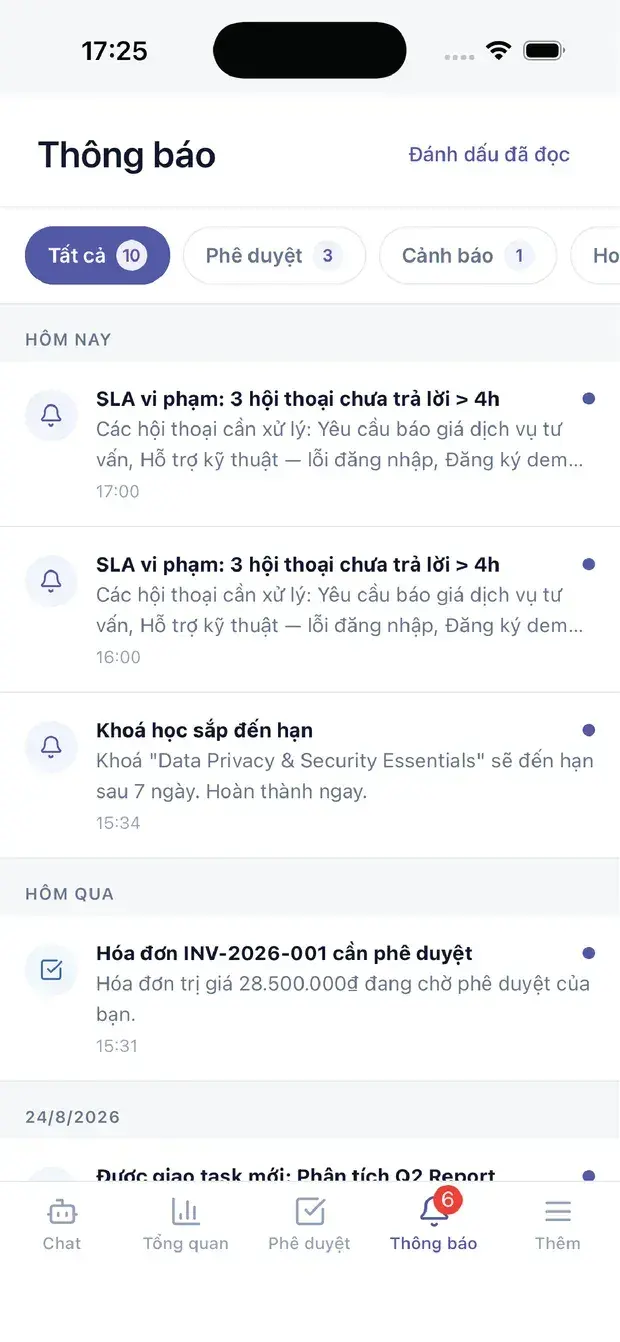
The team lead builds an on-call roster by shift, including shifts that cross midnight in the roster's time zone. A new ticket is assigned to the next person in the current shift the moment it is created; at shift end, tickets are handed over in bulk to people in the same roster.
- Rotation runs inside the ticket-creation transaction, no double assignment
- Every change of owner sends a notification
- Hand-over is shared only within that roster
- 3
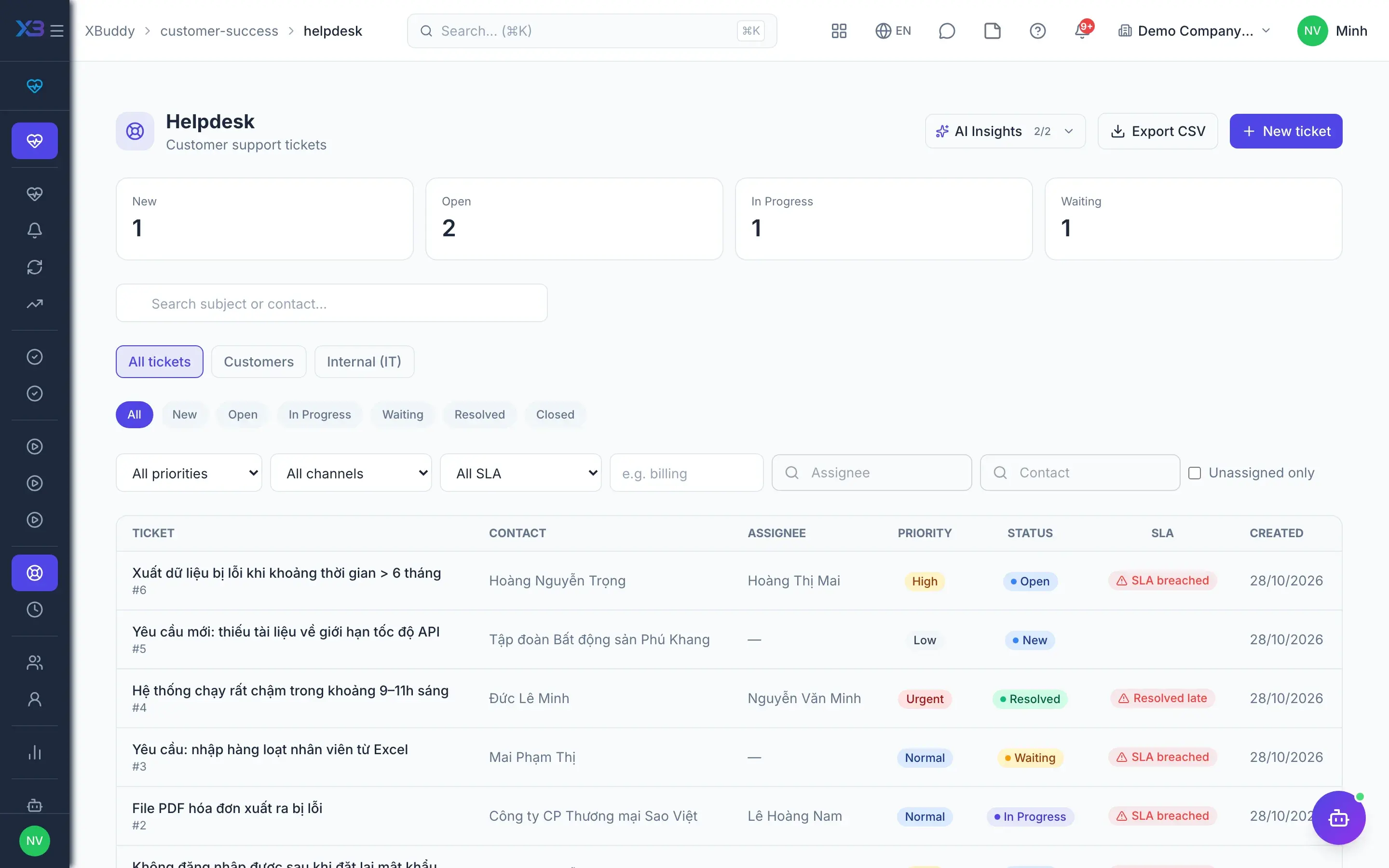
Work tickets against SLA
CS agents handle tickets in the Helpdesk; which status moves are allowed lives in one rule table by role — agent, customer and system. Customers are told of changes by queued email, and resolved tickets can close themselves after a configured number of days.
- SLA management; the first resolution time is kept for SLA
- Failed emails show on the ticket, never silently
- Data scope by own, team or all
- 4
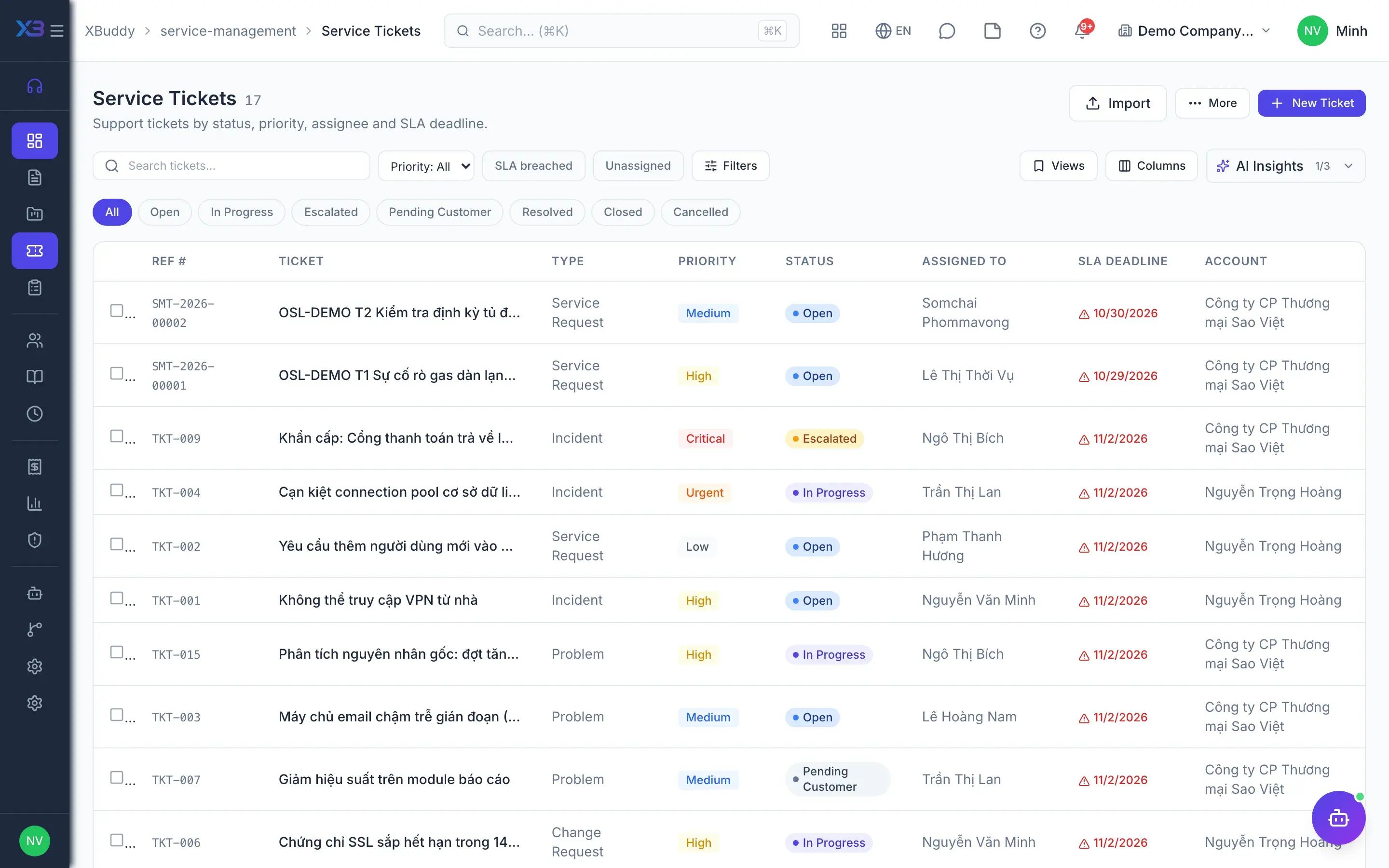
Escalate to service
When a request falls under a service contract or goes beyond first-line support, the agent escalates the Helpdesk ticket to Service Management. The service ticket keeps the document chain, applies the contract's SLA and can lead on to a Service Order or a field job.
- Escalation keeps the link to the original Helpdesk ticket
- Contract-based SLA policies and SLA reporting
- Service Ticket assistant suggests escalation and assignment
- 5
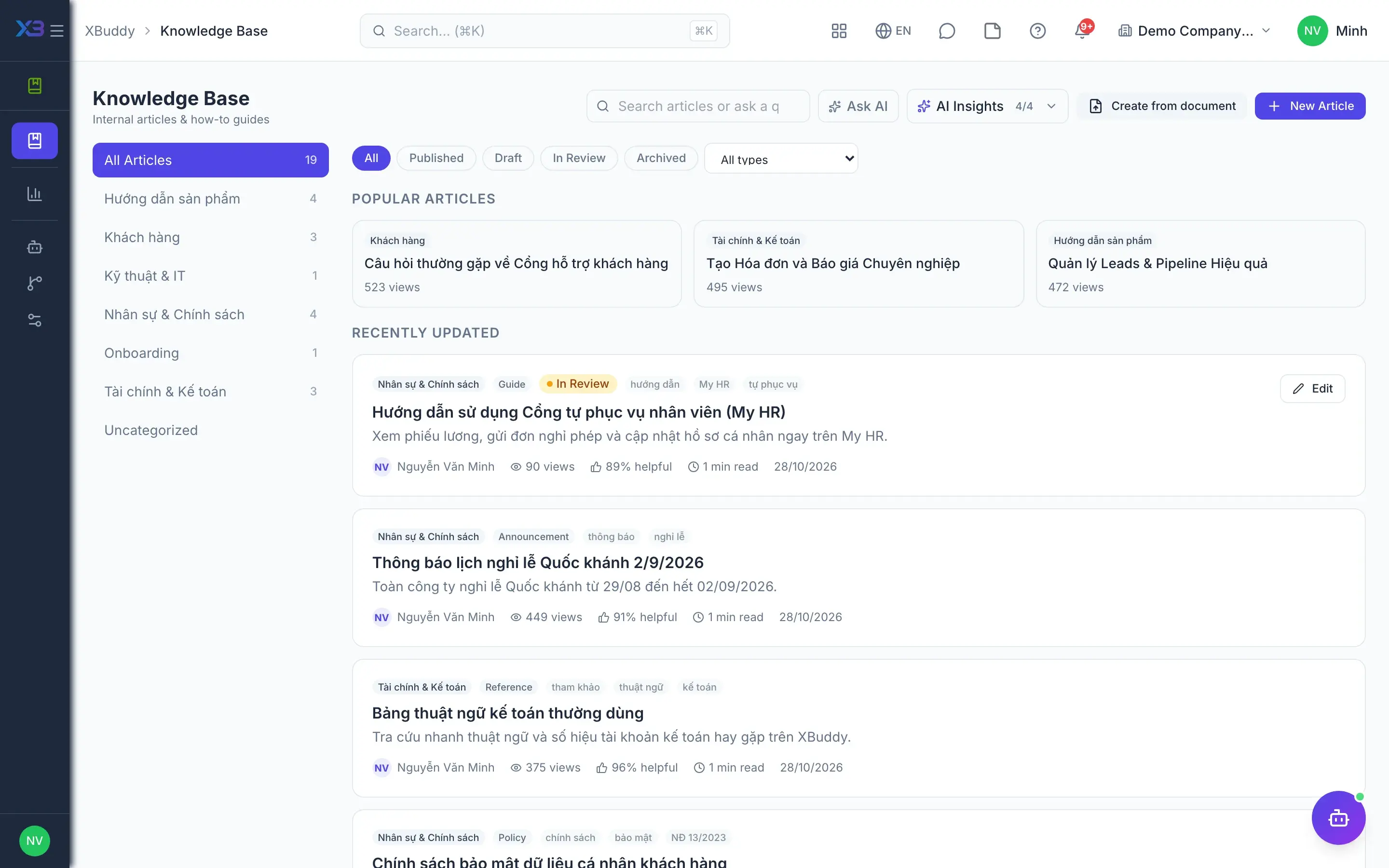
Knowledge customers can look up
The support team writes and approves how-to articles in the Knowledge Base, then chooses which ones appear on the public lookup portal that needs no sign-in. Readers rate whether an article helped, and the assistant points out topics that still lack an article.
- Draft → review → published lifecycle, with versions
- Keyword and semantic search
- Import articles from existing files in Documents
- 6
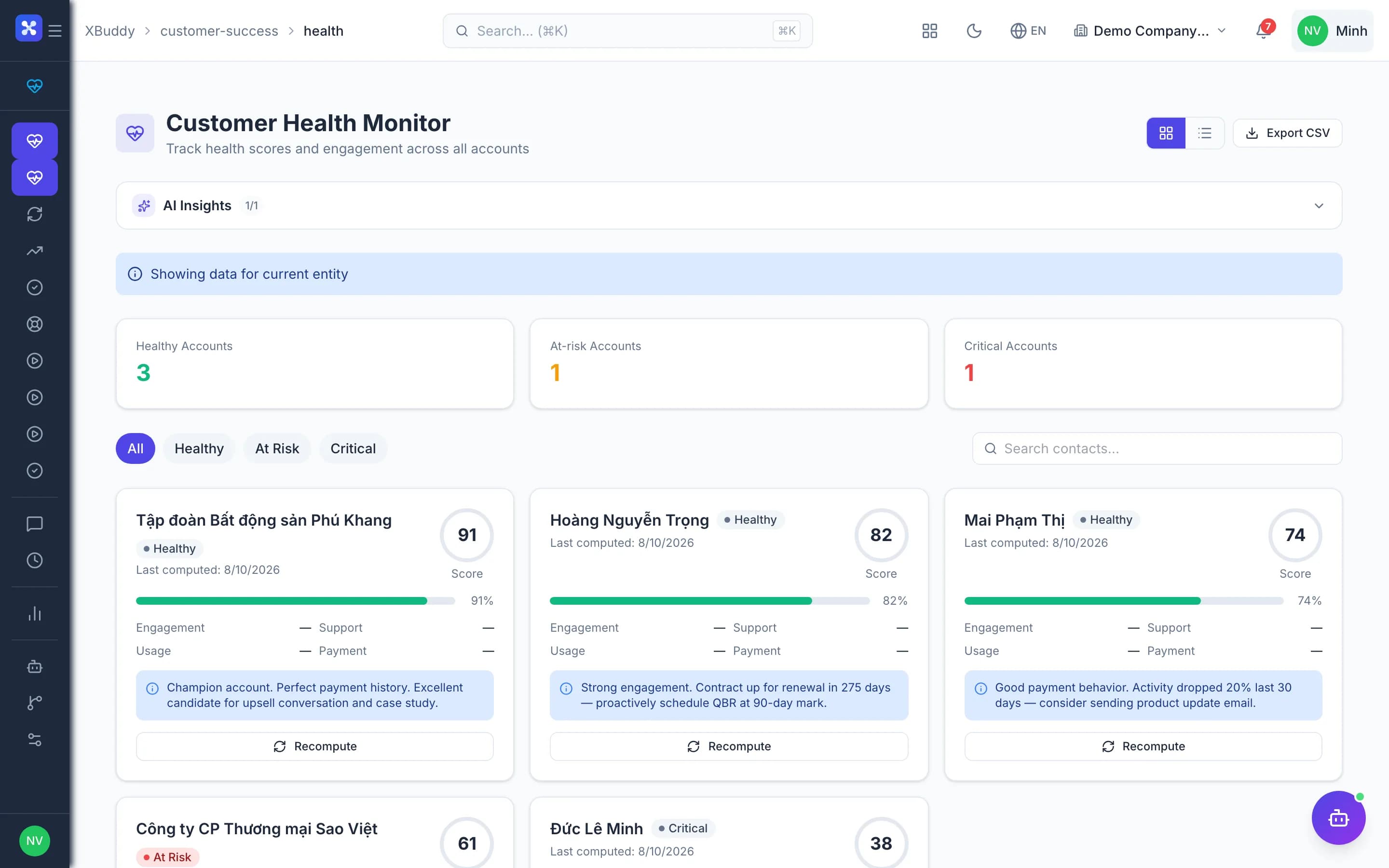
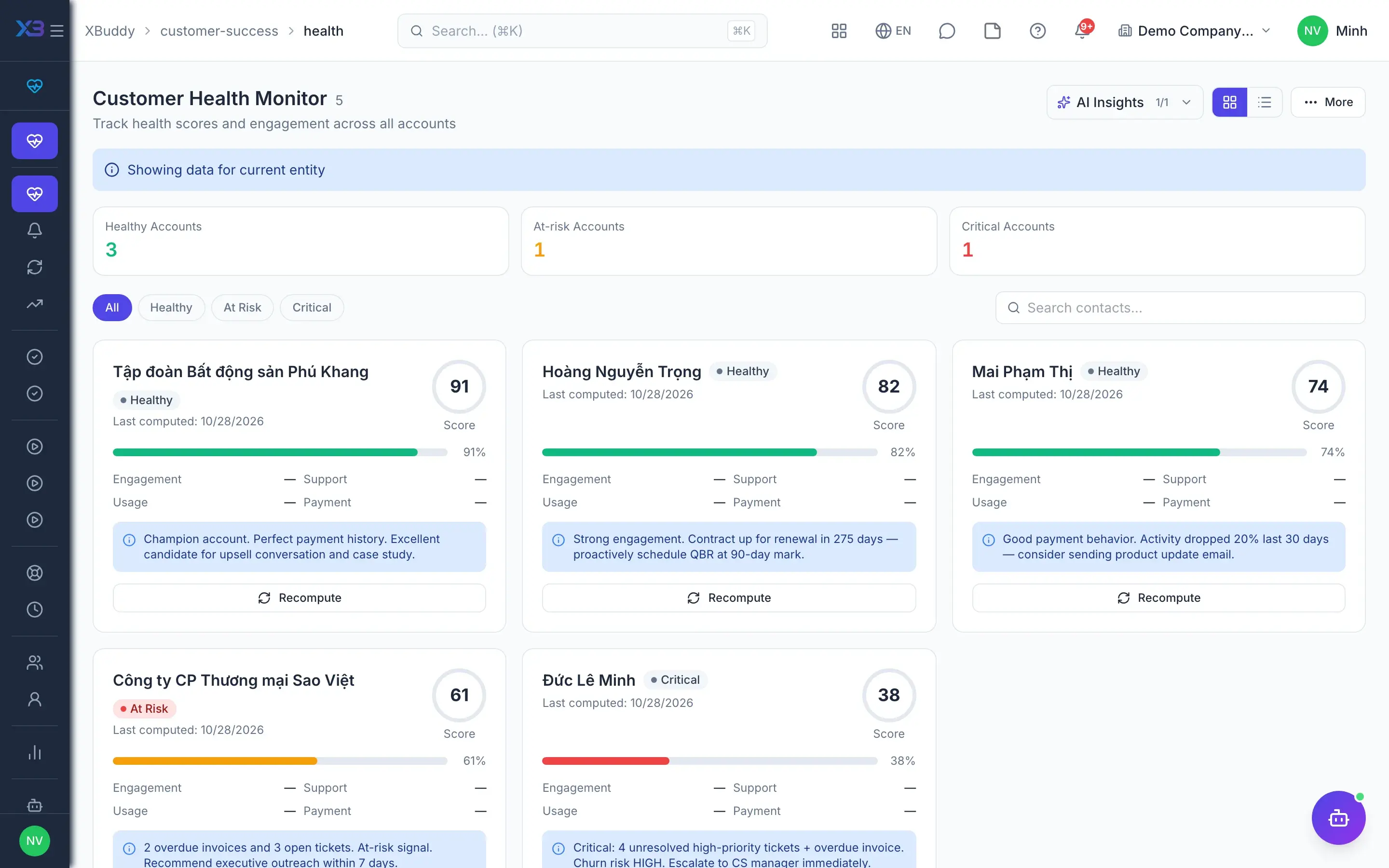
Track customer health
Health scores are computed per contact and per account, segmented healthy, at risk and critical. Each time a segment worsens, one alert is raised — never a duplicate of an open alert — and a playbook assigning work to CS staff runs automatically.
- Recalculate manually or on a schedule (toggle)
- NPS surveys: send, view responses, overall score
- Customer onboarding from templates, step by step
- 7
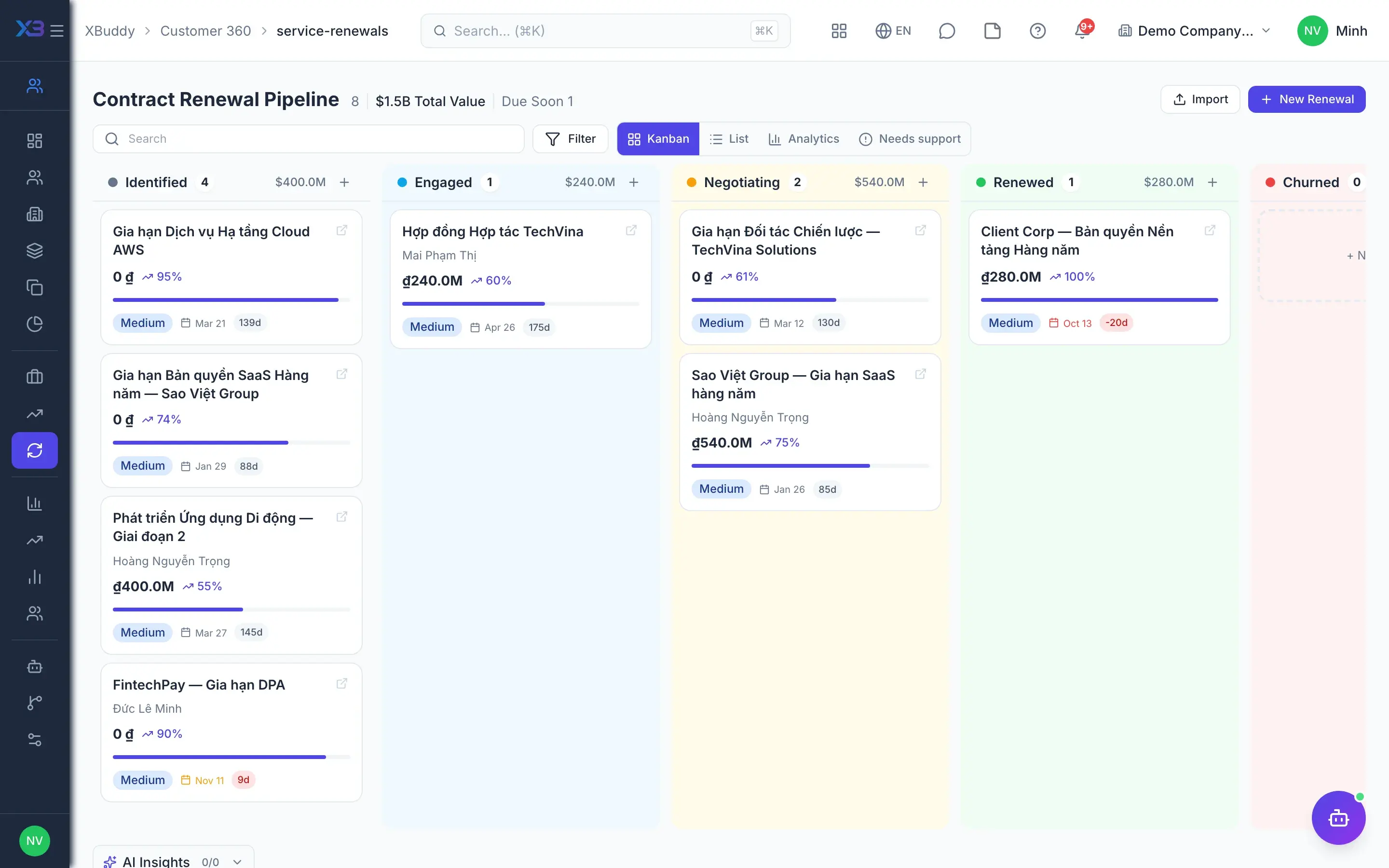
One renewal record
CS and sales work on the same Renewal record, with stages configured in CRM. Contracts approaching their end date are flagged automatically; from a Renewal you can create a Quotation, a contract or a Service Order.
- No two-way sync — there is only one record
- Final stages renewed / churned are locked
- The assistant highlights renewal risk and expansion signals
Key capabilities
What this solution relies on
Helpdesk
First-line tickets
On-callAdvanced
Auto-close
SLA
Customer portal
Customer accounts
Self-service
Email notifications
Public lookup
Retention
Health scores
Alerts and playbooks
NPS and onboarding
Renewals
Team & AI assistants
CS teams
Customer Success assistantAI
Service Ticket assistantAI
Knowledge CuratorAI
Handled out of the box
Hard questions XBuddy already answers
What’s inside
Apps and AI assistants involved
FAQ
Frequently asked
How does the Helpdesk differ from Service Management tickets?
The Helpdesk is the customer care team's first-line queue. When a request needs handling under a service contract with its own SLA, the ticket is escalated to Service Management and keeps its link.
Which account do customers use on the portal?
A dedicated portal account tied to the customer's contact, completely separate from staff accounts. Customers see only tickets within their own scope and never see internal comments.
Are the portal and on-call features on by default?
No. Customer accounts, customer emails and on-call ticket assignment are toggles that are off by default, switched on in settings when the team is ready.
Do health scores work straight away?
You need to enable the health score toggle and configure the scoring first. While it is off, scheduled recalculation and the AI skills about customer health do not run.
Can renewals in CS and CRM drift apart?
No, because they are the same record. Renewal stages are configured once in CRM and both Kanban boards read and write the same data.
Does the AI reply to customers on its own?
The assistant triages tickets and drafts replies as internal notes, and flags risk and knowledge gaps. What is sent to the customer is still decided by the agent.
See this flow on your own data
A thirty-minute demo focused on the process you are actually stuck on.