
Chief financial officer (CFO)
Control spending before cash leaves the account
Budgets by cost centre, spend checks on documents, payment approval, a 13-week cash forecast and management P&L by centre — all on one ledger.
- Spend documents checked against budget as they are raised
- 13-week cash forecast, traceable item by item
- P&L by cost and profit centre

The core problems
What is costing you time and money
Budgets outside the system
Budgets are built in Excel while actual spending sits in the accounting software. Only the month-end comparison reveals which department overspent, after the money is gone.
Commitments nobody adds up
Approved purchase requests and open purchase orders are not invoices yet, so they never show in the books. Two requests get approved one after the other against the same remaining budget and nobody notices.
A patchwork cash forecast
Cash is forecast in a spreadsheet fed from several places, and overdue items are either missed or counted twice. When the actual balance differs from the forecast, there is no way to trace which item caused it.
No idea which unit makes money
Statutory reports give profit for the whole company, but leadership needs to know which branch, department or profit centre is contributing. Allocating by hand every month is laborious and hard to audit.
Before and after
What changes on XBuddy
Today
- Budgets in Excel, compared with actuals at month end
- Purchase commitments missing from spend figures
- Large payments go straight to the bank
- Cash forecast stitched together from several sources
- Profit and loss only at company level
With XBuddy
- Budgets submitted and approved in the system, phased by month
- Approved requests and open POs counted as commitments
- Pending payments are neither posted nor applied to balances
- One forecast engine, every figure traceable to a document
- P&L by cost centre, rolled up through the tree
The flow
7 steps, one continuous record
- 1
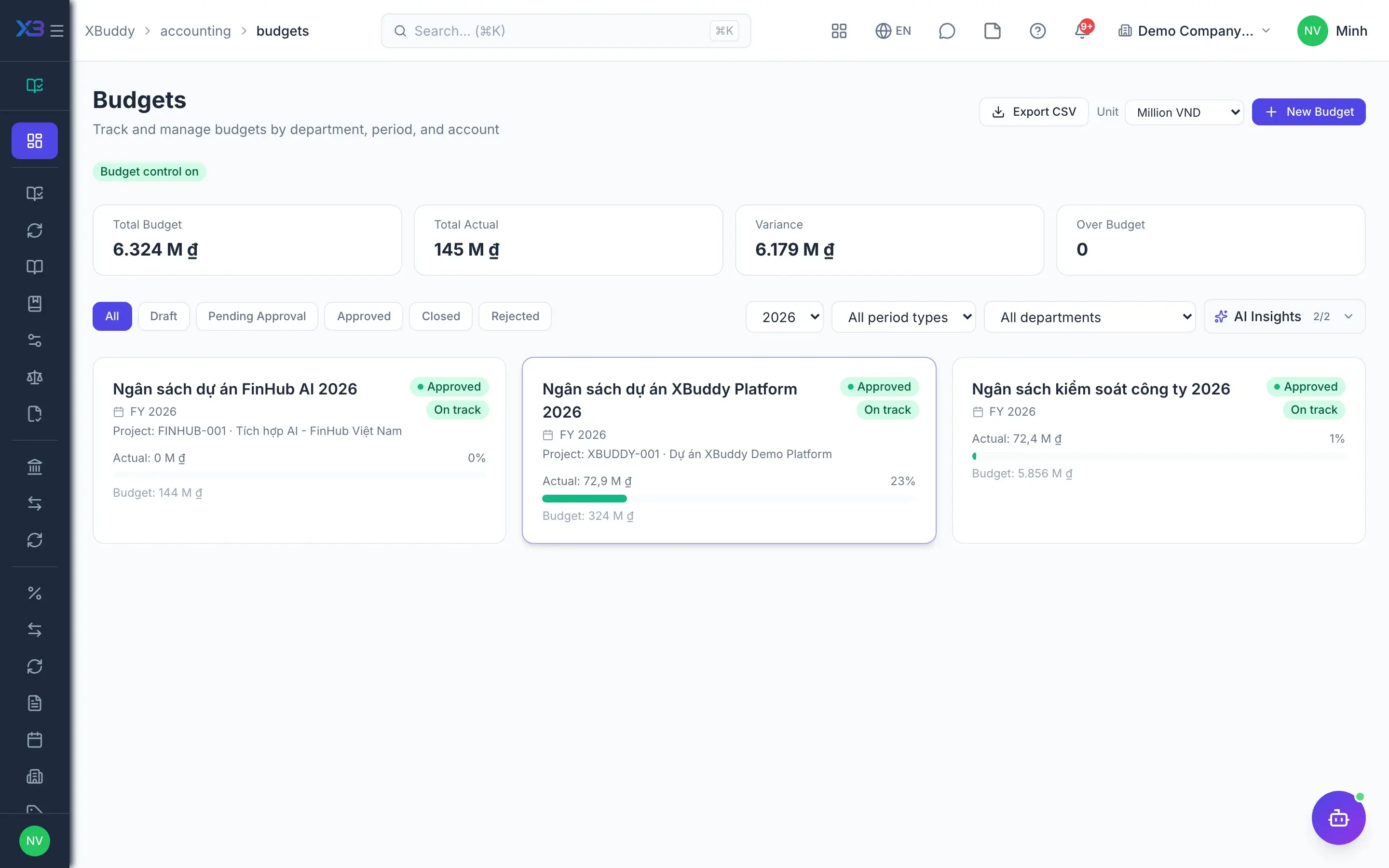
Build the budget
Accounting and department heads build budget plans by company, department, cost centre or project, phased by month and importable from CSV. Plans are submitted and approved in the system; only approved budget lines are used for spend control.
- Plans by company, department, cost centre or project
- Monthly phasing, CSV import, submit and approve
- Budget categories mapped to ledger accounts
- 2
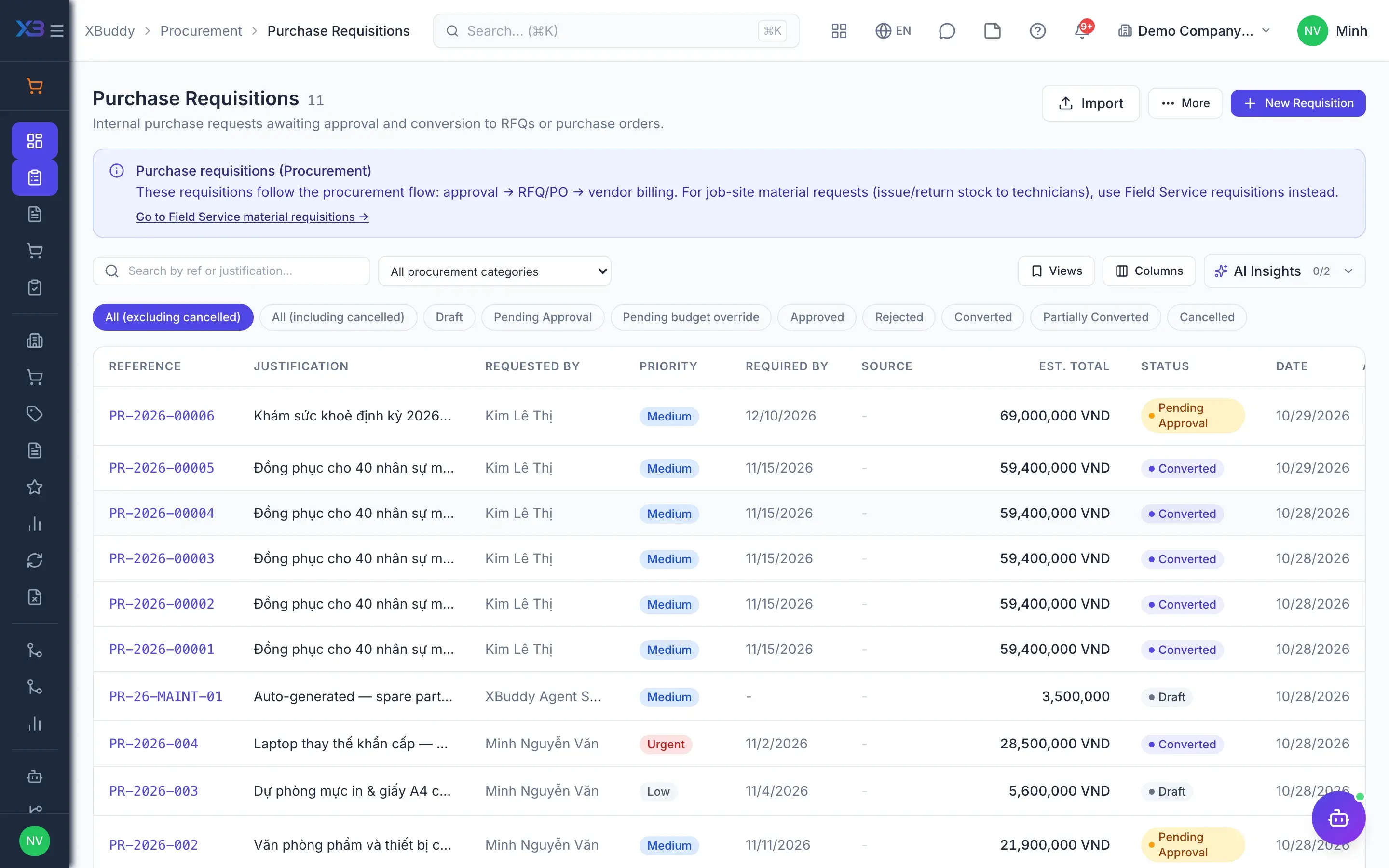
Check budget on requests
When an employee raises a Purchase Requisition, each line is compared with the budget line matching its account, cost centre, category or department. Depending on the mode, over-budget documents are warned or blocked, and committed amounts count as used.
- Warn or block mode when budget is exceeded
- Approved PRs not yet on a PO count as commitments
- Lines missing a dimension are reported, never assumed fine
- 3
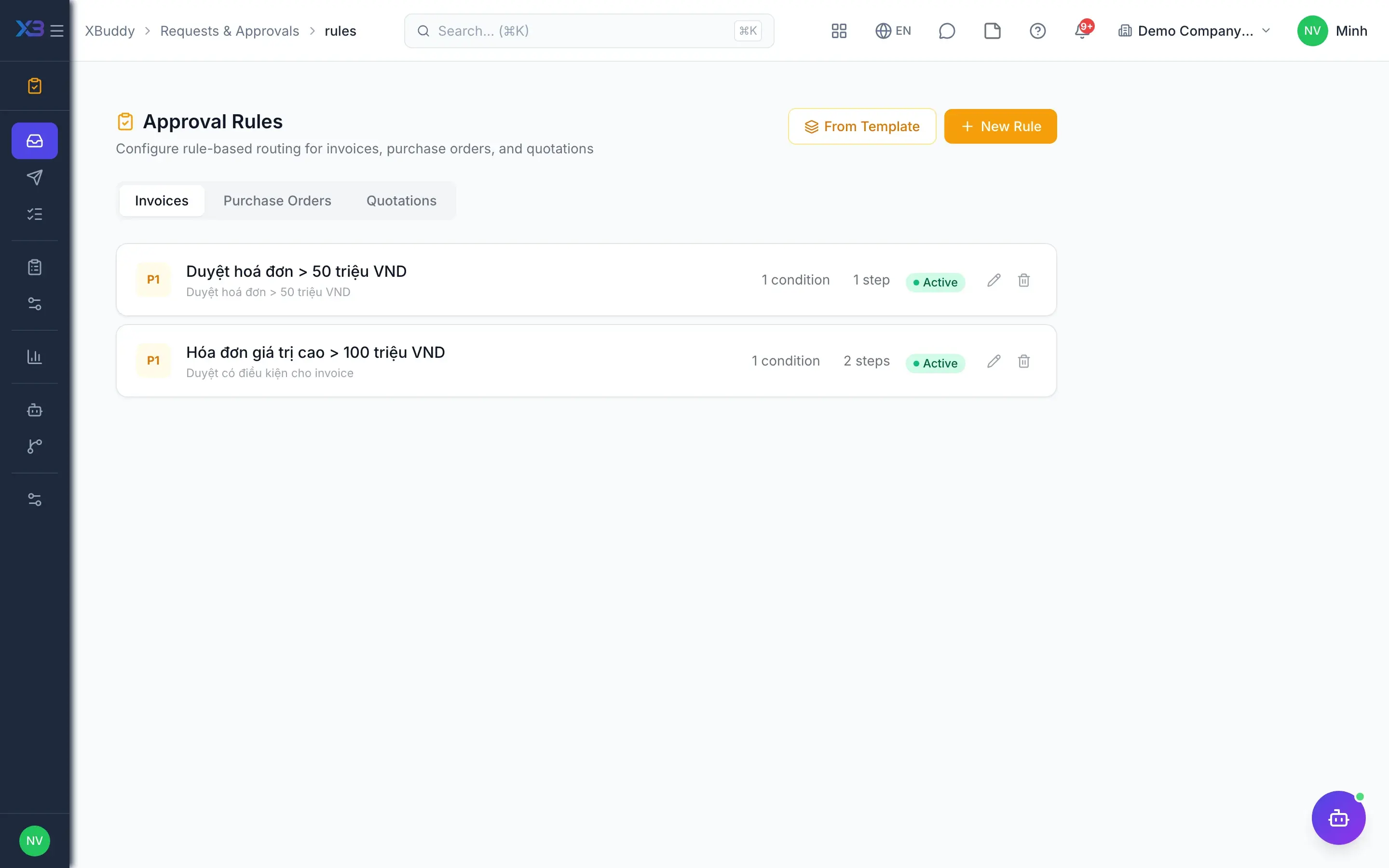
Threshold approvals
Conditional approval rules route documents above a value threshold to the person with authority. The CFO receives purchase orders, advance requests and payment requests in the same approval inbox and reviews overdue items by approver.
- Conditional and threshold-based approval rules
- The preparer cannot approve their own document
- Escalation of overdue items, delegation while away
- 4
Approve payments
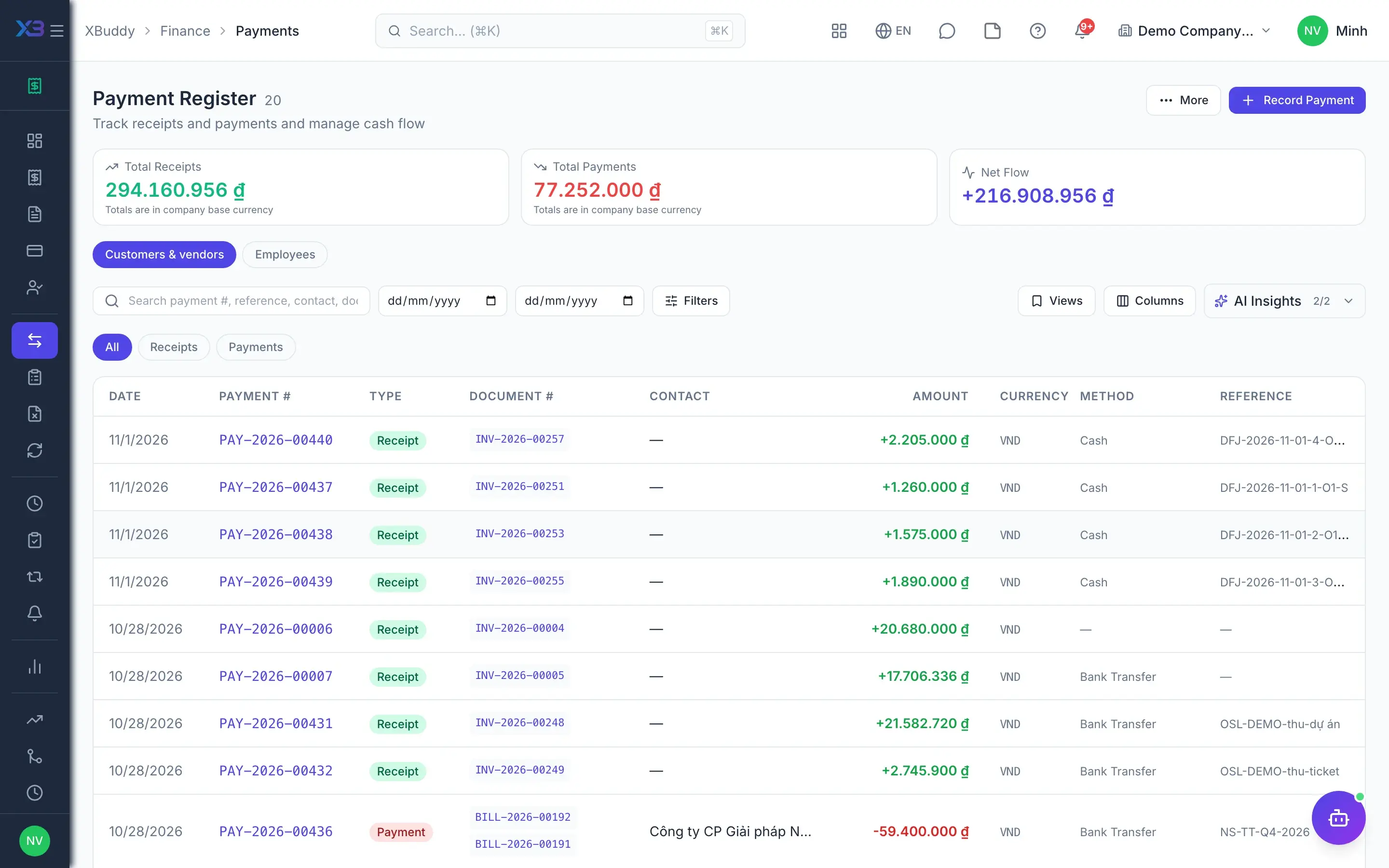
With the payment approval gate on, every outgoing payment from the Payments page, supplier payment runs or employee payouts enters a pending queue. A pending payment is not allocated to bills and has no journal entry; it posts the exact submitted amount only once approved.
- One gate for Payments, supplier runs and advances
- Limits include other pending items on the same document
- A payee cannot approve their own payout
- 5
Forecast cash
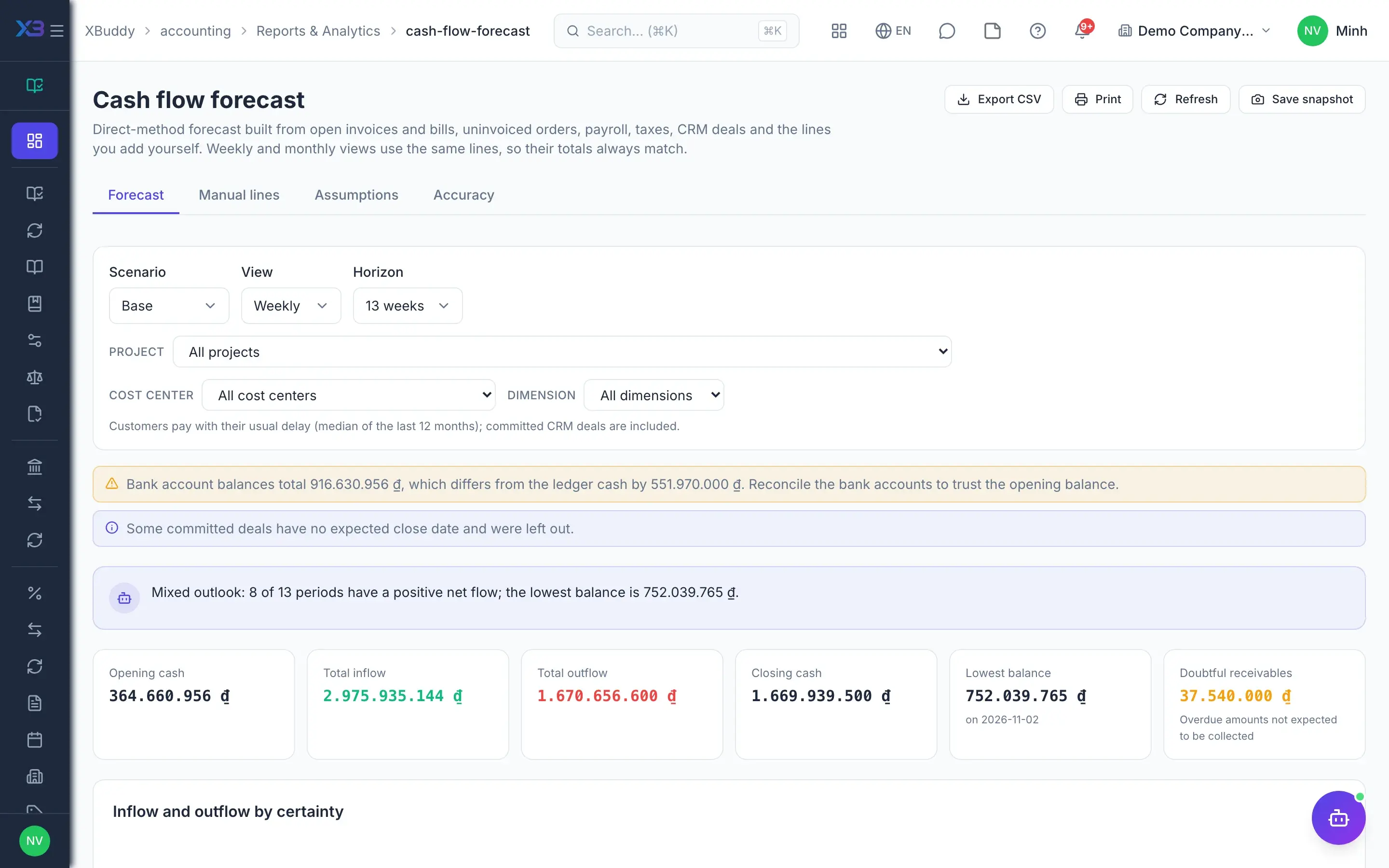
The cash flow forecast shows 13 weeks or months from one engine: opening balance from the ledger, receivables, payables and the uninvoiced part of sales and purchase orders. The CFO adds manual lines, overrides assumptions and saves snapshots to measure accuracy later.
- Base, optimistic and pessimistic scenarios
- Overdue items roll into the first period, flagged
- Manual lines, overrides, snapshots and accuracy
- 6
P&L by centre
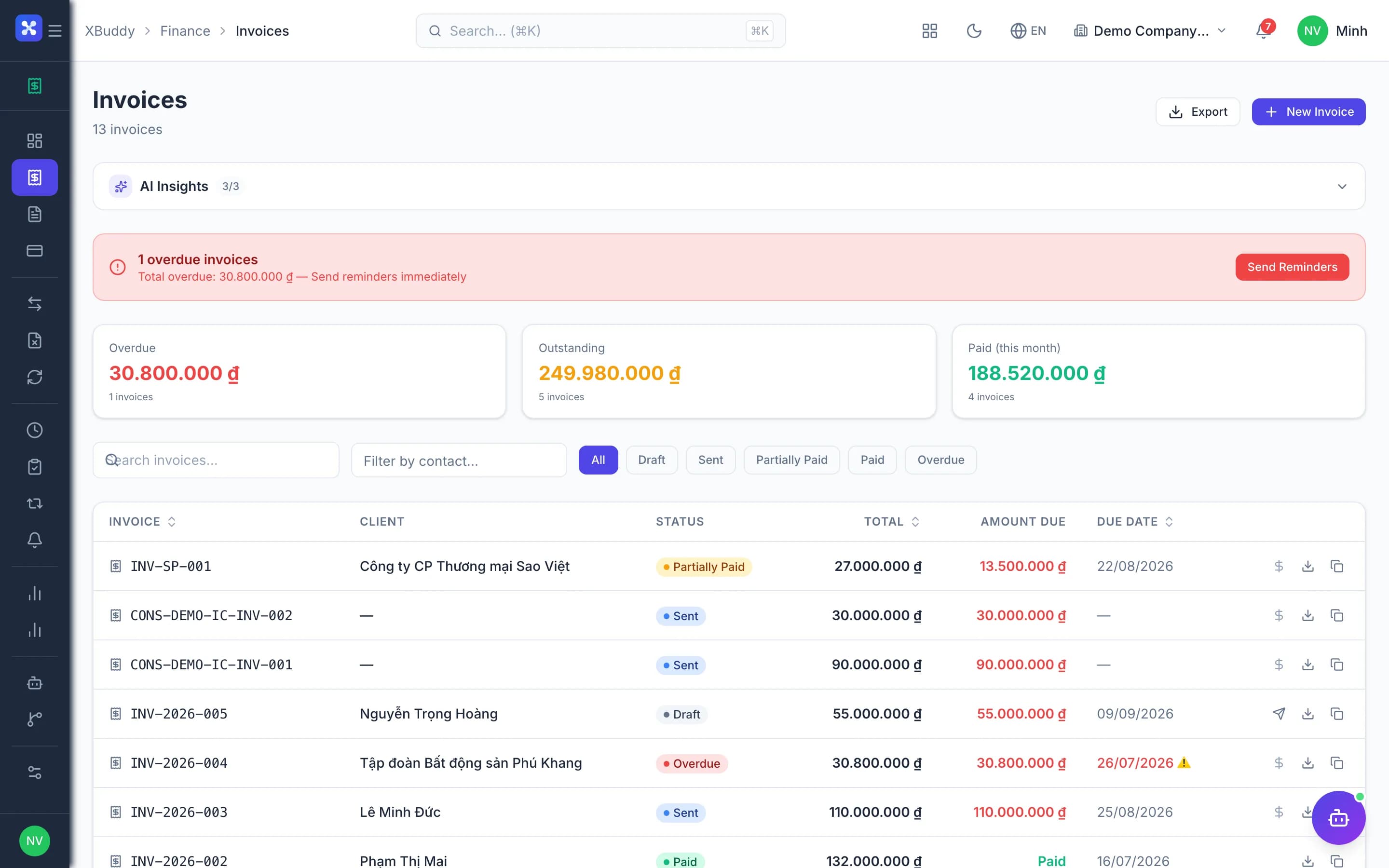
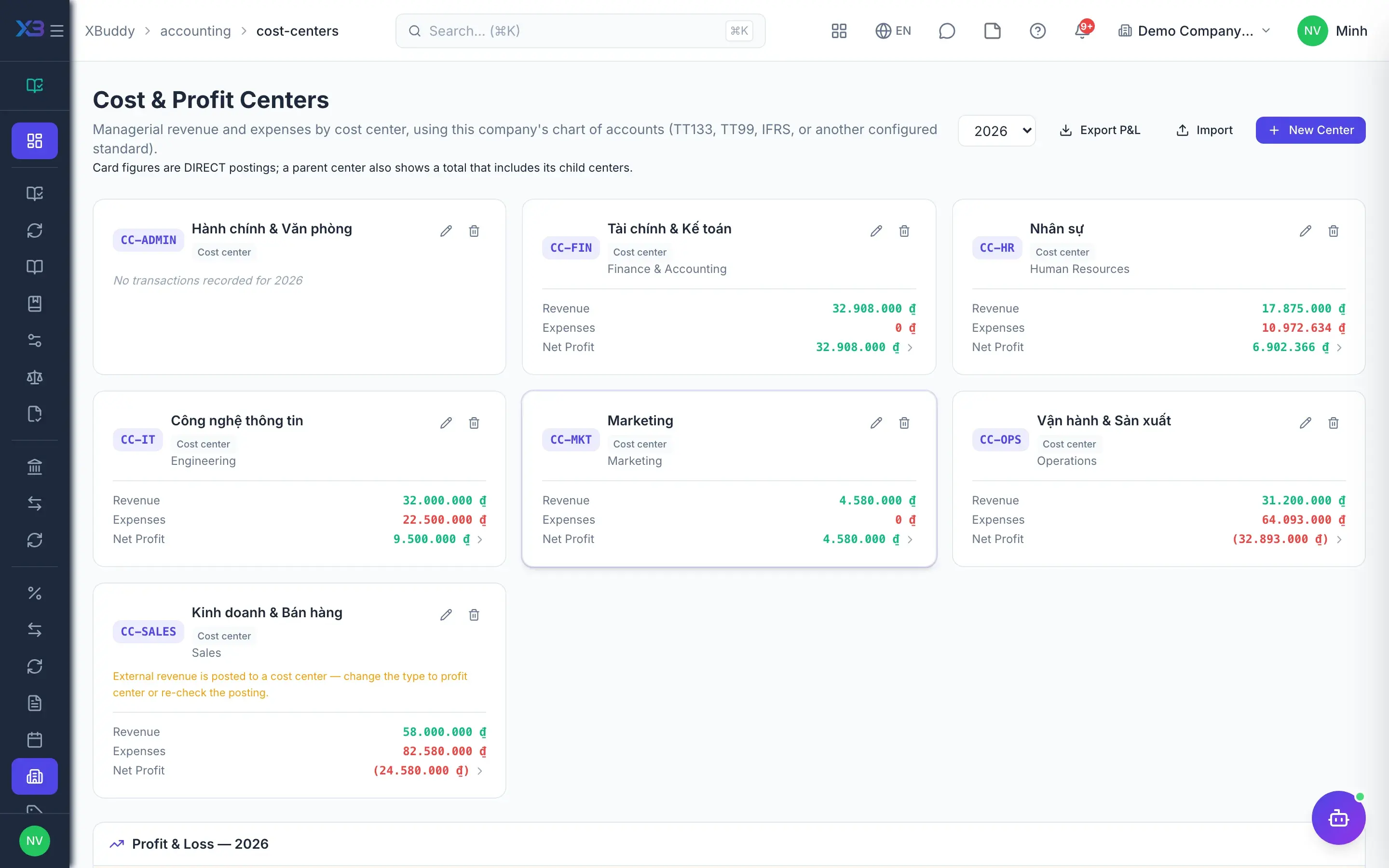
Cost centres and profit centres live in the same tree. The cost centre screen shows each centre's profit and loss for the year, rolled up from child centres to their parents, and exports CSV for management reporting.
- Cost centres and profit centres
- Roll-up through the centre tree
- Internal charges between centres, statutory reports unchanged
- 7
Actual versus budget
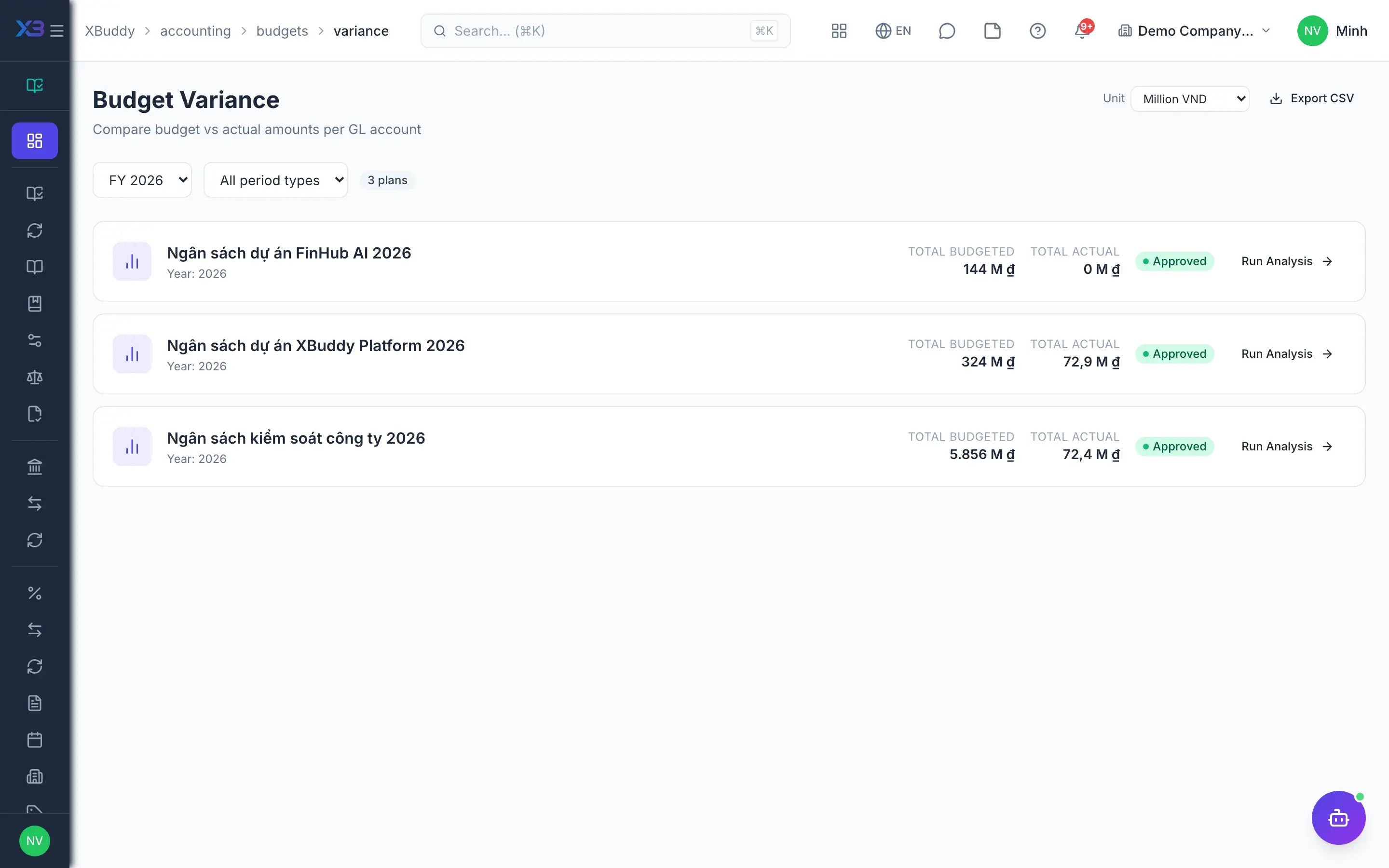
At period end the CFO opens the budget variance report to see actuals by line and by month, a roll-up across plans and the list of overruns. The full-year forecast estimates the landing figure from spending pace and open commitments.
- Variance by budget line and by month
- Plan roll-up and overrun list
- Full-year forecast with commitments as the floor
Key capabilities
What this solution relies on
Budget and spend control
Budget plans
Budget gate on documentsAdvanced
Open commitments
Cash and payments
13-week cash forecast
Payment approval gateAdvanced
Supplier payment runs
FX risk
Management reporting
P&L by centre
Project P&L
Margins
Multi-company consolidationAdvanced
AI finance assistants
FP&A analysisAI
Payment run proposalsAI
Supplier payment priorityAI
Ask about cashAI
Handled out of the box
Hard questions XBuddy already answers
What’s inside
Apps and AI assistants involved
FAQ
Frequently asked
Does the budget block or only warn?
The company chooses the mode when enabling budget control: warn so the preparer knows they are over, or block so over-budget documents cannot proceed. Lines that cannot be measured show the reason instead of appearing to have budget left.
How many budgets is one payment checked against?
A document matches a plan in the order cost centre, department, then whole company. Spending on a cost centre is also checked against the ceiling of the department containing it, and documents linked to a project are checked against the project budget as well.
Does the forecast double count orders and invoices?
No. Sales and purchase orders count only their uninvoiced portion, less unapplied deposits. The weekly page, the monthly page and the AI assistant all read the same engine.
Does P&L by centre distort the financial statements?
No. A cost centre is an analysis dimension on journal lines, and internal charges between centres serve management reporting only. B01 and B02 are still produced from the ledger as usual.
Can a cost centre be mandatory on every entry?
Yes. With cost-centre tracking and the mandatory flag enabled, every journal line must carry a cost centre before it can post.
Can we consolidate several companies?
Yes, for companies in the same account, including those on different accounting standards, via a group chart and account mapping. Importing figures from companies outside the system is not supported yet.
See this flow on your own data
A thirty-minute demo focused on the process you are actually stuck on.