What usually goes wrong without it
Records in Excel, contracts in a Word folder, HR decisions sent by email. To know someone's current position and contract you have to open several places.
A fixed-term contract expires while the employee keeps working, or a third consecutive fixed term is signed against the Labour Code. HR only finds out when there is a dispute.
Leave is approved over chat, and leave spanning the new year is deducted from the wrong year. The time clock does not push all punches, yet payroll still runs and pays absent staff in full.
Salaries, bank account and ID numbers sit in a shared file. Decree 13 requires controlling who sees what and handling data subject requests, but there is no trace of who viewed what.
7 steps, one chain of documents
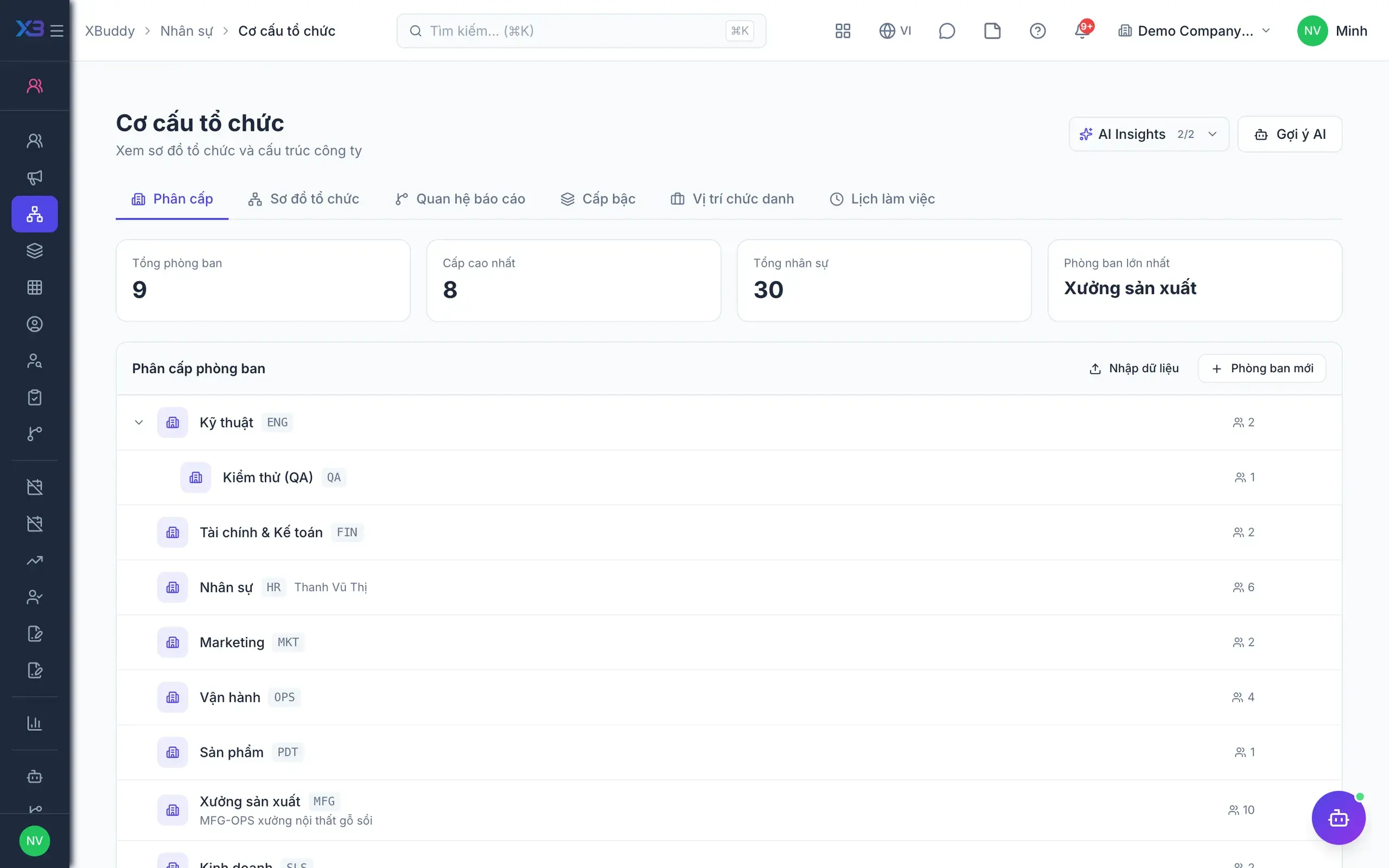
- 1Org structure and recordsThe HR director sets up departments, positions, grades and reporting lines first, then imports employees by code. Reporting lines decide who approves whose requests and who sees which team's data; each person's 360 profile combines contracts, pay, skills and certificates.
- Org chart from departments and reporting lines
- Import departments, positions, employees in order
- Per-employee HR documents
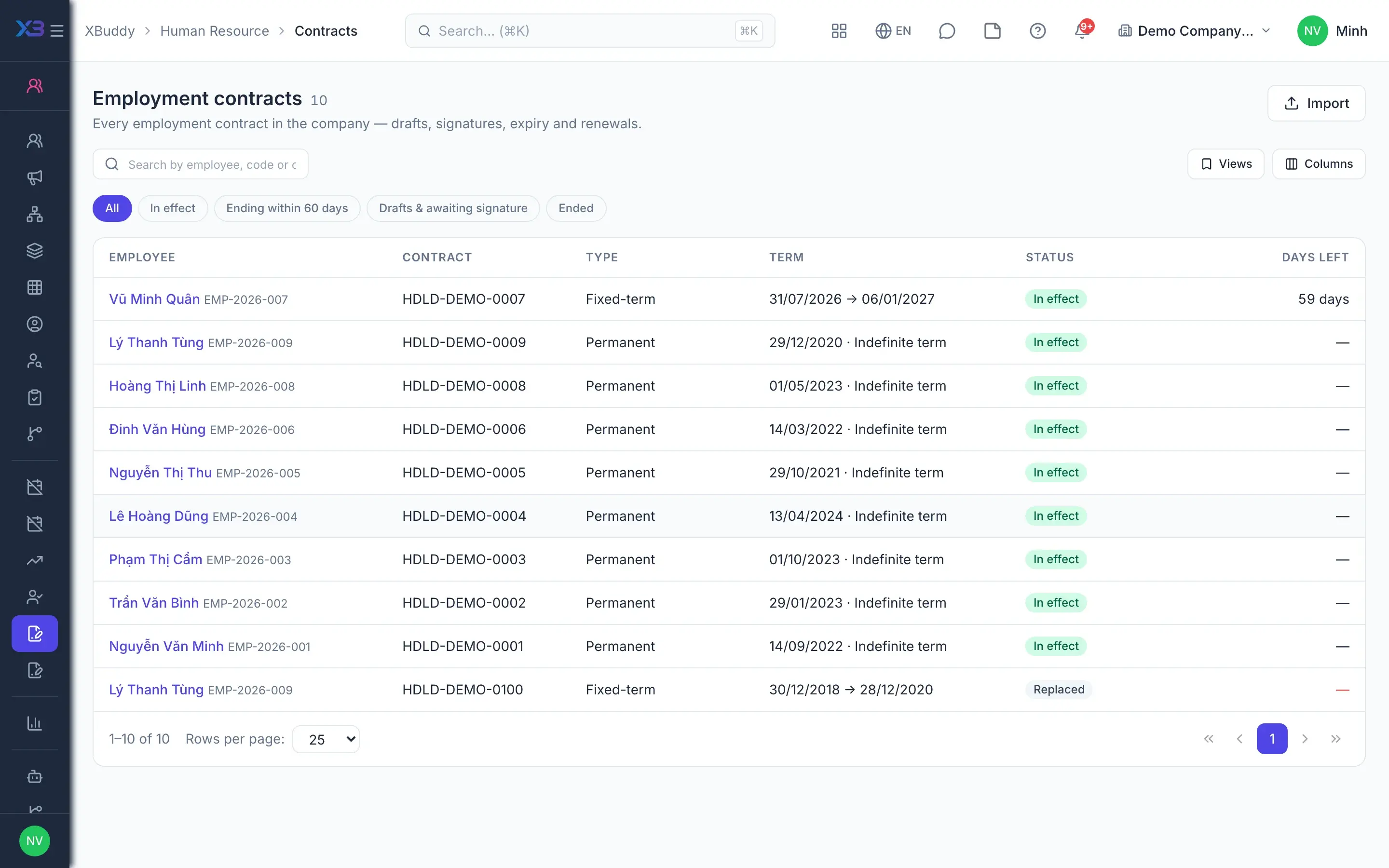
- 2Labour contractsContracts created from templates always start as drafts, are signed electronically or confirmed as signed on paper, then take effect on their start date. With Labour Code rules on, the system blocks terms over 36 months, a third fixed term, or probation pay under 85%.
- One active contract per employee
- Salary annexes go through a salary change request
- Expiry notice, 30 days by default
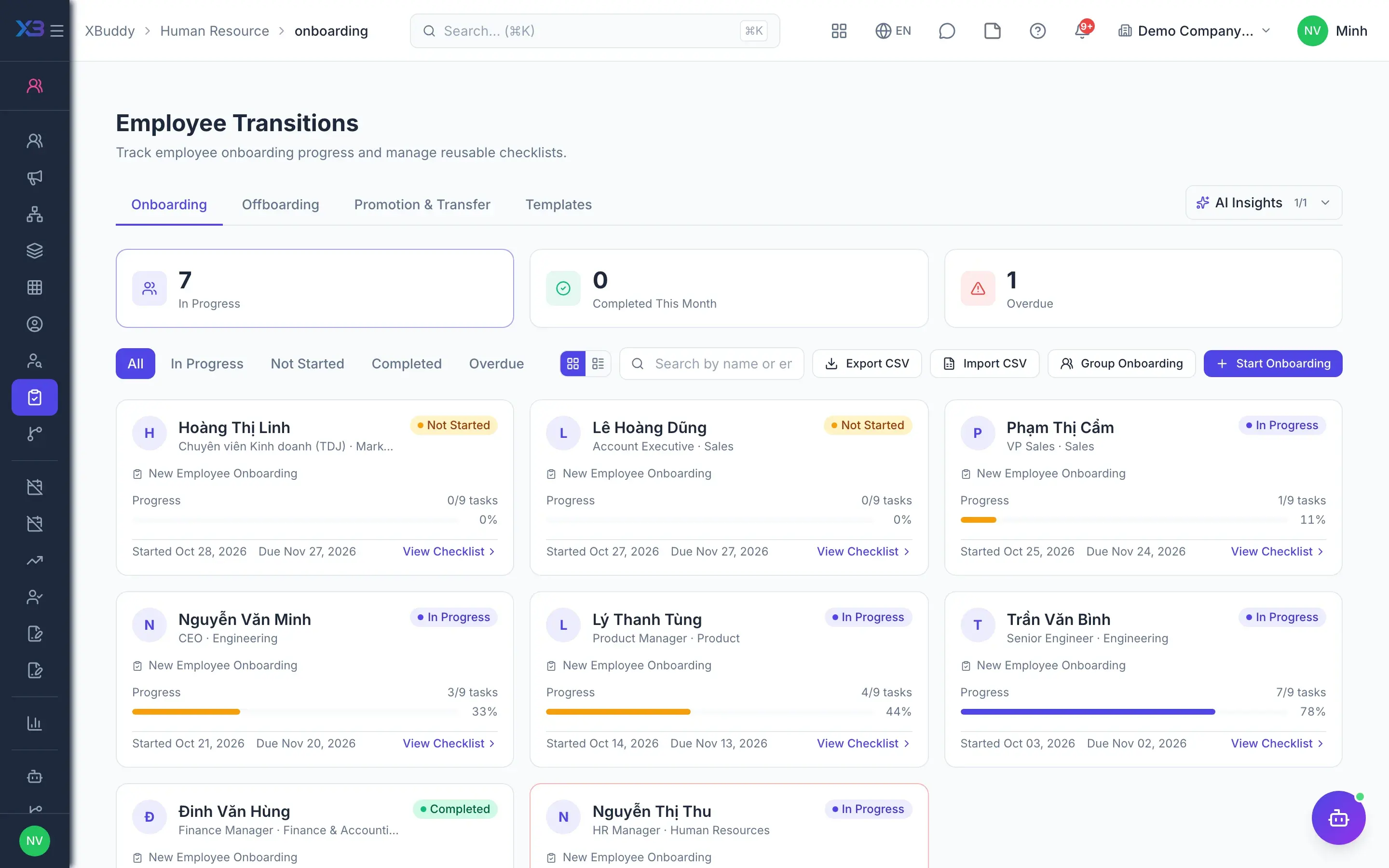
- 3Onboarding and probationA hired candidate becomes a pre-onboarding employee with a checklist from a template; the contract-signing item completes itself when the contract becomes active. The manager reviews probation and approval makes the employee permanent; termination ends contracts and locks the account.
- Onboarding and offboarding checklists from templates
- Probation approval to confirm employment
- Termination cancels pending leave, locks the account
- 4LeaveEmployees submit leave through self-service or HR files it for them, on the same approval path. Days are deducted from the balance of the year each day falls in, approvers see the request context, and accrual rules, leave types and opening balances are configured in HR.
- Leave spanning two years splits the balance
- Accrual rules and leave types
- Opening balance import with preview
- 5Attendance and work schedulesPunches from web, mobile or time clocks land in one shared log, duplicates are filtered and the workday is derived from the punches. Late arrival and early leave are measured against the assigned shift or schedule; holidays are set in one place and missing punches recorded as adjustments.
- Time clocks, web punches with photo, geofences
- Weekly rosters, copy and lock a week
- One inbox for OT, workdays and adjustments
- 6HR decisionsHR decisions are drafted from templates with variables, previewed and exported to PDF, submitted for approval, then issued and emailed. Employees acknowledge receipt directly in self-service, and HR tracks who has not yet acknowledged.
- Templates for decisions, contracts, NDAs
- Approve, issue, revoke
- Employee acknowledgement of receipt
- 7Lock inputs before payrollBefore creating a payroll run, HR resolves default workday cells, punches on leave days, overtime requests and pending leave. With the input gate on, a real run is refused while any mandatory check is unmet; an approver can override only with explicit confirmation.
- Block runs while inputs are unapproved
- Optional block while leave is pending
- Approved contracts and leave feed payroll
Every step is a familiar screen
6 real scenarios with how-tos
7 apps in this solution
Assistants that work the process with you
HR Operations Assistant
HR operations assistant — monitors flight/attrition risk, engagement, leave & overtime patterns, succession and workforce planning, and nudges self-service tasks.
Payroll Assistant
Payroll assistant — tracks the payroll run lifecycle and readiness, flags anomalies and cost variance, and checks PIT/BHXH and overtime compliance.
Detailed paper: HR director
End-to-end process, apps involved, AI assistant roles, KPIs and a 30/60/90-day rollout plan.
Which Labour Code rules are checked?
With the contract rules toggle on, the system blocks fixed terms over 36 months, a third consecutive fixed term, probation beyond the legal limit or probation pay under 85%. An annex that changes the term is always rejected.
Does changing pay on a contract change payroll?
The salary on a contract is the figure on the document. Pay changes go through an annex and a salary change request, which can require approval; the annex takes effect once approved.
Can we import existing contracts and leave balances?
Yes. Import departments, positions, employees, labour contracts and then opening leave balances in that order; employees match departments and positions by code.
Who can see an employee's salary?
Users without the right permission get salary fields empty with a hidden flag, while the rest of the record stays so approvals keep working. Employees always see their own data.
Is the payroll block too rigid?
The gate blocks real payroll runs while inputs are unmet, but a payroll approver or HR can override with explicit confirmation. Blocking on pending leave is a separate option.
Is there headcount planning?
Not yet. Headcount and turnover reports over time are available; headcount planning has not been released.