What usually goes wrong without it
Customer contracts sit with sales, supplier contracts with purchasing, service contracts with operations. Legal has no single place to see what the company has committed to.
Contracts are approved by email or a hasty signature, with no record of who read which clause or who accepted which risk.
Penalty, liability cap or auto-renewal clauses come up in a meeting and are forgotten. Nobody tracks whether the risk was renegotiated or accepted.
End dates live inside PDFs. Contracts lapse without renewal, or roll over on old terms.
7 steps, one chain of documents
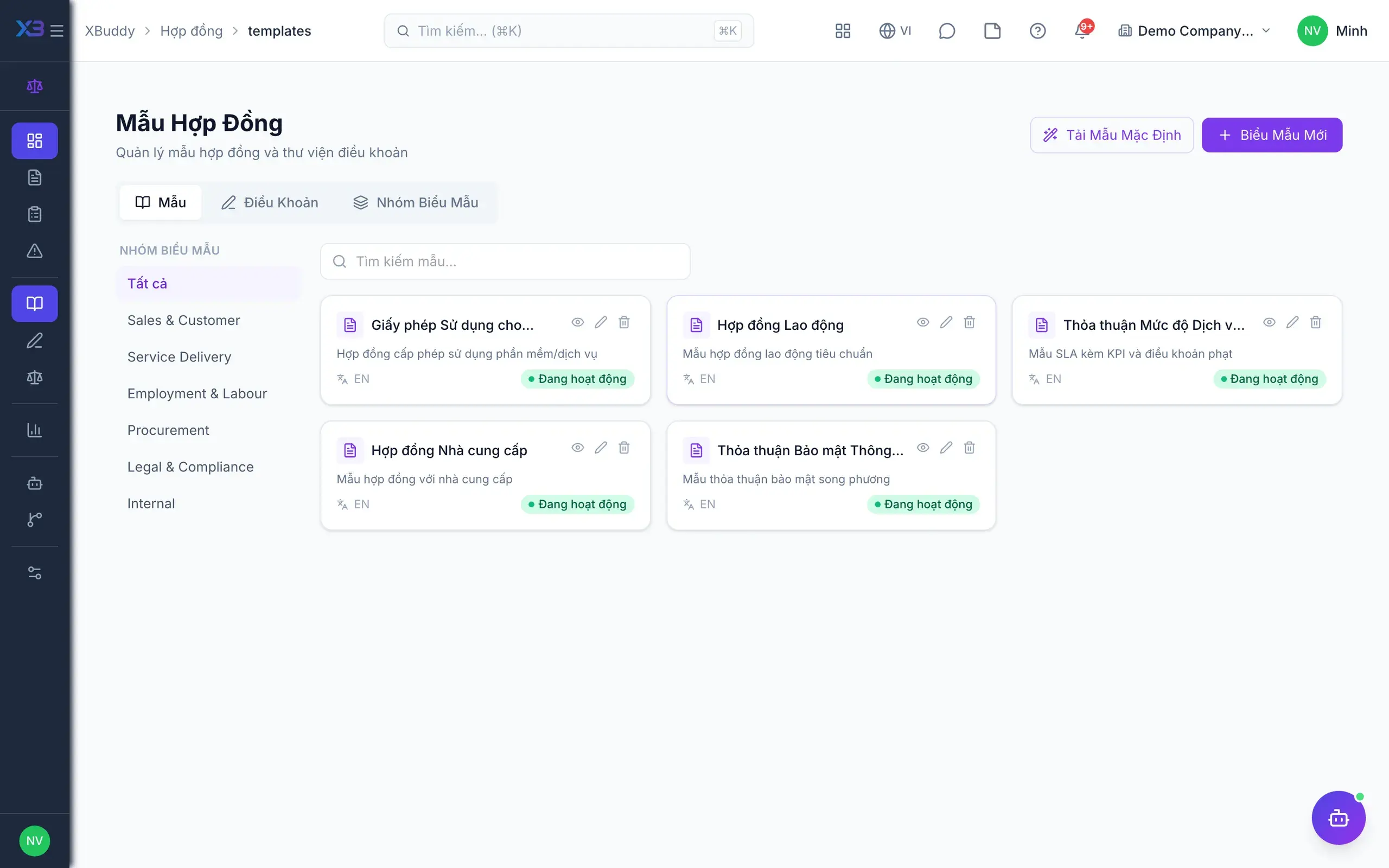
- 1Standard templates and clausesLegal manages contract templates in groups, with attachments, and can load a default template set instead of starting from scratch. The clause library holds vetted wording; when a standard clause changes, update it centrally so every new contract uses the latest version.
- Grouped contract templates, restorable
- Library of approved clauses
- Clause playbook and contract policies
- 2Contracts created in source appsSales creates customer contracts in CRM, purchasing creates supplier contracts in Procurement, services create contracts in Service Management. Each department keeps contracts in its own app, while contracts belonging to no app are created in the hub as standalone.
- Customer, supplier and service contracts
- Standalone contracts created in the hub
- No re-entry of existing data
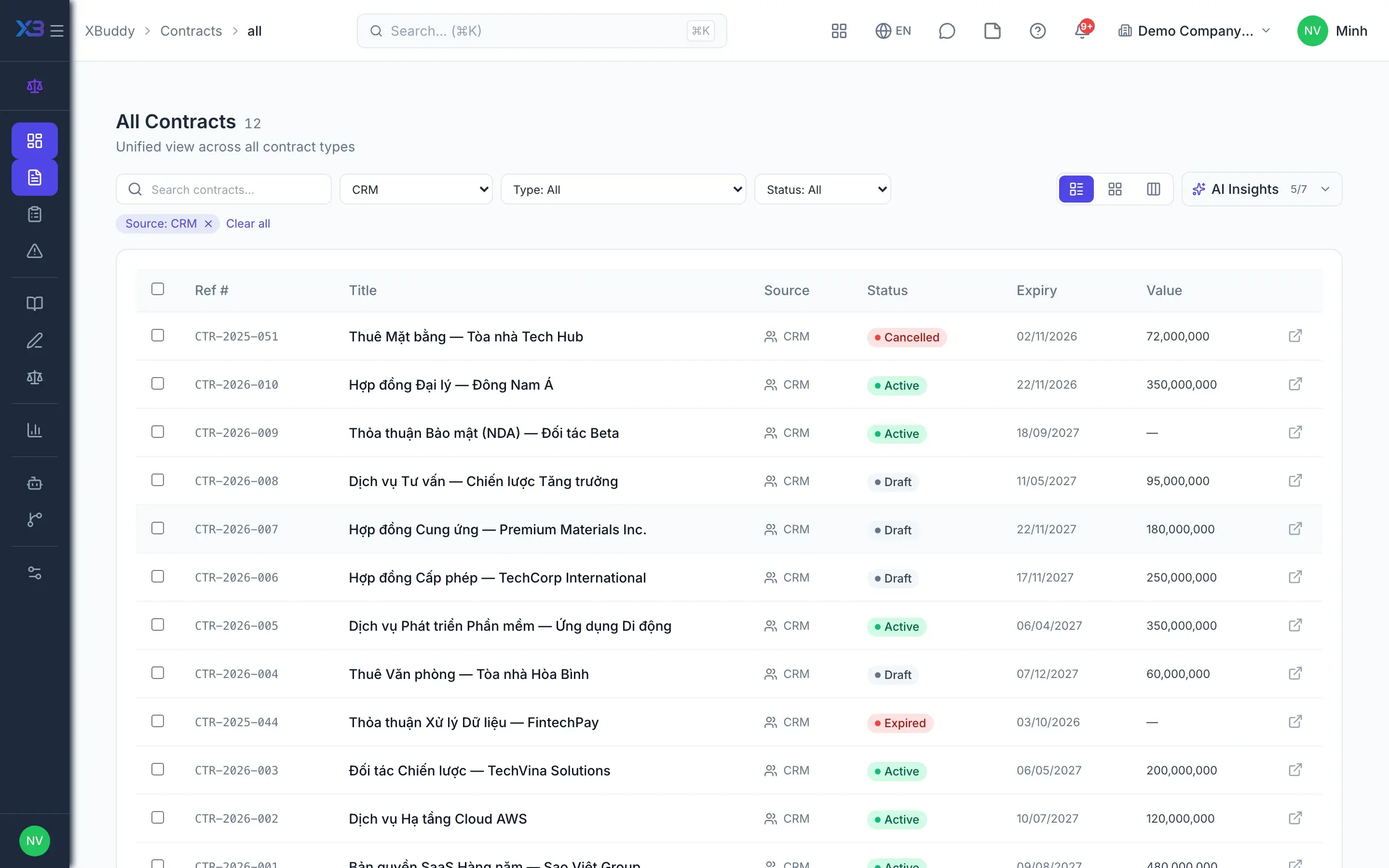
- 3One list for legalThe All Contracts screen brings every source into one list, filterable by source and exportable. The hub reads straight from source apps, so nothing is duplicated; opening a contract goes to the source's detail page, and edits stay in the owning app.
- Filter by source, export the list
- Reads sources directly, no copies
- Employment contracts read-only, without salary
- 4Legal reviewContracts are sent for review from the source app so the review attaches to the right record. In the queue, legal assigns an owner, comments on clauses, applies a review checklist, then approves or rejects; requesters cannot approve their own, and Workflow outcomes are written back to the review.
- Assignee, comments, checklist templates
- Block approval until the checklist is done (toggle)
- Approve directly or through Workflow
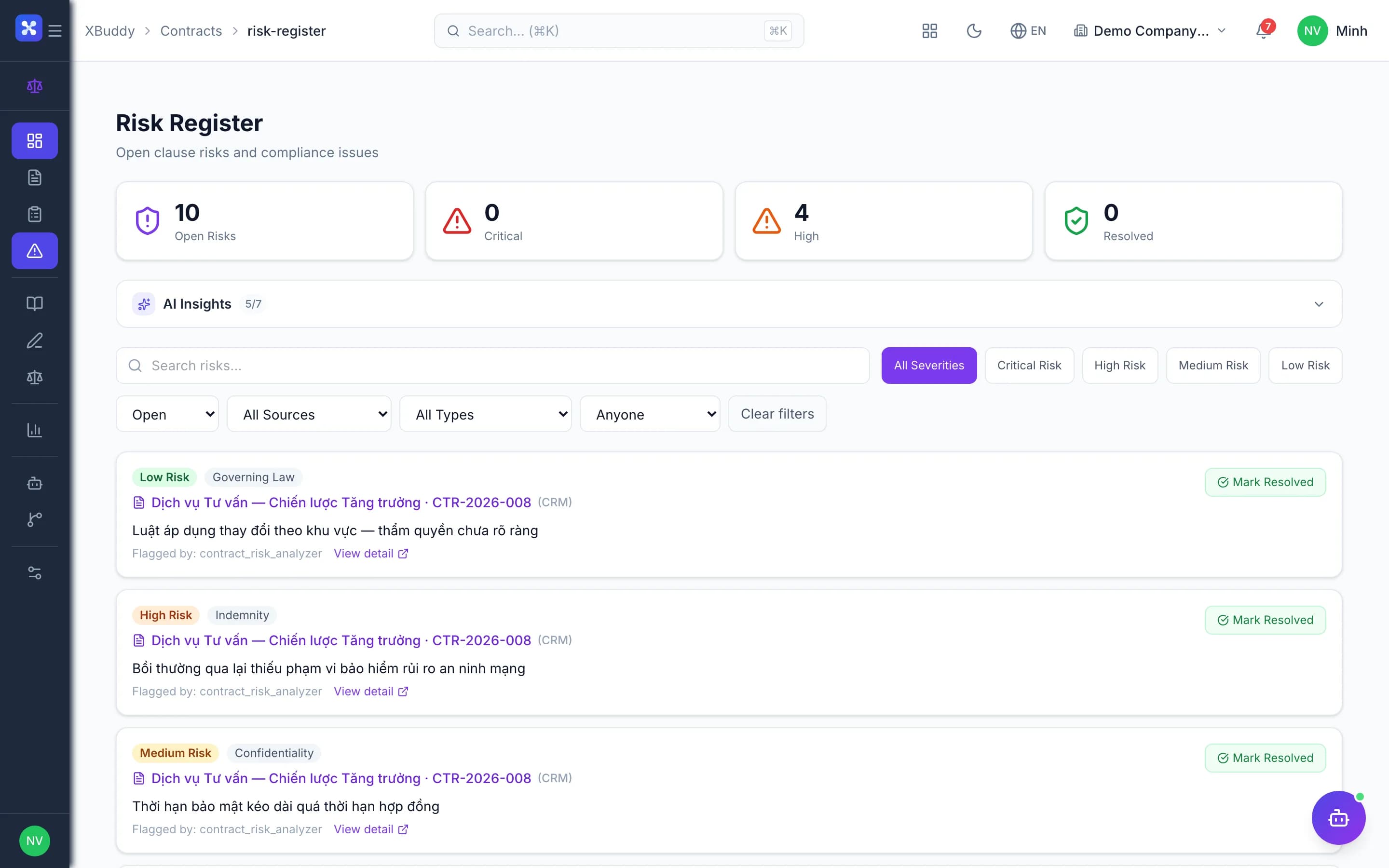
- 5Track clause riskRisks are recorded per clause with severity, a mitigation owner and watchers, including clauses flagged by the AI assistant. Each risk is updated until it is negotiated away, accepted or resolved and then closed; standalone contracts can be blocked from activation while a critical risk is open.
- Severity, owner, watchers
- AI flags, people decide severity
- Block activation on open critical risk (toggle)
- 6SigningCustomer, supplier and Service Management contracts are sent for e-signature from the record itself, with signers verified by OTP, password, biometrics, or digital signature via USB token or remote HSM. Standalone contracts record wet-ink signatures in the app with signer reminders; they become active only once fully signed.
- E-signature for supported sources
- Wet-ink signature capture for standalone contracts
- Document hashed at send to detect changes
- 7Expiry and renewalA daily job moves contracts to expiring about 30 days before the end date and to expired afterwards; with reminders on, legal is notified. Renewing a standalone contract creates a new draft linked to the old one, which goes through review and signing again.
- Expiry timeline report
- Renewal creates a linked new draft
- Renewal rate and open risk reports
Every step is a familiar screen
6 real scenarios with how-tos
6 apps in this solution
Assistants that work the process with you
Contract Lifecycle Assistant
Contract lifecycle assistant — tracks contracts and service contracts across their lifecycle: renewal risk, expiry, clause and NDA screening, signature chasing and document compliance.
Signature Steward
E-signature portfolio assistant — tracks signature requests by status (draft/sent/completed/expired), surfaces pending signers and expiring requests, and proposes bulk scheduling and reminders under human approval
Detailed paper: Contract lifecycle
End-to-end process, apps involved, AI assistant roles, KPIs and a 30/60/90-day rollout plan.
Do contracts already in CRM or purchasing need re-entry?
No. The hub reads directly from source apps. Edits still happen in the owning app; the hub is for the overall view, review and risk tracking.
Who can approve a legal review?
Someone with approval permission who did not raise the review request. If the review runs through Workflow, the workflow outcome is written back to it.
Can standalone contracts be e-signed?
Standalone contracts use in-app wet-ink signature capture with signer reminders. Platform e-signature covers customer, supplier and Service Management contracts.
Do employment contracts appear in the hub?
Yes, read-only for people who can view employees, and without salary. Employment contracts are still managed in the HR app.
Does AI approve contracts?
No. The contract lifecycle assistant analyzes risk, suggests clauses and tracks dates; approval, risk severity and mitigation are decided by people.
Does it track obligations and delivery milestones?
The hub currently focuses on review, risk, signing and expiry. Payment and service milestones are managed in source apps such as Sales or Service Management.