What usually goes wrong without it
Roadmaps, agendas and materials sit in each coach's own files. Launching a new cohort means rewriting them, and two coaches run the same programme two different ways.
Session notes live in personal notebooks, and goals and action items travel by message. At the end of the programme nothing shows that competencies actually changed.
A training firm's clients are not employees, and giving each of them a software seat is not realistic. They only get schedules and materials by email.
Certificates are designed in a file and sent to whoever finished. With no shared criteria there is no answer to why one person passed and another did not.
6 steps, one chain of documents
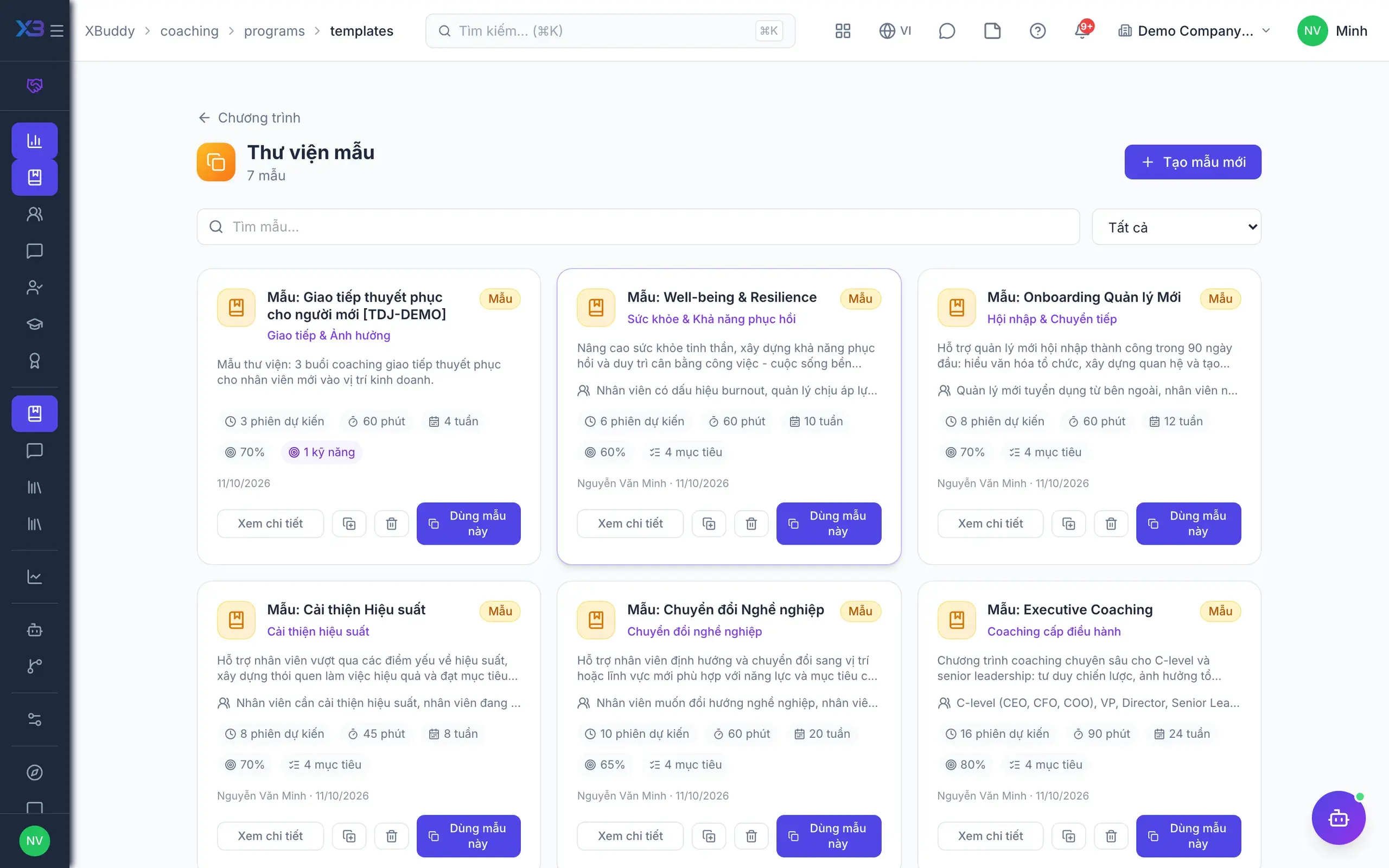
- 1Design the programme templateThe firm builds a programme template with goals, number of sessions, recommended cadence and the competencies to develop, plus a roadmap of sessions, courses, assessments, assignments, milestones and resources. Live programmes are created from the template and tuned per group.
- Reusable session templates and resource library
- Roadmap copied into every new engagement
- Changing a template never alters running engagements
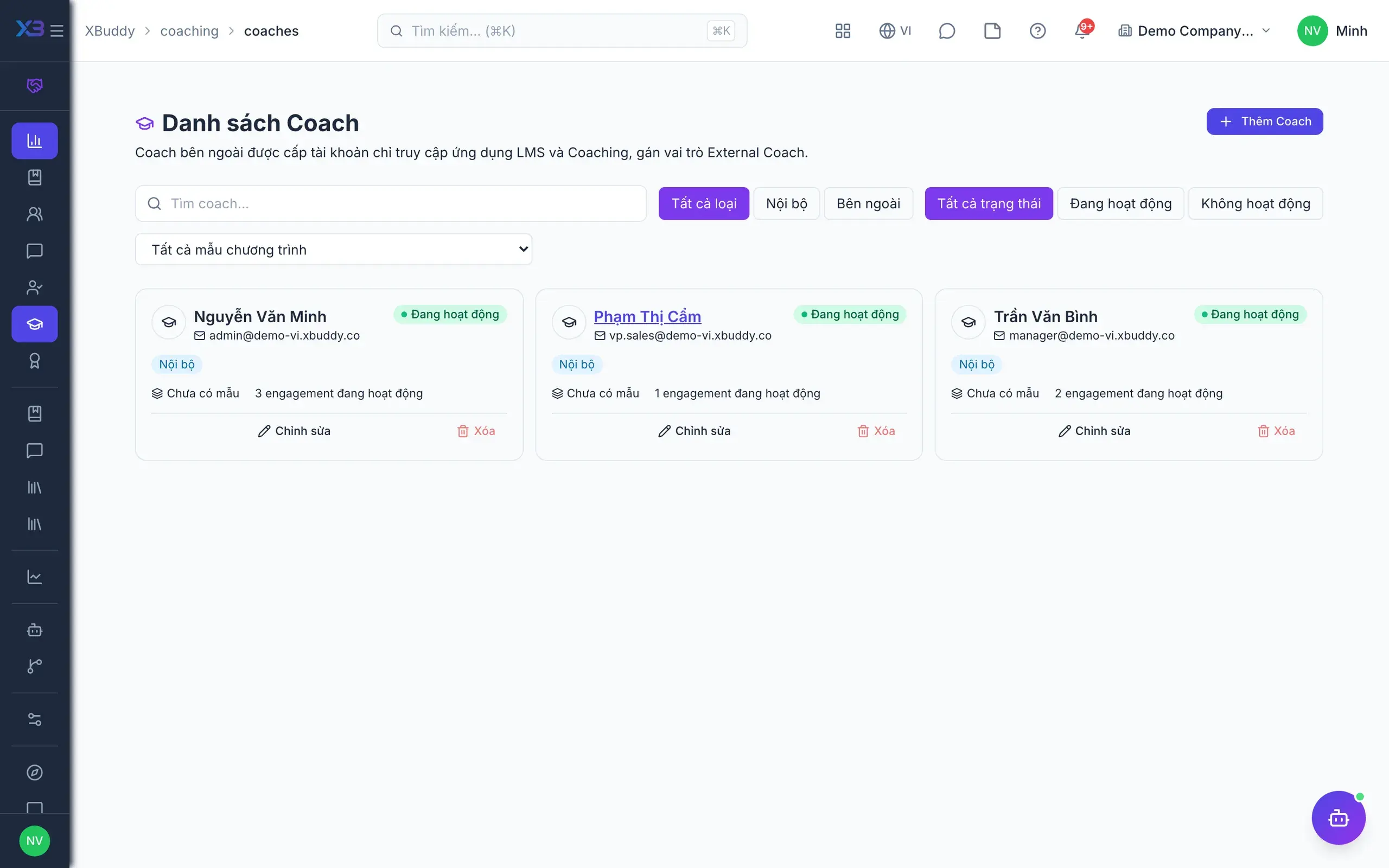
- 2Coaches and coacheesThe coach directory holds both internal and external coaches. With external coaching switched on, a coachee can be a client taken from CRM contacts rather than an employee. Each coach sees their own coachees and how far along they are.
- Internal and external coaches
- Coachees outside the company from CRM contacts
- Coaches cannot coach themselves
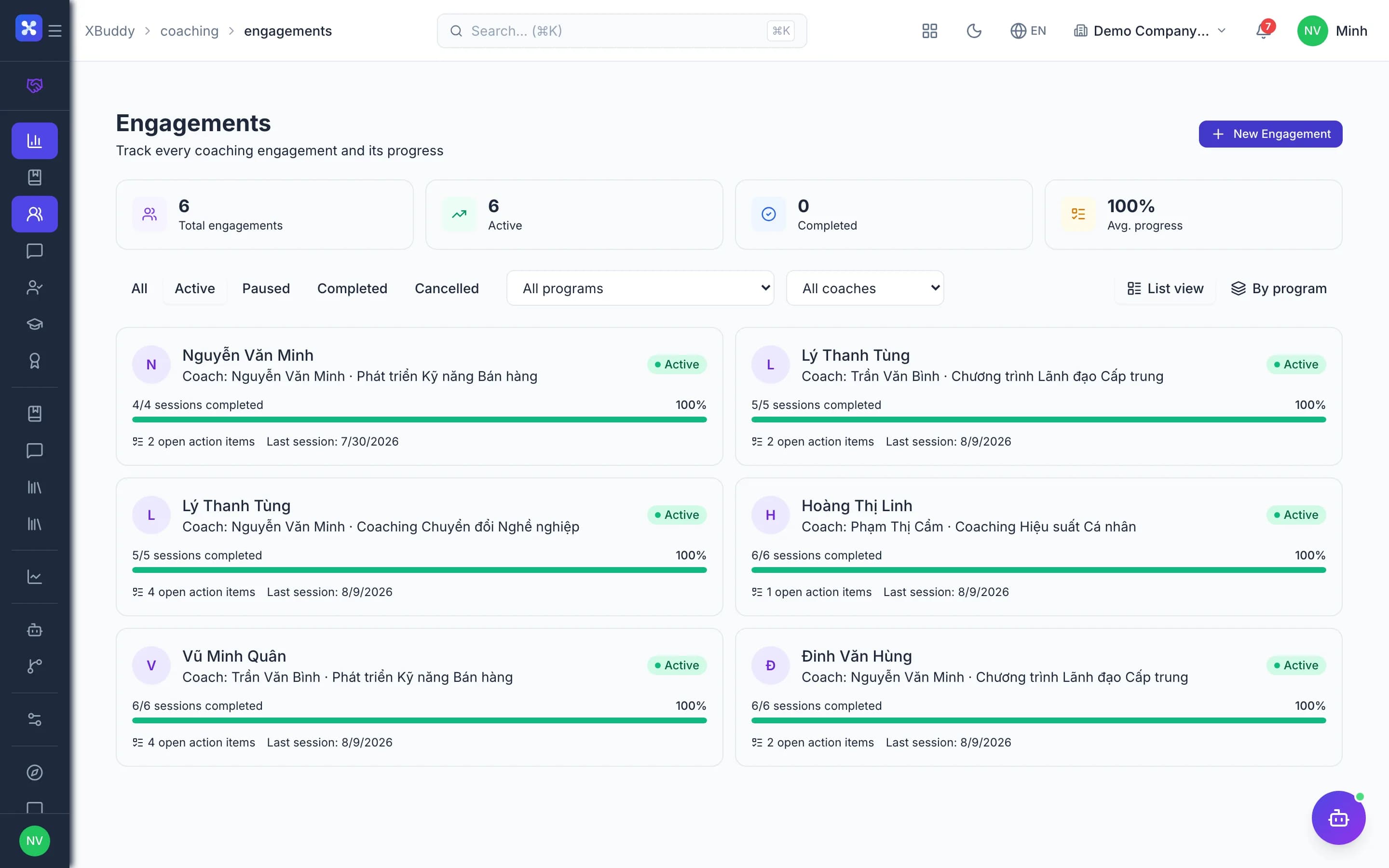
- 3Engagements and sessionsAn engagement pairs a coach with one coachee or a group under a programme and generates sessions, action items and course links from the roadmap. After each session the coach records notes, actions and competency ratings; a calendar event is created for the session by default.
- Cancelling a session requires a reason
- Intake and outcome assessments can be mandatory
- AI session notes summary when enabled
- 4Coachee portalFrom the engagement, the coach creates a link or PIN for the coachee. The coachee opens a private portal to see their journey, upcoming and past sessions, goals, rated competencies and certificates, without a full XBuddy account.
- Coachees see only their own data
- Self-scheduling and private notes when enabled
- Regenerate the link if sent to the wrong person
- 5Courses and live classesSelf-paced courses are authored from video, documents, SCORM 1.2 packages and quizzes; live classes have sessions with a date, venue or link, trainer and capacity. Attendance marks the linked course complete; with the integration on, coachees are enrolled automatically in roadmap courses.
- Learning paths combine several courses
- Question bank, pass mark, attempt limits
- Trainer directory reused across sessions
- 6Certificates and impactOnce an engagement completes, a certificate can only be issued if the programme's criteria are met: minimum outcome score, required items and competency snapshots. Analytics shows session cadence, coach performance, which programmes improve competencies and schedule compliance.
- Issue and revoke certificates with criteria checks
- Impact by programme and by coach
- The assistant nudges stalled engagements
Every step is a familiar screen
6 real scenarios with how-tos
5 apps in this solution
Assistants that work the process with you
Coaching Coordinator
Coaching assistant — flags at-risk coachees, nudges upcoming sessions and overdue action items, coaches follow-through, and reports program ROI.
Learning & Development Assistant
Learning & development assistant — measures training effectiveness, recommends next-best courses by role and competency gap, and nudges certification renewals.
Detailed paper: Training & coaching
End-to-end process, apps involved, AI assistant roles, KPIs and a 30/60/90-day rollout plan.
How does a programme differ from a template?
A template is a reusable blueprint of goals, cadence and competencies. A programme is the live instance created from it and tuned for a group; only published programmes can create engagements.
Do external coachees need an account?
No. The coachee portal works with a link or PIN. Coachees outside the company come from CRM contacts and require the external coaching toggle.
How is coaching impact measured?
Analytics combines session cadence, engagement progress against goals and competency growth over time, viewed by programme and by coach.
Does the LMS support SCORM?
Yes, SCORM 1.2 packages upload as course modules and report completion and score back to the LMS like any other module.
Do sessions reach the calendar and timesheets?
A calendar event is created for each session by default. With sync enabled, sessions are logged as the coach's general time and action items can become Tasks.
Do coaching results update OKRs?
No. Linked OKR, IDP and KPI goals show progress read-only; coaching does not write back to them.