
Payroll & C&B specialist
Accurate payroll without late nights checking attendance
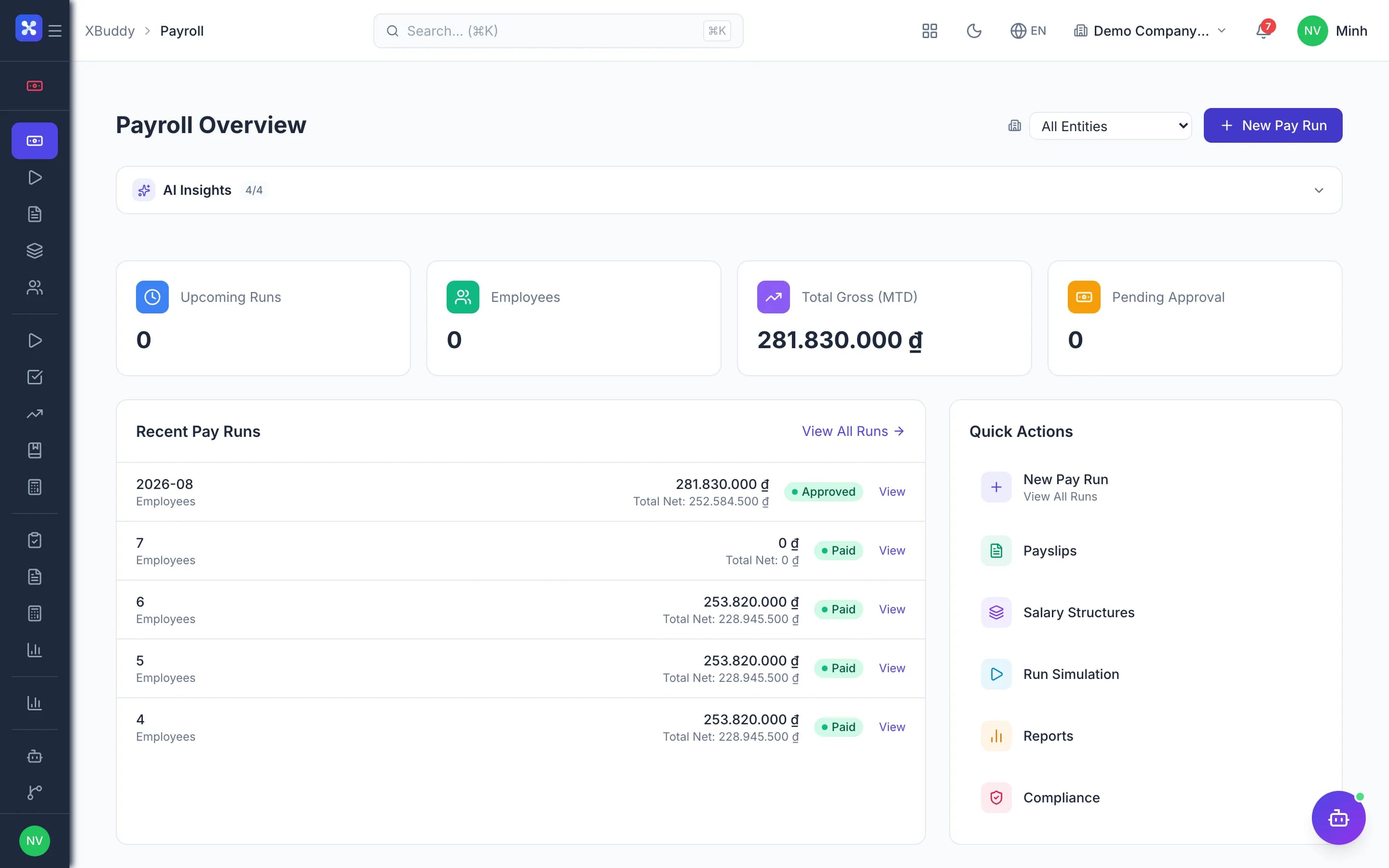
Approved attendance, leave, overtime and pay inputs flow into one payroll run — social insurance, PIT, two-person approval, GL posting and payslips.
- Readiness check before every run
- Social insurance and PIT computed and reconciled
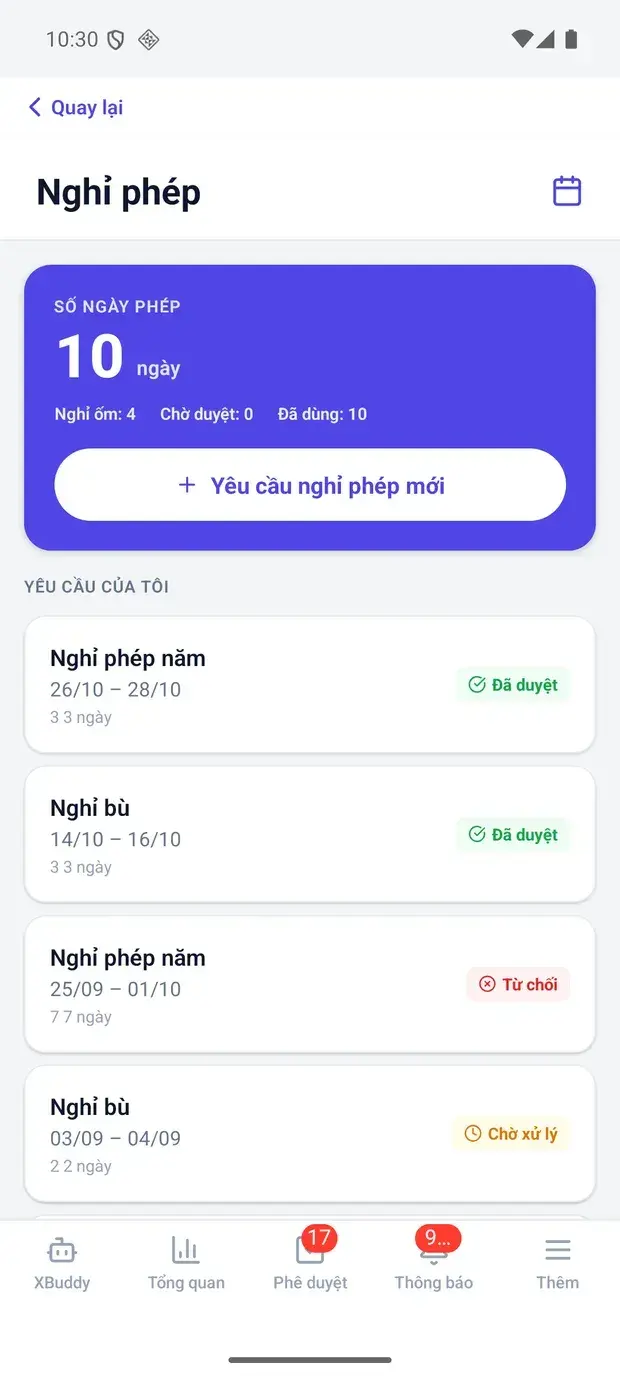
- Employees view explained payslips themselves
The core problems
What is costing you time and money
Inputs not finalised
Attendance comes from several branches and leave and overtime are still awaiting approval, yet payday has arrived. Running payroll on unconfirmed data means manual back pay and recoveries next month.
Formulas living in Excel
Pay structures, allowances and performance bonuses live in one person's spreadsheet. When an employee asks why their pay is what it is, nobody can explain each figure.
Errors found after the run is closed
A mistake surfaces after the run is approved, and the only fix is editing the file by hand. PIT on the tax return drifts from the payroll, and the annual finalisation does not reconcile.
Payslips handed out manually
The specialist emails payslips one by one, answers leave-balance questions and issues income certificates. Every cycle loses days to repetitive work.
Before and after
What changes on XBuddy
Today
- Collecting attendance files from every branch
- Overtime and leave reconciled by hand
- Pay formulas in spreadsheets
- Post-close errors fixed by editing files
- Emailing payslips one by one
With XBuddy
- Devices, web and mobile clock into one attendance log
- One approval inbox for hours, overtime, workdays and adjustments
- Pay structures and formula templates in the system
- Reopen a run, add back pay/recoveries, or a supplementary run
- Employees view payslips in My HR
The flow
6 steps, one continuous record
- 1
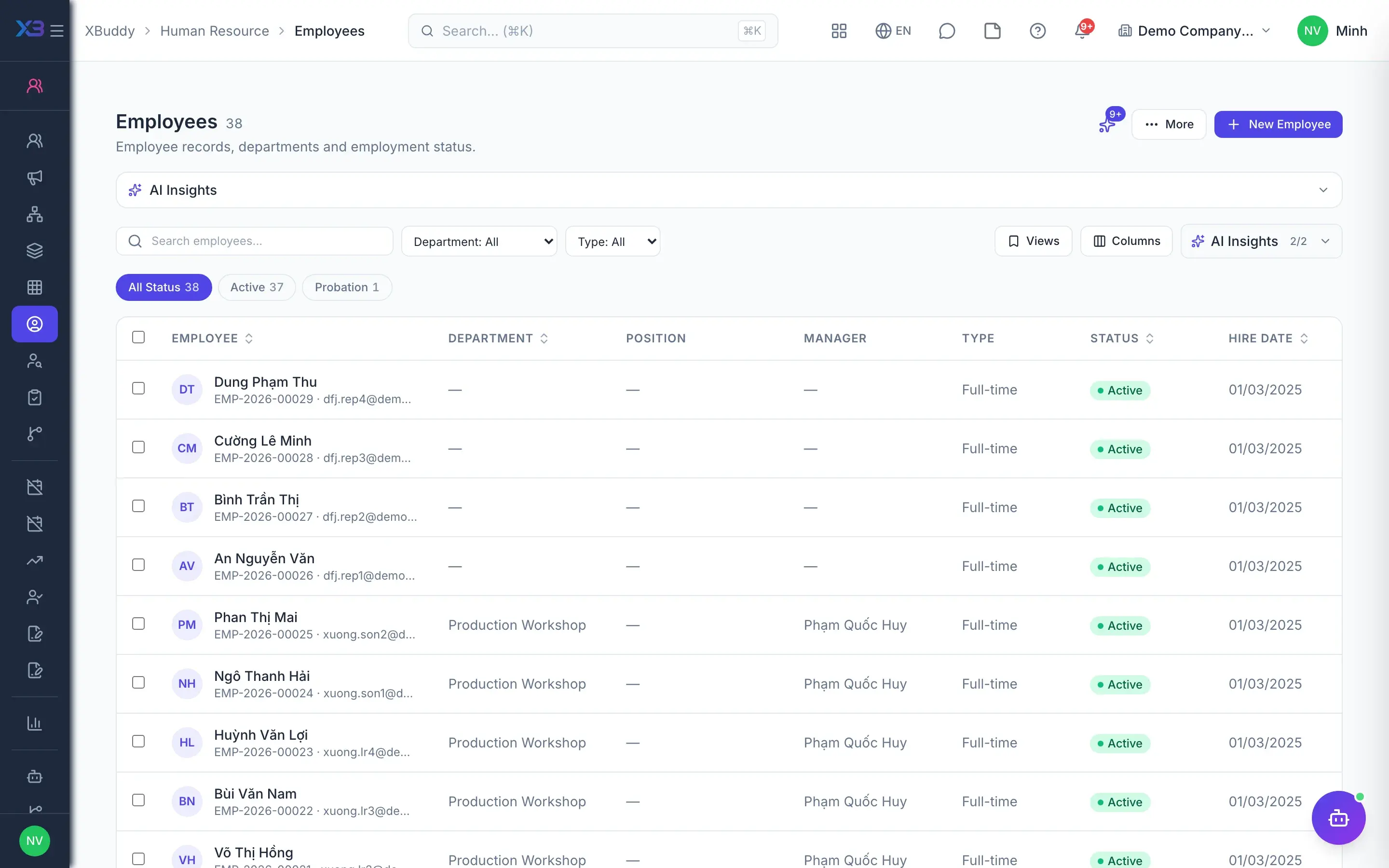
Employee pay records
HR maintains each employee's record with contract, base salary, dependants and bank account. Identifiers such as national ID, bank account and tax code are encrypted at rest, and a payroll run only includes employees who have a pay record.
- Employee 360 record: contract, salary, dependants
- National ID and bank account shown masked
- Payroll data import with a preview step
- 2
Attendance and overtime
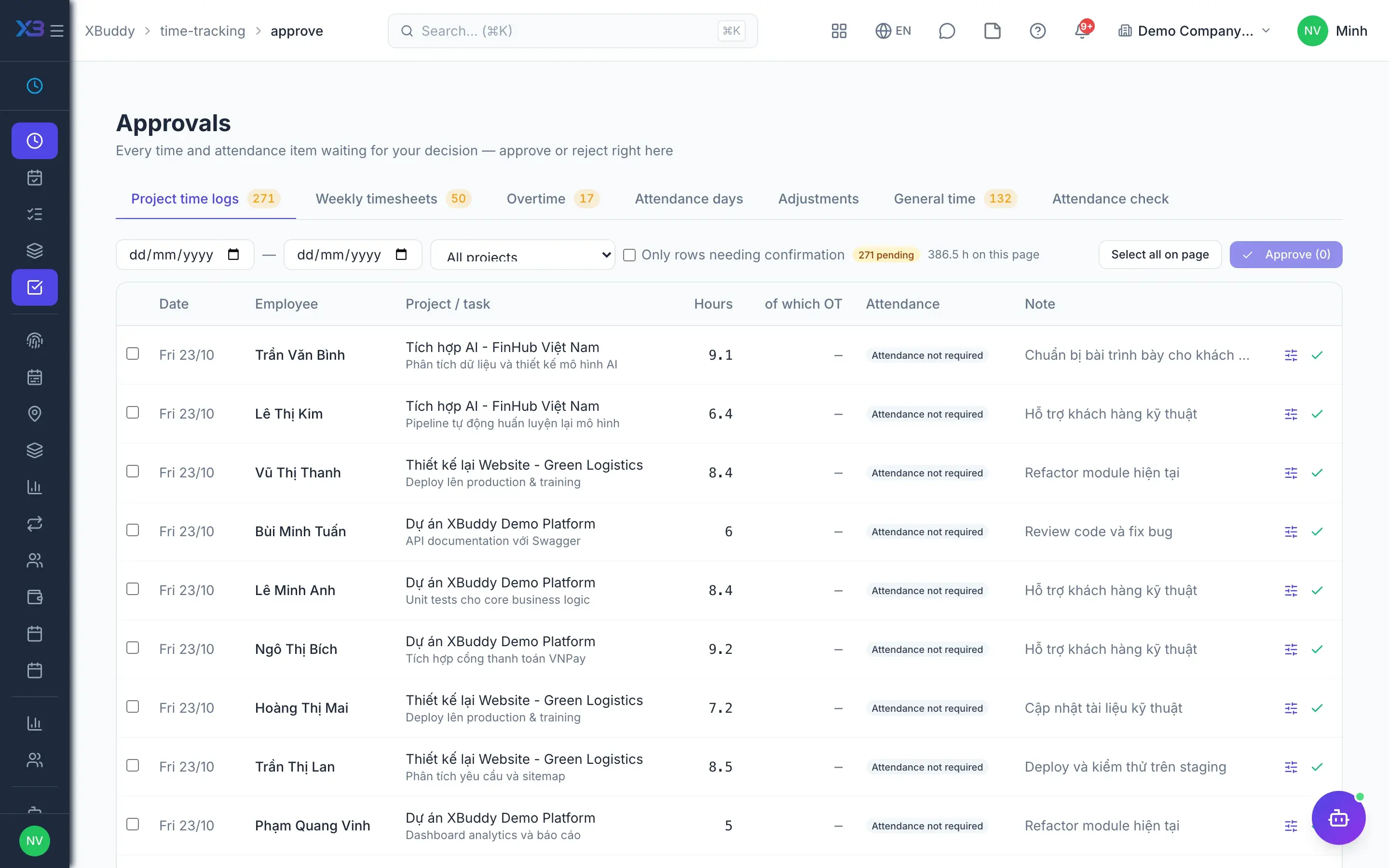
Clock-ins from devices (ADMS protocol), web and mobile land in the same attendance log. Managers approve hours, overtime, workdays and attendance adjustments in a single approval inbox; statutory overtime caps are checked on approval when enabled.
- One inbox for hours, overtime, workdays and adjustments
- Overtime types for weekdays, Sundays, holidays and night shifts
- Payroll period lock blocks edits in closed months
- 3
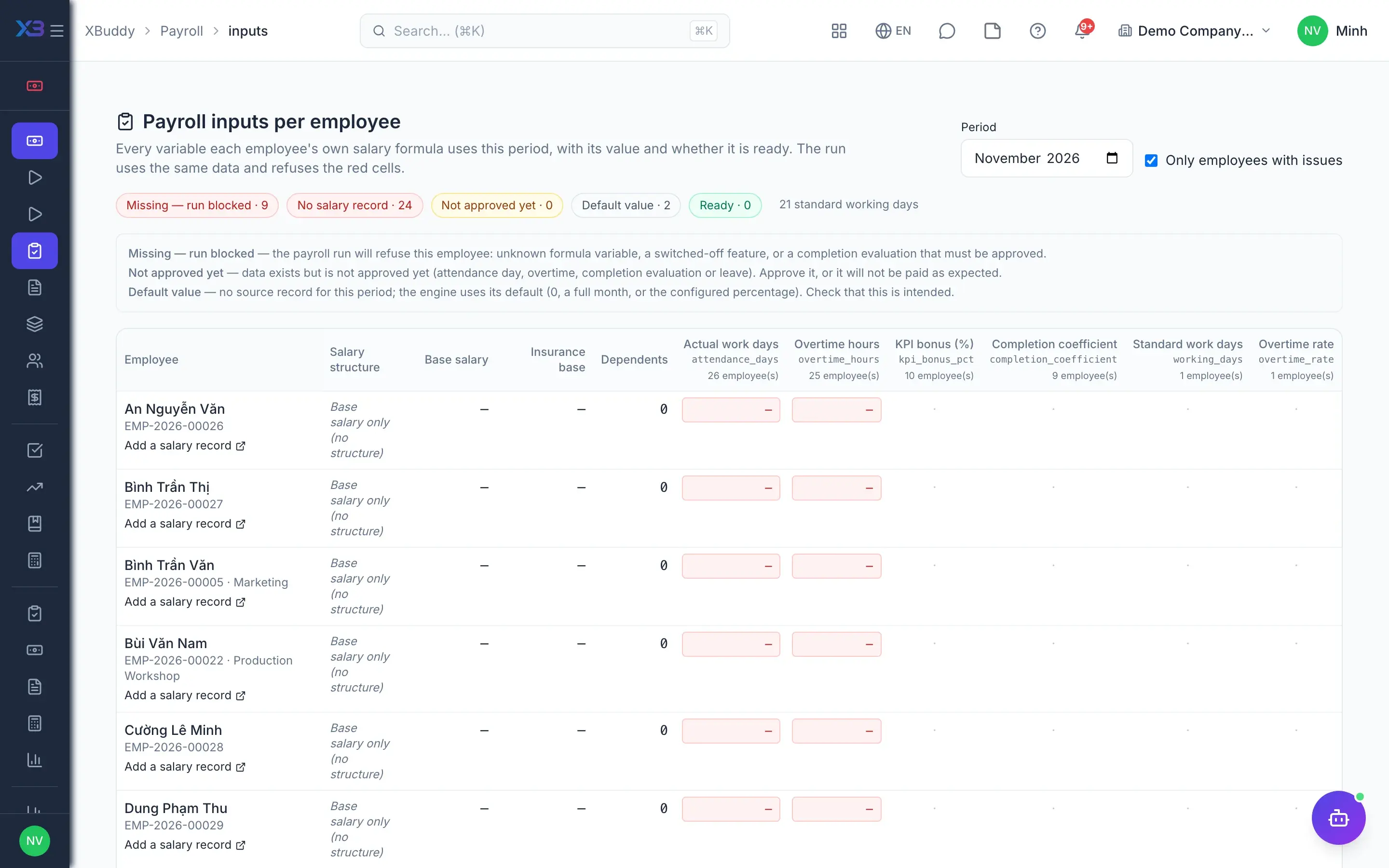
Readiness check
Before creating a run, the payroll specialist reviews the matrix of pay inputs and the list of open items: pending leave, pending overtime and unprocessed adjustments. While inputs are unapproved, the system blocks the run under its default setting.
- Pay input matrix for the period
- Run blocked while inputs are unapproved (on by default)
- Job completion score usable as a pay input
- 4
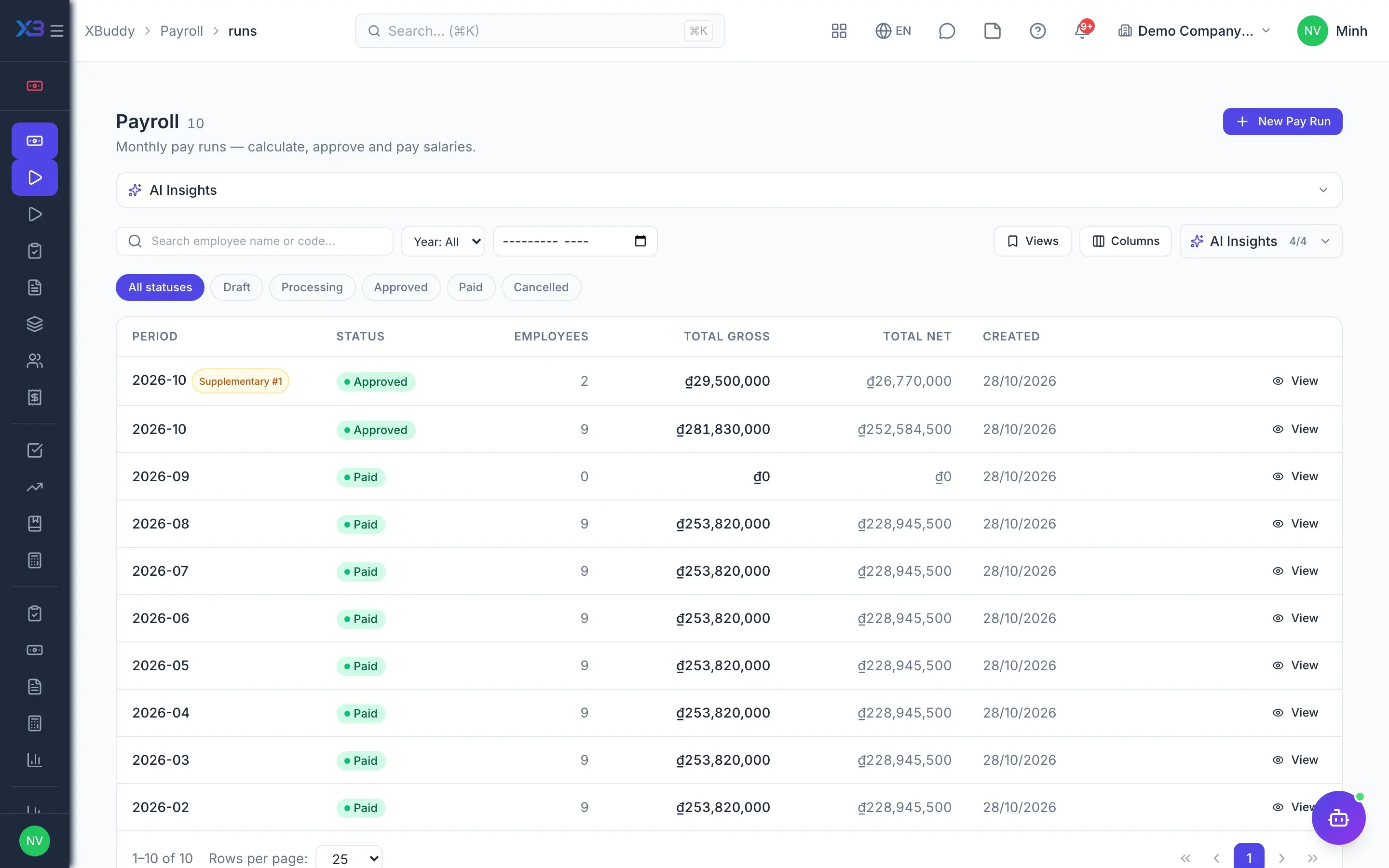
Calculate and approve
The Payroll Run calculates earnings, social insurance and PIT from pay structures and formulas, and can be recalculated when inputs change. It is submitted to an approver other than the preparer, then paid and posted to Accounting using the payroll account mapping.
- Explanation of every variable on a pay line
- Approver must differ from the preparer
- GL posting on approval and payment
- Reopen a run, back pay/recoveries, supplementary runs
- 5
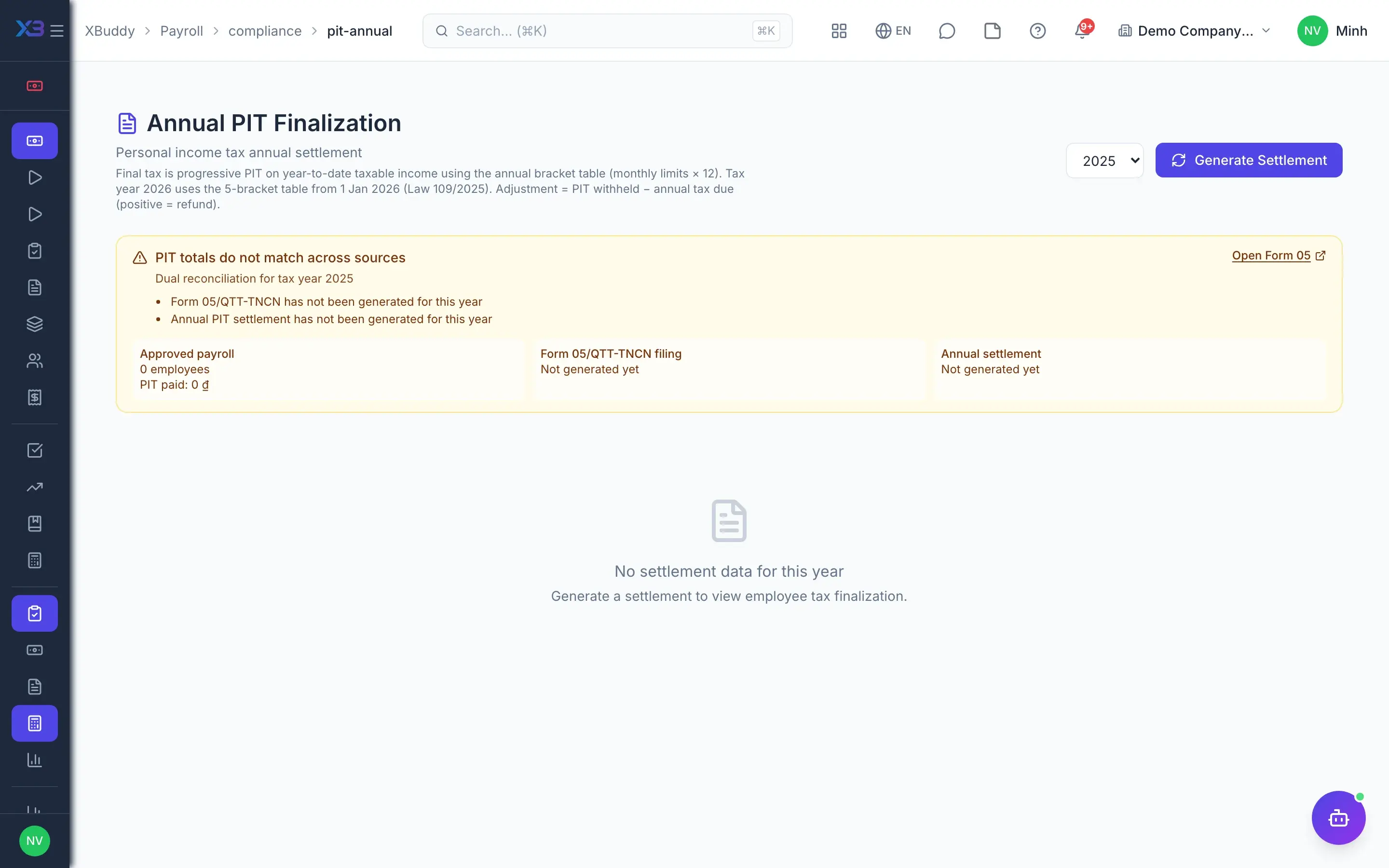
Filing and reconciliation
After the run, the specialist records social insurance, PIT and union fee remittances per period and prepares PIT returns. At year end, the finalisation screen double-checks tax between payroll, returns and finalisation, alongside the social insurance reconciliation.
- Remittance records for social insurance, PIT and union fees
- PIT returns and annual finalisation
- Social insurance reconciliation against payroll
- 6
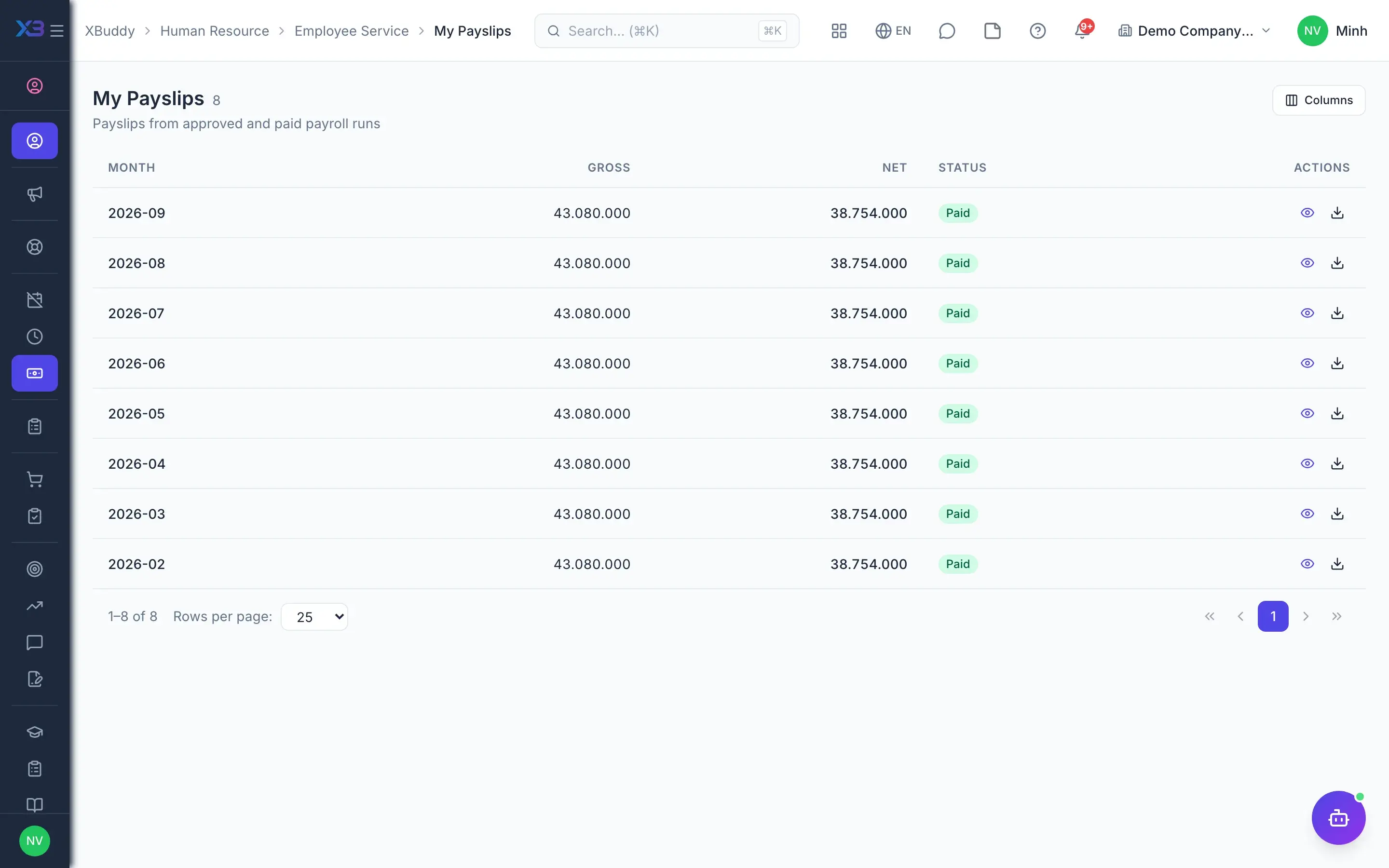
Self-service payslips
Once the run is approved, each employee's payslip appears in My HR with an explanation of the formula, inputs, tax bracket and insurance base. Employees check their leave balance and workdays and request certificates without asking HR.
- Only approved or paid payslips are shown
- Each person sees only their own payslip
- Payslip email on finalisation (configurable)
Key capabilities
What this solution relies on
Payroll inputs
ADMS time clocks
Web and mobile clock-inMobile
Leave split by year
Overtime capsAdvanced
Payroll calculation
Structures and formula templates
Payroll simulation
Pay line explanation
Corrections after close
Compliance and accounting
Annual PIT finalisation
Casual income
Payroll posting
Employee receivables
AI payroll assistant
Pre-run checkAI
Pay line anomaliesAI
PIT and insurance complianceAI
Handled out of the box
Hard questions XBuddy already answers
What’s inside
Apps and AI assistants involved
The in-depth document for this solution
Full PDF: step-by-step process, controls, metrics and a 30/60/90-day rollout plan.
FAQ
Frequently asked
Can we keep our existing time clocks?
Yes, with devices that support the ADMS push protocol, identified by serial number. Employees can also clock in on the web or in the mobile app if the company enables it.
What if an error is found after payroll is closed?
There are three options depending on the run's state: reopen an approved but unpaid run, add back pay/recovery lines to the next run, or create a supplementary run holding only the difference.
Does payroll post to the ledger automatically?
Yes, once payroll posting is enabled and the account mapping is set. If posting fails, the approval or payment is rolled back and the error is reported, so the run never drifts from the books.
Are bank accounts and national IDs protected?
Yes. Identifiers are encrypted at rest and screens show only a masked value; revealing the full number is a separate action recorded in the audit log.
Can one person both prepare and approve a run?
You can prevent it. Approval can be restricted so the approver must differ from the person who created the run, following the maker-checker principle.
Can employees see other people's payslips?
No. Every payslip query in My HR is locked to the signed-in user and company, and only approved or paid payslips are shown.
See this flow on your own data
A thirty-minute demo focused on the process you are actually stuck on.