What usually goes wrong without it
Hours live in spreadsheets and accounting invoices from the PM's email. Unapproved hours get billed, worked hours get forgotten, and sometimes one hour is billed twice.
To charge the client less, the PM cuts the hours actually worked. Labor cost, utilization and payroll all drift as a result.
Fixed-price projects bill in stages, but which milestone was reached, what it is worth and whether it was invoiced sits in one person's head.
Hours, expenses, purchase orders and invoices sit in four places. Profit or loss only adds up at close-out, when nothing can be corrected anymore.
7 steps, one chain of documents
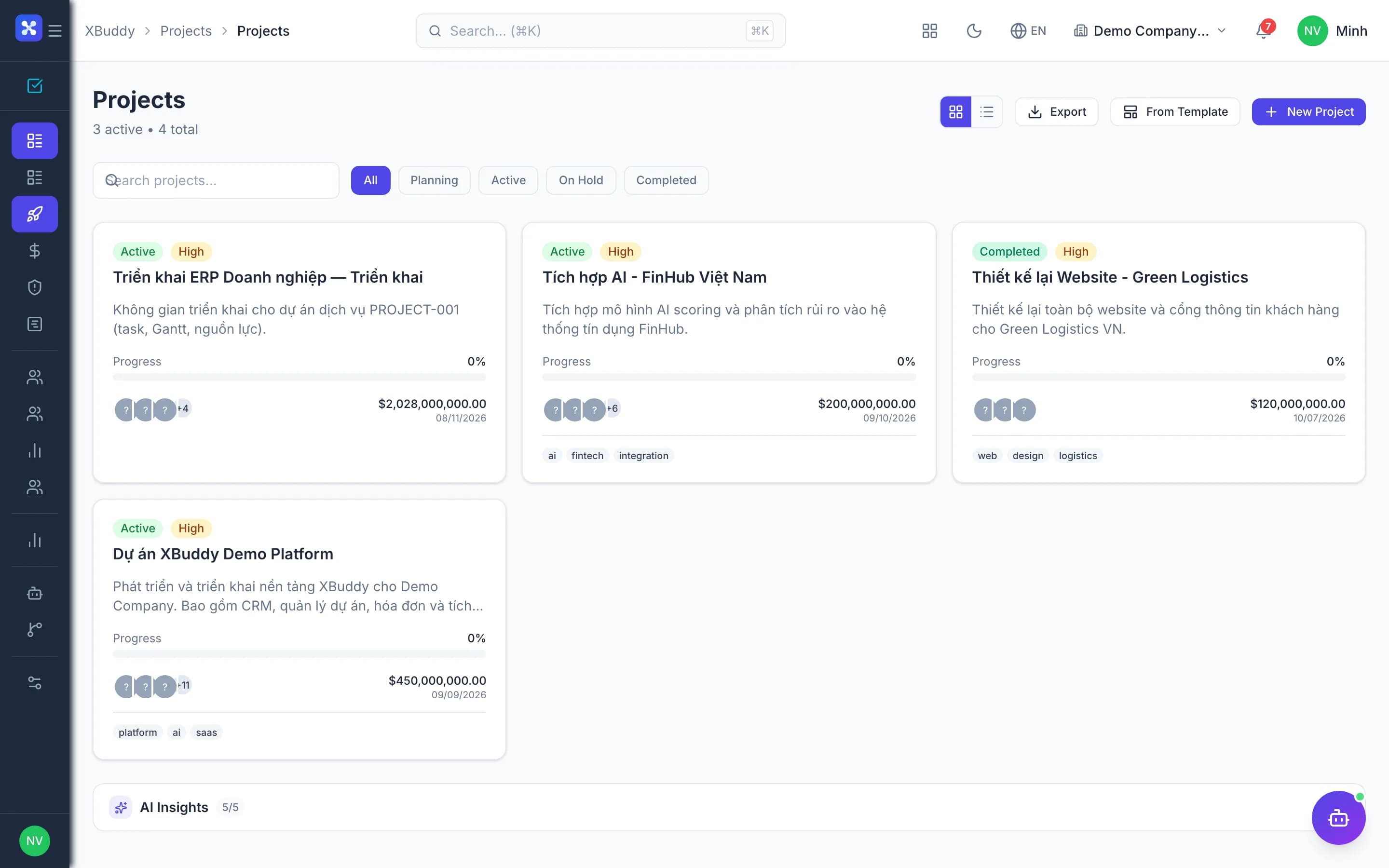
- 1Estimate and kickoffThe PM builds a versioned estimate, submits it for approval and compares plan against actuals throughout the project. High-budget projects can require a kickoff approval before planning; with the budget gate on, new costs are warned or blocked when they exceed what remains.
- Versioned estimates: draft, submit, approve or reject
- Project kickoff approval through Workflow
- Project budget gate: warn or block
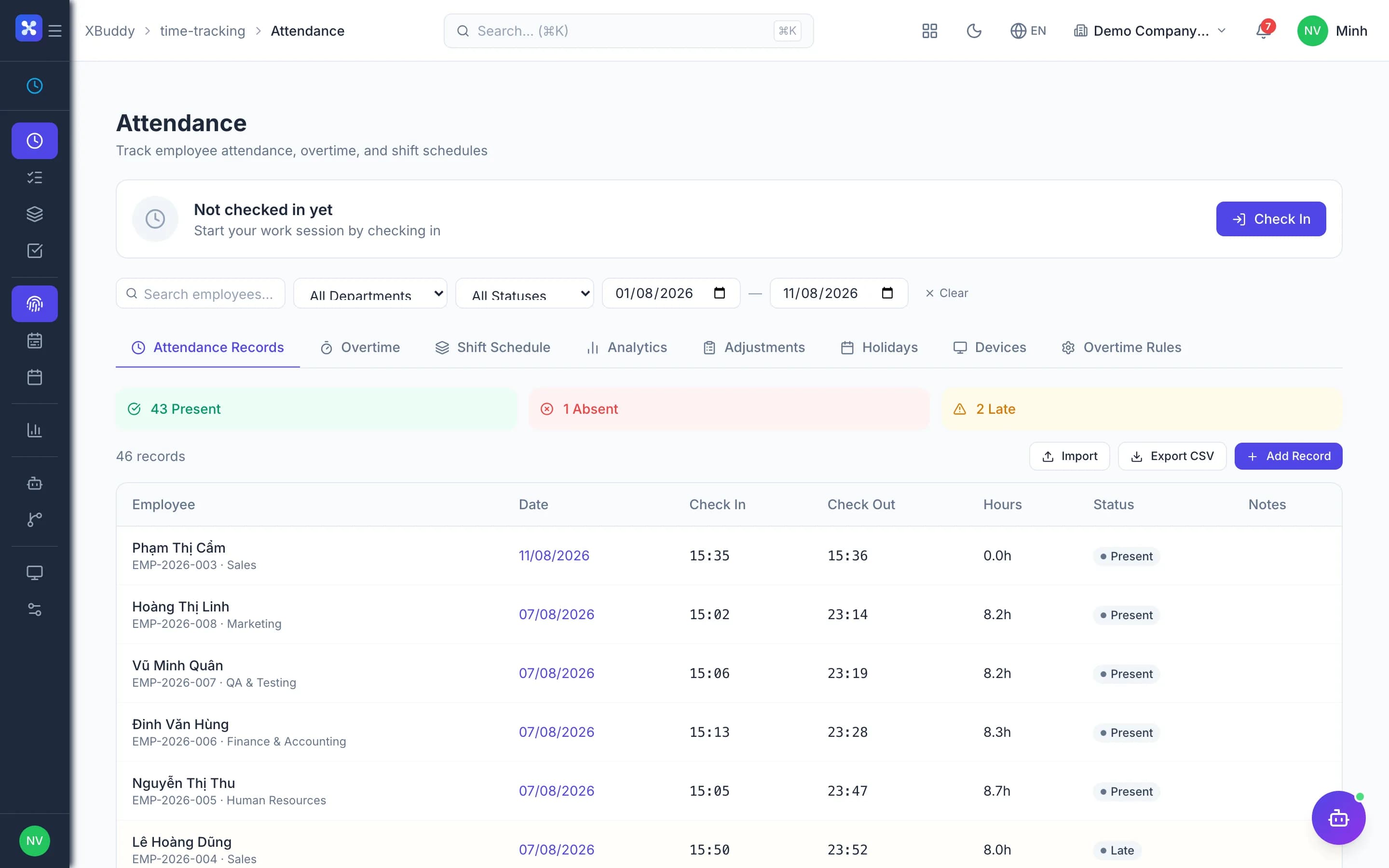
- 2Log hours by roleStaff log hours to projects and tasks, with the role on each line and any overtime portion. Bill rates come from the role or the rate card; cost rates can be separated from bill rates and taken from Accounting's internal rates.
- The role on the time line sets the rate
- Separate cost and bill rates when enabled
- Overtime recorded on the original time line
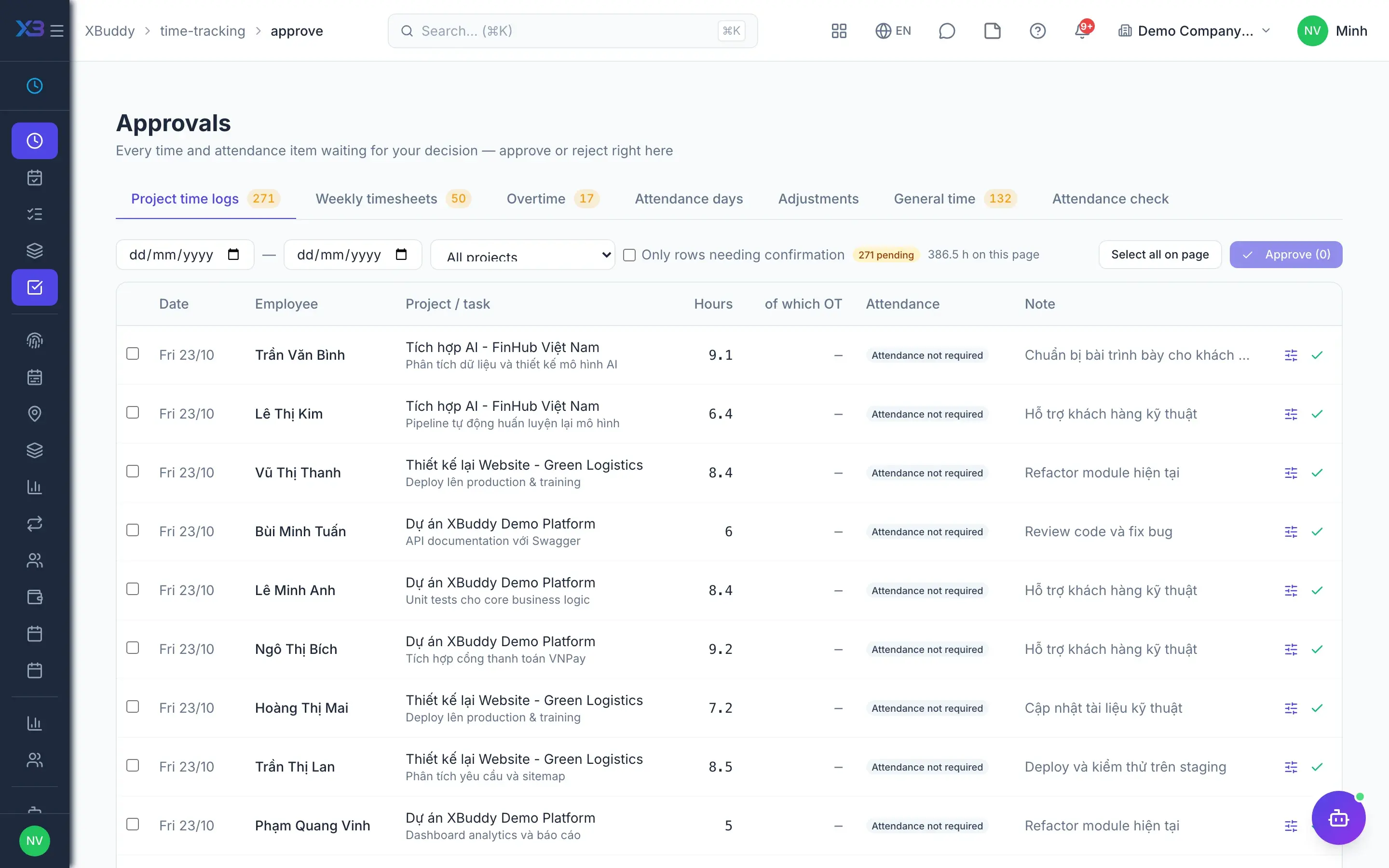
- 3Approve and write downThe PM approves hours in one shared approval inbox, line by line or in bulk, and self-approval can be blocked. When only part of the work is billable, the PM enters billable hours below worked hours with a reason; worked hours, cost and payroll stay unchanged.
- One inbox for project hours, timesheets, overtime
- Write-downs require a reason
- Billed lines are never reopened for editing
- 4Rebill project costsProject expenses are recorded and approved on the project; with expense rebilling on, they travel with labor onto the invoice. Materials issued from stock to the project can also be rebilled, and the Budget & Costs page shows every project on one screen.
- Rebill project expenses to the client (toggle)
- Rebill materials issued to the project
- Budget and cost across the whole portfolio
- 5Raise the invoiceFrom the project, accounting raises an Invoice for a period, for all approved unbilled hours, or for a milestone reached on a fixed-price project. The draft is created in one transaction with its document chain, then follows Finance's shared invoice and e-invoice flow.
- By period, all unbilled hours, or by milestone
- Separate overtime lines when project OT premium is on
- Internal projects cannot be invoiced
- 6Track collectionProject invoices share the receivables ledger with every other invoice, so partial payments, Credit Notes and aging work the same way. A dunning policy covers overdue invoices, and the collections assistant proposes reminders for accounting to approve.
- Partial payments, Credit Notes for reductions
- Dunning policy for overdue invoices
- AI proposes reminders, a person approves sending
- 7Project P<he project cost card covers every leg: labor at cost rate, expenses, purchases committed and received, and stock issued. The Profitability tab shows P&L from documents and from the ledger, using the same definition reports and AI assistants read.
- A PO is a commitment until its first receipt
- Labor valued at cost rate, not bill rate
- P&L from documents and from the ledger
Every step is a familiar screen
6 real scenarios with how-tos
4 apps in this solution
Assistants that work the process with you
Project Management Assistant
Project management assistant — monitors project risk, budget and margin, task assignment and velocity, dependency blockers and resource capacity across projects and tasks.
Invoice AR Assistant
Process-aware AR assistant that understands the invoice collection lifecycle, assesses payment risk, and proposes the right action at the right time.
Detailed paper: Project to billing
End-to-end process, apps involved, AI assistant roles, KPIs and a 30/60/90-day rollout plan.
Do unapproved hours reach the invoice?
No. Only approved billable hours enter the billing queue. If a draft invoice has fewer hours than expected, check for lines still awaiting approval.
Does a write-down affect payroll?
No. A write-down is a commercial decision: only billable hours drop, while worked hours still drive project cost, utilization and payroll.
Does an accepted quotation create a project automatically?
Not in the interface. The quotation continues to a Sales Order and Invoice; link documents from inside the project to see them on the revenue tab.
Can project invoices be issued as e-invoices?
Yes. Project Invoices go through the Finance app, so they share the e-invoice and posting flow of every other invoice.
Are Service Management projects billed by milestone here?
No. Projects originating from Service Management contracts bill through Service Management's own flow; milestone invoicing here is for projects in the Projects app.
Who can see project amounts?
People with project financials permission, or the project's managers. The project role is a second control layer on top of general permissions.