What usually goes wrong without it
Which orders are late, which work center is overloaded and which machine is down is only known after walking the floor or calling each team lead.
Spreadsheet plans ignore working calendars and parallel machines, so two orders land on the same work center and others run late.
Team leads assign operations from memory. Operators without the required skill still run machines, defects rise and nobody can trace why.
How long machines stop, why, and how much must be reworked has no data, so OEE cannot be computed and improvement targets are guesses.
6 steps, one chain of documents
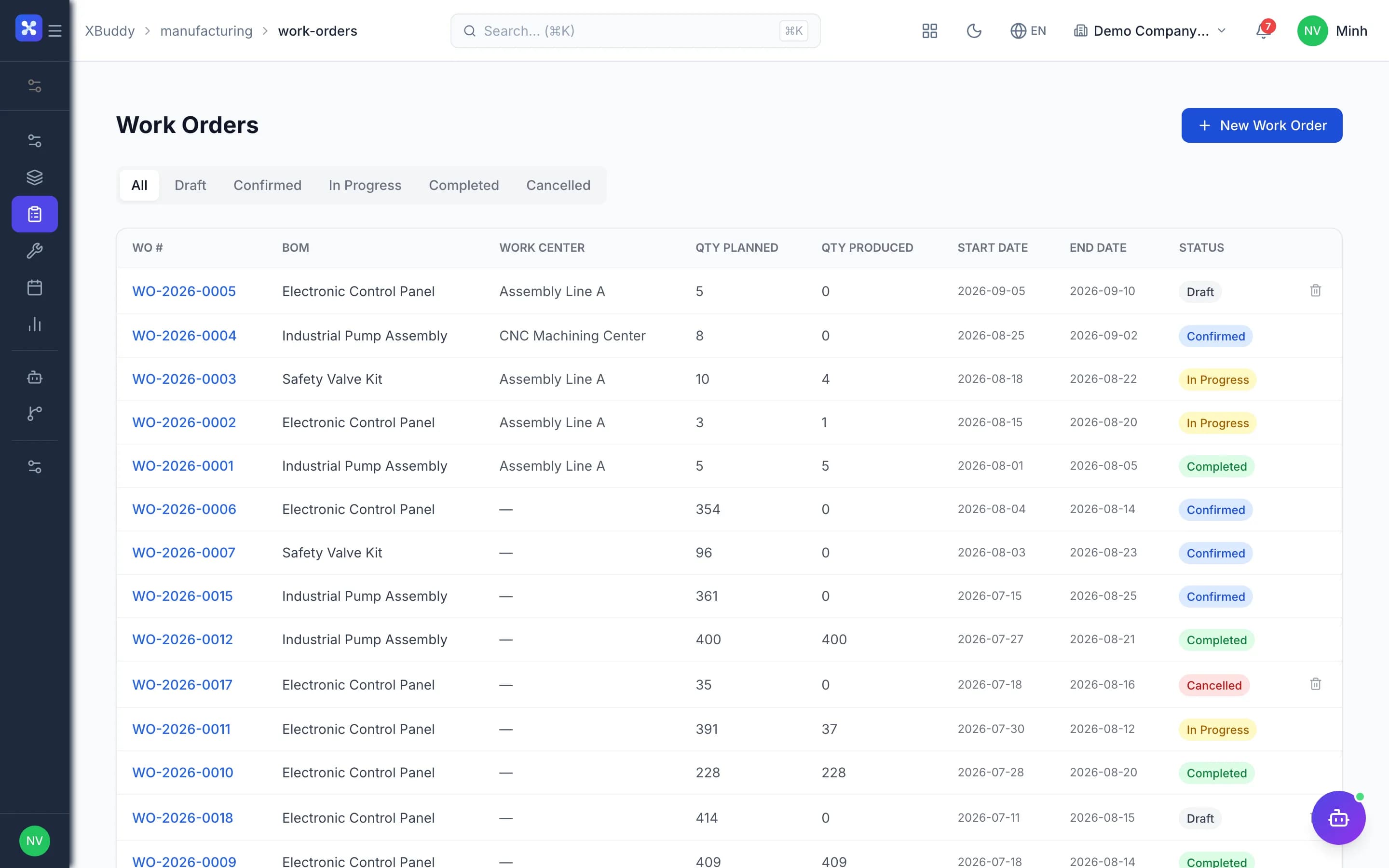
- 1Morning shop overviewThe Manufacturing overview gathers late orders, running orders by work center, orders short of materials, work centers loaded over 100%, today's OEE, open downtime and open NCRs. Clicking a card opens the matching filtered list to act on.
- Cards appear only with permission and switch on
- A failed card shows a dash, never a zero
- Getting Started checklist for new shops
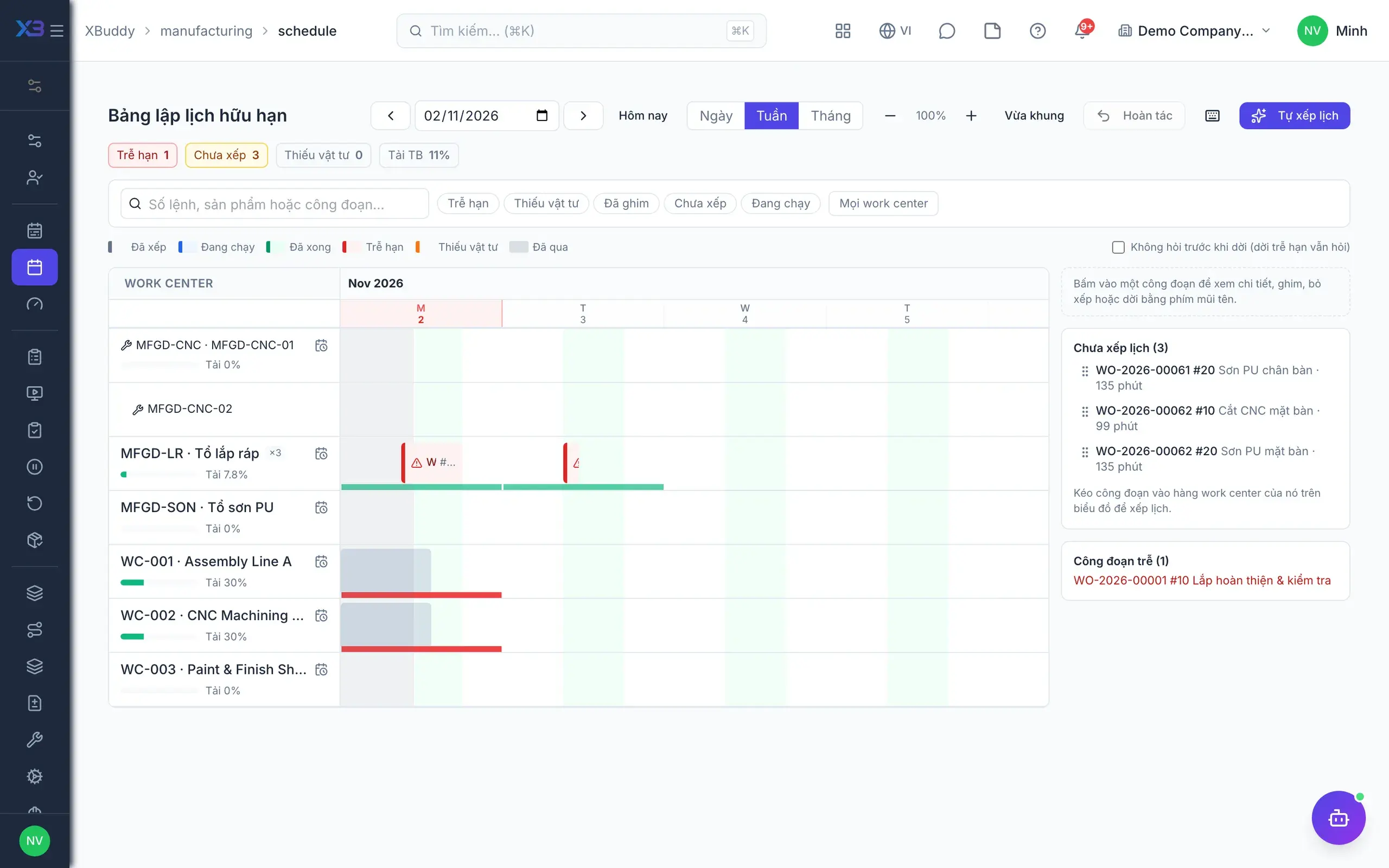
- 2Capacity and schedulingCapacity load shows by work center and day or week; machines are capacity resources. The Gantt schedule board proposes up to three options using working calendars and parallel machines, lets you drag to test, validate and pin operations before applying.
- Working calendars and holidays from HR
- Machine unavailability windows
- Optional material-aware scheduling on stock and open POs
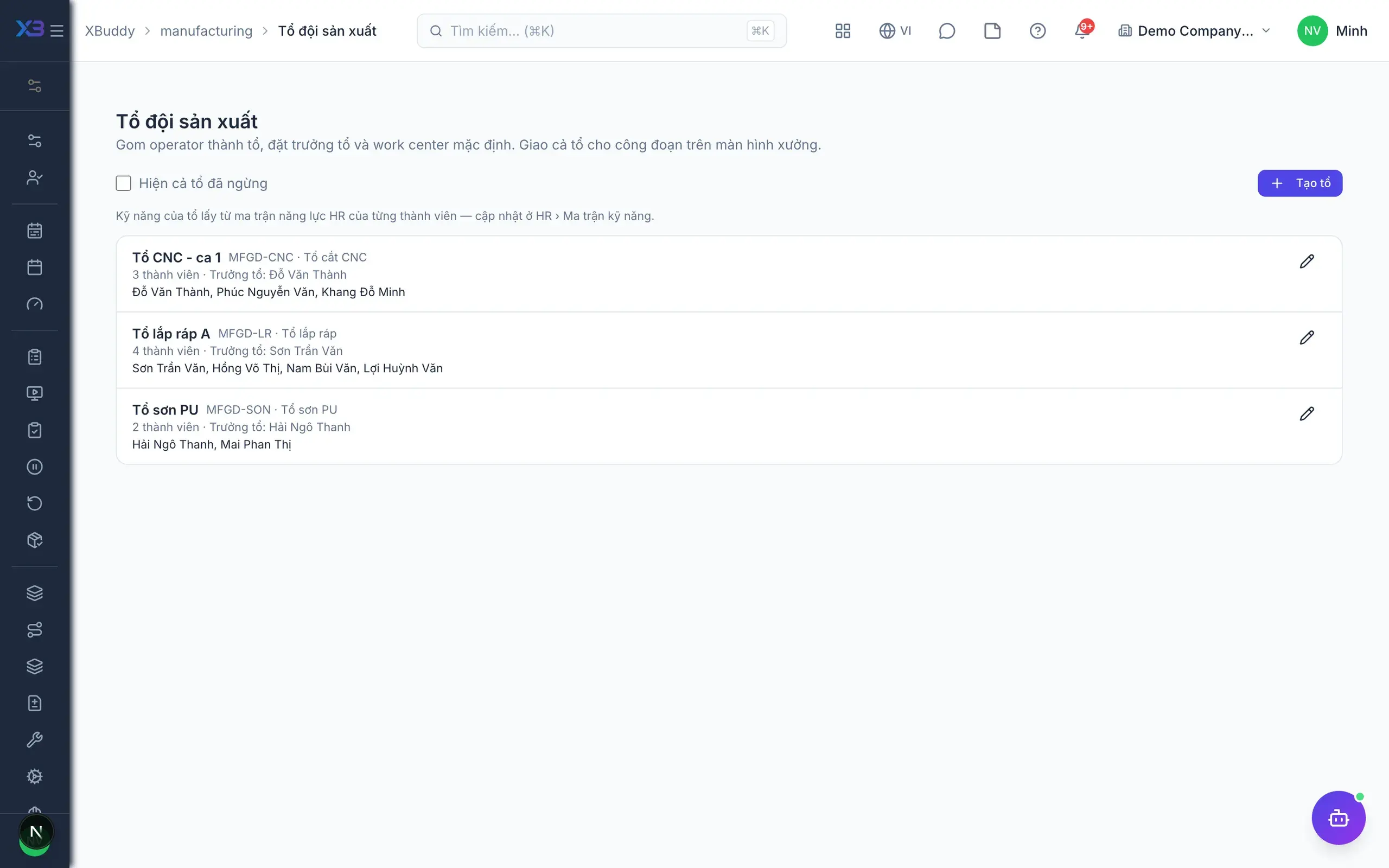
- 3Crews and skillsThe production manager keeps a production personnel roster and crews with a crew lead. Skills use HR's competency matrix; routings declare the required skill and headcount per operation, and work orders snapshot these values when created.
- Crews share data with Workforce
- Skill gate: warn or block
- Optionally assign work only to production personnel
- 4Shop-floor screenTeam leads assign an operation to a person or a crew, with skilled operators suggested. Operators open My Work to start, pause with a reason, resume and complete; completing creates a production report, and labor minutes come from actual running intervals.
- BOM drawings and documents on the operation card
- Record material lots and serials on completion
- Quick result reporting from a phone
- 5Downtime and reworkDowntime is logged against a reason list the company maintains, and can be closed, edited and deleted. Defects from production reports or NCRs in Quality are the source of rework orders, and total rework quantity cannot exceed the defective quantity.
- Configurable downtime reason list
- Failed QC creates an NCR automatically
- Rework orders with a clear source
- 6OEE and improvementOEE is computed per work center or machine from production reports and logged downtime. A pareto chart shows the biggest downtime and scrap causes, alongside on-time, planned versus actual minutes reports.
- OEE per work center or machine
- Pareto of downtime and scrap causes
- Planned versus actual minutes and cost
Every step is a familiar screen
6 real scenarios with how-tos
4 apps in this solution
Assistants that work the process with you
Production Planner
Plans production: capacity load, schedule, material shortages from MRP, late work orders, WIP, BOM cost and yield.
Work Order Assistant
Process-aware agent tracking work order production lifecycle, flagging overdue or unassigned orders
Detailed paper: Production manager
End-to-end process, apps involved, AI assistant roles, KPIs and a 30/60/90-day rollout plan.
Are these features on by default?
No. Shop-floor screens, finite scheduling, crews and skills, downtime and OEE are switches off by default; turn them on gradually, with no extra steps until you need them.
Is data collected automatically from machines?
No. This is a light MES layer built on documents people report: starting, pausing and completing operations, and downtime events.
How are labor minutes counted when a crew works together?
Labor minutes equal running time multiplied by headcount on the operation; machine minutes are not multiplied.
Can the skill block be bypassed?
No. People who press Start or Resume themselves also pass the gate, unless they belong to the assigned crew and the crew covers every required skill.
Where does the shop's working calendar come from?
Scheduling uses working calendars and holidays defined in HR, plus calendars set per work center on the schedule board.