What usually goes wrong without it
Product descriptions, images and prices live in many separate files. Customer materials and ad copy drift away from the selling price actually in use.
Ads, emails, Zalo messages and flyers all bring customers, but once a lead reaches CRM its source is lost. Budgets get reallocated by feel.
Marketing captures leads but has no clear threshold for when a lead is hot, and when it is passed to Sales nobody is sure who owns it.
Costs sit in each ad platform and revenue sits with the sales team. Campaign performance reports are stitched together by hand and hard to defend to leadership.
6 steps, one chain of documents
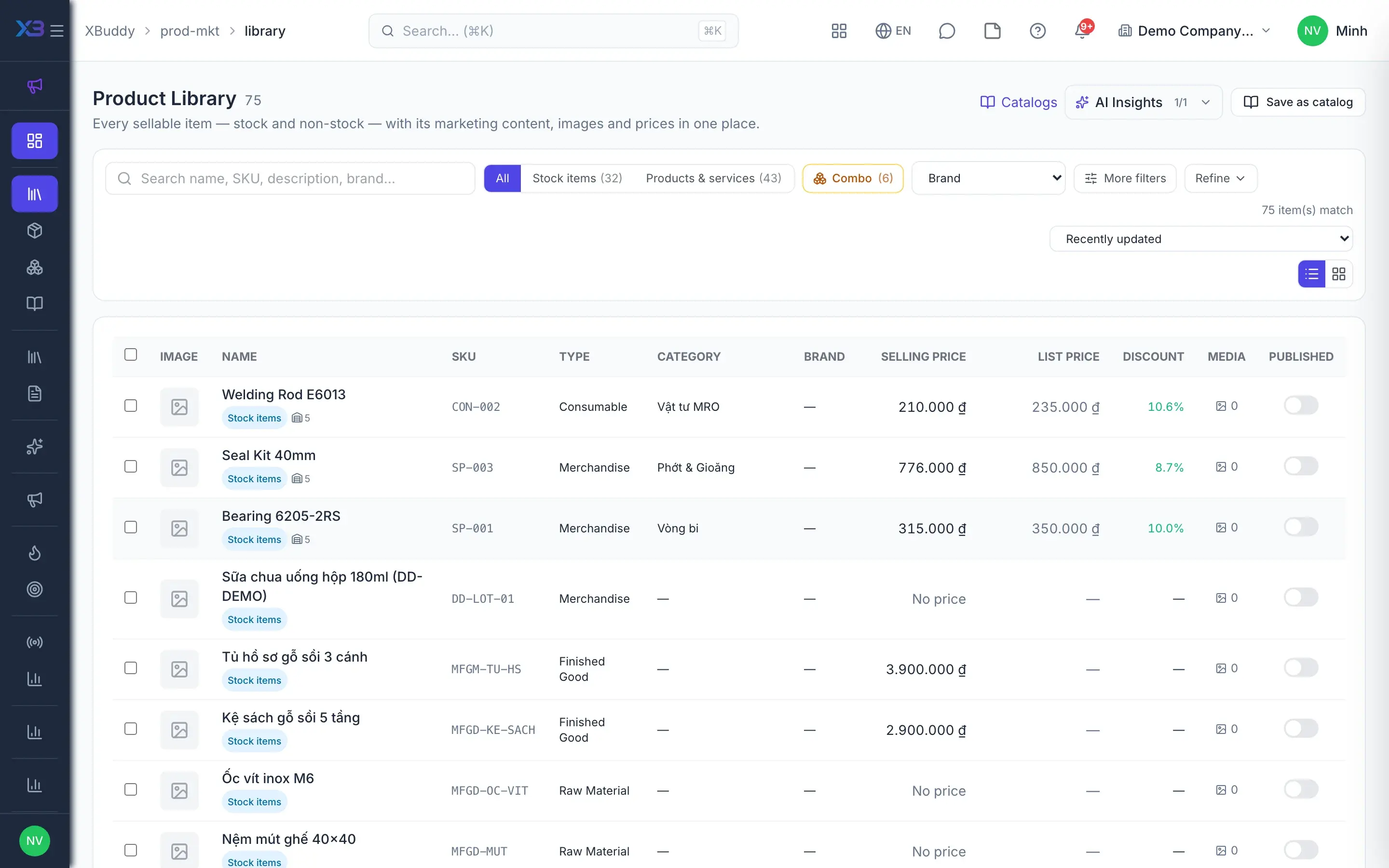
- 1Standardize products and contentThe library brings services and stock items together on the same records Sales and Inventory use; marketing only adds content, images and video, never re-entering items. Catalogs pick products, get published and export to CSV for customers.
- Prices shown from the central selling price list
- Bulk-edit marketing content
- Catalogs published and exported to CSV
- 2Channels and tracking linksEach marketing channel is a tracking link with a UTM source and medium pair, built from templates such as Google Ads, Facebook, Zalo or Email, or custom. The link goes into ads, emails, QR codes or website buttons without logging into any ad account.
- Built-in channel templates or custom
- Optionally require UTM on every channel
- Channel performance: clicks, leads, conversions
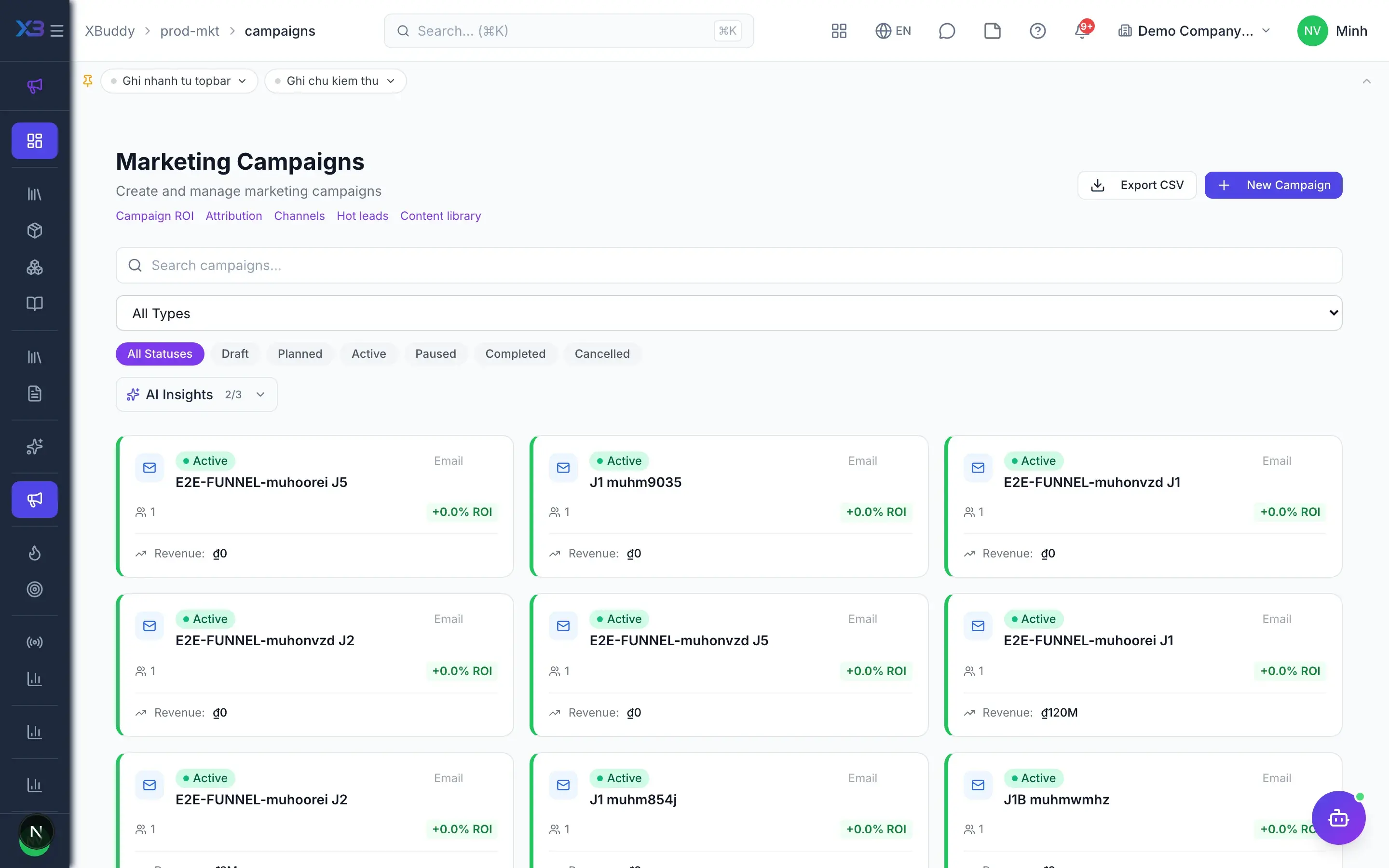
- 3Plan campaigns and log costsA campaign has a budget, dates, target audience and several channels, one marked primary. Costs are logged on the campaign page with daily KPIs; with sync turned on, metrics from connected Meta and Google Ads accounts load every night.
- Optionally require a budget
- KPIs only add same-currency rows, others are flagged
- Auto-close campaigns after the end date
- 4Audiences and outbound sendingCampaign members come from leads, contacts, CRM segments, CSV files or filters, with duplicate checks within the company. With sending on and a provider connected, a campaign sends email or Zalo ZNS, and email tracks opens, clicks and unsubscribes.
- Dynamic or static segments in CRM
- Email and Zalo ZNS sending when switched on
- Meta and Google form leads join the campaign once
- 5Score and hand off hot leadsThe lead scoring model adds campaign points from touchpoints. The hot leads list uses one shared threshold and only shows open leads; the Send to Sales button reassigns the owner, and the recipient gets an email and an in-app notification.
- One shared hot-lead threshold
- Touchpoints logged manually or automatically
- Handoff with a clear recipient
- 6ROI and attributionWhen a deal is won, attribution records are created from campaign members matching the lead or contact. Campaign ROI compares spend with attributed pipeline and closed revenue; multi-touch attribution maps leads and revenue back to the originating channel.
- ROI per campaign
- Multi-touch attribution on won deals
- Figures computed by the engine, not set by AI
Every step is a familiar screen
5 real scenarios with how-tos
3 apps in this solution
Assistants that work the process with you
Marketing Strategy Assistant
Marketing strategy assistant — analyzes campaign ROI and conversion, optimizes budget allocation across campaigns and channels, and recommends high-value audience segments.
Lead Assistant
Scores, enriches, and prioritizes leads — surfacing the hottest prospects and recommending the next action to convert them.
Detailed paper: Marketing manager
End-to-end process, apps involved, AI assistant roles, KPIs and a 30/60/90-day rollout plan.
Do products have to be entered twice for Marketing and Inventory?
No. Stock items stay managed in Inventory; Product & Marketing only adds marketing content on the same record.
Is ROI based on AI estimates?
No. ROI and attribution are computed by the engine from logged costs and real won deals; the AI assistant only makes suggestions.
Which ad platforms are supported?
Cost sync and lead capture support Meta and Google Ads connected in Integrations. TikTok sync is not supported yet; you can still measure it with UTM tracking links.
Are there separate MQL and SQL stages?
No. Handing off to Sales means reassigning the lead owner from the hot leads list, with an email and an in-app notification.
How are costs in other currencies handled?
Campaign KPIs only add rows in the same currency; rows in another currency are excluded and flagged, never mixed.