What usually goes wrong without it
Dunning, chasing late purchase orders, reminding people to submit timesheets, checking for duplicate bills: each task is small, but together they take most of an operations team's time.
Businesses want AI but worry about tools posting entries, emailing customers or changing document status without anyone knowing.
Generic chatbots don't know which invoices are overdue or which warehouse is running low. Staff copy numbers out, which is slow and leaks data.
6 steps, one chain of documents
- 1Turn on assistants per domainIn AI Hub, admins browse specialist assistants for receivables, purchasing, inventory planning, projects, HR, quality and more, and enable them per domain. Each assistant has its own schedule and run conditions and starts at notify-and-propose only.
- Assistants by specialty, each with many skills
- Schedules and trigger conditions
- Notify and propose only by default
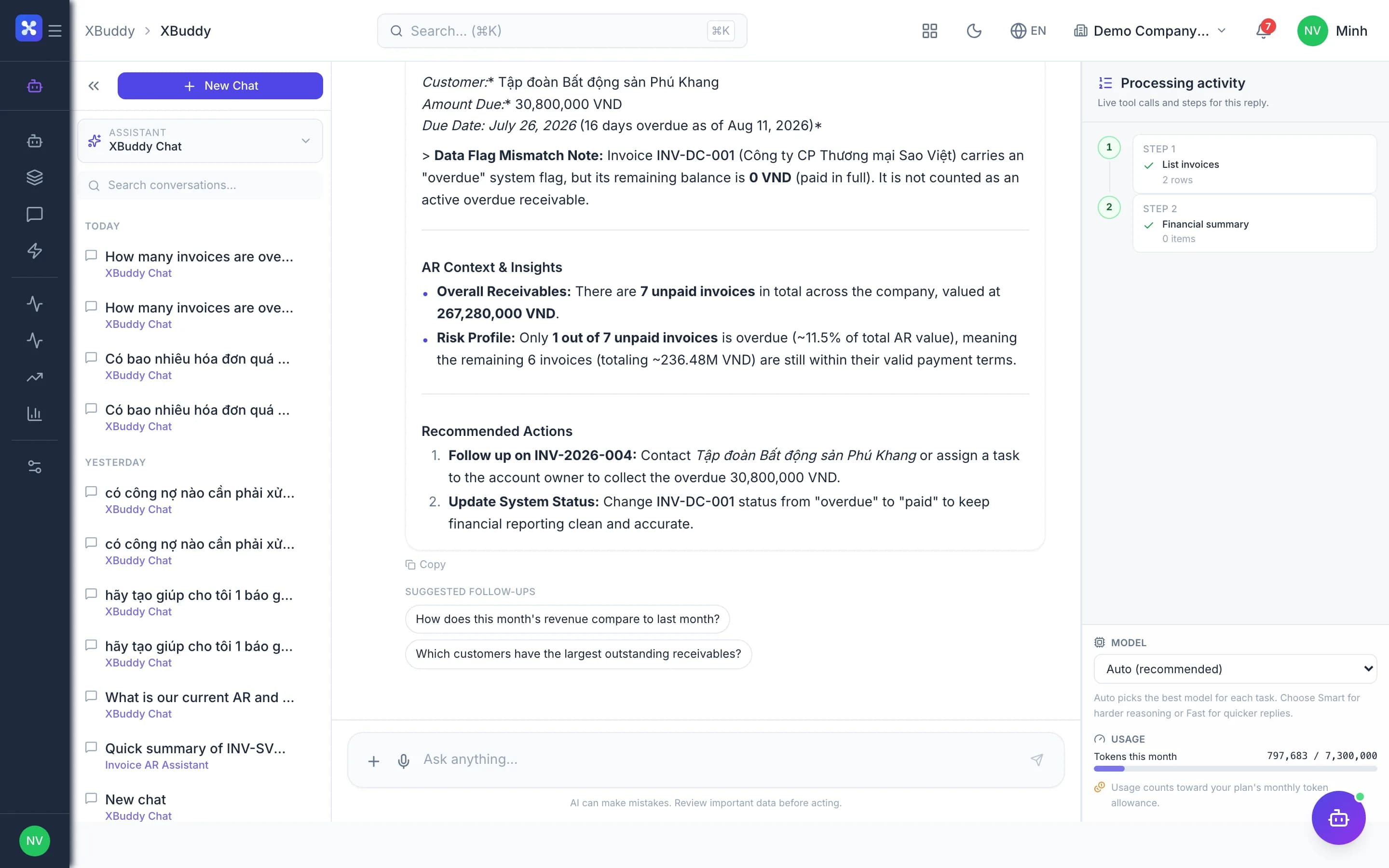
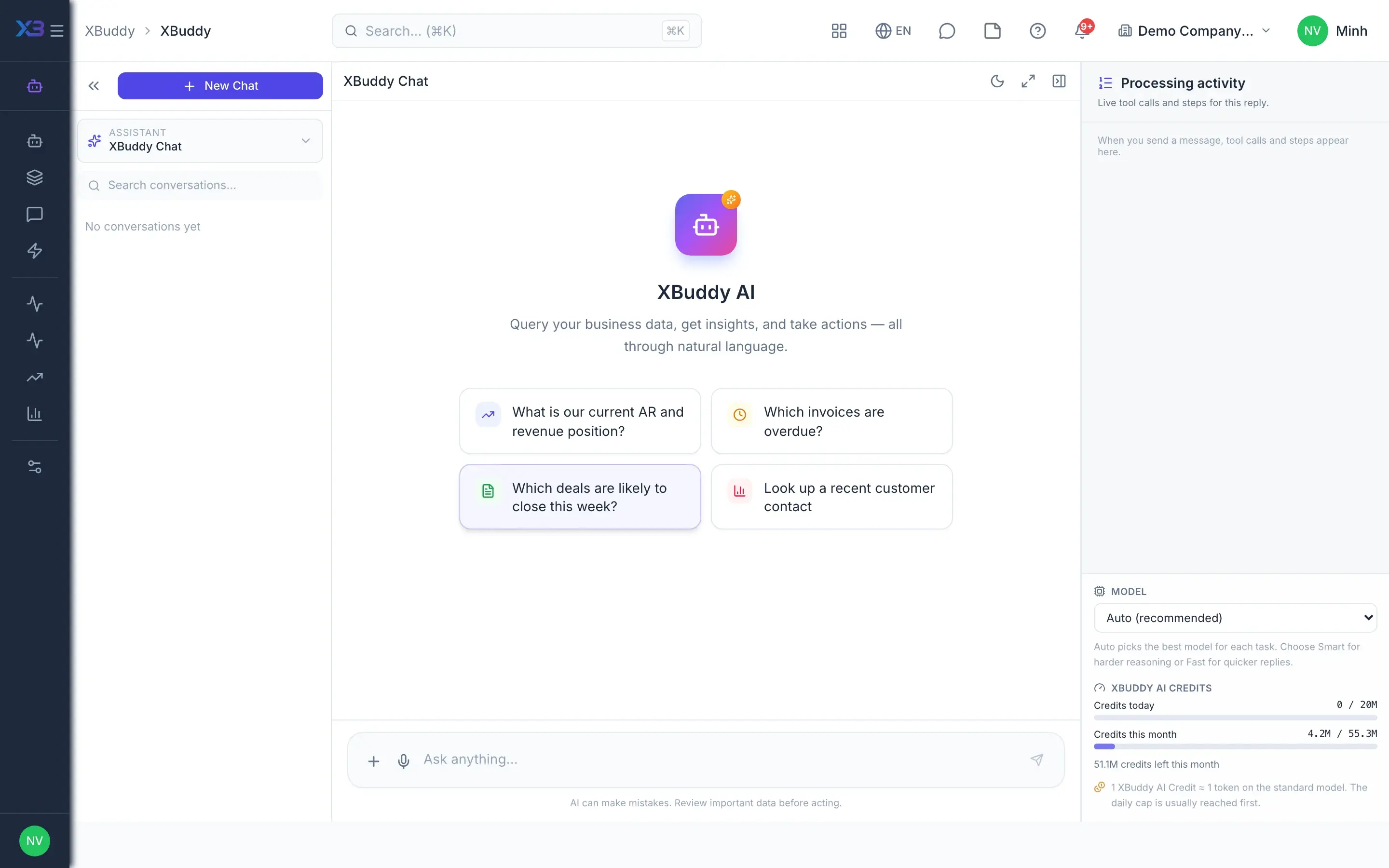
- 2Ask XBuddy ChatStaff ask in English or Vietnamese on any page, such as which invoices are overdue this month or which project is about to exceed budget. Chat reads data through the same permission and data-scope layers as the person asking, understands the open record and hands big questions to a specialist assistant.
- Answers from your business data, with voice
- Understands the current page and record
- Never exceeds permissions or data scope
- 3Work through confirmation cardsWhen something must be written, chat drafts the document, such as a purchase order, expense, NCR, task or timesheet to submit, and shows it as a confirmation card. Nothing changes until the user approves, and the write goes through the same business service as the interface.
- Drafts POs, expenses, NCRs, tasks, timesheets
- Confirmation card before every write
- Per-user rate limits on writes
- 4Review the suggestion queueWhen an assistant finds work to do, such as an overdue invoice to remind or a purchase order needing supplier follow-up, the proposal lands in the AI Suggestions queue. Authorized people approve or dismiss items one by one or in batches, and mute suggestion types they don't want.
- Approve or dismiss per item or in batches
- Mute unwanted suggestion types
- Executed and logged only after approval
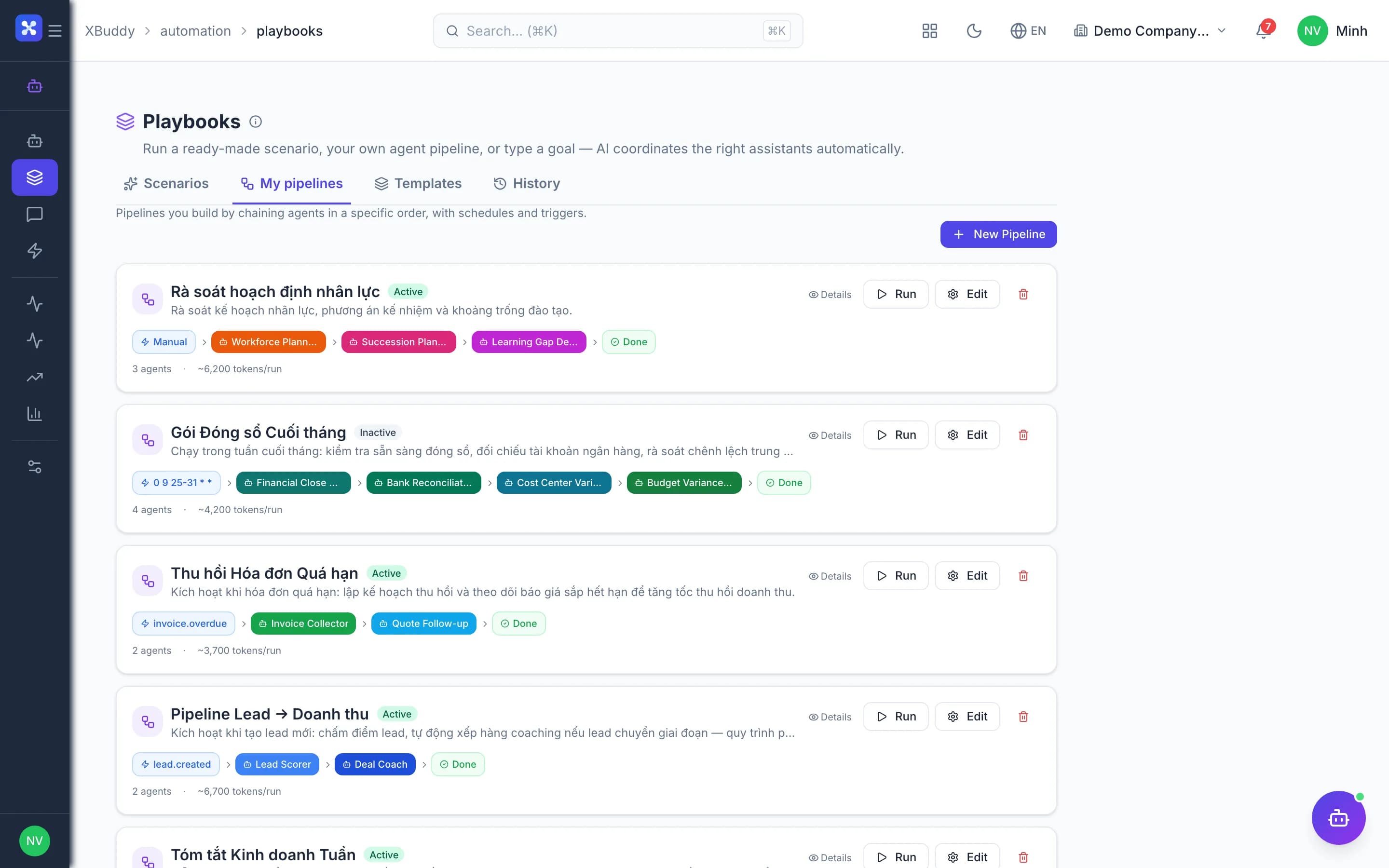
- 5Automated playbooksAdmins chain steps into playbooks that run on a schedule or from a template, and can raise each assistant's autonomy level. Actions above the enabled level, or covered by a policy requiring approval, still wait; void, delete, sending to customers and legal commitments never run automatically.
- Playbooks on a schedule or from templates
- Autonomy tied to each action's risk level
- Void, customer sends, legal commitments always wait
- 6See what AI didThe activity feed records what assistants did, and monitoring shows quality, error patterns and user feedback. AI cost is shown per assistant with trends and forecasts, alongside per-user quotas in Settings.
- AI activity history
- Quality monitoring and feedback
- Cost per assistant, quota per user
Every step is a familiar screen
6 real scenarios with how-tos
2 apps in this solution
Assistants that work the process with you
Invoice AR Assistant
Process-aware AR assistant that understands the invoice collection lifecycle, assesses payment risk, and proposes the right action at the right time.
PO Assistant
Process-aware agent tracking purchase order lifecycle and proposing timely approval or vendor follow-up actions
Inventory Planning Assistant
Inventory planning assistant — goods-issue and stock-request tracking, stockout-risk prediction, smart reorder, dead-stock and expiring-lot alerts, and discrepancy explanations.
Project Management Assistant
Project management assistant — monitors project risk, budget and margin, task assignment and velocity, dependency blockers and resource capacity across projects and tasks.
Detailed paper: AI assistants for daily operations
End-to-end process, apps involved, AI assistant roles, KPIs and a 30/60/90-day rollout plan.
Does AI change the books on its own?
Not by default. Each assistant starts at notify-and-propose; actions needing approval sit in the suggestion queue. Admins can raise autonomy, but void, delete, sending to customers and legal commitments always wait for a person.
Can AI pay money on my behalf?
AI only proposes payments through the suggestion queue or a confirmation card. With payment approval enabled, every payment, including AI-proposed ones, waits in the payment approval queue and is not posted until approved.
How does chat write data?
Every write appears as a confirmation card and goes through the same business service as the interface, so checks like permissions, budgets and approvals still apply.
Does an external AI like Claude see everything?
No. Access uses MCP tokens scoped to the issuer's permissions, with logs and limits; sensitive writes only create proposals awaiting approval in the app.
How is AI cost counted?
AI usage is counted against the plan's credits and quota. The cost screen shows usage per assistant, trends and forecasts; quotas can be set per user.
Do assistants work in Vietnamese?
Yes. The interface, assistants and XBuddy Chat work in Vietnamese and English, following the user's language.