What usually goes wrong without it
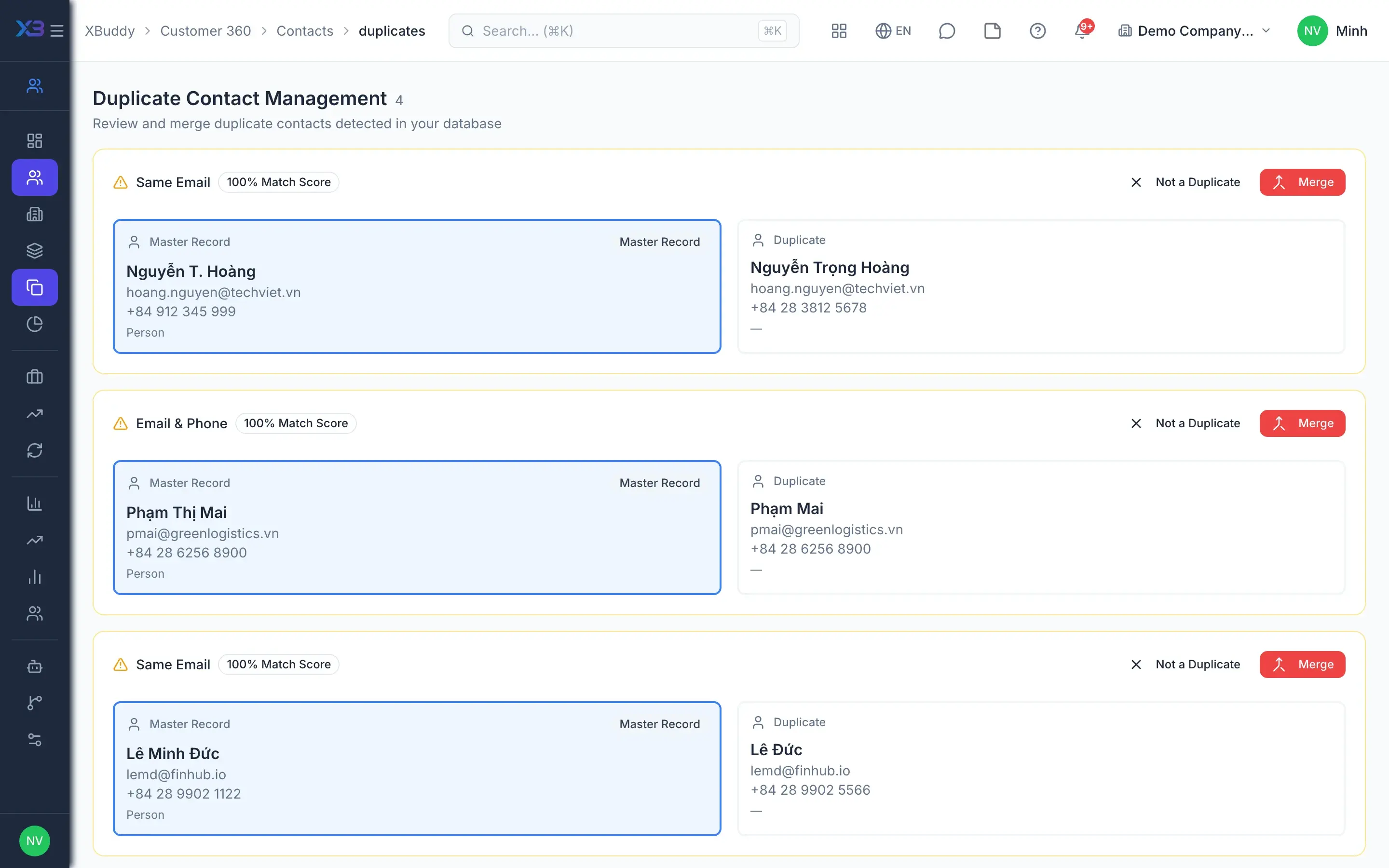
The same customer appears several times from forms, imports and reps creating records. Follow-up history is split and two reps call the same customer.
Customer details and products of interest are retyped when creating the deal, then again for the quotation. Every re-entry is another chance for mismatch.
Reps drag deals forward without enough information, or back to make numbers look better. The pipeline stops reflecting reality.
7 steps, one chain of documents
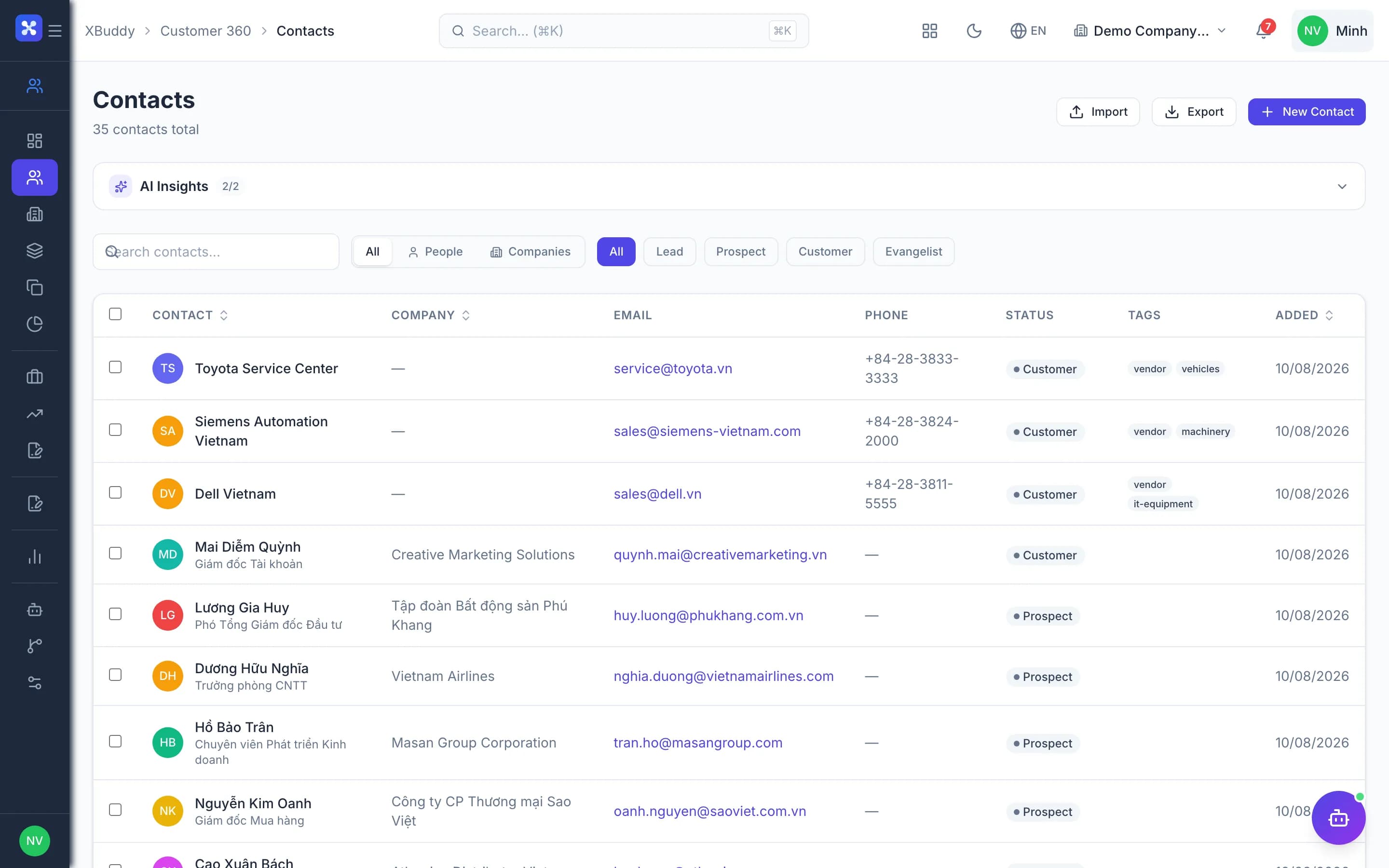
- 1Clean, deduplicated customer dataIndividual contacts and business accounts share one table. CSV imports are previewed before writing, duplicate emails are always blocked, duplicate phone numbers are blocked by configuration, and a list of duplicate pairs lets you merge records.
- CSV import previewed before writing
- Block duplicate emails and phone numbers
- Duplicate pairs list and record merge
- 2Leads enter the funnel with a sourceLeads are created from contacts through a single write path, inherit the contact's latest campaign and attach to its campaign member. Form leads match or create a contact; ambiguous matches are left unlinked to avoid attaching the wrong customer.
- Leads inherit the contact's campaign
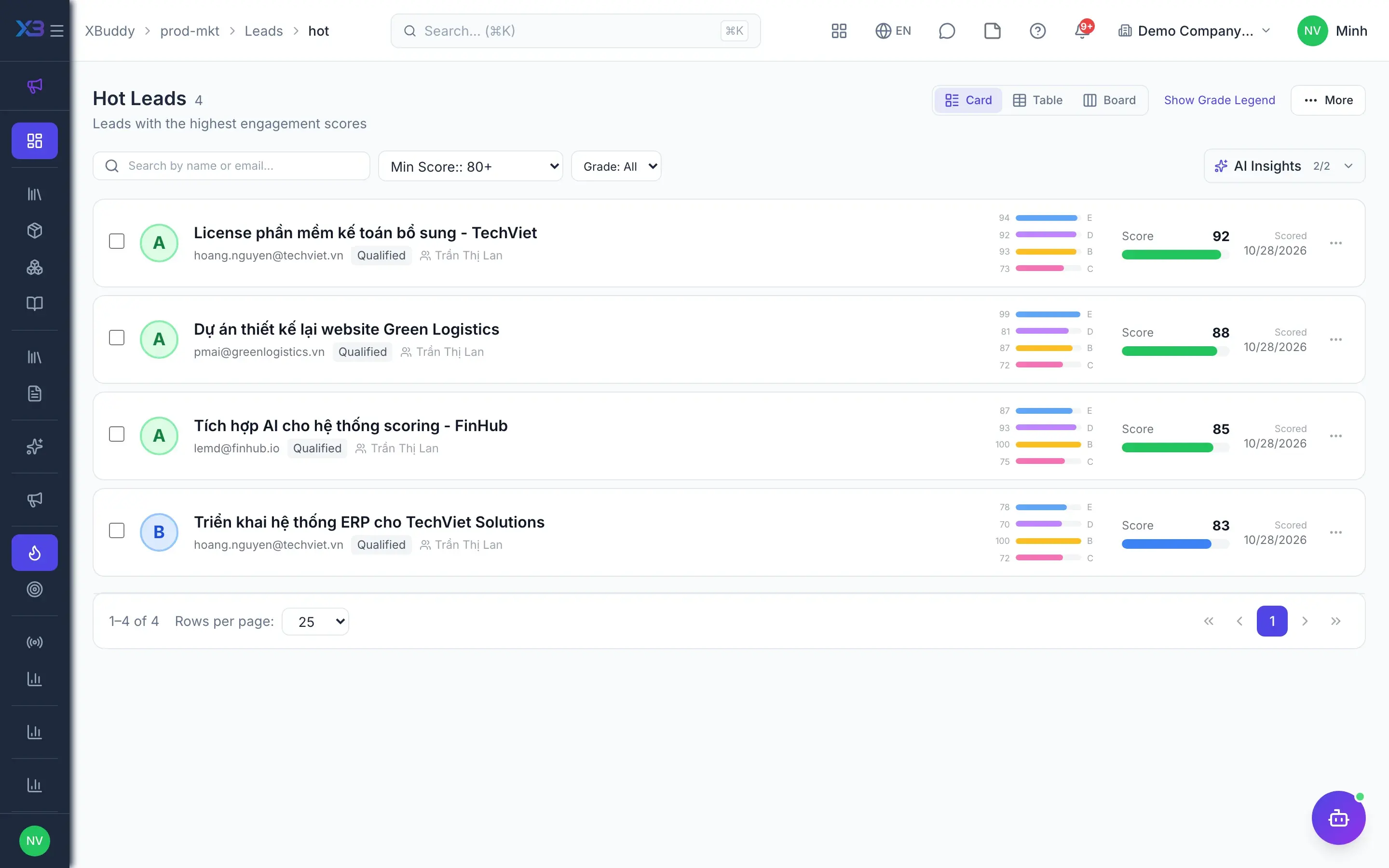
- Lead scoring and a hot leads list
- Send to Sales reassigns the owner, with notifications
- 3Qualify and convertLeads are managed as a list or Kanban, scored and assigned. With the flag on, a lead must be qualified before converting; converting copies fields and product lines into a deal, each lead converts once and can optionally create an operations project.
- Optionally require qualification before convert
- Auto-create a contact when the lead has none
- Upsell is a new deal from the same contact
- 4Deals through stage gatesDeal stages are configuration, with criteria gates on moves and control over backward moves. Reps log activities and raise and answer challenges on the deal; deal approval rules route deals needing approval to an authorized approver, and idle deals trigger an alert after a set number of days.
- Stage criteria gates and backward-move control
- Deal approval rules: submit, approve, reject
- Stale deal alert after N days
- 5Quotations from dealsA Quotation is created from the deal in the Sales app, carrying the customer and existing product lines. Line prices go through the central selling price list and price gate, so a quote never falls back to cost price when a price is missing.
- Quotation inherits data from the deal
- Prices from the central selling price list
- Optional warn or block on selling below cost
- 6Sales order confirmed, deal wonConfirming a Sales Order marks the deal won in the same transaction and emits a deal-won event. Contact and account lifecycles only move forward, campaign attribution is computed at this moment, and a service contract can be created automatically when the flag is on.
- Pipeline matches confirmed sales orders
- Optionally require a win reason
- Manual close-won when no sales order is used
- 7Win/loss analysisPipeline analytics, forecasting with forecast submissions and win/loss analysis read the same deal data. Lost deals close in the lost state so statistics count correctly, showing team leads which stage loses the most deals.
- Pipeline analytics and forecast
- Win/loss analysis
- Source channel analytics
Every step is a familiar screen
6 real scenarios with how-tos
3 apps in this solution
Assistants that work the process with you
Lead Assistant
Scores, enriches, and prioritizes leads — surfacing the hottest prospects and recommending the next action to convert them.
Deal Assistant
Process-aware agent tracking deal lifecycle, identifying stale deals and proposing follow-up actions
Marketing Strategy Assistant
Marketing strategy assistant — analyzes campaign ROI and conversion, optimizes budget allocation across campaigns and channels, and recommends high-value audience segments.
Detailed paper: Lead to deal
End-to-end process, apps involved, AI assistant roles, KPIs and a 30/60/90-day rollout plan.
Is CRM separate from sales?
No. Quotations and Sales Orders live in the Sales app, linked directly to the deal; confirming a sales order marks the deal won.
Do services need a separate pipeline?
No. One deal pipeline serves goods, services and mixed deals.
How many times can a lead convert?
Once. An upsell opportunity is a new deal created from the same contact or account.
How are duplicate contacts blocked?
Duplicate emails are always blocked, duplicate phone numbers when the dedup check is on. Tax ID duplicate checks are not available yet.
Are there separate MQL and SQL stages?
No. Handoff from marketing means reassigning the lead owner, with an email and an in-app notification.