Performance

Reviews built on real data, linked to development and pay

Review cycles with criteria, weights and a development path per role.

  • Calibrated 360° reviews, fairer than gut feeling
  • KPIs pull numbers automatically from CRM, sales and tasks
  • Results flow into development plans, raises and pay inputs
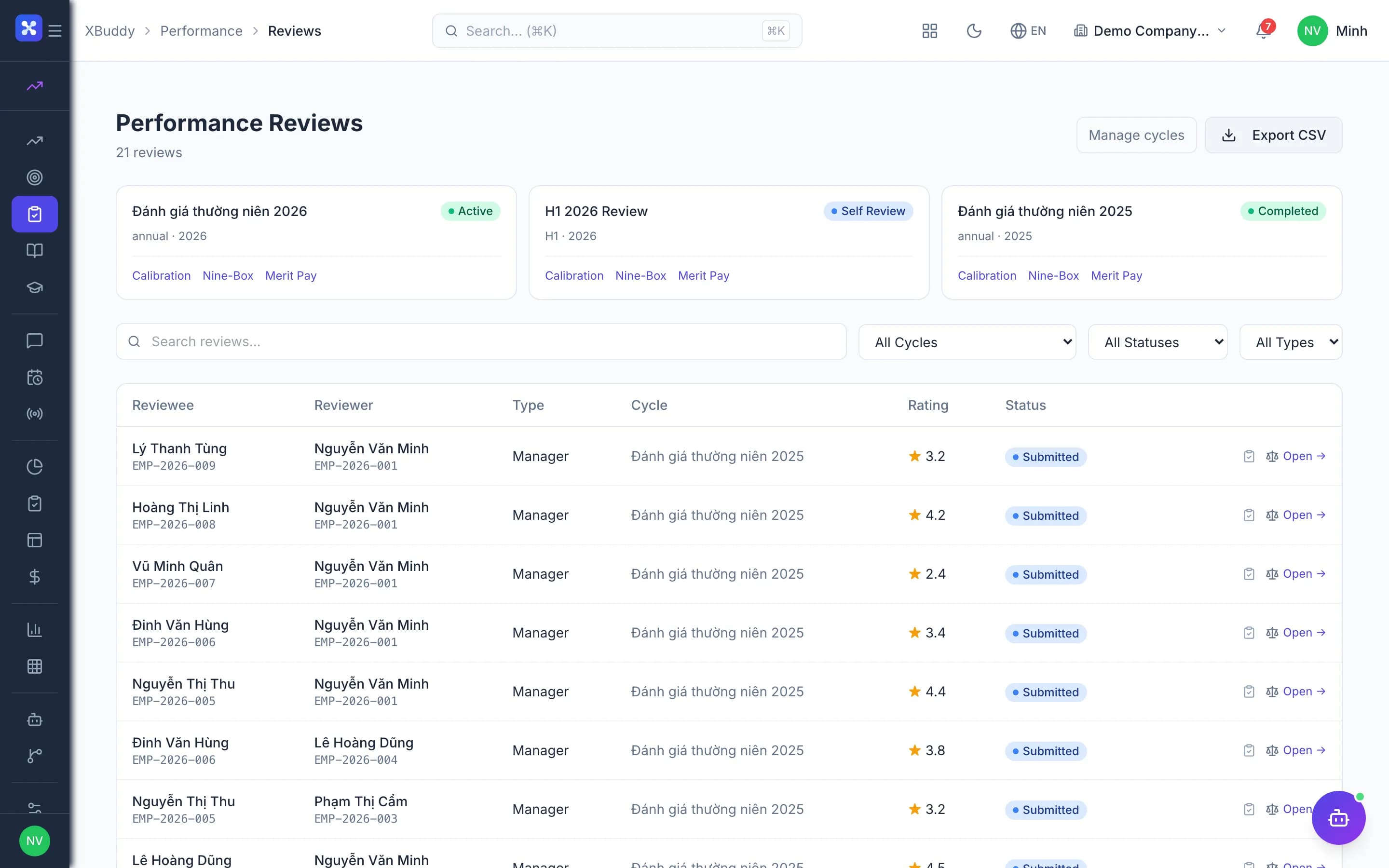
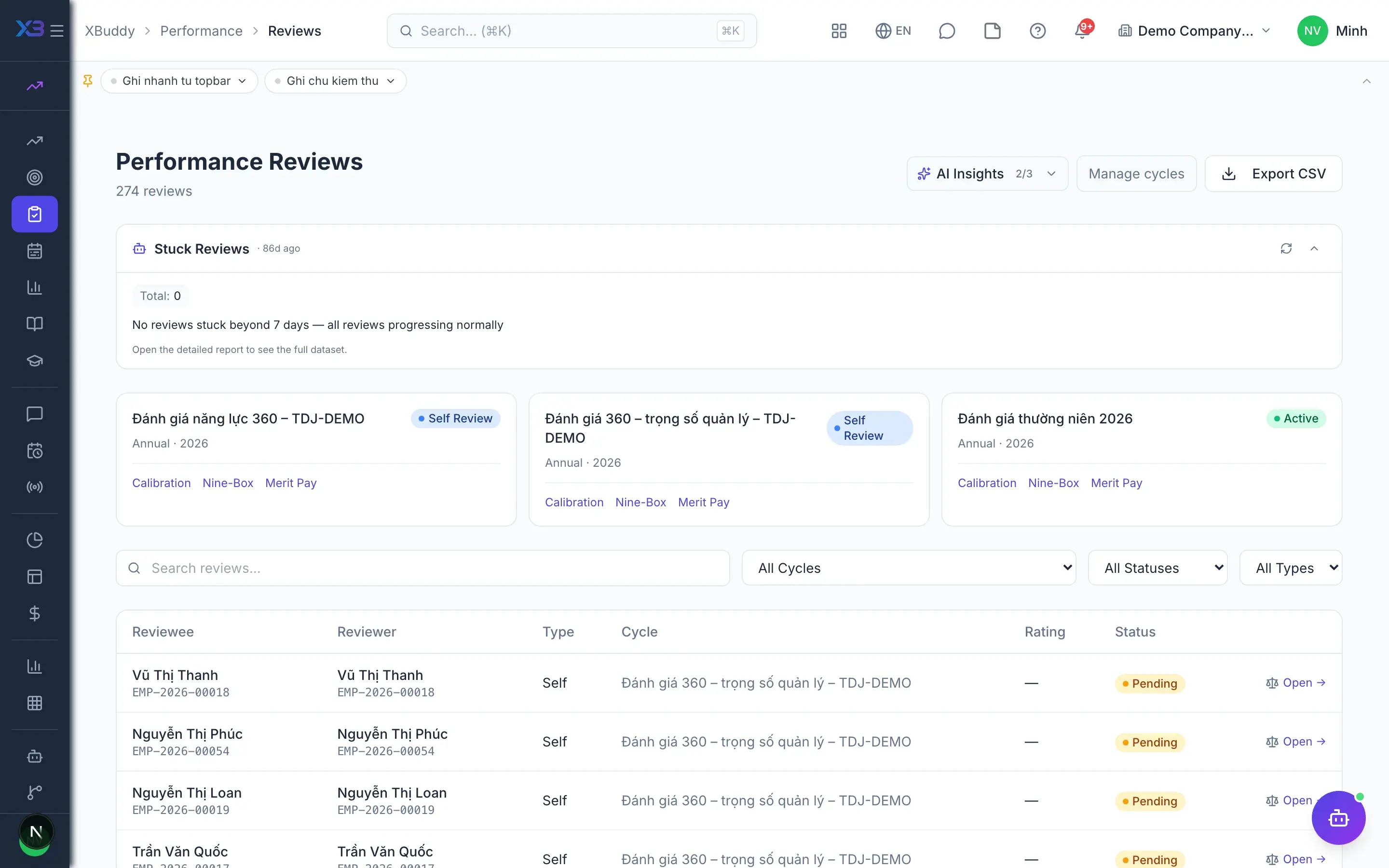
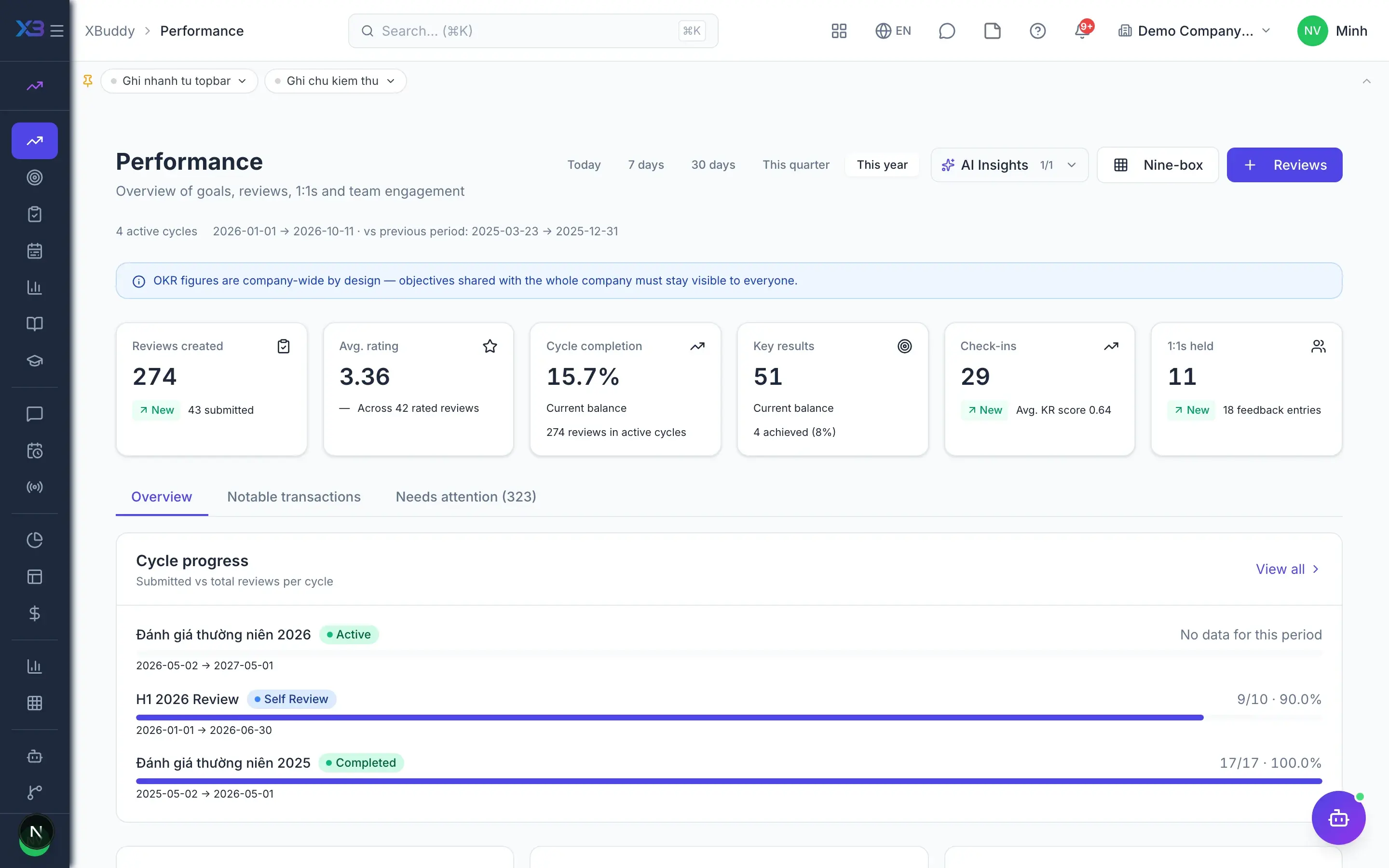
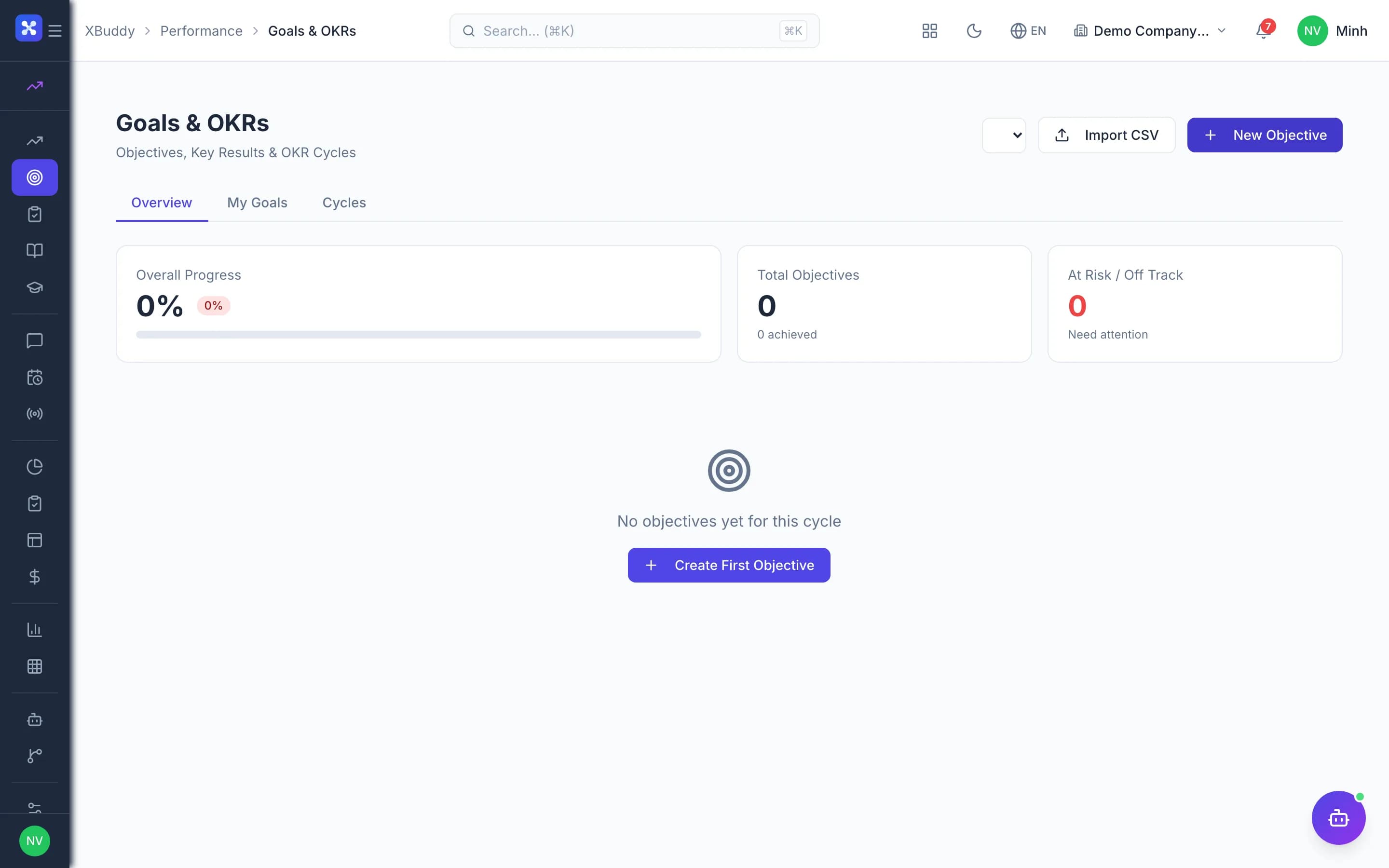
Performance — product screen

Screenshot 1 of 8

22
capabilities
12
advanced & AI features
1
AI assistants on this data
Web
on mobile

Sound familiar?

The problems this app removes

  • One-way, subjective reviews on scattered forms
  • KPIs typed in by hand, disconnected from business data
  • Review results never reach training or pay decisions
  • No way to measure employee morale

Capabilities

22 capabilities in Performance

Catalogued against screens that exist in the product, grouped by the work they do — not a flat marketing list.

Review cycles

5
  • 360° reviewsAdvanced

    Create cycles, assign multiple reviewers, and let employees self-assess on the same form.

  • Calibration sessionsAdvanced

    A panel calibrates scores across teams before finalising, reducing rating inconsistency.

  • Per-person finalisation

    Finalise each employee's score and update their competency levels in the profile.

  • Nine-box grid

    Place employees by performance and potential to decide on retention and development.

  • OKR scores into reviews

    Closing an OKR cycle feeds each employee's score into the matching review cycle.

KPIs & metrics

5
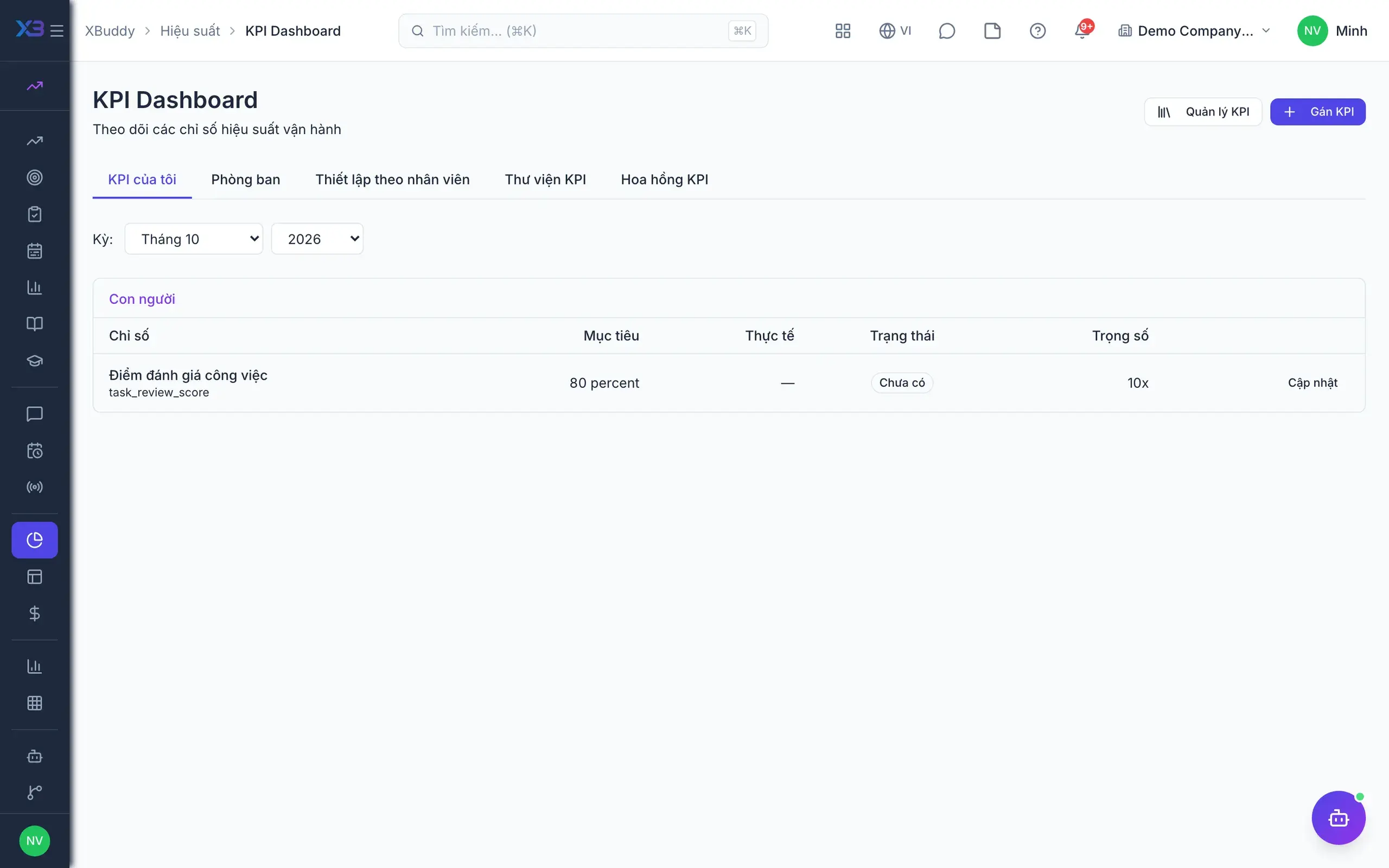
  • KPI library and assignment

    Build a shared KPI library and assign KPIs to departments or individual employees.

  • Data-driven KPIsAdvanced

    KPIs read deals, sales orders and tasks directly, with no manual entry each period.

  • KPI period close with approval

    Employees submit results and managers approve before the numbers are used further.

  • Balanced ScorecardAdvanced

    A balanced scorecard with a strategy map for the leadership team.

  • Sales targets and leaderboards

    Set targets for the sales team and track the leaderboard each period.

Engagement

3
  • Continuous feedback

    Give feedback anytime, send 360° feedback requests and view the consolidated results.

  • Recurring one-on-onesAdvanced

    Ongoing manager–employee one-on-ones with agendas suggested from OKRs.

  • Pulse surveys and eNPS

    Send quick surveys, see results and eNPS, and build action plans.

Development & pay

5
  • Individual development plans

    Create IDPs after reviews and track development milestones and team training.

  • Course and coaching suggestionsAdvanced

    IDPs suggest LMS courses and coaching programmes matched to competency gaps.

  • Merit pay proposals

    Build raise proposals from cycle results, passed to Payroll once approved.

  • Completion rate as pay inputAdvanced

    Work completion evaluations become a variable in the payroll formula.

  • Pre-raise conditionsAdvanced

    Optionally require calibration and an IDP before any merit proposal can be created.

AI assistant

4
  • Review draftingAI

    AI drafts and summarises review comments and suggests suitable reviewers.

  • Calibration bias detectionAI

    AI flags reviewers who rate too leniently or too harshly before calibration.

  • KPI drift trackingAI

    AI warns when KPIs drift off target and reminds about upcoming IDP milestones.

  • Pulse and nine-box analysisAI

    AI analyses survey results and helps place employees on the nine-box grid.

Real screens

Inside Performance

Performance — product screen
Performance — KPI dashboard and balanced scorecard perspectives

In practice

When you reach for it

1

A 360° review without anchoring bias

A review is only worth anything if the person reading it believes it was fair.

  1. 1.Each reviewee gets several inputs: self, manager, peers, direct reports
  2. 2.Blind mode hides prior-cycle scores so reviewers are not anchored
  3. 3.Managers calibrate across departments before a single outcome is finalised

One final outcome with several sources behind it, and the calibration on record.

Assistants on this app

1 assistants work on this data

Each assistant carries its own skills on this app’s data, inside the caller’s permission scope.

Performance & OKR assistant — tracks review cycles, OKR progress and health, KPI variance, 9-box calibration and pulse surveys, and nudges on-time completion.

Explore skills
  • KPI Variance MonitorMonitors KPI actual vs target variance across employees and departments, flags at-risk and critical underperformers
  • OKR Progress TrackerMonitors Key Result progress and alerts owners when lagging behind cycle pace
  • Cycle Risk PredictorPredicts which objectives are likely to miss cycle targets based on progress velocity trends
  • OKR Health ScorerCalculates weekly health scores by department — highlights teams that are on-track, at-risk, or off-track
  • OKR Alignment ValidatorChecks that all team and individual OKRs are properly linked to parent objectives
  • Check-in NudgerNudges Key Result owners who have not submitted a progress check-in recently
  • Cycle Summary GeneratorGenerates end-of-cycle OKR achievement reports with AI-powered retrospective insights
  • IDP Follow-through TrackerTracks Individual Development Plan milestone completion and sends overdue reminders
  • Pulse Survey AnalyzerAnalyzes pulse survey trends and eNPS patterns over the last 30 days to identify engagement signals
  • 9-Box ClassifierClassifies employees into the 9-box performance/potential grid and suggests action plans for each cluster
  • Calibration Bias DetectorIdentifies statistical rating bias across managers during calibration sessions
  • Review Draft (AI)Drafts a performance review from the reviewee's 360 context for the reviewer to override and submit
  • Final Review Synthesizer (AI)Synthesizes a consolidated final review from all submitted 360 reviewer feedback for the approver to finalize
  • Reviewer RecommenderRecommends reviewers (manager, skip-level, peers) for a 360 performance review

Solutions

Performance in end-to-end solutions

FAQ

Frequently asked

Do KPIs have to be entered by hand?

No. KPIs pull numbers from CRM, sales and tasks automatically, with a period close for manager approval.

Where is training managed?

Course authoring and learning live in LMS; Performance tracks team training and suggests courses in IDPs.

Do review results affect pay?

They can. Merit proposals and completion rates pass to Payroll when the company enables it.

See Performance running on your data

A thirty-minute demo focused on the process you are actually stuck on.