
Permissions and information security when AI enters operations
An assistant that can read more than the person asking it isn't a feature — it's a security hole with a friendly interface.
The first question a competent IT director asks when you propose putting AI over internal systems: "What can it read?"
It's the right question, and the answer needs to be one sentence:
The assistant reads exactly what the person asking is allowed to read. Not one row more.
That sounds obvious. In practice it's where most hurried AI integrations go wrong — because the AI path usually gets built beside the permission system rather than through it.
Why this hole is so common
The fastest way to give an assistant data access is a service account with broad read rights. It works immediately. The demo is impressive.
And it means: any employee asking the assistant is asking through an account more powerful than their own.
A salesperson asks "what's total payroll this month?" and gets an answer — not because they're allowed, but because the assistant is. No exception, no denial record. Just a helpful answer to someone who shouldn't have heard it.
What makes it dangerous: nothing errors. You find out when somebody mentions a number in a meeting they shouldn't know.
Four axes every question must pass
An assistant fit for enterprise use has to clear the same four gates as the UI:
1. Capability — is this person allowed to perform this action? Reading an invoice, editing an invoice and approving a payment are three different rights. An assistant must not collapse them into "finance access".
2. Module — has the company bought this capability? A payroll question must be refused if the organisation doesn't run the payroll module — even though the data exists in the database.
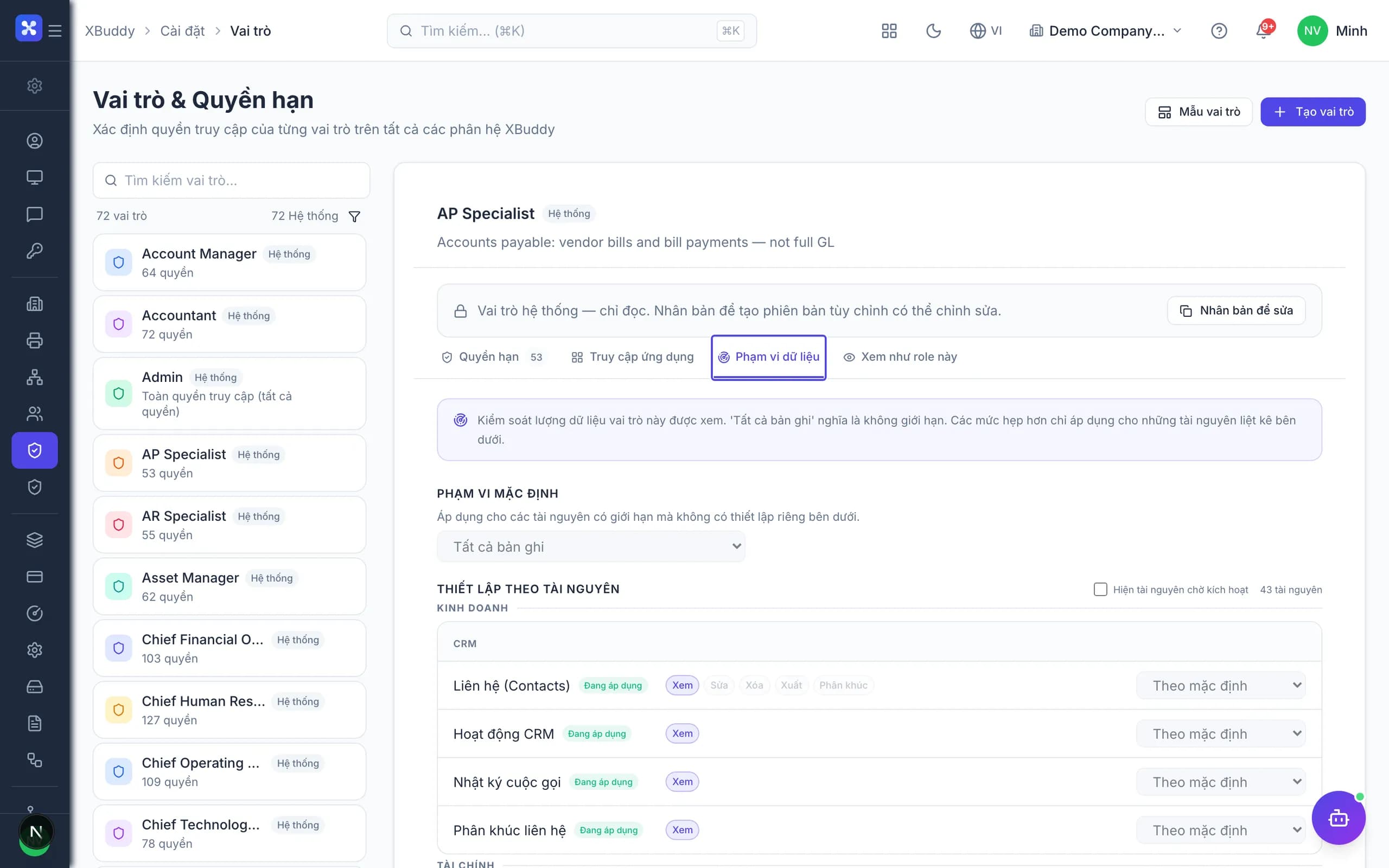
3. Data scope — over which set of records? This is the axis most often missed. A salesperson with "read deals" usually means their own deals, not the company's. If an assistant applies capability but forgets scope, it returns the right kind of data over the wrong set — the hardest leak to spot, because the answer looks entirely reasonable.
4. Field — within that record, which columns? An employee record has a name and a job title; it also has a national ID, a salary and a performance rating. Permission to view the record is not permission to view every field in it.
All four must be enforced at the data layer, not the presentation layer. Hiding a field in the UI while the API still returns it is security by hoping nobody opens the Network tab.
Three questions that assess any AI integration
When someone offers you an assistant that plugs into internal systems, these three reveal most of it:
"Which identity does the assistant use to read data?" The answer must be "the identity of the person asking". If it's a service account, every axis above has been bypassed.
"Show me a denial." A system with real permissions refuses at the right moment and records the refusal. If nobody can construct a denial example, the gate has probably never run.
"Does my data leave the system, and where does it go?" An assistant calling an external model sends data out. The question isn't whether but what: record IDs or content? Personal names? Used for training? Stored by whom, for how long?
The principle of sending the least
Even with perfect permissions, keep asking: what does this question actually need to send to the model?
Most analytical work needs numbers and structure, not identities. "The three largest overdue balances" is computable from IDs and amounts; customer names are only needed to render the result — and that step happens after the model has answered.
Practical rules:
- Send identifiers (IDs, document numbers), not free text, unless the task demands it.
- User search strings and personal names should not live in the audit record — the audit answers "who read which record", and doesn't need to replay the content.
- Every model call records what class of data was sent, and whether it contained personal data. Users are entitled to know.
Minimum bar before switching it on
Before an assistant touches real data, at minimum you need:
- All four gates above, enforced at the data layer.
- Propose by default. Write actions enabled deliberately, one class at a time.
- A full trace: who asked, which records were read, what was proposed, who approved.
- A kill switch. One organisation-wide flag that doesn't require a deploy — because the cheapest rollback is the one you don't have to write code for.
- Tenant-level isolation. One customer's data never shares a query space with another's.
In closing
The biggest risk of enterprise AI is not that the model answers wrongly — a wrong answer is visible and gets ignored.
The biggest risk is that it answers correctly, for the wrong person. That answer looks perfect, nobody questions it, and no log line records that a boundary was just crossed.
Which is why permissions aren't the part you do after the AI works. They're the part that decides whether it's allowed to work at all.